
Ameta S50 Lite
Instrukcja obsługi drona GPS Ameta S50 Lite
Model: S50 Lite
1. Wprowadzenie
This manual provides essential information for the safe and effective operation of your Ameta S50 Lite GPS Drone. Please read this manual thoroughly before operating the drone and retain it for future reference. The Ameta S50 Lite is designed for both beginners and experienced pilots, featuring advanced GPS capabilities, a 4K camera, and extended flight time.
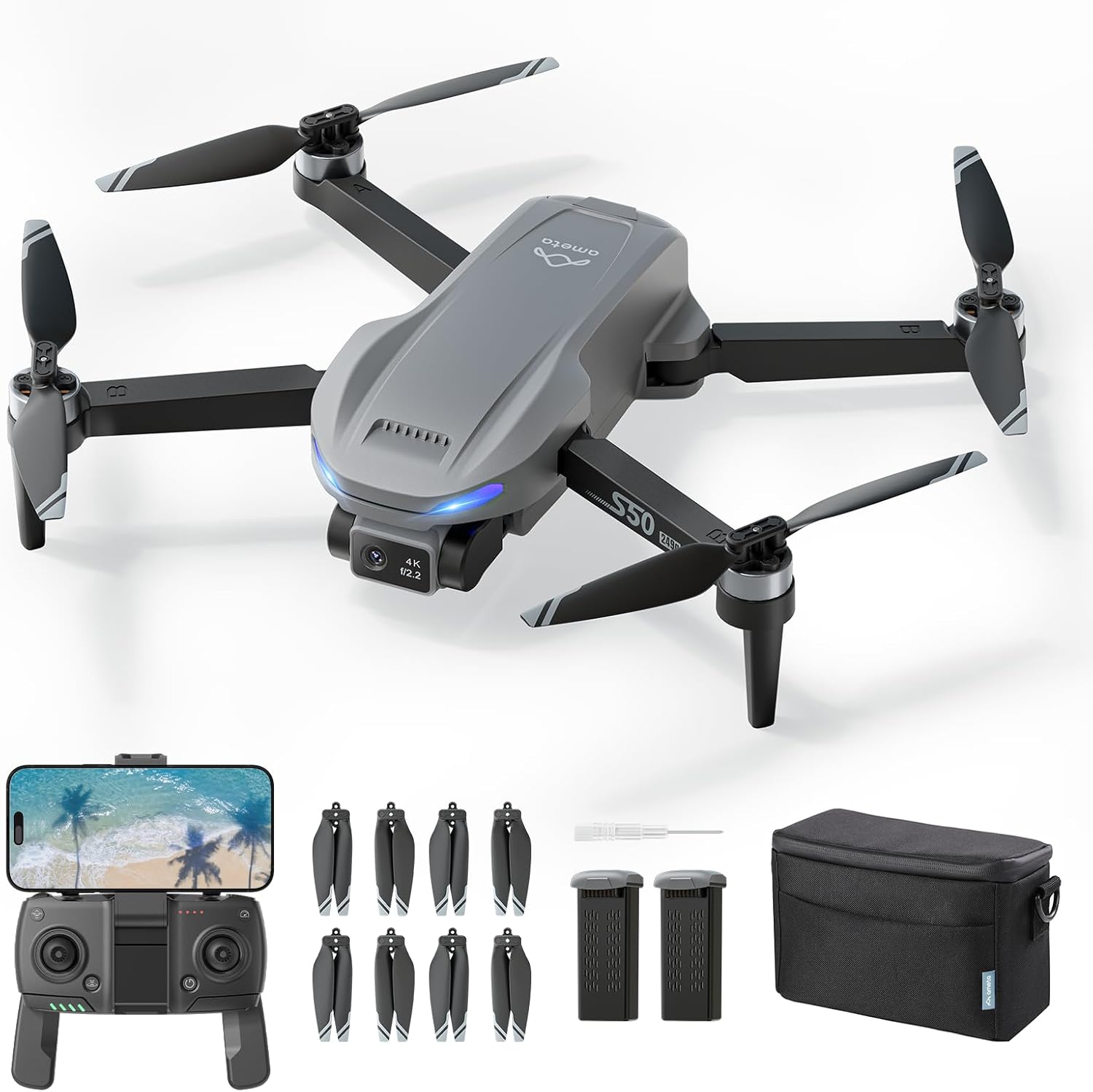
Image 1.1: The Ameta S50 Lite GPS Drone package contents, including the drone, remote controller, spare propellers, two batteries, a screwdriver, and a carrying bag.
2. Zawartość opakowania
Sprawdź, czy wszystkie wymienione poniżej elementy znajdują się w Twojej paczce. Jeśli brakuje któregokolwiek z nich lub jest on uszkodzony, skontaktuj się z obsługą klienta.
- Ameta S50 Lite GPS Drone (x1)
- Pilot zdalnego sterowania (x1)
- 2000mAh Flight Battery (x2)
- Spare Propellers (x4 pairs, 8 individual propellers)
- Propeller Screws (x8)
- Śrubokręt (x1)
- Kabel USB do ładowania (x1)
- Torba transportowa (x1)
- Instrukcja obsługi (x1)

Rysunek 2.1: Szczegółowy view of spare propellers, eight screws, and the included screwdriver, which are part of the package contents.
3. Funkcje produktu
The Ameta S50 Lite GPS Drone incorporates several advanced features for an enhanced flying and photography experience:
- 4K Professional Camera: Equipped with a Sony IMX258 Sensor and a 90° adjustable lens, capable of capturing ultra-clear 4K videos and 13MP photos.
- Transmisja FPV 5G WiFi: Supports real-time first-person view (FPV) transmission up to 500m range.
- Reliable GPS Positioning: Features a highly accurate GPS system for stable flight and intelligent return-to-home functions.
- Wydłużony czas lotu: Two 2000mAh batteries provide up to 50 minutes of total flight time (25 minutes per battery).
- Sterowanie przyjazne dla początkujących: One-key take-off/landing, optical flow and GPS altitude hold, and three adjustable speed levels.
- Inteligentne tryby lotu: Includes Rocket, Circle Fly, Far Away, Panorama, Time-lapse, and Gesture Selfie for creative shots.
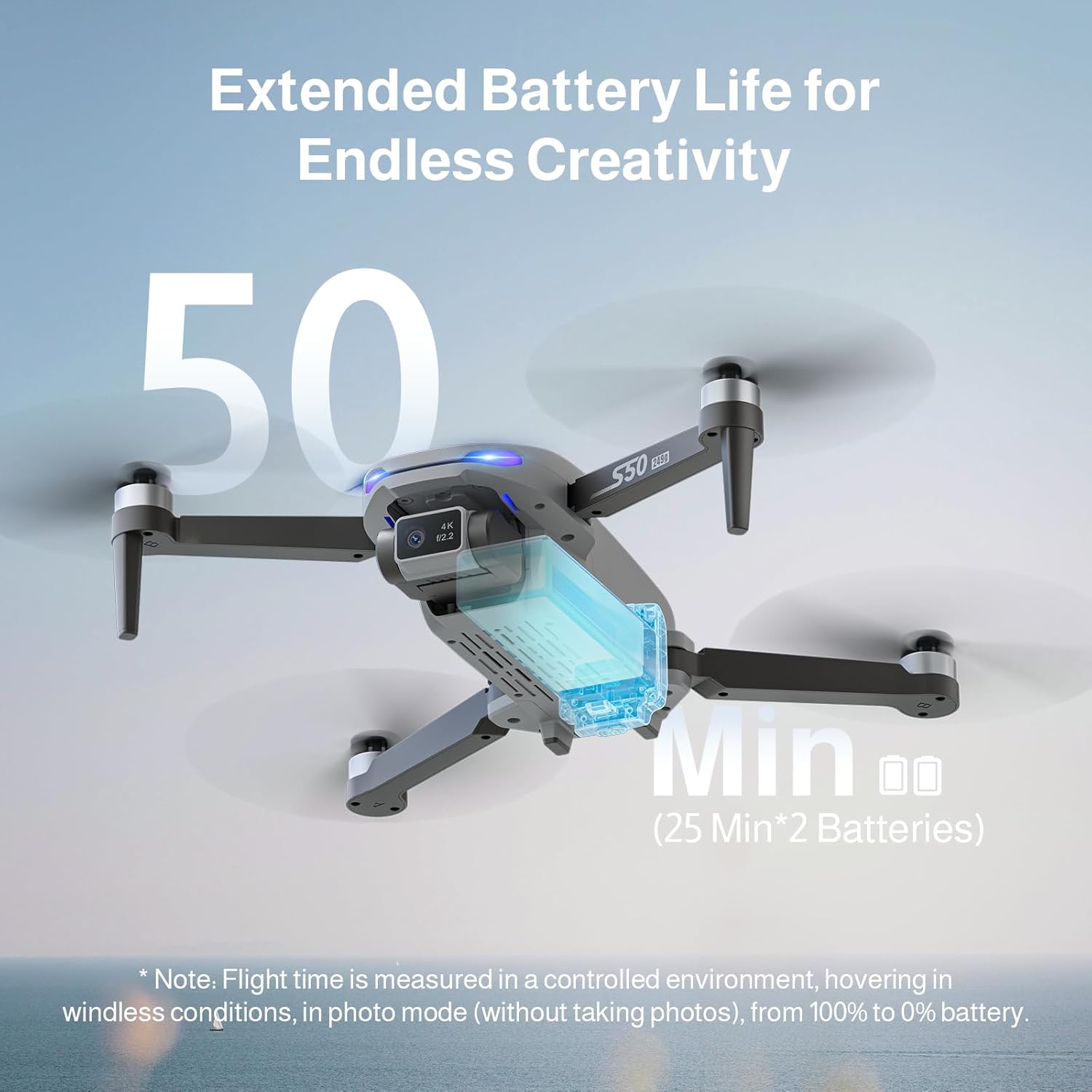
Image 3.1: The drone's 4K camera with a 90° adjustable lens, featuring a 13MP IMX258 sensor for high-resolution imaging and 5G WiFi transmission.

Image 3.2: Illustration of the drone's extended flight capability, offering up to 50 minutes of flight time with two 25-minute batteries.
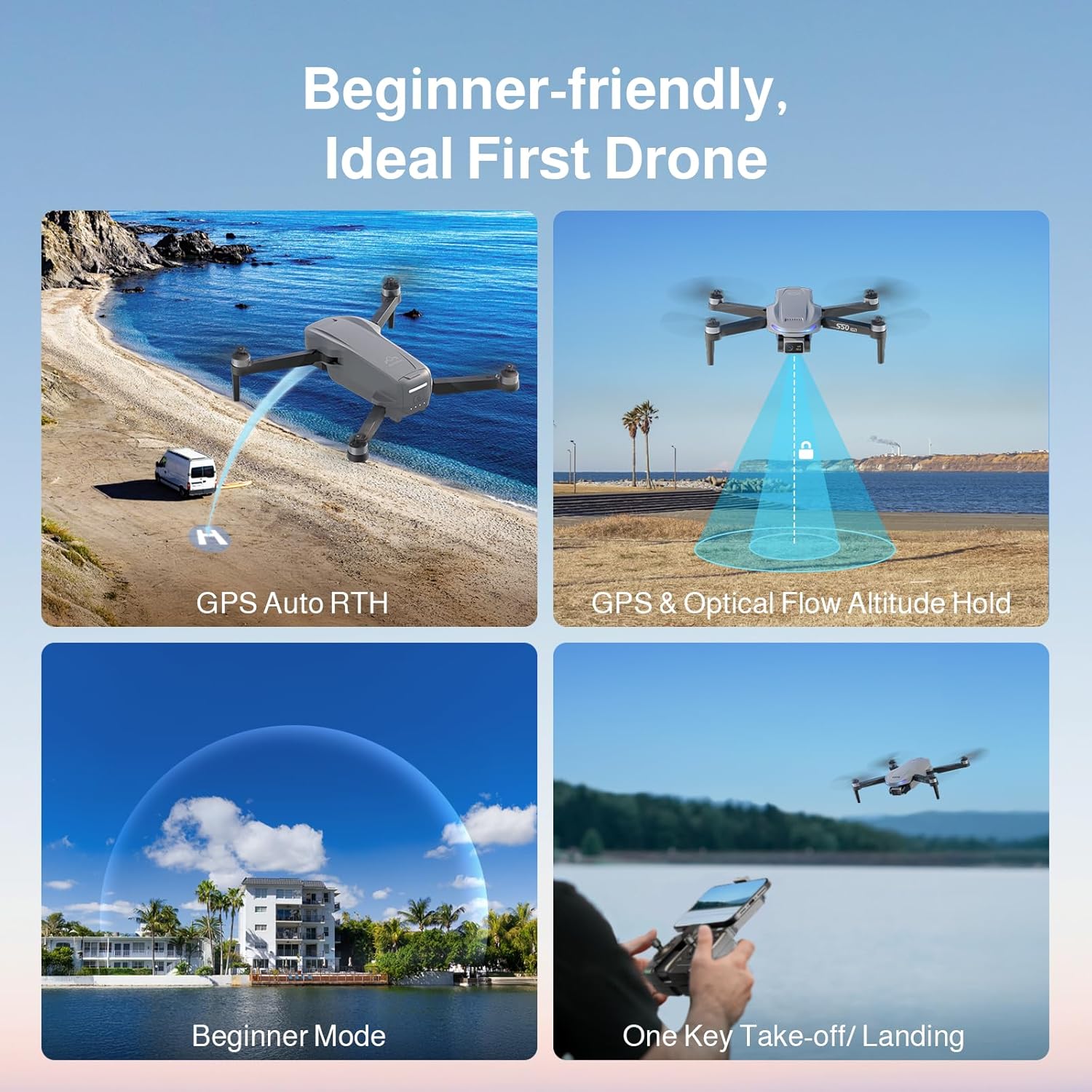
Image 3.3: Visual representation of the drone's precise GPS control features, including Return to Home, Waypoints Flight, Circle Fly, and GPS Follow modes.

Image 3.4: Depiction of the drone's ease-of-use features, such as GPS Auto Return to Home, GPS and Optical Flow Altitude Hold, a dedicated Beginner Mode, and one-key take-off/landing.
4. Konfiguracja
4.1 Instalacja śmigła
The drone comes with propellers that need to be installed. Ensure correct propeller type (A or B) is matched to the corresponding motor arm.
- Identify Propeller A and Propeller B. Propellers are typically marked.
- Match Propeller A to motor arms marked 'A' and Propeller B to motor arms marked 'B'.
- Place the propeller onto the motor shaft, aligning the screw holes.
- Secure the propeller with the provided screws using the screwdriver. Do not overtighten.

Obraz 4.1: Zbliżenie view of Propeller A and Propeller B, showing their distinct shapes and markings for correct installation.

Obraz 4.2: Byłyample of a propeller correctly installed on the drone's motor arm, demonstrating the alignment and secure fastening.
Image 4.3: A visual guide indicating the correct placement of propellers on each motor arm, ensuring the drone is ready for flight.
4.2 Ładowanie i instalacja akumulatora
Charge both flight batteries fully before first use. Use the provided USB charging cable.
- Connect the USB charging cable to the battery and a suitable USB power adapter (not included).
- The battery indicator lights will show charging status. Charge until all lights are solid.
- To install the battery, slide it into the battery compartment on the drone until it clicks securely into place.
- To remove, press the release button(s) and slide the battery out.
4.3 Konfiguracja pilota zdalnego sterowania
Install batteries into the remote controller (typically AA batteries, not included unless specified). Extend the phone holder and secure your smartphone.
- Open the battery compartment on the back of the remote controller and insert the required batteries.
- Extend the phone holder and securely mount your smartphone.
- Download and install the Ameta flight control application from your smartphone's app store.
- Włącz pilota zdalnego sterowania.
4.4 Połączenie aplikacji
Connect your smartphone to the drone's Wi-Fi network via the Ameta application.
- Włącz drona.
- On your smartphone, go to Wi-Fi settings and connect to the drone's Wi-Fi network (e.g., "Ameta_S50Lite_XXXX").
- Open the Ameta flight control application. The app should automatically connect to the drone and display the FPV feed.
5. Instrukcja obsługi
5.1 Lista kontrolna przed lotem
- Sprawdź, czy baterie drona i pilota są w pełni naładowane.
- Śmigła są prawidłowo zamontowane i zabezpieczone.
- Fly in an open area, away from obstacles, people, and animals.
- Sprawdź lokalne przepisy dotyczące użytkowania dronów.
- Ensure GPS signal is strong before take-off for stable flight and RTH functions.
5.2 Start i lądowanie
The Ameta S50 Lite features one-key take-off and landing for ease of use.
- Start jednym klawiszem: After calibration and GPS lock, press the one-key take-off button on the remote controller or in the app. The drone will automatically ascend to a safe altitude and hover.
- Lądowanie jednym klawiszem: Press the one-key landing button. The drone will slowly descend and land automatically.
- Manual Take-off/Landing: Refer to the app's detailed instructions for manual control stick movements for take-off and landing.
5.3 Sterowanie lotem
The remote controller uses standard drone control stick configurations. Familiarize yourself with these before flight.
- Lewy drążek: Kontroluje wysokość (w górę/w dół) i odchylenie (obrót w lewo/w prawo).
- Prawy patyk: Steruje ruchem do przodu/do tyłu (pochylenie) i ruchem w lewo/w prawo (przechylenie).
- Regulacja prędkości: The drone offers three adjustable speed levels. Select the appropriate speed for your skill level and flying conditions.
5.4 funkcji GPS
Ensure GPS mode is active for these functions to operate. A strong GPS signal is crucial.
- Powrót do domu (RTH):
- One-Key RTH: Press the RTH button on the controller or in the app. The drone will return to its take-off point.
- Niski poziom baterii RTH: Dron automatycznie zainicjuje procedurę powrotu do domu (RTH), gdy poziom naładowania akumulatora będzie krytycznie niski.
- Lost Signal RTH: If the connection between the drone and controller is lost, the drone will automatically return to its take-off point.
- GPS Follow (Follow Me): The drone will automatically follow the remote controller (and thus the pilot's smartphone) at a set distance and altitude.
- Waypoints Flight: Plan a flight path by tapping desired waypoints on the map in the app. The drone will fly along the specified route.
- Okrągła mucha: The drone will orbit around a designated point of interest, maintaining a set radius and altitude.
5.5 Camera Operation and Smart Modes
Utilize the 4K camera and various smart shooting modes for professional-quality aerial photography and videography.
- Przechwytywanie zdjęć/wideo: Użyj dedykowanych przycisków na pilocie lub w interfejsie aplikacji, aby robić zdjęcia lub rozpoczynać/zatrzymywać nagrywanie wideo.
- Regulowany obiektyw: The 90° adjustable lens allows you to change the camera angle during flight via the remote controller or app.
- FPV (widok z pierwszej osoby) View): View the live camera feed on your smartphone through the Ameta app for real-time flight and framing.
- Smart Shooting Modes:
- Rakieta: The drone ascends vertically while recording.
- Odległy: The drone flies backward and upward, capturing a wide shot.
- Panorama: Captures multiple images to stitch into a panoramic view.
- Czas wygaśnięcia: Records a series of photos over time to create a time-lapse video.
- Selfie z gestem: Wykonuj określone gesty dłonią, aby uruchomić nagrywanie zdjęć lub filmów.

Image 5.1: The drone in flight, with the remote controller and a smartphone showing the live FPV feed, demonstrating real-time camera view w trakcie operacji.
6. Konserwacja
Regular maintenance ensures the longevity and optimal performance of your Ameta S50 Lite drone.
- Czyszczenie: Do czyszczenia korpusu drona i obiektywu kamery używaj miękkiej, suchej ściereczki. Unikaj stosowania silnych środków chemicznych.
- Kontrola śmigła: Regularly check propellers for cracks, bends, or damage. Replace damaged propellers immediately using the spare parts provided.
- Pielęgnacja baterii: Przechowuj akumulatory w chłodnym i suchym miejscu. Nie przeładowuj ani nie rozładowuj nadmiernie. W przypadku dłuższego przechowywania naładuj je do około 50–60%.
- Składowanie: Store the drone and accessories in the provided carrying bag to protect them from dust and physical damage.
7. Rozwiązywanie Problemów
This section addresses common issues you might encounter with your Ameta S50 Lite drone.
| Problem | Możliwa przyczyna | Rozwiązanie |
|---|---|---|
| Dron się nie włącza. | Akumulator nie jest naładowany lub jest nieprawidłowo zainstalowany. | Sprawdź, czy akumulator jest całkowicie naładowany i prawidłowo włożony. |
| No FPV feed in the app. | Brak połączenia z siecią Wi-Fi lub aplikacja nie została uruchomiona prawidłowo. | Verify smartphone is connected to the drone's Wi-Fi. Restart the app and drone. |
| Dron dryfuje w czasie lotu. | Improper calibration or weak GPS signal. | Perform compass and gyroscope calibration. Fly in an open area with strong GPS. |
| Remote controller not connecting. | Controller batteries low or pairing issue. | Replace controller batteries. Re-pair the controller with the drone (refer to app for pairing instructions). |
| Słaba jakość obrazu/wideo. | Dirty camera lens or insufficient lighting. | Clean the camera lens. Ensure adequate lighting conditions for optimal capture. |
8. Specyfikacje
| Funkcja | Szczegół |
|---|---|
| Model | Ameta S50 Lite |
| Rozdzielczość kamery | 4K Video, 13MP Photos (Sony IMX258 Sensor) |
| Regulacja obiektywu | 90° Regulowany |
| Transmisja FPV | 5G WiFi, up to 500m range |
| Czas lotu | Do 25 minut na jednym akumulatorze (łącznie 50 minut przy 2 akumulatorach) |
| Pojemność baterii | 2000mAh (x2 included) |
| System pozycjonowania | GPS, Optical Flow |
| ASIN | B0FJXCLW81 |
| Data pierwszej dostępności | 8 maja 2025 r. |
9. Gwarancja i wsparcie
Ameta provides customer support for its products. For warranty information, technical assistance, or to report issues, please refer to the contact information provided with your purchase or visit the official Ameta webstrona.
Aby uzyskać dalszą pomoc, możesz odwiedzić stronę Ameta Store on Amazon.
Ask a question about this manual
Ask about setup, troubleshooting, compatibility, parts, safety, or missing instructions. Manuals+ will review the question and use this page’s manual context to help answer it.