
1. Wprowadzenie
The Huepar SW-T100 is a versatile 3-in-1 measurement tool designed for various applications in construction, home improvement, and DIY projects. It integrates a laser distance meter, a green cross line laser level, and a traditional tape measure into a single compact device. This manual provides detailed instructions for safe and effective operation of your device.
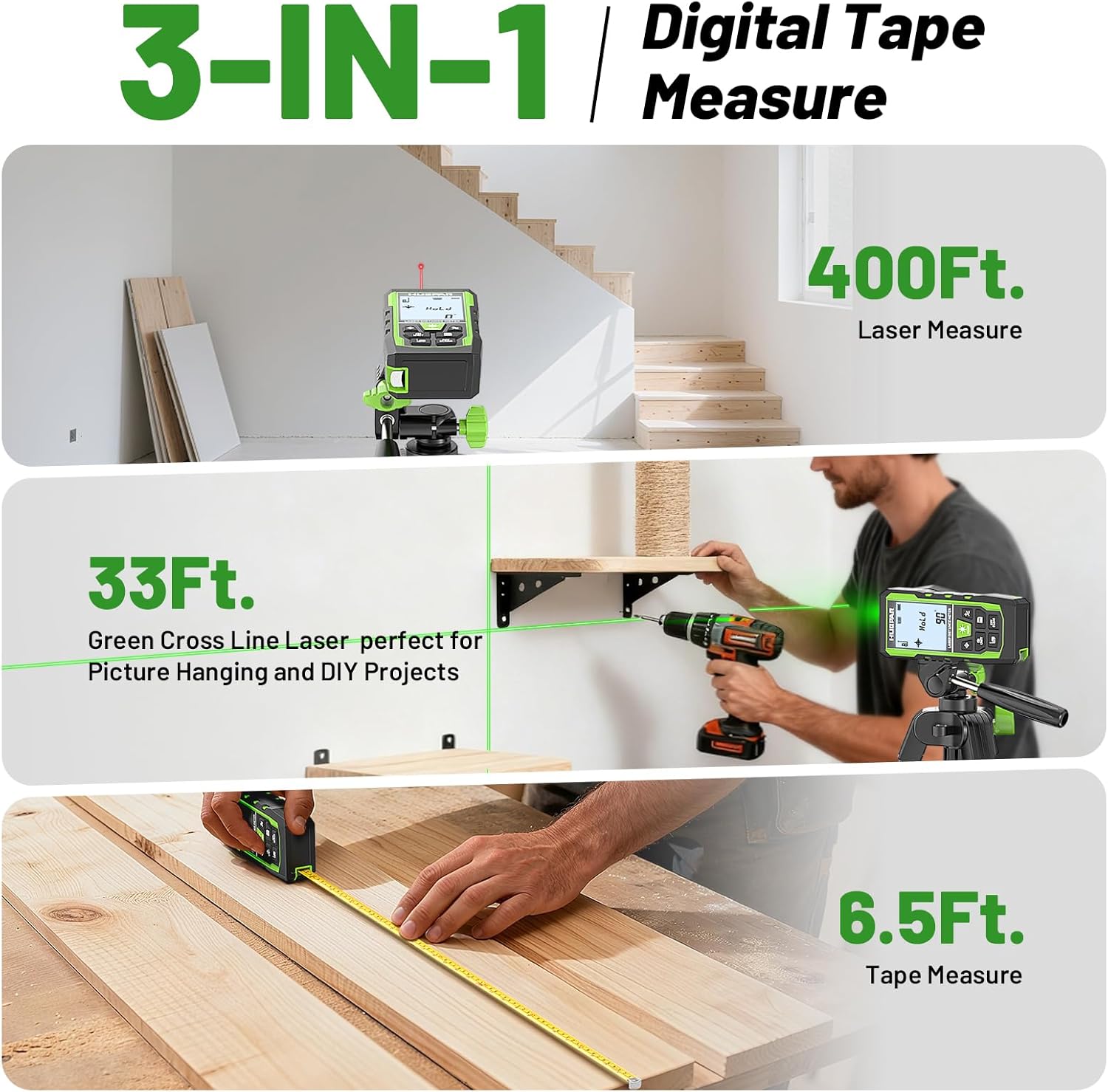
Image 1.1: The Huepar SW-T100 demonstrating its three core measurement functions.
2. Informacje dotyczące bezpieczeństwa
This device uses a Class 2 laser (490-560nm, <1mW). Observe the following safety precautions:
- Nie patrz bezpośrednio w wiązkę lasera.
- Unikaj kierowania wiązki laserowej w stronę innych osób lub powierzchni odblaskowych.
- Do not disassemble the device; laser radiation exposure may occur.
- Przechowywać urządzenie w miejscu niedostępnym dla dzieci.
- Use only the specified Type-C charging cable.
3. Zawartość opakowania
Sprawdź, czy w przesyłce znajdują się wszystkie elementy:
- 1x Huepar SW-T100 3-in-1 Laser Measurement Tool
- 1x kabel ładujący typu C
- 1x Portable Carry Bag
- 1x pasek na rękę
- 1x Auxiliary Measuring Target Plate
- 1x Instrukcja obsługi (ten dokument)
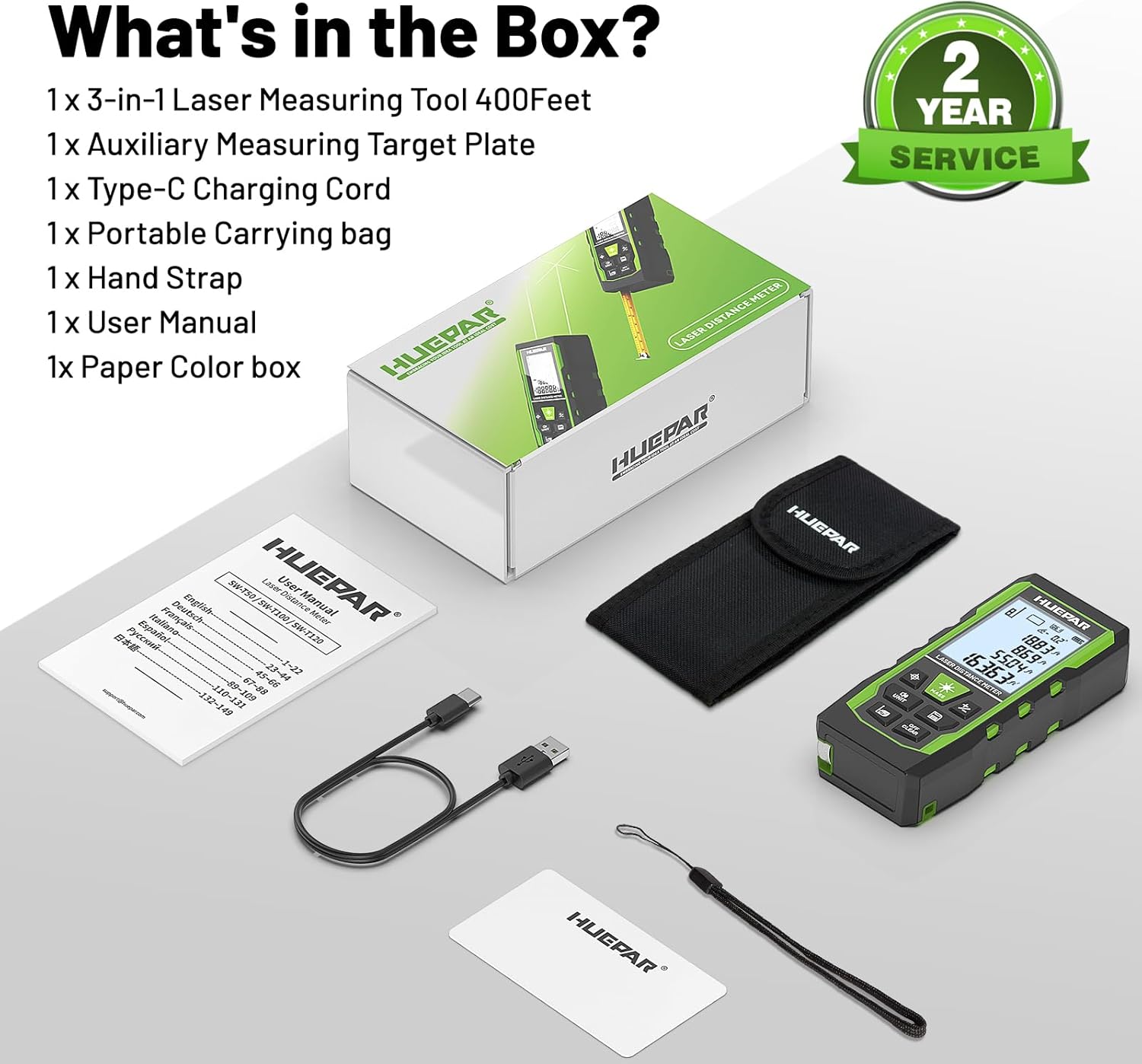
Image 3.1: All components included in the Huepar SW-T100 product box.
4. Konfiguracja
4.1. Ładowanie urządzenia
The device is equipped with a built-in 3.7V / 600mAh Lithium-Ion rechargeable battery. Before first use, fully charge the device.
- Podłącz dołączony kabel ładujący typu C do portu ładowania w urządzeniu.
- Podłącz drugi koniec kabla do standardowego zasilacza USB (nie ma go w zestawie).
- Wskaźnik ładowania na ekranie pokaże stan ładowania.
- Pełne naładowanie trwa zazwyczaj kilka godzin.

Ilustracja 4.1: Urządzenie ładowane przez port typu C.
4.2. Pierwsze włączenie zasilania
Naciśnij Power ON/Measure button to turn on the device. The display will illuminate, and the device will be ready for use.
5. Instrukcja obsługi
5.1. Sterowanie ogólne
The device features several buttons for various functions:
- Power ON/Measure Button: Turns the device on/off and initiates measurements.
- Przycisk trybu poziomicy laserowej: Activates the green cross line laser.
- Unit Switch/Sound Button: Zmienia jednostki miary i steruje transmisją głosu.
- Benchmark/Mode Switch Button: Selects measurement reference points and different measurement modes.
- Addition/Subtraction Buttons: Dodaje lub odejmuje pomiary.
- Przycisk zapisywania danych: Zapisuje aktualne dane pomiarowe.
- Turn off/Clear Button: Clears the last measurement or turns off the device with a long press.
5.2. Laser Distance Measurement Mode
This mode provides precise distance measurements up to 330ft/100M with an accuracy of ±1/16 inch.
- Naciśnij Power ON/Measure przycisk do aktywacji lasera.
- Skieruj laser na punkt docelowy.
- Naciśnij Power ON/Measure Naciśnij przycisk ponownie, aby wykonać pomiar. Wynik zostanie wyświetlony na ekranie.
Rodzaje pomiarów:
The device supports various measurement functions:
- Pomiar odległości: Single point-to-point distance.
- Pomiar powierzchni: Calculates the area of a surface.
- Pomiar objętości: Calculates the volume of a space.
- Indirect Height (Pythagoras): Calculates height using two or three measurements.
- Powierzchnia ściany: Oblicza całkowitą powierzchnię wielu ścian.
- Pomiar ciągły: Zapewnia aktualizacje odległości w czasie rzeczywistym podczas przemieszczania urządzenia.

Image 5.1: Visual representation of the 9 available measurement modes.
Punkty odniesienia:
You can select the measurement reference point:
- Front-based: Pomiary mierzone od przedniej krawędzi urządzenia.
- Rear-based: Pomiary mierzone od tylnej krawędzi urządzenia.
- Screw-hole based: Measures from the tripod screw hole.
Transmisja głosowa:
The device features real-time voice feedback for measurements, enhancing readability and efficiency, especially in challenging conditions or for users with limited vision.
- Naciśnij i przytrzymaj Unit Switch/Sound button to switch between Chinese voice, English voice, or to turn off the sound.
- Note: The device does not broadcast voice while charging.

Image 5.2: The voice broadcast feature in action, providing audible measurement readings.
Pamięć danych:
The device can store up to 100 readings, allowing you to recall past measurements without manual notes.
5.3. Green Cross Line Laser Level Mode
This mode projects bright green horizontal and vertical cross lines, ideal for tasks like picture hanging, shelf installation, and tile alignment. Accuracy is ±1/9 inch.
- Naciśnij Laser Level Mode button to activate the green cross lines.
- Place the device on a stable surface or mount it on a tripod using the 1/4"-20 threaded mount.
- Ekran wyświetla kąty od -90° do +90° w poziomie.
- If the angle is > ±4°, the 'Out' indicator will flash on the screen, and the laser line will flash rapidly, indicating the device is not level.

Image 5.3: Using the green cross line laser for leveling tasks.
5.4. Tape Measure Function
The integrated digital tape measure extends up to 6.5ft/2M for traditional short-distance measurements.
- Pull out the tape measure from the side of the device.
- The tape measure features both imperial and metric markings.
5.5. Przełączanie jednostek
Naciśnij Unit Switch/Sound button to cycle through available measurement units (m, cm, mm, ft, ft+inches, ft+fractions).
5.6. Automatyczne wyłączanie
To conserve battery life, the device will automatically shut off after 150 seconds of inactivity. This setting cannot be changed.
6. Konserwacja i pielęgnacja
- Czyszczenie: Przetrzyj urządzenie miękką, damp płótno. Nie używaj ostrych środków chemicznych ani ściernych środków czyszczących.
- Składowanie: Store the device in its portable carry bag in a cool, dry place when not in use.
- Solidna konstrukcja: The device features a tough TPE housing, providing resistance against drops, dust, and light water spray (IP54 rated). While durable, avoid intentional exposure to harsh conditions.

Image 6.1: The device's robust construction and tripod mounting option.
7. Rozwiązywanie Problemów
- Urządzenie nie włącza się: Ensure the battery is charged. Connect to the Type-C charger and try again.
- Niedokładne pomiary laserowe: Ensure the laser lens is clean. Verify the correct reference point is selected. Ensure the target surface is flat and reflective enough. Use the auxiliary target plate if needed.
- Laser line flashing in level mode: This indicates the device is outside its self-leveling range (> ±4°). Adjust the device's position until the flashing stops.
- Transmisja głosowa nie działa: Check if the voice broadcast is turned off by long-pressing the Unit Switch/Sound button. Voice broadcast is also disabled during charging.
- Auto shut-off too fast: The device is designed to shut off after 150 seconds of inactivity to save battery. This duration is fixed and cannot be adjusted.
8. Specyfikacje
| Funkcja | Specyfikacja |
|---|---|
| Marka | Huepar |
| Model | SW-T100 |
| Measuring Range (Laser) | 330 stopy / 100 m |
| Dokładność pomiaru laserowego | ±1/16 cala |
| Dokładność poziomicy laserowej | ±1/9 cala |
| Klasa laserowa | Klasa 2 |
| Typ lasera | 490-560nm, <1mW |
| Długość taśmy mierniczej | 6.5 stopy / 2 m |
| Bateria | 3.7V / 600mAh Lithium-Ion (Rechargeable) |
| Port ładowania | Typ C |
| Tworzywo | Acrylonitrile Butadiene Styrene, TPE |
| Waga przedmiotu | 200 gram |
| Stopień ochrony IP | IP54 (Dust and light water spray resistant) |
| Automatyczne wyłączanie | 150 sekund (laser), 150 sekund (urządzenie) |
9. Gwarancja i wsparcie
9.1. Gwarancja
This Huepar laser measurement tool comes with a 2-year quality assurance. In the event of a product fault, free repair or replacement will be provided.
9.2. Wsparcie techniczne
Huepar is committed to providing best-in-class service to our customers. We offer:
- 24/7 Service Team (response within 24 hours & solution within 48 hours).
- Dożywotnia pomoc techniczna.
- Worldwide Maintenance Center for faster repair or replacement.
For support, please visit the official Huepar webodwiedź naszą stronę lub skontaktuj się bezpośrednio z naszym działem obsługi klienta.
10. Film o produkcieview
Obejrzyj ten film, aby szybko go obejrzećview of the Huepar 3-in-1 Laser Measurement Tool's features and functions.
Video 10.1: An official product video demonstrating the key features and usage scenarios of the Huepar SW-T100 3-in-1 Laser Measurement Tool. This video highlights the voice broadcast, distance measurement, laser leveling, and tape measure functions.