
Wstęp
The Rapoo VT7 Wireless Gaming Mouse is engineered for high-performance gaming and efficient daily use. Featuring a true 8K wireless polling rate, an ultra-lightweight design, and an extended battery life, the VT7 provides precision and comfort. This manual provides essential information for setting up, operating, maintaining, and troubleshooting your device.
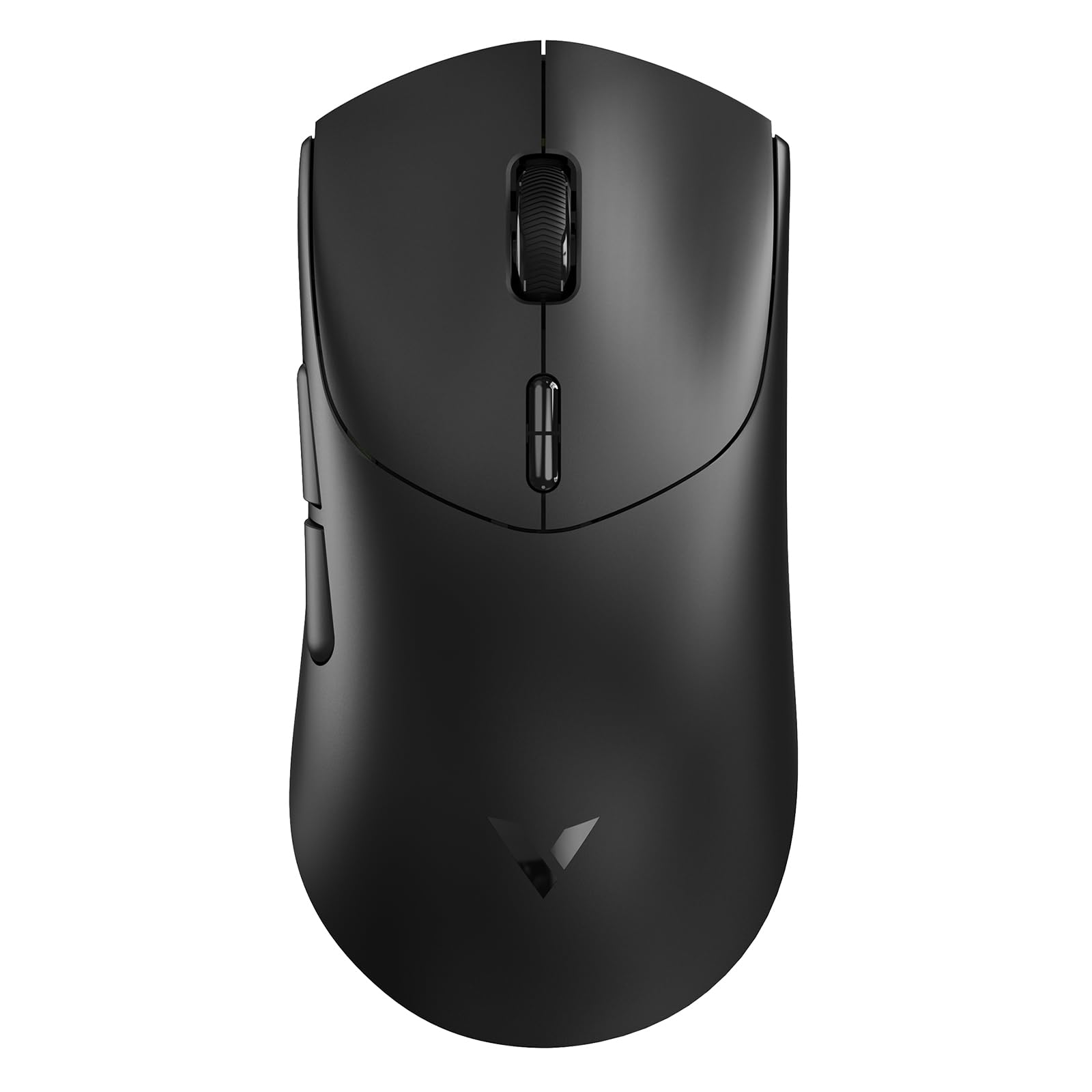
Figure 1: Rapoo VT7 Wireless Gaming Mouse (Black)
Co jest w pudełku
Your Rapoo VT7 Wireless Gaming Mouse package includes the following items:
- 1 x bezprzewodowa mysz do gier
- 1 x kabel typu C
- 1 x adapter USB
- 1 x Anti-Slip Sticker Set
- 1 x Replacement PTFE Mouse Feet Set

Figure 2: Package Contents of the Rapoo VT7 Wireless Gaming Mouse
Organizować coś
Podłączanie myszy
The Rapoo VT7 offers flexible connectivity options:
- Połączenie bezprzewodowe (2.4 GHz): Insert the provided USB adapter into an available USB port on your computer. The mouse will automatically connect.
- Połączenie przewodowe: Connect the Type-C cable to the mouse and the other end to a USB port on your computer. The mouse can be used while charging.
Software Installation (A HUB)
To fully utilize advanced features such as programmable buttons and macros, download and install the Rapoo A HUB driver for Windows or Mac OS. This software allows for customization and stores settings with onboard memory for consistent performance across devices.

Figure 3: Rapoo A HUB Software Interface
Instrukcja obsługi
Główne cechy i zastosowanie
- Prawdziwa częstotliwość odpytywania sieci bezprzewodowej 8K: Experience native 8000Hz wireless performance for precise and responsive tracking without relying on software algorithms or extra dongles.
- Ultralekka konstrukcja o wadze 53 g: The optimized hand grip and easy-to-access side buttons enhance comfort and accuracy, reducing strain during extended use.
- Czas pracy baterii do 750 godzin: Equipped with a Nordic nRF54L15 MCU, the mouse offers an impressive 750 hours of battery life at 1000Hz, minimizing the need for frequent charging.
- 100-Million Mechanical Switch: Enjoy crisp mechanical click feedback and enhanced durability with switches rated for 100 million clicks.
- 26 tys. niezależnych rozdzielczości X/Y DPI: Achieve responsive, pixel-precise tracking with 99.6% resolution accuracy and up to 26,000 DPI. Adjust X/Y-axis DPI independently and switch levels on-the-fly using the DPI +/- buttons.
- 10 programowalnych przycisków: Customize the 10 programmable buttons for various functions and macros using the A HUB software.
- Ambidextrous Ergo Form: The mouse is designed for a perfectly balanced feel, optimized for claw and fingertip grip styles, suitable for both right and left-handed users.
Customization Options (via A HUB Software)
- Ustawienia DPI: Fine-tune your mouse sensitivity with independent X/Y DPI adjustments.
- Nagrywanie makro: Create and assign custom macros to programmable buttons.
- Adjust Mouse Rotation: Optimize sensor angle for personalized tracking.
- Pamięć pokładowa: Save your custom settings directly to the mouse for use across different devices without re-configuration.

Independent X/Y DPI Settings

Macro Recording Enabled

Adjust Mouse Rotation

Wbudowana pamięć
Konserwacja
Czyszczenie
To maintain optimal performance, regularly clean your mouse with a soft, dry cloth. Avoid using harsh chemicals or abrasive materials.
Replacing Mouse Feet and Applying Anti-Slip Stickers
If the PTFE mouse feet become worn, replace them with the provided spare set for smooth gliding. For enhanced grip, apply the included anti-slip stickers to the designated areas on the mouse body.
Ładowanie myszy
Connect the supplied Type-C cable to the mouse and a USB power source to charge. The mouse also supports wireless charging (P5 Wireless Charging Dock sold separately).

Figure 4: Wireless Charging Compatible
Rozwiązywanie problemów
- Mysz nie odpowiada: Ensure the USB adapter is securely plugged in or the Type-C cable is connected. Check the mouse's power switch.
- Lag or connectivity issues: Ensure the mouse is within range of the USB adapter. Avoid interference from other wireless devices. Update mouse drivers via A HUB software.
- Przyciski nie działają zgodnie z oczekiwaniami: Verify button assignments in the A HUB software.
- Poor gliding: Inspect PTFE feet for wear and replace if necessary. Ensure the mousepad surface is clean.
Specyfikacje
| Funkcja | Szczegół |
|---|---|
| Marka | Rapoo |
| Nazwa modelu | VT7 |
| Kolor | Czarny |
| Technologia łączności | Częstotliwość radiowa, USB |
| Cechy specjalne | 750 Hr Battery, 8K Polling Rate, Lightweight, Programmable Buttons, Wireless |
| Technologia wykrywania ruchu | Optyczny |
| Ilość przycisków | 8 (10 programowalnych) |
| Orientacja dłoni | Right (Ambidextrous design) |
| Kompatybilne urządzenia | Komputer osobisty |
| System operacyjny | Windows XP and above, Mac OS |
| Średnia żywotność baterii | 750 Hours (at 1000Hz) |
| Waga przedmiotu | 53 gram |
| Wymiary przedmiotu Dł. x Szer. | 5.01" dł. x 2.53" szer. (127.4 mm x 64.3 mm) |
| Mouse Maximum Sensitivity | 26000 Dots per Inch (DPI) |
| Mechanical Switch Lifespan | 100 milionów kliknięć |
Oficjalne filmy produktowe
Video: Rapoo VT7 Wireless Gaming Mouse Overview by What's On Sale Today. This video provides a general overview of the Rapoo VT7 Wireless Gaming Mouse, highlighting its features and design.
Video: Responsiveness Test of the Rapoo VT7 Wireless Mouse by Hassle Free Reviews. This video demonstrates the responsiveness of the Rapoo VT7 wireless mouse during use.
Video: Lightweight Wireless Mouse Easy Setup by Min2Be Designs. This video illustrates the simple setup process and lightweight nature of the Rapoo VT7 mouse.
Video: High Quality Bluetooth Wireless Gaming Work Mouse by Augustina Home. This video showcases the high quality and versatility of the Rapoo VT7 for both gaming and work.
Gwarancja
The Rapoo VT7 Wireless Gaming Mouse comes with a 1-letnia gwarancja from the manufacturer, Shenzhen Rapoo Technology Co., Ltd. Please retain your proof of purchase for warranty claims.
Wsparcie
For technical assistance, driver downloads, or further inquiries, please visit the official Rapoo webOdwiedź witrynę lub skontaktuj się z działem obsługi klienta. Szczegółowe dane kontaktowe znajdują się na opakowaniu produktu.