
MUBVIEW Dzwonek J7
MUBVIEW Instrukcja obsługi bezprzewodowego dzwonka wideo z kamerą i dzwonkiem Bell J7 2K
Model: Bell J7
1. Wprowadzenie
Niniejsza instrukcja zawiera szczegółowe instrukcje dotyczące instalacji, obsługi i konserwacji urządzenia MUB.VIEW Bell J7 2K Wireless Video Doorbell Camera with Chime. Please read this manual thoroughly before using the product to ensure proper function and safety. This device is designed to enhance your home security with advanced features like 2K video, motion detection, and two-way audio.
2. Co znajduje się w pudełku
Przed przystąpieniem do instalacji sprawdź, czy wszystkie komponenty są obecne:
- Camera Doorbell x1
- Dzwonek x1
- Instrukcja obsługi x1
- Kabel ładujący x1
- Bateria x3
- Other Accessories (screws, anchors, screwdriver)

Obraz: Zawartość MUBVIEW Bell J7 package, including the doorbell, chime, and installation tools.
3. Koniec produktuview
Familiarize yourself with the main parts of your video doorbell and chime:
Dzwonek do drzwi z kamerą
- Obiektyw kamery 2K: Nagrywa wideo w wysokiej rozdzielczości.
- Czujnik ruchu PIR: Wykrywa ruch człowieka.
- Mikrofon: Do dwukierunkowej komunikacji audio.
- Głośnik: Do dwukierunkowej komunikacji audio i syreny.
- Przycisk dzwonka: Włącza dzwonek i wysyła powiadomienia.
- Micro USB-C Port: Do ładowania wewnętrznego akumulatora.
- Przycisk resetowania: W celu zresetowania urządzenia.
- Gniazdo kart Micro SD: For local video storage (up to 128GB, card not included).
- Anti-Theft Button: Triggers an alarm if the doorbell is removed from its mount.
Dzwonek bezprzewodowy
- Głośnik: Emits doorbell sound.
- Regulacja głośności: Dostosowuje głośność dzwonka.
- Selektor tonów: Changes chime melody.
- Źródło zasilania: Zasilanie bateryjne umożliwia elastyczne umiejscowienie.

Obraz: Przód view z MUBVIEW Bell J7 doorbell and chime.
4. Konfiguracja
Aby skonfigurować MUB, wykonaj poniższe krokiVIEW Bell J7 doorbell camera:
4.1 Ładowanie dzwonka
- Before first use, fully charge the doorbell camera using the provided USB charging cable.
- The charging port is located on the side of the doorbell, protected by a rubber flap.
- Pełne naładowanie wystarcza na 180 dni, w zależności od intensywności użytkowania.
4.2 Instalacja aplikacji i połączenie Wi-Fi
- Pobierz CloudEdge or MUBVIEW app from your smartphone's app store (Apple App Store or Google Play Store).
- Zarejestruj się, aby założyć konto lub zaloguj się, jeśli już je posiadasz.
- Upewnij się, że Twój smartfon jest podłączony do Sieć Wi-Fi 2.4 GHz. The doorbell is not compatible with 5GHz Wi-Fi.
- In the app, select "Add Device" and choose "Smart Video Doorbell".
- Follow the on-screen prompts to connect the doorbell to your Wi-Fi network. This typically involves scanning a QR code displayed on your phone with the doorbell camera.
- Po nawiązaniu połączenia możesz nadać nazwę swojemu urządzeniu i dokończyć konfigurację.
4.3 Montaż dzwonka
The doorbell can be mounted using screws or strong adhesive tape (not included for all mounting types).
- Attach the mounting bracket to your desired location on the wall or door frame. Ensure it is at an appropriate height for optimal viewing.
- Secure the bracket using the provided screws and anchors.
- Slide the doorbell camera into the mounting bracket until it clicks securely into place.
- For added security, a small screw can be inserted from the bottom of the bracket into the doorbell to prevent easy removal.

Image: Installation of the MUBVIEW Bell J7 doorbell camera onto its mounting bracket.
5. Instrukcja obsługi
5.1 Na żywo View i dwukierunkowe audio
- Otwórz UMBVIEW app to access the live video feed from your doorbell camera.
- Use the microphone icon in the app to enable two-way audio and speak with visitors at your door.
- The voice changer feature can be activated for added privacy and security.

Image: Demonstrating two-way audio and voice message functionality via the app.
5.2 Detekcja ruchu i alerty
- The doorbell features advanced PIR motion and human detection to minimize false alarms.
- Gdy zostanie wykryty ruch, otrzymasz natychmiastowe powiadomienie push na swój smartfon.
- Adjust motion detection sensitivity and set custom motion zones within the app to suit your environment.

Image: Smartphone notification for human detection from the doorbell camera.
5.3 Widzenie nocne
- The doorbell camera automatically switches to IR night vision in low-light conditions.
- Enhanced night vision provides clear images up to 33 feet.
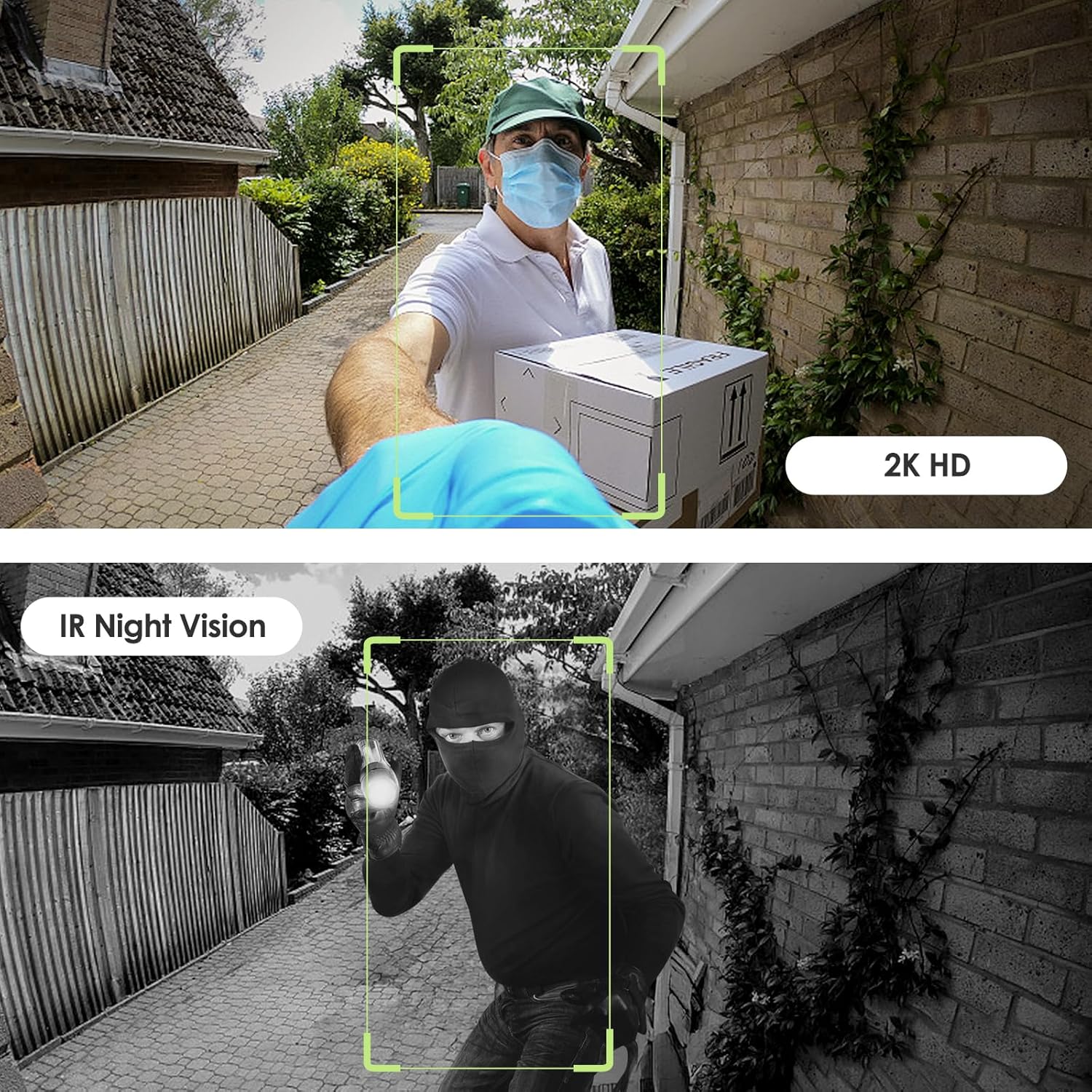
Image: Day and night vision capabilities of the MUBVIEW Bell J7 doorbell.
5.4 Przechowywanie wideo
- Karta micro sd: Insert a micro SD card (up to 128GB, not included) into the designated slot for local storage of recorded footage.
- Przechowywanie w chmurze: Enjoy 7-day free cloud loop storage. Optional premium cloud storage plans are available for extended storage and features.

Image: Multiple storage options: local Micro SD card and cloud service.
6. Funkcje
- Rozdzielczość 2K Full HD: Zapewnia wyraźny i szczegółowy obraz wideo.
- Obiektyw szerokokątny 145°: Offers a broad view od progu Twojego domu.
- Zasilanie bateryjne: Ensures easy, wire-free installation.
- Łączność Wi-Fi 2.4 GHz: Stable and reliable wireless connection.
- Odporność na warunki atmosferyczne IP65: Built to withstand various outdoor conditions (rain, heat, hail, sun, dust).
- Alarm antykradzieżowy: Siren sounds if the doorbell is tampz którym rozmawiałem.
- Zmieniacz głosu: Enhances privacy during two-way audio.
- Pre-Recorded Voice Messages: Respond quickly with custom messages.
- Udostępnianie rodzinne: Supports up to 15 online users and 20 user accounts.
- Zgodność: Współpracuje z Alexą i Asystentem Google.

Obraz: Ponadview of MUBVIEW Bell J7 features.
7. Konserwacja
7.1 Ładowanie akumulatora
The doorbell is powered by rechargeable batteries. Monitor the battery level through the app and recharge as needed. The battery life can extend up to 180 days on a single charge, depending on activity and settings.
7.2 Czyszczenie
Przetrzyj obiektyw kamery i zewnętrzną część dzwonka miękką szmatką.amp cloth to remove dust and debris. Avoid using harsh chemicals or abrasive materials that could damage the device.
7.3 Odporność na warunki atmosferyczne
UMBVIEW Bell J7 is IP65 weather-resistant, designed to endure various outdoor conditions. However, extreme weather conditions may still impact performance or battery life.

Image: IP65 Weather Resistance of the MUBVIEW Bell J7 doorbell.
8. Rozwiązywanie Problemów
| Wydanie | Możliwe rozwiązanie |
|---|---|
| Dzwonek nie łączy się z siecią Wi-Fi | Ensure your Wi-Fi is 2.4GHz. Move the doorbell closer to your router during setup. Reset the doorbell and try again. |
| Częste fałszywe alarmy ruchu | Adjust the motion detection sensitivity in the app. Set custom motion zones to exclude busy areas or moving foliage. |
| Słaba jakość wideo | Check your Wi-Fi signal strength in the app. Ensure the camera lens is clean and free from obstructions. |
| Krótki czas pracy baterii | Reduce motion detection sensitivity or frequency of live view access. Ensure the doorbell is fully charged. |
| Anti-theft alarm not working | Ensure the anti-theft feature is enabled in the app settings. Check if the doorbell is properly seated in its mounting bracket, activating the tamper przycisk. |
9. Specyfikacje
- Nazwa modelu: Dzwonek J7
- Rozdzielczość przechwytywania wideo: 2K
- Technologia łączności: Bezprzewodowa (Wi-Fi 2.4 GHz)
- Źródło zasilania: Zasilany bateryjnie (w zestawie 3 baterie A)
- Zastosowanie wewnątrz/na zewnątrz: Plenerowy
- Poziom wodoodporności: Wodoodporność IP65
- Cechy szczególne: 2-Way Audio, Built-In Light, HD Resolution, Image Sensor, Motion Sensor, Voice Changer, Anti-Theft Alarm
- Zgodne urządzenia: Smartphone (via CloudEdge/MUBVIEW aplikacja)
- Wymiary produktu: 1.37 x 5.27 x 2.2 cala
- Waga przedmiotu: 15.4 uncji
10. Gwarancja i wsparcie
MUBVIEW is committed to providing quality products and customer satisfaction. For any inquiries or support needs, please refer to the following:
- Obsługa klienta: Available via Call Service (9AM-5PM EST) and Online Email.
- Zwroty: 30-day Amazon return policy applies.
- Plany ochrony: Można zakupić opcjonalne plany ochrony na okres 2 lat lub 3 lat.
For detailed contact information, please visit the official MUBVIEW website or refer to the contact details provided in the product packaging.

Zdjęcie: MUBVIEW Customer Service details.
Ask a question about this manual
Ask about setup, troubleshooting, compatibility, parts, safety, or missing instructions. Manuals+ will review the question and use this page’s manual context to help answer it.