
1. Wprowadzenie
The NearStream AMIX20U is an all-in-one audio interface designed for gaming, podcasting, streaming, and music production. It features dual XLR/6.35mm combo inputs with professional preamps, 48V phantom power, multiple voice changer modes, customizable sound pads, and dynamic RGB lighting. This manual provides detailed instructions for setting up, operating, and maintaining your AMIX20U device.

Image: The NearStream AMIX20U Gaming Audio Mixer showcasing its compact design and key features like RGB lighting, voice changer modes, and sound pads.
2. Zawartość opakowania
Sprawdź, czy w przesyłce znajdują się wszystkie elementy:
- AMIX20U Audio Interface (x1)
- USB Cable (6.6 ft) (x1)
- TRRS to TRRS Audio Cable (4.9 ft) (x1)
- TRS to TRS Audio Cable (4.9 ft) (x1)
- Instrukcja obsługi (x1)

Image: A visual representation of the AMIX20U audio interface and its accompanying cables and manual.
3. Konfiguracja
3.1 Włączanie i początkowe podłączanie
- Zasilanie: Connect the provided USB cable to the 5V 1A DC IN port on the AMIX20U and to a power source.
- Włączanie/wyłączanie: Press and hold the power button (located near the main rotary knob) for 2 seconds to turn the device on or off. A short press controls the RGB light.
- OTG Port Connection: Connect the USB-OTG port to your PC, smartphone, or tablet for direct recording or live streaming.
3.2 Podłączanie mikrofonów i instrumentów
- Podłączenie mikrofonu: Connect your XLR or 6.35mm microphone to the XLR/6.35mm combo inputs (IN1 or IN2).
- Zasilanie fantomowe 48 V: For condenser microphones, activate 48V phantom power by pressing the dedicated 48V button next to the input. A blue background indicates it's on. Turn it off for dynamic microphones.
- Podłączenie instrumentu: Connect your instrument (e.g., guitar) to the XLR/6.35mm combo inputs. Press the 'INST' button to switch between microphone and instrument modes.
3.3 Audio Monitoring and Output
- Monitorowanie słuchawek: Connect your headphones to the 6.35mm audio port for real-time sound monitoring.
- Dodatkowe wejście audio: Connect the 3.5mm audio jack to your smartphone, PC, or tablet to play background music.
- Połączenie Bluetooth: Hold the Bluetooth button for 2 seconds until the blinking icon appears, entering pairing mode. Connect your smartphone to the audio mixer via Bluetooth for music accompaniment.
- Wyjście audio: Connect your speakers to the 6.35mm Audio Left (L) and Right (R) Output Ports for sound output. Alternatively, connect the 3.5mm audio output to your speaker/PC/smartphone/iPad to play the recorded sound.
Video: Detailed guide on how to connect the NearStream AMIX40U Audio Interface to various devices, including power, OTG, microphones, instruments, headphones, auxiliary audio, and Bluetooth. This video demonstrates setup steps applicable to the AMIX20U model.

Image: Rear panel of the AMIX20U highlighting the various input and output ports for comprehensive connectivity.
4. Operating the AMIX20U
4.1 Elementy sterujące i wskaźniki
- Suwaki głośności: Use the 4 smooth volume faders for MICROPHONE 1, MICROPHONE 2, LINE IN, and LINE OUT channels to control individual input and output levels.
- One-Touch Mute: Quickly mute channels using the dedicated mute buttons.
- Headphone Monitoring Volume: Adjust the dedicated rotary knob for headphone monitoring volume.
- Wyświetlacz LCD: The LCD screen displays current settings for EQ, Denoise, Reverb, and Audio Gain modes. Use the rotary button to adjust volume, reverb, denoise level, and sound mode.
- Tryby oświetlenia RGB: The device features 9 controllable RGB lighting modes via the dedicated RGB button.
4.2 Funkcje specjalne
- Voice Changer Modes: Access 6 unique voice effects (Male, Female, Robot, Monster, Baby, Elder) via the dedicated Voice Change button.
- Konfigurowalne pady dźwiękowe: Utilize 4 customizable sound pads to trigger sound effects or short clips (up to 15 seconds).
- Tryb elektryczny: Offers multiple key options (A, Bb, B, C, Dd, D, Ab, G, Gb, F, Dd, Eb) for accurate tone reproduction.
- Kontrola pogłosu: Adjust reverb from 0-100 for vocals and instruments.
- Denoise Mode: Redukuje szumy tła, zapewniając wyraźniejszy dźwięk.
- Ducker Mode: Automatically lowers background sound when you speak.
- Tryb pętli zwrotnej: Combines microphone and computer audio for real-time streaming and recording.
- Voice Remover: Transforms any track into a pure instrumental.
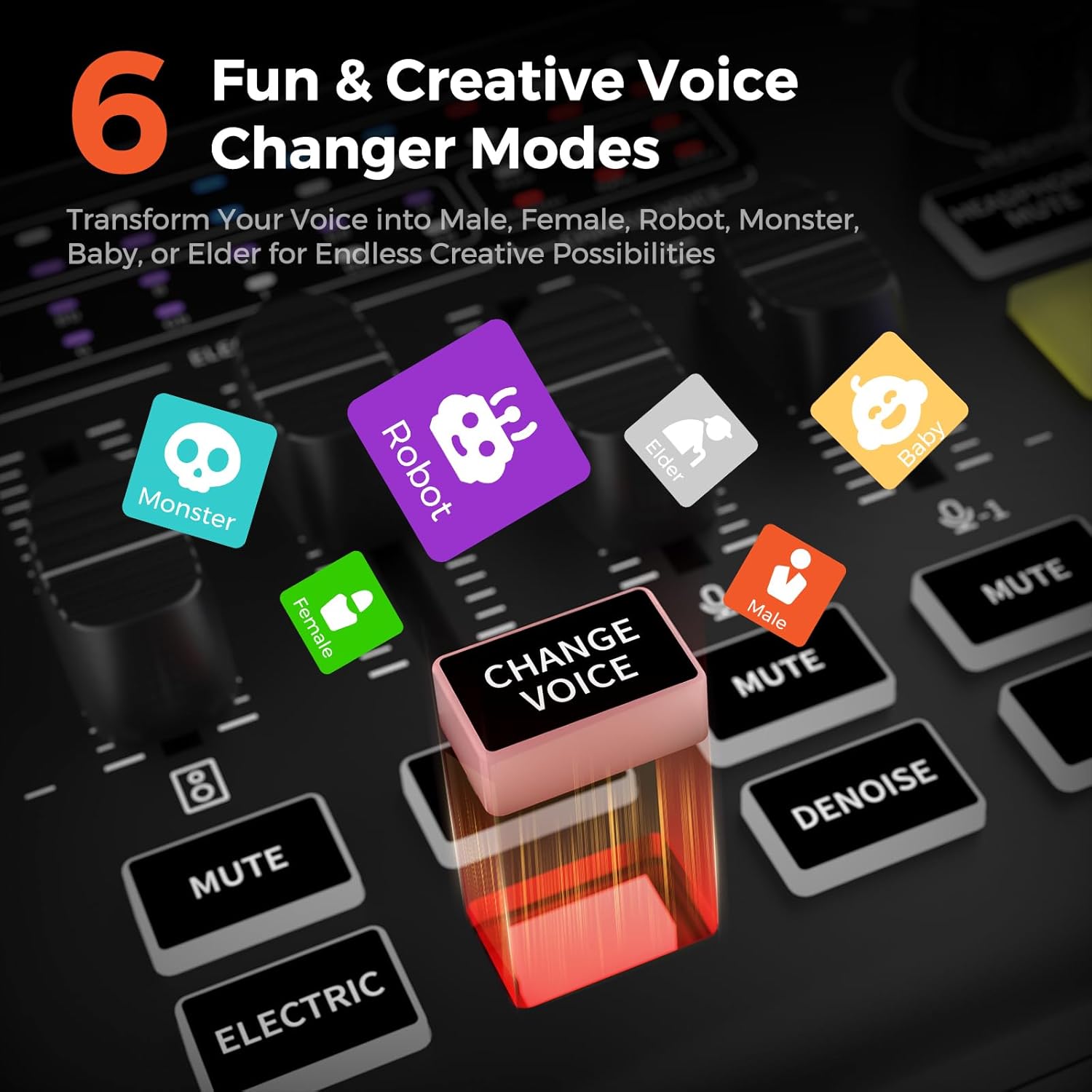
Image: The 6 Voice Changer Modes on the AMIX20U, including Male, Female, Robot, Monster, Baby, and Elder.

Image: The 4 customizable sound pads on the AMIX20U, ready to trigger unique sound effects.
5. Konserwacja
To ensure the longevity and optimal performance of your NearStream AMIX20U, follow these maintenance guidelines:
- Czyszczenie: Do czyszczenia urządzenia używaj miękkiej, suchej ściereczki. Unikaj płynnych środków czyszczących i materiałów ściernych.
- Składowanie: Przechowywać urządzenie w chłodnym i suchym miejscu, z dala od bezpośredniego światła słonecznego i ekstremalnych temperatur.
- Obsługiwanie: Handle the device with care to prevent physical damage to knobs, faders, and ports.
6. Rozwiązywanie Problemów
If you encounter issues with your AMIX20U, try the following steps:
- Brak zasilania: Ensure the USB cable is securely connected to a 5V 1A power source.
- Brak sygnału audio: Check all cable connections (microphones, instruments, OTG). Verify 48V phantom power is enabled for condenser microphones. Ensure input gain levels are appropriately set.
- Brak wyjścia audio: Check speaker/headphone connections. Verify output volume levels on the device and connected playback systems.
- Problemy z parowaniem Bluetooth: Ensure the AMIX20U is in pairing mode (blinking Bluetooth indicator) and your device's Bluetooth is on and searching.
- Problemy z jakością dźwięku: Adjust EQ (Low, Mid, High) and Denoise settings. Ensure microphone is positioned correctly.
- Urządzenie nie odpowiada: Use a small pin to press the 'RST' (Reset) button on the rear panel.
7. Specyfikacje
| Funkcja | Szczegół |
|---|---|
| Waga przedmiotu | 1.5 funta |
| Wymiary produktu | 6.8 x 5 x 2 cala |
| Kompatybilne urządzenia | Gitara, słuchawki, mikrofon, komputer osobisty, smartfon |
| System operacyjny | Windows, macOS |
| Technologia łączności | AUX, Bluetooth, USB |
| Liczba kanałów | 8 |
8. Gwarancja i wsparcie
For warranty information and technical support, please refer to the official NearStream webOdwiedź stronę internetową lub skontaktuj się bezpośrednio z działem obsługi klienta. Zachowaj paragon zakupu na wypadek reklamacji.