
SACUMURT CL31
SACUMURT CL31 Solar Wireless Security Camera User Manual
Model: CL31 | Brand: SACUMURT
1. Wprowadzenie
This manual provides comprehensive instructions for the installation, operation, and maintenance of your SACUMURT CL31 Solar Wireless Security Camera. Please read this manual thoroughly before using the product to ensure proper functionality and safety.

Image 1.1: SACUMURT CL31 Solar Wireless Security Cameras.
The image displays two black SACUMURT CL31 security cameras, each paired with a rectangular solar panel. Both cameras and panels are shown mounted on a light-colored wall, illustrating their outdoor installation. The cameras feature a sleek, compact design with a lens, motion sensor, and LED lights visible on the front. The solar panels are positioned above the cameras, connected by a white cable, indicating their role in providing continuous power.
2. Zawartość opakowania
Sprawdź, czy w pakiecie znajdują się wszystkie komponenty:
- SACUMURT CL31 Solar Wireless Security Camera(s)
- Panele słoneczne)
- Wsporniki montażowe
- Śruby montażowe i kotwy ścienne
- Kabel ładujący USB
- Instrukcja obsługi (ten dokument)
3. Główne cechy
- Wideo 2K Ultra HD: Provides clear and detailed video resolution.
- Zasilane energią słoneczną: Wyposażony w wysokowydajny panel słoneczny i wbudowaną baterię umożliwiającą ciągłą pracę.
- Łączność Wi-Fi 2.4 GHz: Ensures stable wireless connection over longer distances.
- Inteligentna detekcja ruchu AI: Accurately identifies human motion to reduce false alerts.
- Podwójna wizja nocna: Offers full-color night vision with spotlights or infrared night vision.
- Dwukierunkowy dźwięk: Wbudowany mikrofon i głośnik umożliwiające komunikację w czasie rzeczywistym.
- Odporność na warunki atmosferyczne IP66: Zaprojektowane tak, aby wytrzymać różne warunki atmosferyczne.
- Elastyczne przechowywanie: Supports local SD card storage (up to 128GB, not included) and encrypted cloud storage (30-day free trial available).
- Integracja inteligentnego domu: Compatible with Alexa and Google Assistant for voice control and viewing.

Obraz 3.1: Koniecview of SACUMURT CL31 Camera Features.
This image illustrates the SACUMURT CL31 camera and its solar panel mounted on a wall, with icons and text highlighting its main features: 2K HD video, motion detection, 2-way talk, color night vision, SD/cloud storage, and IP66 waterproof rating. It also indicates support for 2.4GHz WiFi and non-support for 5GHz WiFi.
4. Przewodnik konfiguracji
4.1 Pierwsze ładowanie
Before first use, fully charge the camera's built-in battery using the provided USB cable. Connect the USB cable to the camera's charging port (located under the rubber cover) and to a 5V DC power adapter (not included). The indicator light will show charging status.
4.2 Instalacja aplikacji i rejestracja konta
- Download the "AJCloud" app from your device's App Store (iOS) or Google Play Store (Android).
- Open the AJCloud app and register for a new account. Follow the on-screen prompts to complete registration.
- Allow all requested permissions when prompted by the app to ensure full functionality, including access to wireless data and notifications.
4.3 Dodawanie kamery do aplikacji
Follow these steps to pair your camera with the AJCloud app:
- Włącz kamerę: Open the rubber cover on the camera. Long-press the power button for 5 seconds until you hear a sound and the red and blue indicator lights begin blinking alternately.
- Dodaj urządzenie w aplikacji: In the AJCloud app, tap "Add device" or the "+" icon. Select "IP Camera" from the device type list.
- Połącz się z Wi-Fi: Enter your 2.4GHz WiFi network name and password. Ensure your WiFi signal is strong and stable. Note: The camera only supports 2.4GHz WiFi; 5GHz WiFi is not supported.
- Proces parowania: The app will initiate the pairing process. Wait for the device connection to complete.
- Powodzenie parowania: Once the blue light on the camera blinks, the camera pairing is successful. You will receive a "Pair succeeded" notification in the app.
- Nazwij swój aparat: Assign a name to your camera (e.g., "Front door," "Back yard").
Video 4.1: How to Set up WiFi Security Camera Solar Power.
This video demonstrates the step-by-step process of setting up the SACUMURT WiFi security camera. It covers downloading the AJCloud app, registering an account, powering on the camera, adding the device within the app by selecting "IP Camera," entering 2.4GHz WiFi credentials, and confirming successful pairing. The video visually guides users through the app interface and camera interaction.

Image 4.2: App Setup Steps.
This image displays a four-step visual guide for setting up the camera via the AJCloud app. Step 1 shows downloading "AJCloud" from an app store. Step 2 illustrates turning on the camera by long-pressing the power button under the rubber cover, with red and blue lights blinking. Step 3 shows adding the camera in the app by selecting "IP Camera" and allowing Bluetooth access. Step 4 depicts connecting to the 2.4GHz WiFi network by entering the password and waiting for successful pairing.
4.4 Montaż kamery i panelu słonecznego
Wybierz miejsce z optymalnym nasłonecznieniem dla panelu słonecznego i przestronną przestrzenią view for the camera. Use the provided mounting brackets, screws, and wall anchors for secure installation.
- Upewnij się, że panel słoneczny jest umieszczony w miejscu, w którym będzie wystawiony na bezpośrednie działanie promieni słonecznych przez kilka godzin dziennie.
- Mount the camera at an appropriate height and angle to cover the desired monitoring area.
- Podłącz kabel panelu słonecznego do portu ładowania aparatu.

Image 4.3: Wireless and Solar Powered Installation.
The image shows a SACUMURT CL31 security camera and its solar panel mounted on an outdoor wall. Text overlays emphasize "100% Wireless Non-stop Solar Powered," along with icons for wireless connectivity, solar power, and a rechargeable battery. This visually confirms the ease of installation without needing electrical wiring.
5. Instrukcja obsługi
5.1 Na żywo View i dwukierunkowe audio
Access the live feed of your camera through the AJCloud app. Use the two-way audio feature to communicate with visitors or deter intruders.
- Open the AJCloud app and select the desired camera to view transmisja na żywo.
- Kliknij ikonę mikrofonu, aby mówić przez głośnik kamery.
- Kliknij ikonę głośnika, aby usłyszeć dźwięk z mikrofonu kamery.

Image 5.1: Two-Way Talk Functionality.
This image depicts a scene where a child and a dog are playing in a sunny backyard. A SACUMURT CL31 camera is mounted on the side of the house. Speech bubbles indicate a two-way conversation: "Time for lunch, Tommy!" from the camera and "OK, mom!" from the child, illustrating the camera's two-way audio feature for remote communication.
5.2 Detekcja ruchu i alerty
The camera utilizes AI technology to detect human motion and send instant alerts to your smartphone.
- Configure motion detection sensitivity and alert preferences within the AJCloud app settings.
- Upon detection, the camera can trigger a siren, activate spotlights, and send a notification to your phone.

Image 5.2: Motion Detection and Intelligent Alarm Push.
The image shows a SACUMURT CL31 camera with its solar panel mounted on a dark wall at night. The camera's spotlights are illuminated, and a person is highlighted within a red detection box near a garage. On a smartphone screen, an "AJCloud" notification indicates "Activity detected," with icons for Siren, Spotlight, and Message, demonstrating the camera's motion detection and alert capabilities.
5.3 Tryby widzenia nocnego
The camera offers two night vision modes for clear visibility in low-light conditions:
- Pełnokolorowa wizja nocna: Activates the camera's spotlights to provide a color image.
- Nocna Nocna Wizja: Wykorzystuje diody LED podczerwone do nagrywania czarno-białego obrazu w całkowitej ciemności.
- W razie potrzeby możesz przełączać się między trybami w ustawieniach aplikacji.

Image 5.3: 2K FHD Color Night Vision.
This image presents a split view comparing two night vision modes from the SACUMURT CL31 camera. The top half, labeled "Spotlight On," shows a family dining outdoors at night in full color, illuminated by the camera's spotlight. The bottom half, labeled "Spotlight Off," shows the same scene in black and white infrared vision. This demonstrates the camera's ability to provide clear, colorful night surveillance when spotlights are active.
5.4 Opcje przechowywania
Recordings can be stored locally or in the cloud:
- Pamięć karty SD: Insert a Micro SD card (up to 128GB, not included) into the camera's SD card slot (under the rubber cover).
- Przechowywanie w chmurze: Utilize the encrypted cloud storage service. A 30-day free trial is typically included with new cameras.
- Playback and download recordings anytime via the AJCloud app.

Image 5.4: Flexible Storage Options.
The image focuses on the side of the SACUMURT CL31 camera, with its rubber cover open to reveal the SD card slot and USB port. Text highlights "Flexible Storage" with icons for "SD Card Storage (Supports to 128GB, Not Included)" and "Cloud Storage (30-day Free Trial)," indicating the dual storage capabilities of the device.
5.5 Integracja z inteligentnym asystentem
Connect your camera to Alexa or Google Assistant for convenient voice control and viewna kompatybilnych inteligentnych wyświetlaczach.
- Follow the instructions in your Alexa or Google Home app to link the AJCloud service.
- Use commands like "Alexa, show me the front door" to view your camera feed.
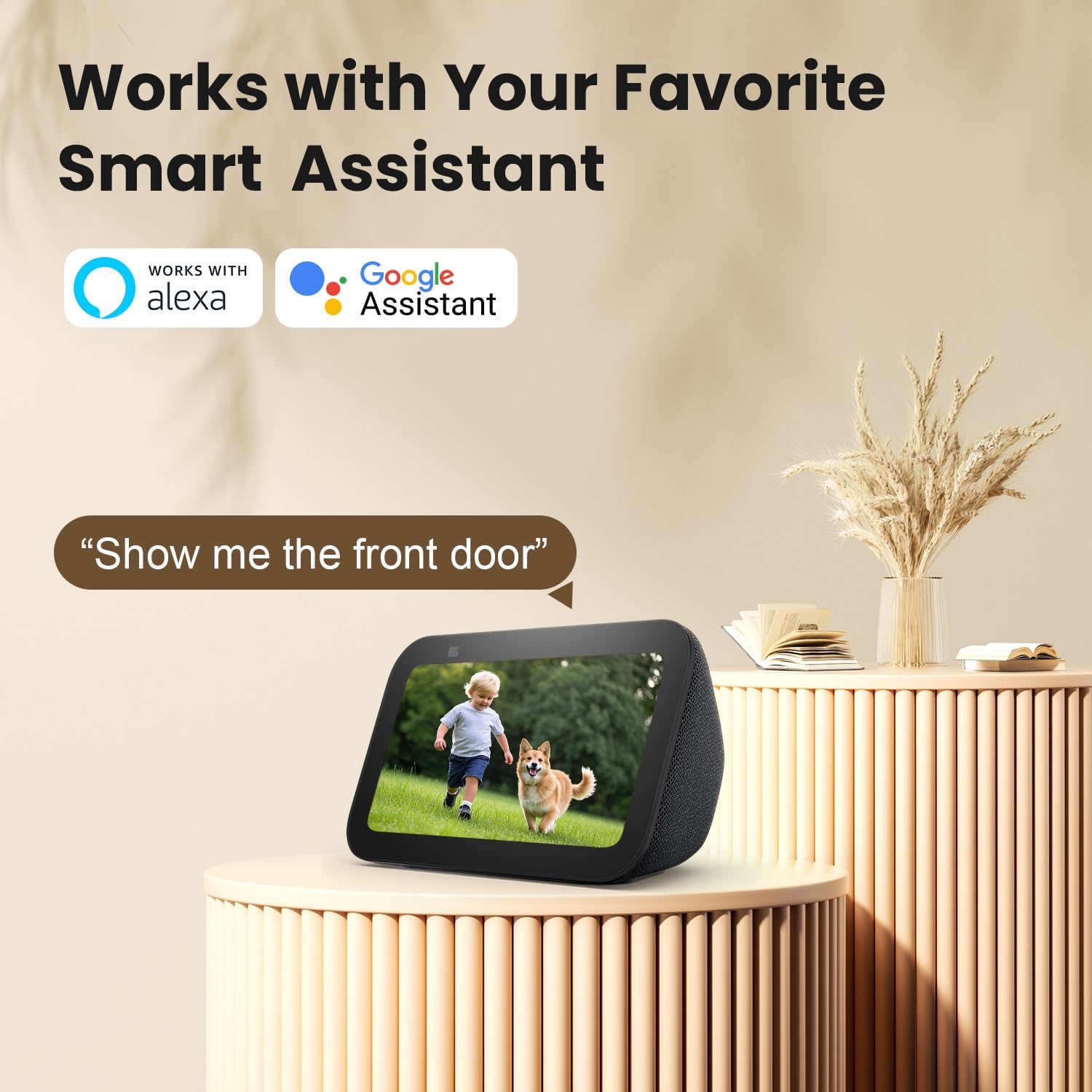
Image 5.5: Works with Smart Assistants.
This image features a smart display device showing a live camera feed of a child and a dog. Above the display, the logos for "Works with Alexa" and "Google Assistant" are prominently displayed. A speech bubble contains the command "Alexa, show me the front door," illustrating the camera's compatibility with popular smart home ecosystems for voice-activated viewing.
5.6 Udostępnianie dostępu do kamery
You can share live view access with other users through the AJCloud app.

Image 5.6: Share Camera with Loved Ones.
The image shows a SACUMURT CL31 camera centrally, with a smartphone displaying its live feed of two children playing. Around this central image, several smaller circular insets show different individuals (a woman, an elderly woman, a man, and a couple) also viewing the camera feed on their respective smartphones. Arrows indicate that the camera feed can be easily shared with multiple users worldwide.
6. Konserwacja
- Wyczyść soczewkę i panel słoneczny: Regularnie czyść obiektyw aparatu i panel słoneczny miękką, miękką szmatką.amp ściereczka zapewniająca wyraźne obrazy i efektywne ładowanie.
- Sprawdź poziom naładowania baterii: Monitor the camera's battery level in the AJCloud app. Ensure the solar panel receives adequate sunlight to keep the battery charged.
- Aktualizacje oprogramowania układowego: Keep the camera's firmware updated through the AJCloud app for optimal performance and security features.
- Ochrona przed warunkami atmosferycznymi: The camera is IP66 weatherproof, but extreme conditions may require additional checks for debris or ice accumulation.

Ilustracja 6.1: Konstrukcja odporna na warunki atmosferyczne IP66.
This image is divided into two sections, both featuring the SACUMURT CL31 camera and its solar panel mounted outdoors. The top section shows the camera enduring rain, with icons for "Rainproof," "Snowproof," and "Sunproof." The bottom section illustrates the camera operating in a snowy, cold environment, with a temperature scale indicating its operational range from -4°F to 122°F. This highlights the camera's robust IP66 weatherproof rating.
7. Rozwiązywanie Problemów
| Problem | Możliwa przyczyna | Rozwiązanie |
|---|---|---|
| Kamera nie łączy się z siecią Wi-Fi | Incorrect WiFi password; 5GHz WiFi network; weak signal. |
|
| Bateria się nie ładuje | Insufficient sunlight on solar panel; faulty cable/panel. |
|
| Brak alertów o wykryciu ruchu | Motion detection disabled; incorrect sensitivity settings; app notifications off. |
|
| Słaba jakość obrazu w nocy | Lens obstruction; night vision mode not optimal. |
|
8. Specyfikacje
| Funkcja | Szczegół |
|---|---|
| Model | Nr CL31 |
| Rozdzielczość przechwytywania wideo | 3 MP (2K Ultra HD) |
| Technologia łączności | Bezprzewodowa (tylko Wi-Fi 2.4 GHz) |
| Źródło zasilania | Solar Powered & Battery Powered (1 Lithium Ion battery included) |
| Zakres noktowizora | Do 50 stóp |
| Viewing kąt | 110 stopni |
| Ochrona przed warunkami atmosferycznymi | IP66 atmosferyczne |
| Temperatura pracy | -4°F do 122°F (-20°C do 50°C) |
| Opcje przechowywania | Karta Micro SD (maks. 128 GB, nie jest dołączona), przechowywanie w chmurze |
| Kompatybilne urządzenia | iPhone, iPad, Android Phone/Pad |
| Inteligentne wsparcie asystenta | Alexa, Asystent Google |
| Tworzywo | Akrylonitryl-butadien-styren (ABS) |
| Wymiary (dł. x szer. x wys.) | 2.4 x 2.2 x 3.8 cala |
| Waga przedmiotu | 2.12 funta |
| UPC | 716032704112 |
9. Gwarancja i wsparcie
SACUMURT provides a 2-letnia gwarancja for the CL31 Solar Wireless Security Camera. This warranty covers manufacturing defects and ensures peace of mind for your purchase.
For technical assistance, troubleshooting, or warranty claims, please contact SACUMURT customer support. Refer to the contact information provided on the product packaging or the official SACUMURT webwitryna zapewniająca całodobową pomoc techniczną.
Ask a question about this manual
Ask about setup, troubleshooting, compatibility, parts, safety, or missing instructions. Manuals+ will review the question and use this page’s manual context to help answer it.