
Wstęp
This manual provides detailed instructions for the installation, operation, and maintenance of your addlon 48-inch White Ceiling Fan with Light and Remote Control. This modern ceiling fan is designed for both indoor and outdoor (covered patio) use, offering comfort through its reversible DC motor, 3CCT dimmable light, and 6-speed settings. Its quiet operation makes it suitable for various living spaces.
Informacje dotyczące bezpieczeństwa
- Always disconnect power at the circuit breaker or fuse box before beginning installation, cleaning, or maintenance. Failure to do so can result in electric shock, injury, or death.
- Upewnij się, że wszystkie połączenia elektryczne są zgodne z lokalnymi przepisami i rozporządzeniami. W razie wątpliwości dotyczących okablowania, skonsultuj się z wykwalifikowanym elektrykiem.
- Do not connect the fan to a dimmer switch or a fan gear switch. This can cause abnormal operation and damage the fan. Use only the provided remote control for speed and light adjustments.
- Mount the fan securely to a ceiling joist or a suitable support structure capable of holding the fan's weight.
- Podczas pracy wentylatora należy trzymać ręce, odzież i inne przedmioty z dala od łopatek wentylatora.
- This fan is suitable for indoor and covered outdoor use. Do not expose the fan directly to rain or excessive moisture.
Zawartość opakowania
Przed rozpoczęciem instalacji sprawdź, czy wszystkie komponenty są obecne:
- Jednostka wentylatora sufitowego
- Zestaw oświetleniowy
- Sprzęt montażowy
- Zdalne sterowanie
Specyfikacje
| Marka | dodatek |
| Numer modelu | KFM48PLY5B03R1-D |
| Kolor | Biały |
| Rozmiar | 48 cali |
| Wymiary produktu (Gł. x Szer. x Wys.) | 48" gł. x 48" szer. x 9.3" wys. |
| Źródło zasilania | Wejście 120 V AC, silnik prądu stałego |
| Cotage | 45 watów |
| Tomtage | 120 wolty |
| Typ silnika | Silnik prądu stałego bezszczotkowy |
| Liczba ostrzy | 5 |
| Liczba prędkości | 6 |
| Poziom hałasu | 24 decybeli |
| Funkcje światła | 3CCT (3000K-6000K), 10-100% Dimmable |
| Metoda kontroli | Zdalne sterowanie |
| Cechy specjalne | Reversible, Timer (1/2/4 hours), Memory Function |
| Zastosowanie wewnątrz/na zewnątrz | Indoor, Outdoor (covered areas only) |
| Typ instalacji | Samodzielna instalacja |
Note: The fan diameter is 48 inches, not the blade size. Please ensure the product dimensions match your installation space to avoid inconvenience.

Image: Detailed dimensions and specifications of the addlon 48-inch ceiling fan.
Konfiguracja i instalacja
The addlon ceiling fan is designed for self-installation, typically taking around 30 minutes. Detailed instructions and an installation video are provided to assist you. Always ensure power is off at the circuit breaker before starting.
Instrukcja wideo instalacji
Video: A step-by-step guide demonstrating the installation process for the addlon 48-inch Ceiling Fan.
Rozważania dotyczące okablowania
Both the fan and the light are powered by a controller and DC motor. It is not possible to control the light and fan independently with multiple wall switches. If your installation has more than one live wire, connect one of them and insulate the other. The fan is not suitable for 220V voltage.

Image: Illustration of compatible and incompatible wall switches for the ceiling fan.

Image: Visual representation of the easy installation process for the addlon ceiling fan.
Instrukcja obsługi
Your addlon ceiling fan is operated using the included remote control, offering various functions for personalized comfort.
Kontrola prędkości wentylatora
The fan features 6 adjustable wind speeds. You can select from low comfortable wind (Levels 1-2) for sleeping or ventilation, medium natural wind (Levels 3-4) for daily use, or high cooling wind (Levels 5-6) for exercise or hot weather.

Image: Explanation of the 6-speed settings for the ceiling fan.
Silnik prądu stałego odwracalny
The fan's reversible DC motor allows for dual-direction rotation, improving air circulation throughout the year. In summer, the fan rotates counter-clockwise to create a downward airflow for cooling. In winter, it rotates clockwise to draw warm air up and circulate it, helping to balance indoor heating.
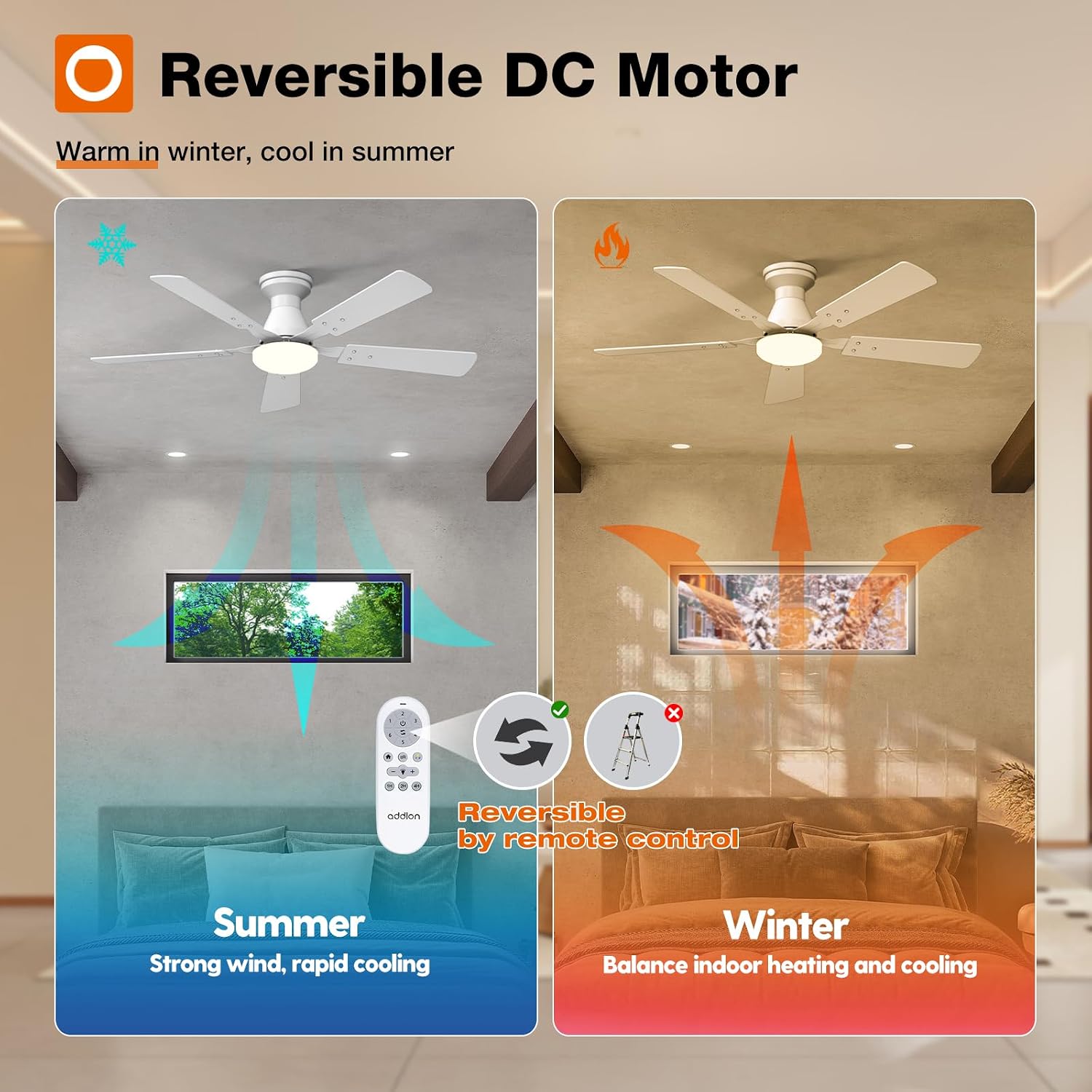
Image: Illustration of the reversible motor function for summer and winter use.
Customizable Light Settings
The integrated light kit offers 3 color temperature options (3000K Warm Light, 4000K Natural Light, 6000K Cold Light) and is 10-100% dimmable. Adjust the brightness and color temperature to suit your preference and scenario.
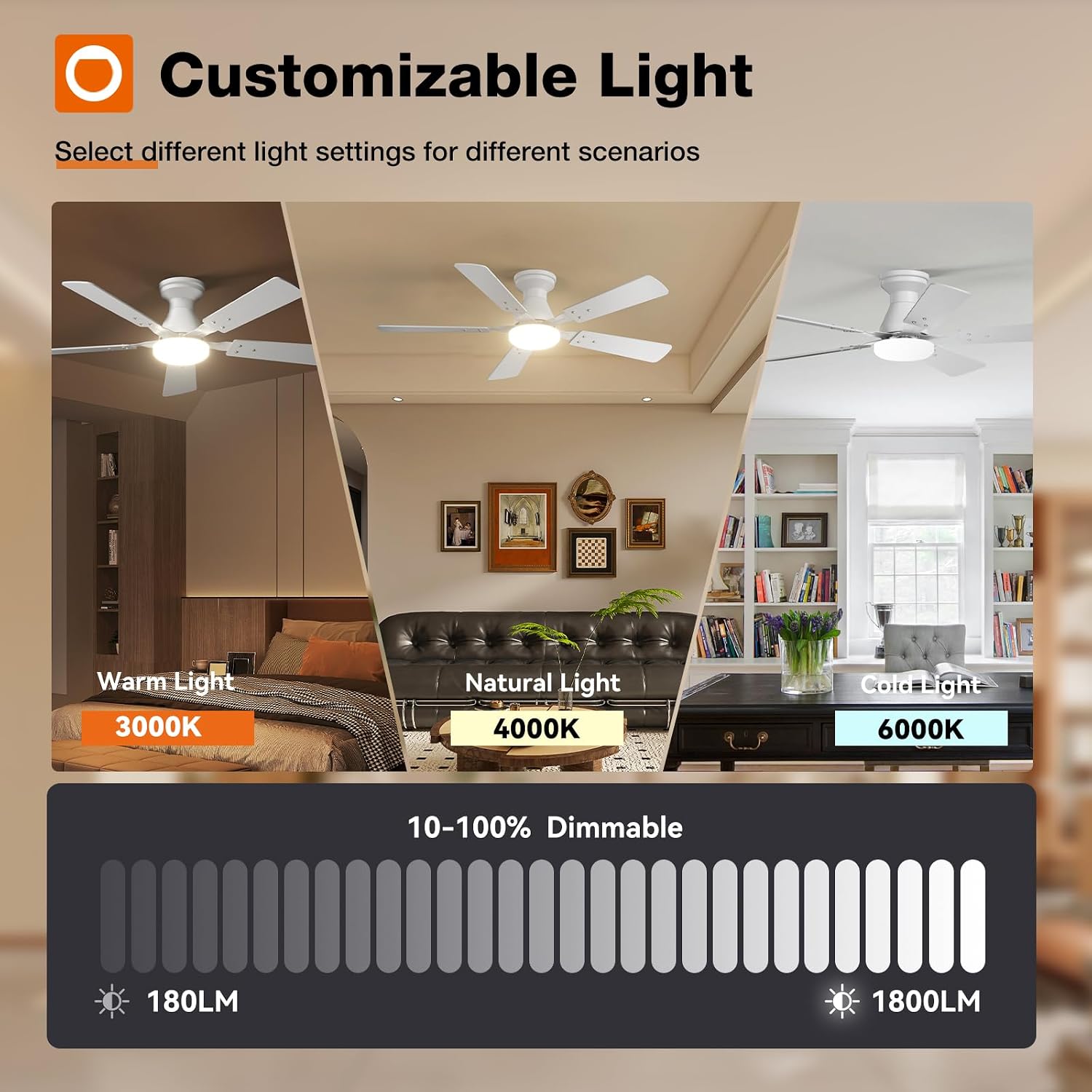
Image: Visual guide to the customizable light settings, including color temperature and dimming range.
Funkcja timera
The remote control includes a timer function, allowing you to set the fan to turn off automatically after 1, 2, or 4 hours.

Image: Illustration of the fan's timer function, ideal for setting during sleep.
Funkcja pamięci
The fan and light feature a memory function. Once you select your desired color temperature, brightness, and fan speed, these settings will be remembered. If you turn off the fan via the remote or a conventional wall switch, the next time it is powered on, it will resume the last used settings, provided it was off for at least 10 seconds.

Image: Step-by-step visual guide to the fan and light memory function.
Konserwacja
Regular maintenance ensures optimal performance and longevity of your addlon ceiling fan.
- Czyszczenie: Regularnie czyść łopatki wentylatora i obudowę miękką,amp cloth. Do not use abrasive cleaners or solvents, as these can damage the finish. Ensure the power is turned off at the circuit breaker before cleaning.
- Kontrola ostrza: Periodically check that all blade screws are tight. Over time, they can loosen, causing the fan to wobble or become noisy.
- Zestaw oświetleniowy: The fan features a replaceable LED light kit. If the light needs replacement, contact customer support for assistance.
Rozwiązywanie problemów
If you encounter issues with your addlon ceiling fan, refer to the following common problems and solutions:
| Problem | Możliwa przyczyna | Rozwiązanie |
|---|---|---|
| Wentylator nie działa | No power supply; Remote control battery low/dead; Incorrect wiring. | Check circuit breaker. Replace remote control batteries. Verify wiring connections are secure and correct (refer to installation section). |
| Światło nie działa | No power supply; Remote control battery low/dead; Incorrect wiring; LED light kit issue. | Check circuit breaker. Replace remote control batteries. Verify wiring. If light kit is faulty, contact customer support. |
| Wentylator jest głośny | Loose fan blades or mounting hardware; Improper installation. | Ensure all screws on the fan blades and mounting bracket are tightened. Recheck installation steps. The fan is designed for quiet operation (approx. 24dB). |
| Wentylator się chwieje | Loose fan blades; Uneven blade installation. | Ensure all fan blades are securely attached and balanced. |
| Fan or light operates abnormally | Connected to a dimmer or fan gear switch. | Disconnect from dimmer/fan gear switch and connect to a standard on/off switch. This fan is not compatible with such switches. |

Image: Noise level comparison highlighting the quiet operation of the addlon ceiling fan.
Gwarancja i wsparcie
addlon is committed to customer satisfaction and provides comprehensive warranty coverage and support for your ceiling fan.
- Gwarancja na silnik: The fan motor is covered by a 10-year warranty. If the motor malfunctions within this period, it will be replaced free of charge.
- Gwarancja na inne części: All other components of the fan are covered by a 2-year warranty.
- Obsługa klienta: We offer 24-hour customer support. For any questions during installation or use, or if your LED light kit or remote control are damaged or lost, please contact us. We are happy to assist you.

Image: Summary of warranty coverage for the fan and its motor.

Image: Representation of the 24-hour customer service team available for support.