
1. Wprowadzenie
Thank you for choosing the Hwagol i130 Smartwatch. This device is designed to enhance your daily life with its robust features, including a 1.52-inch HD display, Bluetooth calling, comprehensive health monitoring, and a wide range of sports modes. This manual provides essential information for setting up, operating, and maintaining your smartwatch to ensure optimal performance and longevity.
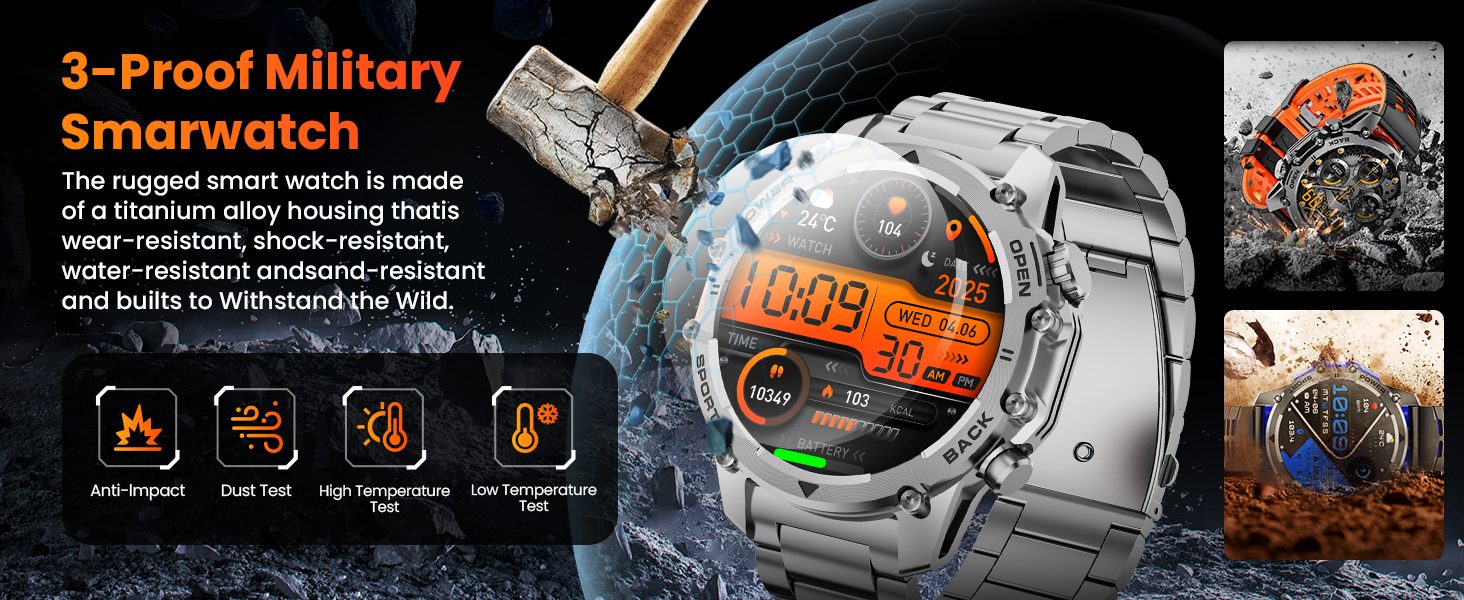
The Hwagol i130 Smartwatch is built with military-grade durability, featuring wear-resistant, shock-resistant, and water-resistant properties. It is designed to withstand various environmental conditions.
2. Zawartość opakowania
Proszę sprawdzić, czy w paczce znajdują się następujące elementy:
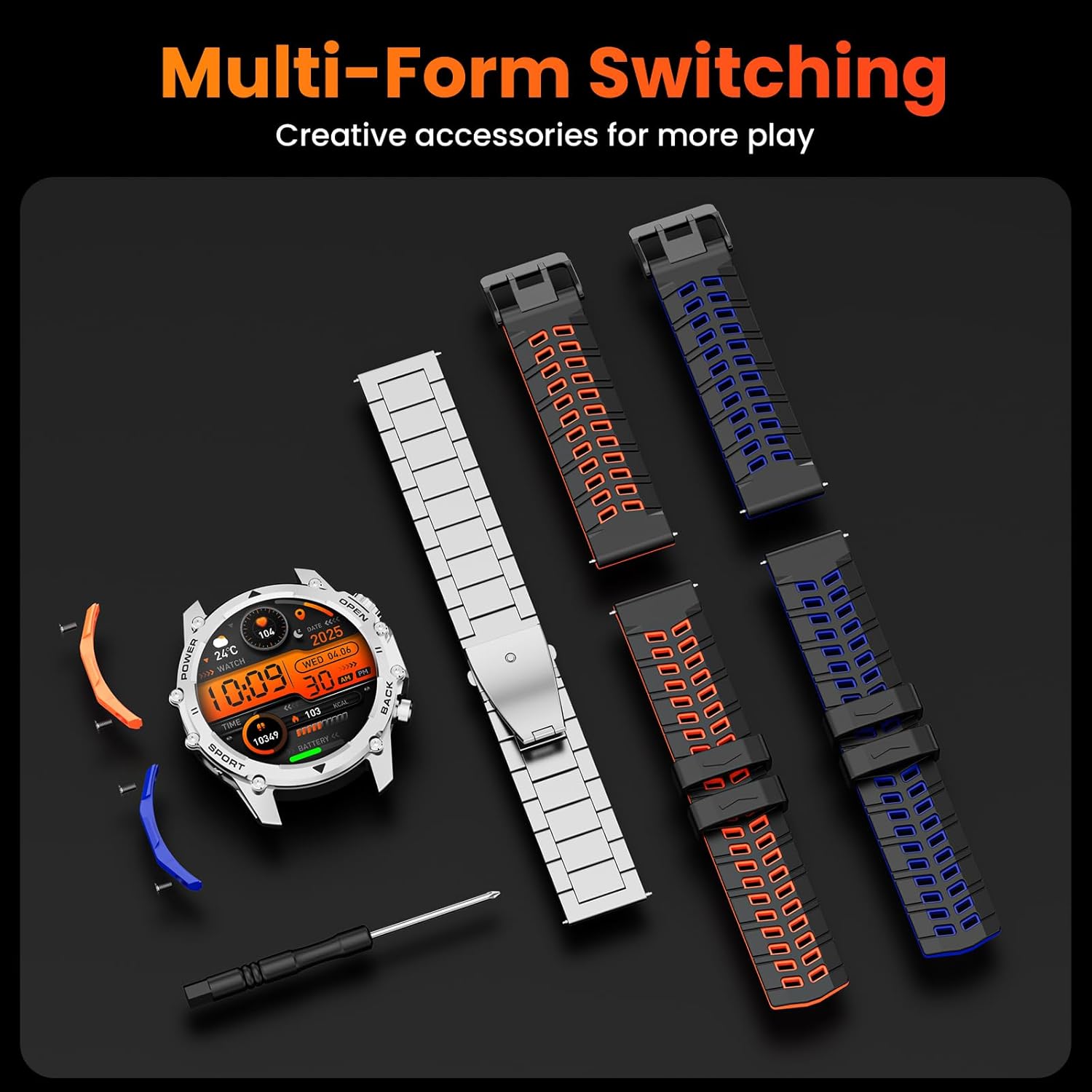
- Smart Watch Head x1
- Black Steel Band x1
- Orange and Black Silicone Band x1
- Blue and Black Silicone Band x1
- Blue Detachable Accessory x1
- Orange Detachable Accessory x1
- Pasujące śruby x4
- Śrubokręt x1
- Instrukcja obsługi x1
- Kabel ładujący x1

The package includes the smartwatch, multiple interchangeable straps, a charging cable, and tools for strap replacement.
3. Konfiguracja
3.1 Ładowanie smartwatcha
Before first use, fully charge your smartwatch. Connect the magnetic charging cable to the charging contacts on the back of the watch and plug the USB end into a power adapter (not included) or a computer's USB port. The watch display will indicate charging status. A full charge typically provides 7-10 days of normal use or over 30 days of standby time.

The smartwatch charging via its magnetic cable, highlighting its 500mAh battery capacity.
3.2 Instalowanie aplikacji towarzyszącej
To unlock all features and synchronize data, download the companion app on your smartphone. Szukaj the app name (usually mentioned in the quick start guide or on the watch screen during initial setup) in your phone's app store (Google Play Store for Android or Apple App Store for iOS).
3.3 Parowanie ze smartfonem
- Upewnij się, że Twój smartwatch jest naładowany i włączony.
- Włącz Bluetooth w swoim smartfonie.
- Otwórz aplikację towarzyszącą na swoim smartfonie.
- Follow the in-app instructions to search for and connect to your Hwagol i130 Smartwatch. You may need to confirm the pairing on both your phone and the watch.
4. Instrukcja obsługi
4.1 Podstawowa nawigacja
The Hwagol i130 Smartwatch features a 1.52-inch HD touchscreen and multiple physical buttons for navigation:
- Ekran dotykowy: Przesuwaj w lewo/prawo, w górę/dół, aby poruszać się po menu i uzyskać dostęp do różnych funkcji. Dotknij, aby wybrać.
- Przycisk zasilania: Typically used to turn the watch on/off, return to the home screen, or activate the screen.
- Przycisk SPORT: Szybki dostęp do trybów sportowych.
- Przycisk powrotu: Powrót do poprzedniego ekranu.

Wyświetlacz smartwatcha pokazujeasing its 1.52-inch HD screen with 360x360 resolution.
Połączenia Bluetooth 4.2
Once paired with your smartphone, you can make and receive calls directly from your smartwatch. This feature allows for hands-free communication, especially useful during exercise or when your phone is not easily accessible.
- Odbieranie połączeń: Gdy ktoś zadzwoni, dotknij zielonej ikony odbioru na ekranie zegarka.
- Dzwonić: Access the call function from the watch menu to dial numbers or select contacts.

The smartwatch displaying an incoming call and smart notifications from various apps.
4.3 Inteligentne powiadomienia
Receive notifications for calls, messages, and social media apps directly on your wrist. Ensure notification permissions are enabled in both your phone's settings and the companion app.
4.4 trybów sportowych
The smartwatch supports over 120 sports modes, including running, cycling, and climbing. Select your desired activity from the sports menu to track real-time data such as heart rate, steps, and calories burned.
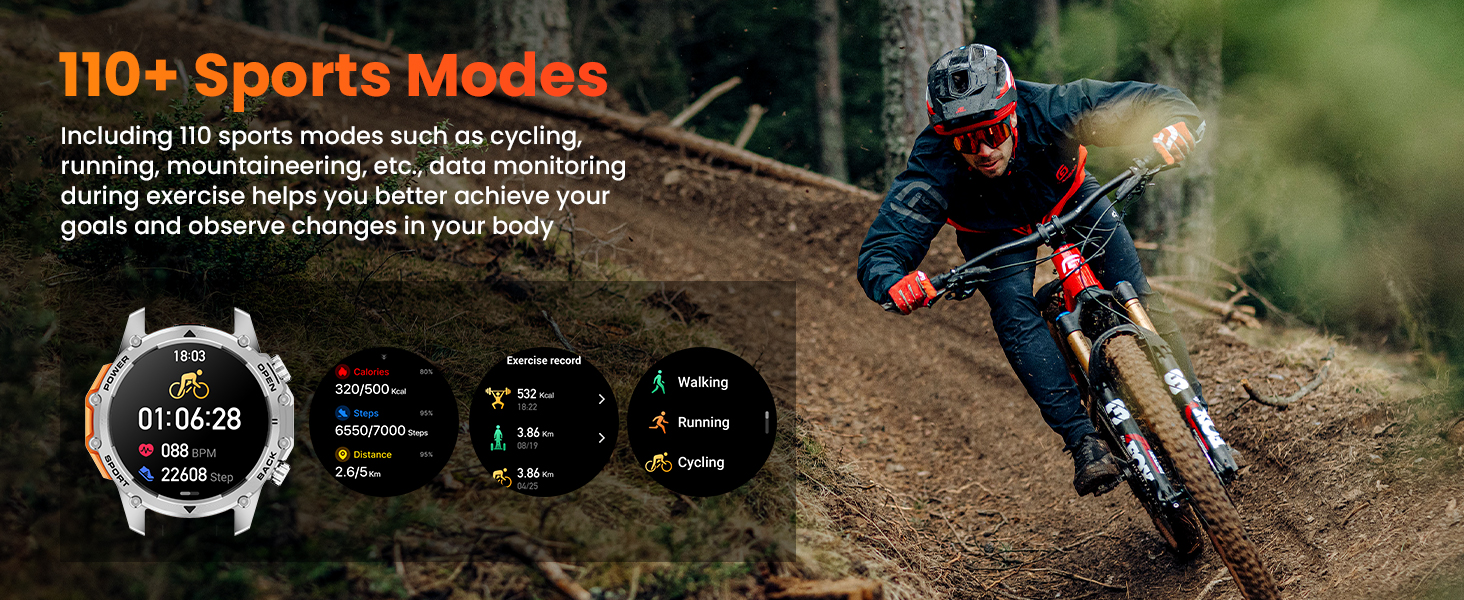
The smartwatch tracking a cycling activity, showing various performance metrics.
4.5 Monitorowanie stanu zdrowia
The Hwagol i130 Smartwatch provides 24/7 health monitoring features:
- Monitor pracy serca: Monitoruje tętno przez cały dzień.
- Monitor tlenu we krwi (SpO2): Mierzy poziom nasycenia krwi tlenem.
- Sleep Quality Tracking: Monitors your sleep patterns and provides insights into sleep quality.
View detailed health data and trends in the companion app.

The smartwatch displaying real-time health data for heart rate, blood oxygen, and sleep.
4.6 Funkcja latarki
The smartwatch includes a powerful side flashlight. Activate it with a single click to illuminate your surroundings, useful for outdoor activities at night, during power outages, or when searching for items in low light.

The smartwatch's flashlight function demonstrated in various low-light situations.
4.7 Dostosowywanie tarcz zegarka
Choose from over 200 exquisite online watch faces to personalize your smartwatch. You can also upload your favorite images through the companion app to create custom watch faces.
4.8 Inne funkcje
The smartwatch offers various practical functions:
- Sterowanie muzyką: Steruj odtwarzaniem muzyki na swoim smartfonie.
- Prognoza pogody: Otrzymuj aktualne informacje o pogodzie w czasie rzeczywistym.
- Zdalna kamera: Używaj zegarka jako zdalnego wyzwalacza migawki aparatu w telefonie.
- Budzik: Ustawiaj alarmy bezpośrednio z nadgarstka.
- Kalkulator: Wykonaj podstawowe obliczenia.
- Przypomnienia: Set reminders for activity, hydration, and more.
- Znajdź telefon: Znajdź sparowany smartfon.
The smartwatch interface showing various features and customizable watch faces.
5. Wymiana paska
Your Hwagol i130 Smartwatch comes with three interchangeable straps (one steel, two silicone) and detachable accessories, allowing you to customize its look. Use the provided screwdriver and screws to safely replace the straps.
- Place the watch face down on a soft, clean surface.
- Use the screwdriver to carefully remove the screws securing the current strap.
- Detach the old strap and attach the new strap, aligning the screw holes.
- Secure the new strap with the screws using the screwdriver. Ensure it is firmly attached before wearing.
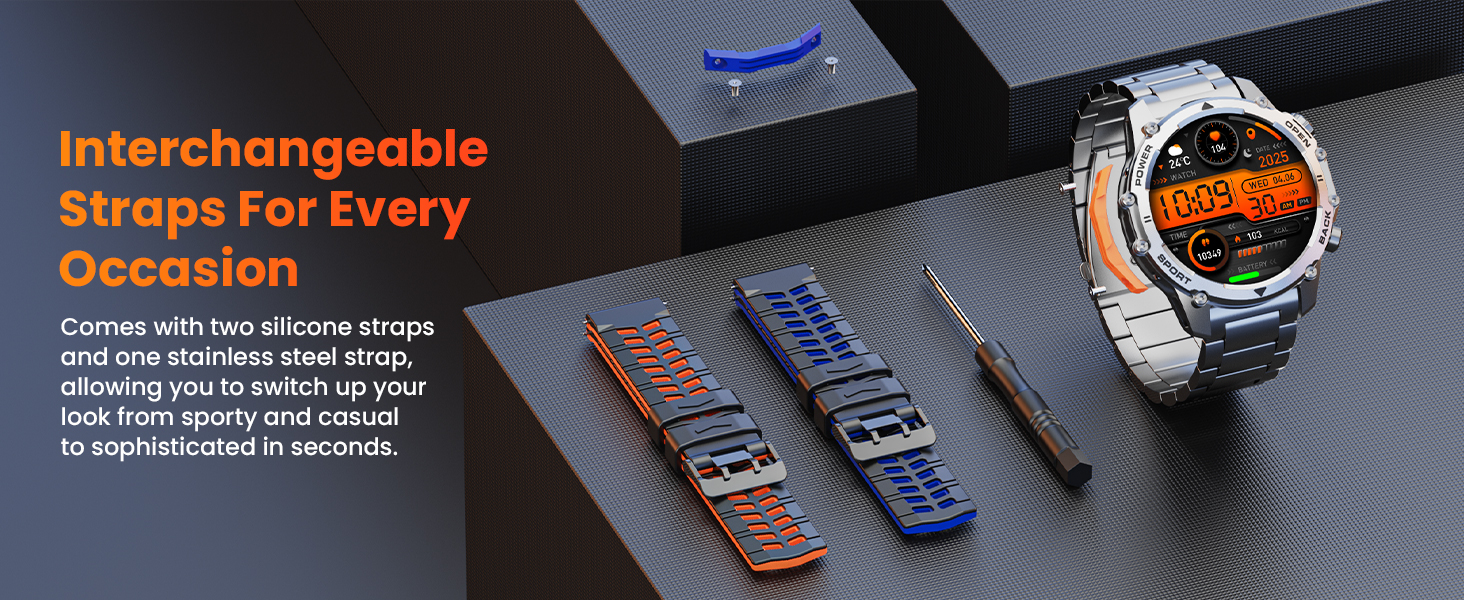
The smartwatch with its interchangeable straps and the tool for replacement.
6. Konserwacja
6.1 Czyszczenie
Regularly clean your smartwatch and straps with a soft, dry cloth. For stubborn dirt, lightly dampPrzetrzyj szmatkę wodą. Unikaj stosowania silnych środków chemicznych i materiałów ściernych.
6.2 Wodoodporność
The Hwagol i130 Smartwatch is IP68 rated, meaning it is resistant to dust and can withstand immersion in water up to 1.5 meters for 30 minutes. However, it is not suitable for swimming, diving, or prolonged immersion in water. Avoid exposing the watch to hot water, steam, or high-pressure water jets.
6.3 Pielęgnacja baterii
To prolong battery life, avoid fully discharging the watch frequently. Charge it regularly, and if storing for an extended period, ensure it has at least a 50% charge.
7. Rozwiązywanie Problemów
- Zegarek się nie włącza: Upewnij się, że zegarek jest w pełni naładowany. Podłącz go do ładowarki i odczekaj kilka minut przed próbą włączenia.
- Nie można sparować ze smartfonem:
- Sprawdź, czy Bluetooth jest włączony w telefonie i zegarku.
- Upewnij się, że zegarek znajduje się w zasięgu telefonu.
- Uruchom ponownie telefon i zegarek.
- Check if the companion app has necessary permissions.
- Niedokładne dane dotyczące zdrowia: Upewnij się, że zegarek ściśle przylega do nadgarstka, nie jest za ciasny ani za luźny. Wyczyść czujniki z tyłu zegarka. Unikaj nadmiernego ruchu podczas pomiarów.
- Powiadomienia nie zostały odebrane: Check notification settings in both your phone's system settings and the companion app. Ensure the watch is properly connected via Bluetooth.
- Krótka żywotność baterii: Zmniejsz jasność ekranu, wyłącz niepotrzebne funkcje i zoptymalizuj korzystanie z aplikacji działających w tle.
8. Specyfikacje
| Funkcja | Szczegół |
|---|---|
| Marka | Hwagol |
| Numer modelu | i130 smartwatch |
| Kolor | Srebrna stal |
| System operacyjny | iOS, Android |
| Rozmiar ekranu | 1.52 cali |
| Kształt ekranu | Okrągły |
| Łączność | Bluetooth |
| Cechy specjalne | Phone Finder, Do Not Disturb Mode, Flashlight, 3 Straps, 120+ Sports Modes, Long-lasting Battery (7-30 days) |
| Kompatybilne urządzenia | Smartfon, Tablet |
| Skład baterii | Litowo-jonowy |
| Akumulator do ponownego ładowania | Tak |
| Pojemność pamięci masowej | 128 MB |
| Pojemność baterii | 500 mAh |
| GPS | Brak GPS-u |
9. Gwarancja i wsparcie
The Hwagol i130 Smartwatch comes with an extended warranty period. If your smartwatch is damaged due to non-human factors within 360 days of purchase, you may contact the store's customer service for confirmation and a replacement service.
For any issues encountered during the use of your smartwatch, please do not hesitate to contact our customer support. We are committed to providing professional assistance.
Contact information can typically be found on the product packaging or the seller's page where you purchased the item.