1. Wprowadzenie
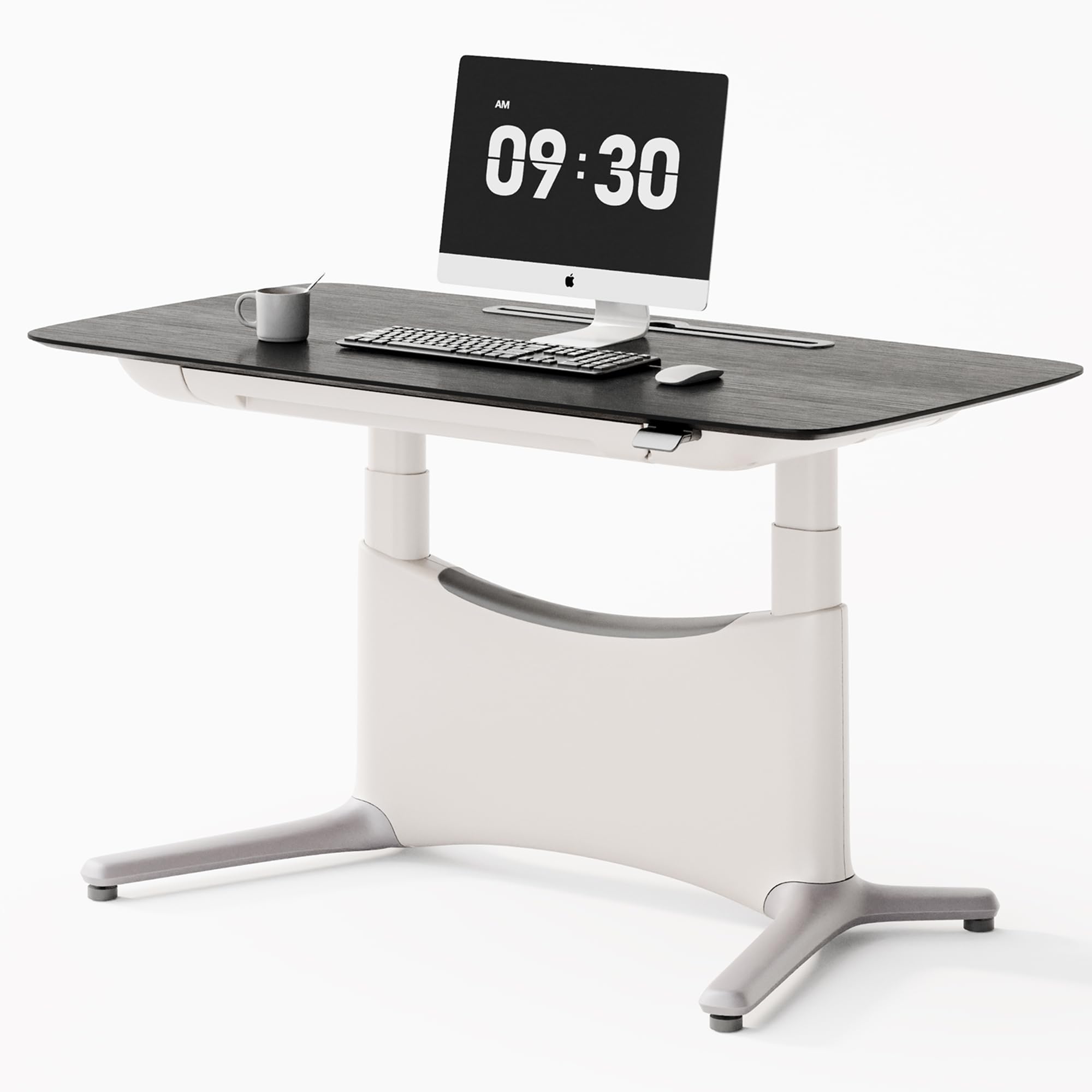
This manual provides detailed instructions for the assembly, operation, and maintenance of your COLAMY LumiDesk Electric Standing Desk. Please read this manual thoroughly before use to ensure proper function and safety. This desk is designed to enhance your workspace with its adjustable height, integrated features, and robust construction.
2. Informacje dotyczące bezpieczeństwa
Aby zapewnić bezpieczną obsługę i zapobiec uszkodzeniom, należy przestrzegać następujących wskazówek bezpieczeństwa:
- Always ensure the desk is not overloaded. The maximum weight capacity is 175 lbs (80 kg).
- For assembly, it is recommended to have an extra pair of hands for safety due to the desk's weight and size.
- Aby zapobiec wypadkom, trzymaj dzieci i zwierzęta domowe z dala od biurka podczas pracy.
- Ensure no obstacles are in the path of the desk's movement (up or down) to prevent damage to the desk or surrounding objects, or personal injury.
- Nie siadaj i nie stawaj na biurku.
- Używaj wyłącznie dołączonego zasilacza i upewnij się, że jest podłączony do uziemionego gniazdka.
- Unikaj rozlewania płynów na panel sterowania i elementy elektryczne.
3. Zawartość opakowania
Your COLAMY LumiDesk Electric Standing Desk package includes the following components:
- Desktop (one-piece FSC MFC desktop with veneer finish)
- Industrial-grade carbon steel frame (122 lbs)
- Dual motor system
- Control panel with digital display and memory settings
- Integrated pull-out drawer (25x15 inch)
- Built-in power strip with USB-C and USB ports
- Magnetic rear cable management tray
- Ergonomic footrest
- Narzędzia montażowe
- Instrukcja obsługi
Note: The desk ships in 2 boxes and may arrive separately.
4. Instalacja i montaż
The COLAMY LumiDesk is designed for easy assembly, typically completed by a single person in under 10 minutes. All necessary tools are included.
Montaż krok po kroku
- Rozpakuj wszystkie komponenty i sprawdź je na liście zawartości opakowania.
- Attach the desk legs to the desktop using the provided hardware.
- Connect the dual motor system and control panel.
- Install the integrated pull-out drawer.
- Secure the cable management tray and built-in power strip.
- Attach the ergonomic footrest.
- Plug the desk into a wall outlet.
Detailed assembly instructions with diagrams are provided in the included printed manual.

5. Instrukcja obsługi
Regulacja wysokości
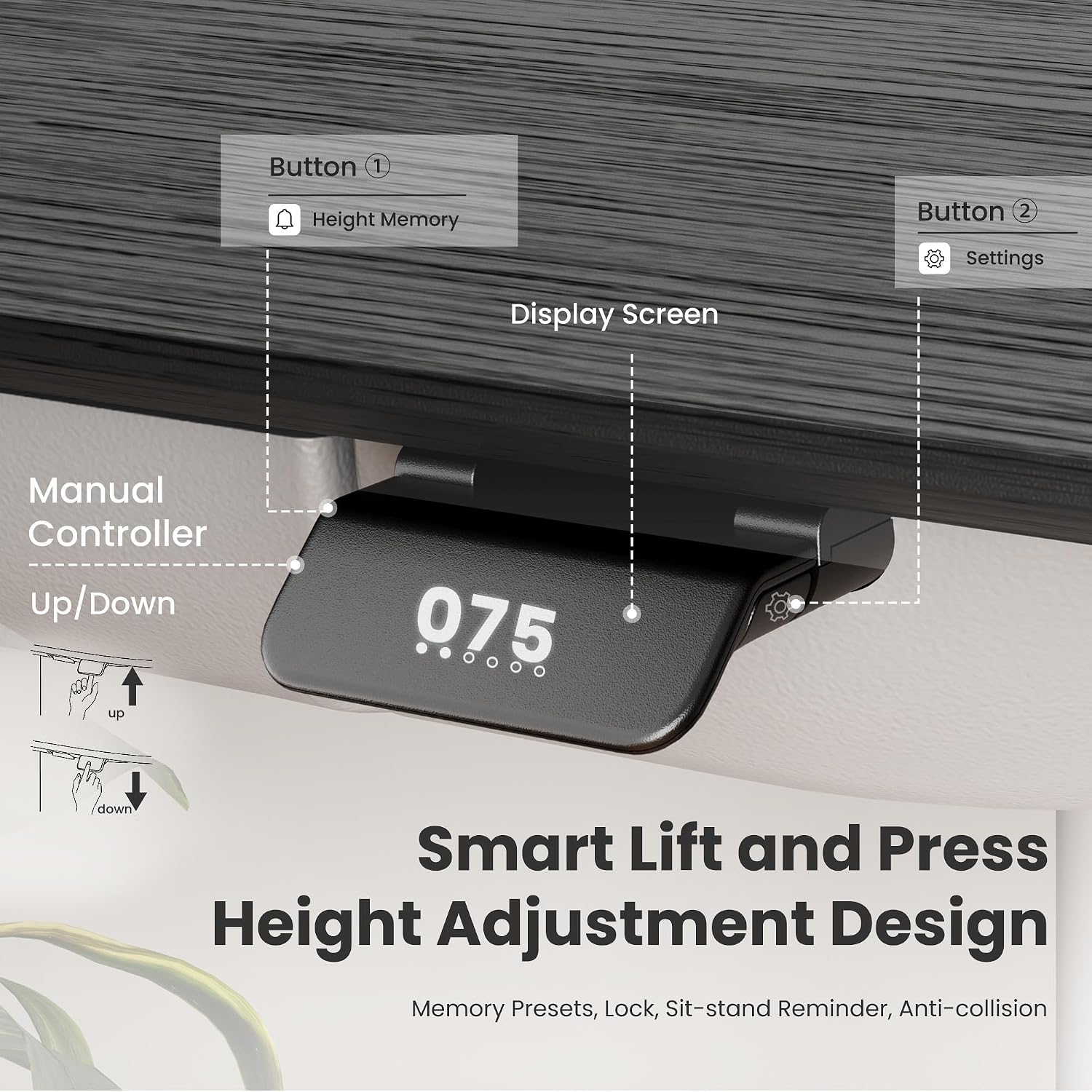
The desk features a silent and efficient dual motor lift system for smooth height adjustments.
- Podnieś biurko: Press and hold the "Up" arrow button on the control panel.
- Dolne biurko: Press and hold the "Down" arrow button on the control panel.
- The desk transitions at a steady 1.7 in/s speed.
Ustawienia pamięci
Panel sterowania umożliwia zapisanie do trzech preferowanych ustawień wysokości, co pozwala na szybką regulację.
- Aby zapisać ustawienie wstępne: Adjust the desk to your desired height. Press the "S" button, then press one of the numbered preset buttons (1, 2, or 3) until the display confirms the setting.
- Aby użyć ustawienia wstępnego: Simply press the corresponding numbered preset button (1, 2, or 3). The desk will automatically move to the saved height.
Funkcja antykolizyjna
For safety, the desk is equipped with an anti-collision system. If the desk encounters an obstacle during movement, it will automatically stop and reverse slightly to prevent damage or injury.

6. Główne cechy
Seamless One-Piece Desktop
The 55x28 inch desktop is constructed from a single piece of FSC MFC with a natural wood veneer finish, providing a smooth and spacious work surface without annoying gaps.

Integrated Storage and Power
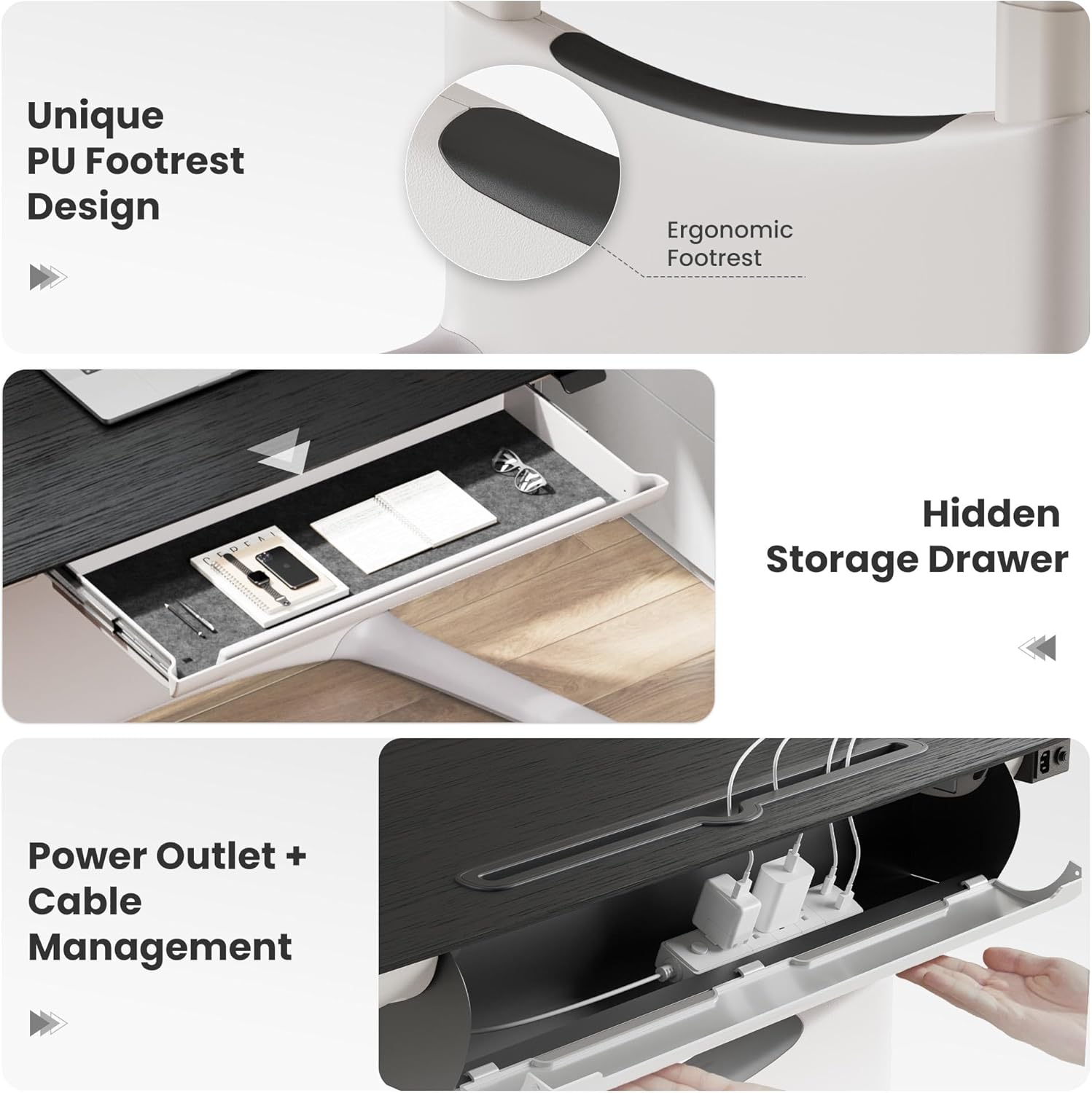
The desk includes a 25x15 inch pull-out drawer for office supplies and a built-in power strip with USB-C and USB ports, along with a magnetic rear cable management tray to keep your workspace organized and clutter-free.
Ergonomiczny podnóżek
A unique ergonomic footrest is integrated into the desk design, supporting dynamic postures whether sitting, standing, lounging, or cross-legged, enhancing comfort during long work sessions.
7. Konserwacja
Właściwa konserwacja zapewni długowieczność i optymalną wydajność Twojego biurka.
- Czyszczenie: Przetrzyj blat i ramę miękką szmatką.amp płótno. Unikaj ściernych środków czyszczących lub ostrych środków chemicznych, które mogą uszkodzić wykończenie.
- Kontrola: Regularly check all screws and connections to ensure they are secure. Tighten any loose fasteners as needed.
- Zarządzanie kablami: Okresowo ponownieview and adjust cables in the management tray to prevent tangles and ensure smooth desk operation.
8. Rozwiązywanie Problemów
Jeśli napotkasz jakiekolwiek problemy z biurkiem, zapoznaj się z poniższymi typowymi rozwiązaniami:
- Biurko się nie rusza: Check if the power cord is securely plugged into both the desk and a functional wall outlet. Ensure no obstacles are blocking the desk's movement path.
- Nierównomierny ruch: If the desk moves unevenly, try resetting the system by unplugging it from the power source for 30 seconds, then plugging it back in. If the issue persists, contact customer support.
- Kody błędów: If the digital display shows an error code, please refer to the detailed troubleshooting section in the printed manual for specific error code interpretations and solutions.
9. Specyfikacje
| Marka | COLAMY |
| Numer modelu | TX-ED01-T-WD-BK-L-WH-SC |
| Wymiary produktu | 28" gł. x 55" szer. x 48" wys. |
| Nośność | 175 funtów |
| Waga przedmiotu | 65 funtów |
| Materiał ramy | Carbon steel, Aluminum |
| Najlepszy rodzaj materiału | Wood (Veneer Desktop) |
| Cechy specjalne | Adjustable, Adjustable Height, Ergonomic, Rust Resistant |
| Typ silnika | Podwójny silnik |
| Poziom hałasu | <50dB |
| Prędkość podnoszenia | 1.7 cale/s |
| Typ szuflady | Single Pull-out Drawer (25x15 inch) |
| Gniazdka elektryczne | Built-in power strip with USB-C and USB ports |
| Wymagany montaż | Tak |
10. Gwarancja i wsparcie
Informacje o gwarancji
The COLAMY LumiDesk Electric Standing Desk comes with a Limited Warranty. Please refer to the warranty card included in your package for specific terms and conditions regarding coverage and duration.
Obsługa klienta
For any questions, technical assistance, or warranty claims, please contact COLAMY Home customer support. You can typically find contact information on the seller's Amazon store page or through your purchase history.
- Sprzedający: COLAMY Home (ID: A2XVMUT03J4I0H)
11. Galeria mediów
Zdjęcia produktu