
1. Koniec produktuview
The PAXA Clipbuds 7 are open-ear wireless earbuds designed for comfort and situational awareness. They feature Bluetooth 5.4 connectivity, a dual LED battery display, touch controls, and IP45 water resistance.
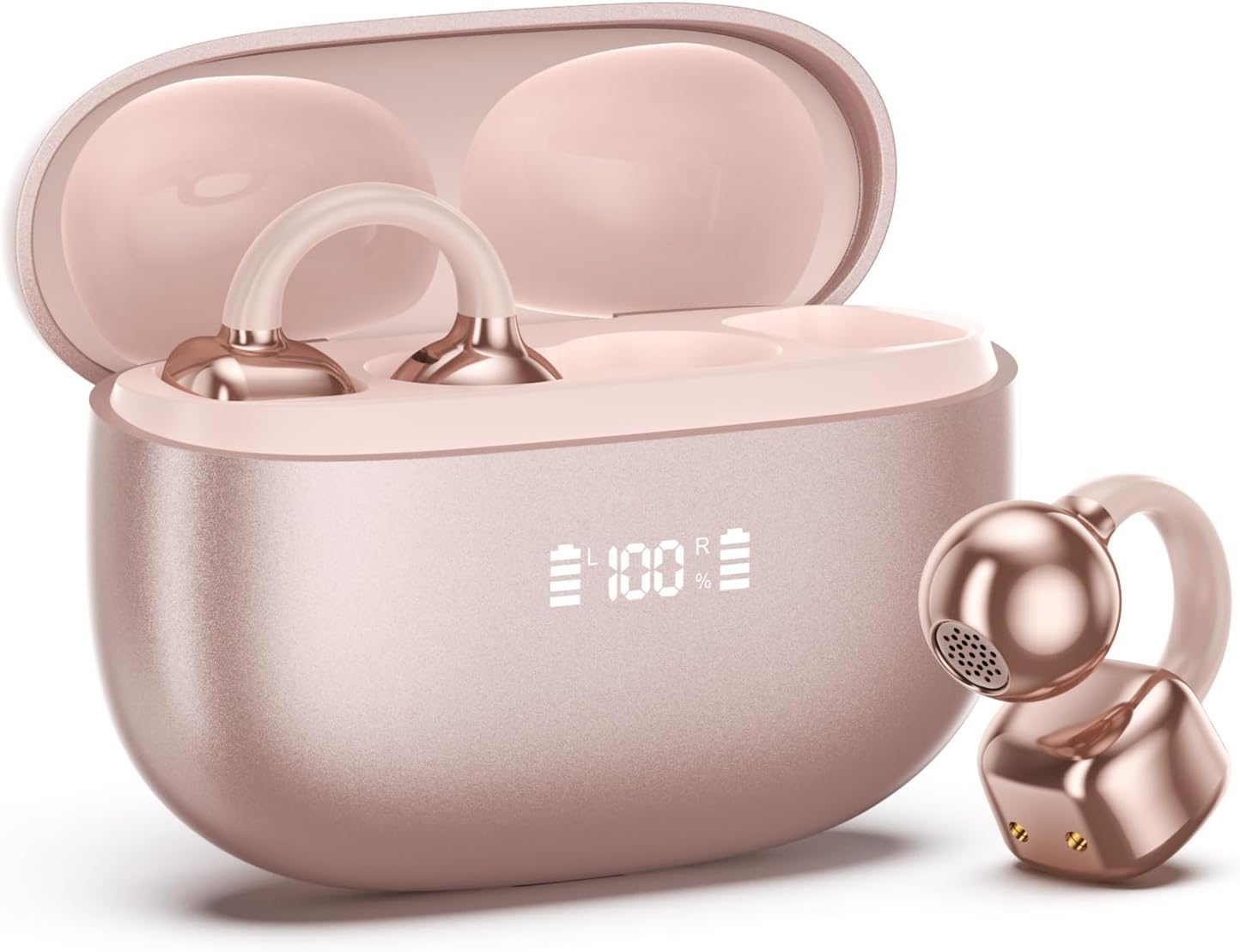
Image 1.1: PAXA Clipbuds 7 Rose Gold Earbuds and Charging Case. The earbuds are shown in their open charging case, which features an LED display indicating battery levels. One earbud is also shown outside the case.
Główne cechy:
- Konstrukcja z otwartym uchem zapewnia komfort i świadomość otoczenia.
- Bluetooth 5.4 zapewniający stabilne i wydajne połączenie bezprzewodowe.
- Dual LED display on charging case for battery status.
- Touch controls for music, calls, and voice assistant.
- Do 44 godzin całkowitego czasu odtwarzania z etui ładującym.
- Odporność na kurz i wodę (stopień ochrony IP45).
- Ultra-lightweight design (4.5g per earbud).
2. Zawartość opakowania
Sprawdź, czy w przesyłce znajdują się wszystkie elementy:
- Clip on Earbuds (1 pair)
- Etui z ładowaniem bezprzewodowym (1)
- Kabel ładujący (1)
- Instrukcja obsługi (1)
3. Konfiguracja i parowanie
3.1 Pierwsze ładowanie
Before first use, fully charge the earbuds and the charging case. Connect the provided charging cable to the Type-C port on the charging case and a USB power source. The LED display on the case will indicate the charging status.
3.2 Noszenie słuchawek dousznych
The Clipbuds 7 are designed to clip onto the thinnest part of your ear. Adjust the earbud tip to align with your ear canal for optimal sound and comfort.
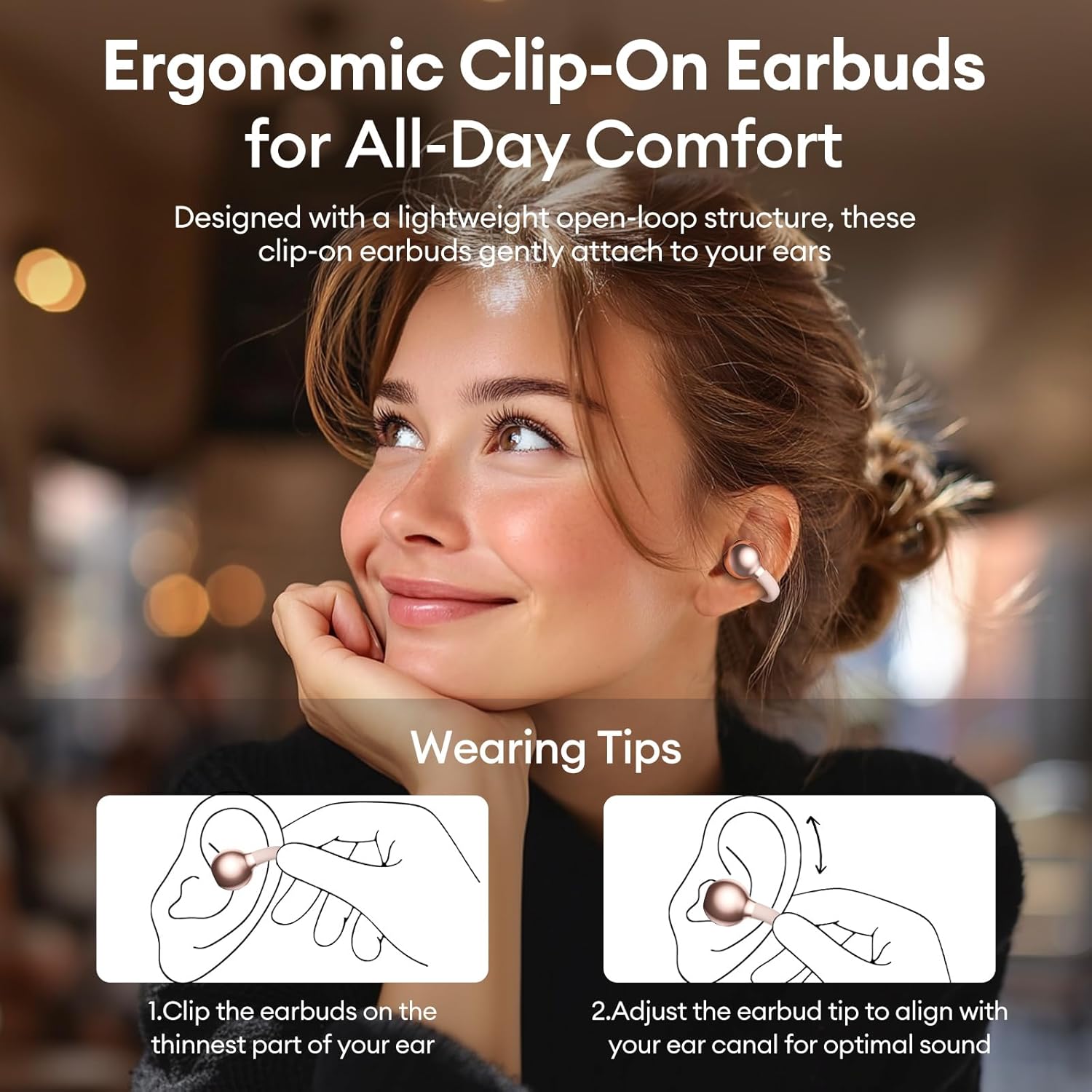
Image 3.2: Wearing instructions for PAXA Clipbuds 7. The diagram illustrates clipping the earbud onto the ear and adjusting for fit.
3.3 parowanie Bluetooth
- Sprawdź, czy słuchawki są naładowane i znajdują się w etui ładującym.
- Otwórz etui ładujące. Słuchawki automatycznie przejdą w tryb parowania.
- Na swoim urządzeniu (smartfonie, tablecie, laptopie) przejdź do ustawień Bluetooth.
- Szukaj "Clipbuds 7" in the list of available devices and select it to connect.
- Once connected, the earbuds will automatically pair with your device in the future when removed from the case.
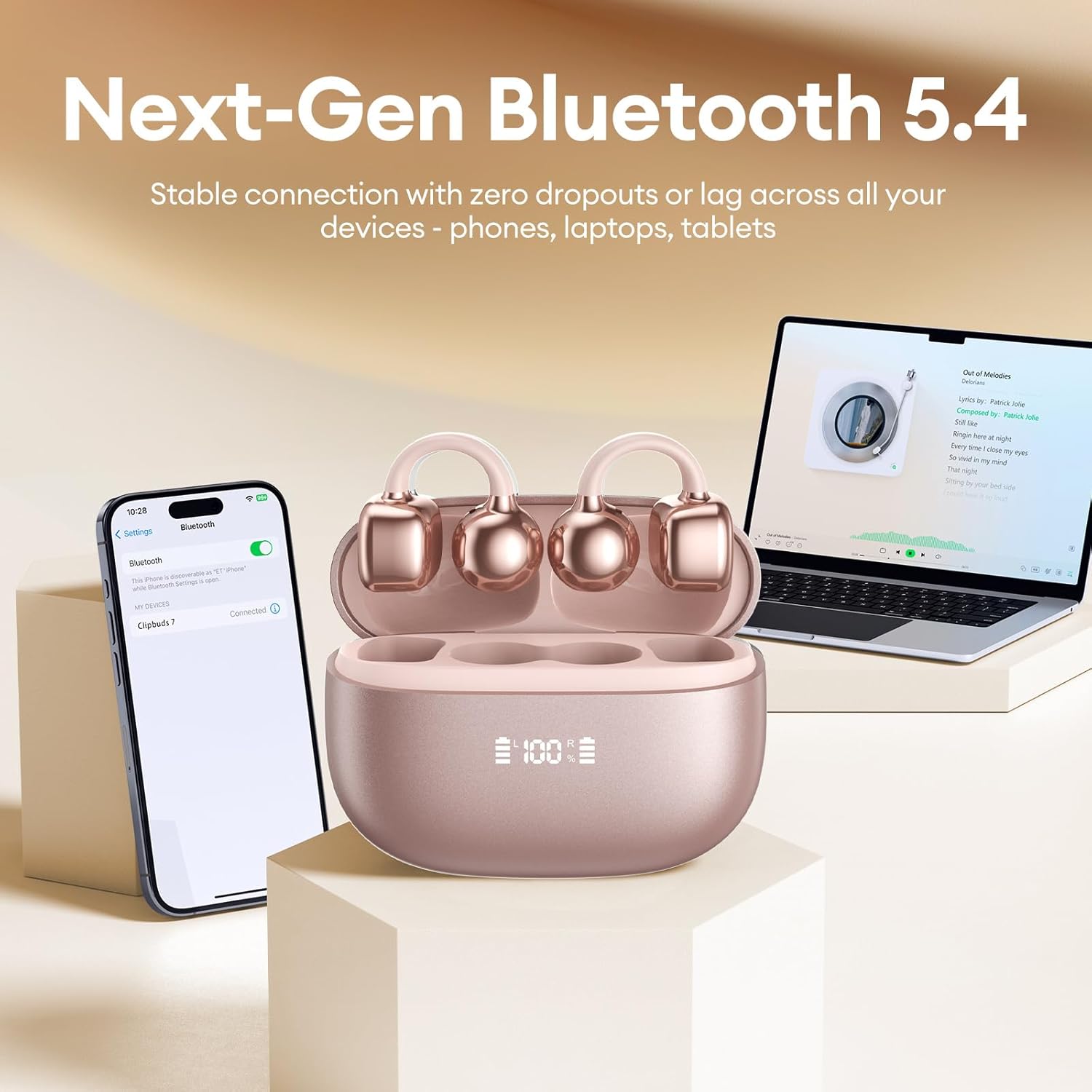
Image 3.3: PAXA Clipbuds 7 connected via Bluetooth to a smartphone and a laptop, demonstrating multi-device compatibility.
4. Instrukcja obsługi
4.1 Sterowanie dotykowe
The Clipbuds 7 feature sensitive touch controls on each earbud. Refer to the following table for functions:

Image 4.1: Visual guide for PAXA Clipbuds 7 touch controls, showing actions for calls, music, and voice assistant.
| Funkcjonować | Działanie |
|---|---|
| Odbierz/Zakończ połączenie | Double-click either earbud |
| Odrzuć połączenie | Naciśnij i przytrzymaj dowolną słuchawkę przez 2 sekundy |
| Odtwórz/Pauza | Double-click either earbud |
| Poprzednia piosenka | Triple-click the left (L) earbud |
| Następna piosenka | Triple-click the right (R) earbud |
| Volume + | Click the right (R) earbud |
| Tom - | Click the left (L) earbud |
| Voice Assistant (Siri, Google Assistant) | Hold both earbuds for 2 seconds |
4.2 LED Battery Display
The charging case features a dual LED display that shows the battery percentage of the case and each individual earbud (L and R).
4.3 Open-Ear Awareness
The open-ear design allows you to hear your audio while remaining aware of your surroundings. This feature is beneficial for activities like running, cycling, or commuting where situational awareness is important.

Image 4.3: Individuals using PAXA Clipbuds 7 during work, sports, and social gatherings, highlighting their versatility and open-ear design.
5. Bateria i ładowanie
The Clipbuds 7 offer extended battery life for prolonged use.
- Czas odtwarzania słuchawek: Do 8 godzin na jednym ładowaniu.
- Całkowity czas gry: Do 44 godzin z etui ładującym.
- Szybkie ładowanie: 10 minut ładowania wystarcza na około 3 godziny odtwarzania.

Image 5.1: Illustration of the PAXA Clipbuds 7 charging case, highlighting the 44-hour total battery life and fast charging capability.
6. Konserwacja i pielęgnacja
6.1 Odporność na wodę i kurz
The Clipbuds 7 have an IP45 rating, making them resistant to dust and splashes of water. This means they can withstand sweat and light rain, making them suitable for workouts and outdoor activities. However, they are not designed for submersion in water.
Image 6.1: A person wearing PAXA Clipbuds 7 during light rain, illustrating the IP45 water resistance feature.
6.2 Czyszczenie
To maintain optimal performance and hygiene, regularly clean your earbuds and charging case with a soft, dry, lint-free cloth. Avoid using abrasive materials or harsh chemicals.
7. Rozwiązywanie Problemów
If you encounter issues with your Clipbuds 7, try the following solutions:
- Brak dźwięku/problemy z łącznością:
- Sprawdź, czy słuchawki są naładowane.
- Sprawdź, czy Bluetooth jest włączony w Twoim urządzeniu.
- Forget "Clipbuds 7" from your device's Bluetooth list and re-pair.
- Ensure earbuds are within Bluetooth range (up to 50 feet).
- Słuchawki douszne nie ładują się:
- Sprawdź, czy kabel ładujący jest prawidłowo podłączony do obudowy i źródła zasilania.
- Upewnij się, że samo etui ładujące jest zasilane.
- Wyczyść styki ładowania zarówno w słuchawkach, jak i w etui.
- Sterowanie dotykowe nie odpowiada:
- Upewnij się, że Twoje palce są czyste i suche.
- Aby ponownie włączyć słuchawki, umieść je w etui i zamknij je, a następnie ponownie otwórz.
8. Specyfikacje
| Funkcja | Szczegół |
|---|---|
| Nazwa modelu | Klipsownice 7 |
| Marka | PAXA |
| Technologia łączności | Bezprzewodowy (Bluetooth) |
| Wersja Bluetooth | 5.4 |
| Zasięg Bluetooth | Do 50 stóp |
| Umieszczenie ucha | Otwarte ucho |
| Typ sterowania | Sterowanie dotykowe |
| Czas pracy baterii (po jednym ładowaniu) | 8 godzin |
| Całkowity czas pracy baterii (z etui) | 44 godzin |
| Poziom wodoodporności | IP45 (Dust/Water Resistant) |
| Kontrola hałasu | Hybrydowa redukcja szumów (ENC dla połączeń) |
| Tworzywo | Silicone Rubber + Plastic |
| Waga przedmiotu | 2.39 uncji |
| Zawarte komponenty | Clip on Earbuds, Wireless Charging Case, Charging Cable, User Manual |
9. Gwarancja i wsparcie
For warranty information and customer support, please refer to the contact details provided with your purchase or visit the official PAXA webZachowaj dowód zakupu na wypadek roszczeń gwarancyjnych.
10. Oficjalne filmy o produktach
The following videos provide additional information and demonstrations of the PAXA Clipbuds 7.
PAXA Clipbuds7 Open Ear Clip On Earbuds with LED Display
Video 10.1: This video from PAXA Direct showcases the features of the Clipbuds 7, including the LED display and open-ear design. It demonstrates the product's appearance and some functionalities.
PAXA High-Street Jewelry Open Ear Clip On Earbuds
Video 10.2: This video from PAXA Direct highlights the aesthetic and design aspects of the Clipbuds 7, emphasizing their jewelry-like appearance and comfortable fit.


