
Baseus Baseus Bass BH1 NC
Słuchawki Baseus Bass BH1 NC z adaptacyjną aktywną redukcją szumów
Instrukcja obsługi
Wstęp
Thank you for choosing the Baseus Bass BH1 NC Adaptive Active Noise Cancelling Headphones. These headphones are designed to provide an immersive audio experience with advanced noise cancellation, high-resolution sound, and exceptional comfort. This manual will guide you through the setup, operation, and maintenance of your new headphones.
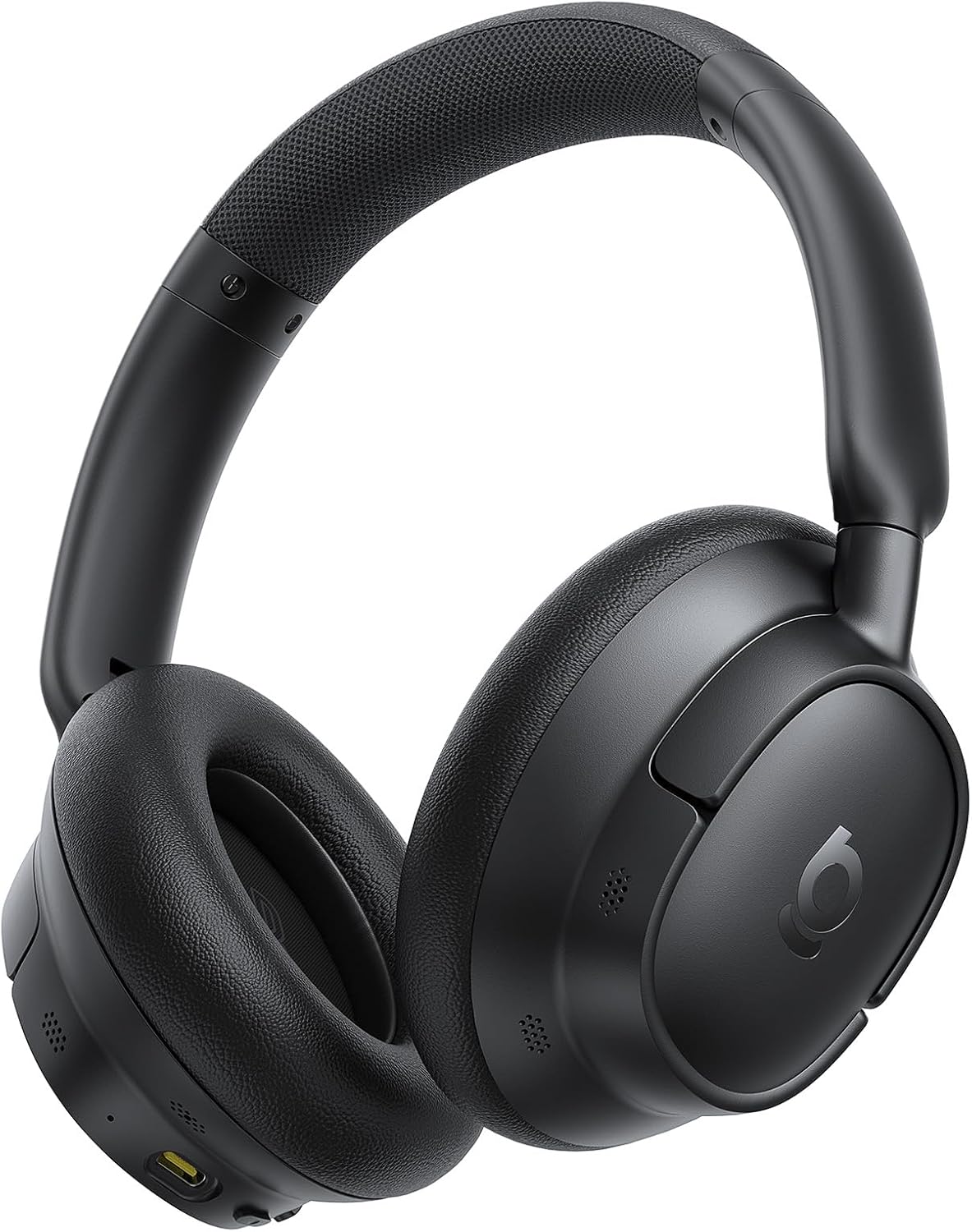
Image: The Baseus Bass BH1 NC headphones in Space Black, showcasinze względu na ich elegancki wygląd.
Co jest w pudełku
Sprawdź zawartość paczki, aby upewnić się, że znajdują się w niej wszystkie elementy:
- Słuchawki z redukcją szumów Baseus Bass BH1 NC
- Kabel do transmisji danych USB-C
- Instrukcja obsługi
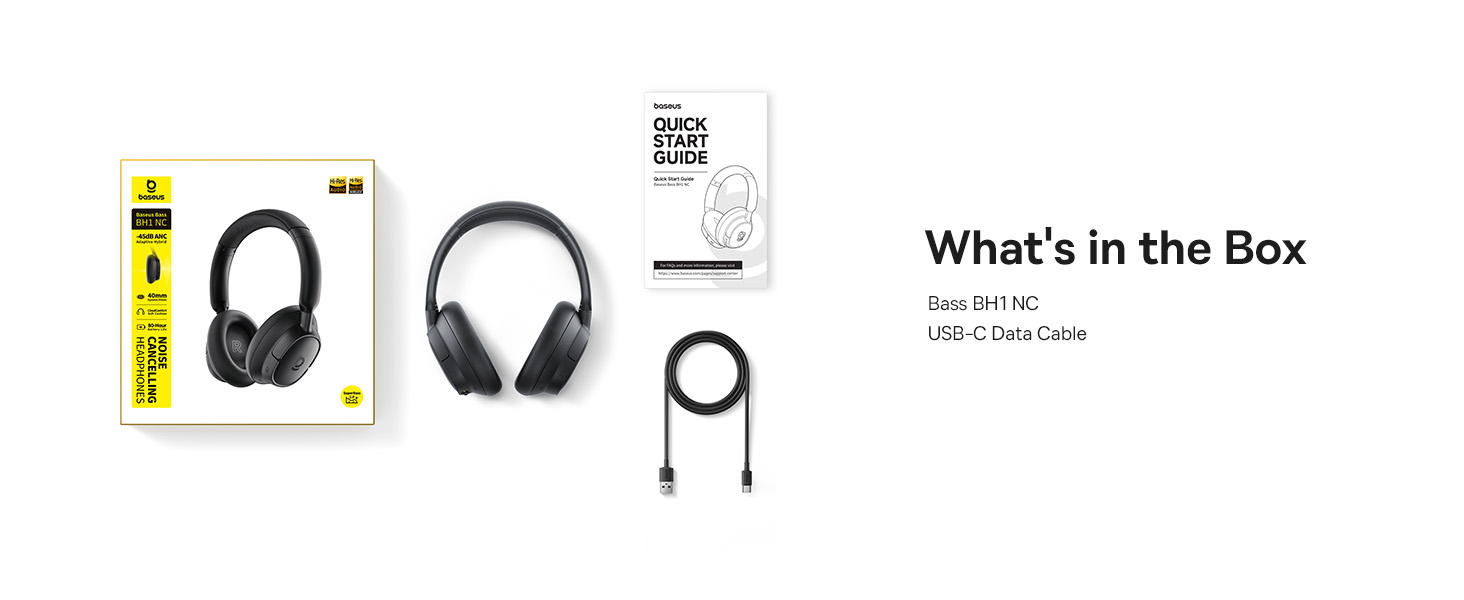
Image: A visual representation of the items included in the Baseus Bass BH1 NC headphone package.
Cechy produktu
The Baseus Bass BH1 NC headphones are equipped with a range of features designed for superior audio and user convenience:
- Real-Time Adaptive Hybrid ANC: Advanced 4-layer adaptive noise cancellation reduces up to -45dB of background noise, adapting to your surroundings for optimal quiet.
- Pristine Hi-Res Sound: Hi-Res and Hi-Res Wireless certifications with LDAC support deliver ultra-clear, lossless audio quality, transmitting 3X more data than standard Bluetooth codecs.
- SuperBass 2.0: Experience rich, punchy bass and detailed clarity with dynamic low-frequency enhancement and bio-cellulose diaphragms with dynamic drivers.
- Cloud-Like Comfort: Designed for all-day listening with feather-soft memory foam, contoured earcups, and a breathable headband lining for an ergonomic fit.
- Week-Long Playtime: Enjoy up to 80 hours of playtime with ANC off (55 hours with ANC on). A quick 10-minute charge provides 10 hours of listening.
- Wyraźne połączenia z 5 mikrofonami AI: Five built-in sound sensors with AI-powered ENC and voice boost ensure crystal-clear voice capture for calls and meetings.
- Bluetooth 6.0: Provides stable, lag-free, ultra-fast wireless connectivity.
- Natychmiastowe połączenie wielopunktowe: Bezproblemowe przełączanie się między dwoma podłączonymi urządzeniami.

Image: Illustration of the powerful -45dB Adaptive Hybrid ANC technology.

Image: Demonstrating the lossless Hi-Res audio capabilities with LDAC technology.

Image: Visualizing the impressive 80-hour battery life.
Przewodnik po konfiguracji
1. Ładowanie początkowe
Before first use, fully charge your headphones. Connect the provided USB-C data cable to the charging port on the headphones and the other end to a USB power adapter (not included) or a computer's USB port. The charging indicator light will show the charging status.
2. Włączanie/wyłączanie zasilania
- Włączanie: Naciśnij i przytrzymaj przycisk zasilania przez około 3 sekundy, aż kontrolka zacznie migać.
- Wyłączone: Naciśnij i przytrzymaj przycisk zasilania przez około 3 sekundy, aż kontrolka zgaśnie.
3. Parowanie Bluetooth
- Upewnij się, że słuchawki są wyłączone.
- Naciśnij i przytrzymaj przycisk zasilania przez 5 sekund, aż kontrolka zacznie migać naprzemiennie na niebiesko i czerwono, wskazując tryb parowania.
- Na swoim urządzeniu (smartfonie, tablecie, laptopie) włącz Bluetooth i wyszukaj dostępne urządzenia.
- Wybierz „Baseus Bass BH1 NC” z listy znalezionych urządzeń.
- Po nawiązaniu połączenia kontrolka zaświeci się ciągłym niebieskim światłem.
4. Installing the Baseus App
For enhanced features and customization, download the official Baseus app from your device's app store. The app allows you to adjust EQ settings, noise reduction modes, and more.

Image: The Baseus app interface for smart control and personalization.
Instrukcja obsługi
Sterowanie przyciskami
The headphones feature intuitive button controls for easy management of audio and calls:
| Działanie | Przycisk/Gest | Funkcjonować |
|---|---|---|
| Włączanie/wyłączanie zasilania | Power Button (Press & Hold 3s) | Włącza lub wyłącza słuchawki. |
| Tryb parowania | Power Button (Press & Hold 5s from off) | Włącza tryb parowania Bluetooth. |
| Odtwórz/Pauza | Multi-function Button (1 click) | Odtwarza lub wstrzymuje odtwarzanie dźwięku. |
| Następny utwór | Volume + Button (Press & Hold 2s) | Przechodzi do następnej piosenki. |
| Poprzedni utwór | Volume - Button (Press & Hold 2s) | Przechodzi do poprzedniej piosenki. |
| Zwiększ głośność | Volume + Button (1 click) | Zwiększa głośność. |
| Zmniejsz głośność | Volume - Button (1 click) | Zmniejsza głośność. |
| Odbierz/Zakończ połączenie | Multi-function Button (1 click) | Answers or ends an incoming/active call. |
| Odrzuć połączenie | Przycisk wielofunkcyjny (naciśnij i przytrzymaj 2 sekundy) | Odrzuca połączenie przychodzące. |
| Toggle ANC/Transparency | ANC Button (1 click) | Cycles through ANC On, Transparency Mode, and ANC Off. |
| Aktywuj Asystenta Głosowego | Multi-function Button (3 clicks) | Aktywuje asystenta głosowego w urządzeniu. |

Image: Detailed diagram of headphone button functions.
Połączenie wielopunktowe
The Baseus Bass BH1 NC headphones support simultaneous connection to two Bluetooth devices. To use this feature:
- Connect the headphones to the first device as per the Bluetooth pairing instructions.
- Wyłącz Bluetooth na pierwszym urządzeniu.
- Podłącz słuchawki do drugiego urządzenia.
- Włącz ponownie Bluetooth na pierwszym urządzeniu. Słuchawki powinny być teraz połączone z obydwoma urządzeniami.
- Audio will automatically switch between devices based on which one is actively playing sound or receiving a call.
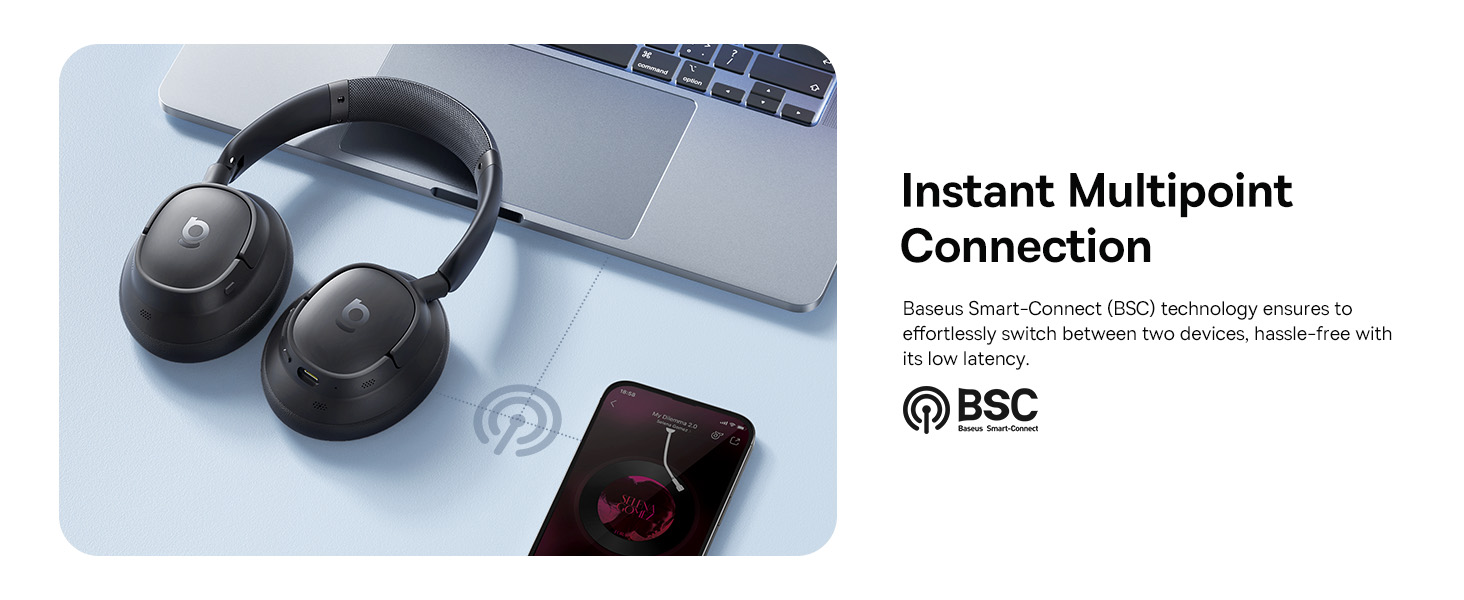
Image: Visual explanation of the instant multipoint connection feature.
Konserwacja
Proper maintenance ensures the longevity and optimal performance of your headphones:
- Czyszczenie: Do czyszczenia nauszników i pałąka używaj miękkiej, suchej i niepozostawiającej włókien ściereczki. Nie używaj środków ściernych, alkoholu ani rozpuszczalników chemicznych.
- Składowanie: When not in use, store the headphones in a cool, dry place, away from direct sunlight and extreme temperatures. It is recommended to use a protective case to prevent damage.
- Pielęgnacja baterii: Aby wydłużyć żywotność baterii, unikaj częstego całkowitego rozładowywania słuchawek. Ładuj je regularnie, nawet jeśli nie są używane regularnie.
- Unikaj wilgoci: Nie wystawiaj słuchawek na działanie wody ani nadmiernej wilgoci. Jeśli zamokną, dokładnie je osusz przed użyciem lub przechowywaniem.
Rozwiązywanie problemów
If you encounter any issues with your Baseus Bass BH1 NC headphones, refer to the following common solutions:
| Problem | Możliwa przyczyna | Rozwiązanie |
|---|---|---|
| Słuchawki nie włączają się. | Niski poziom naładowania baterii. | Naładuj słuchawki w pełni, korzystając z dołączonego kabla USB-C. |
| Nie można sparować z urządzeniem. | Słuchawki nie są w trybie parowania; Bluetooth w urządzeniu jest wyłączony; urządzenie znajduje się za daleko. | Ensure headphones are in pairing mode (flashing blue/red). Turn on Bluetooth on your device. Move headphones closer to the device. Try restarting both devices. |
| Brak dźwięku lub niski poziom głośności. | Zbyt niski poziom głośności; wybrano nieprawidłowe wyjście audio; słuchawki nie zostały podłączone. | Increase volume on both headphones and connected device. Ensure headphones are selected as the audio output. Reconnect Bluetooth. |
| ANC nie działa efektywnie. | ANC mode off; improper fit; very high-frequency noise. | Ensure ANC is activated. Adjust headphones for a snug fit. ANC is most effective on low-frequency sounds. |
| Jakość połączeń jest słaba. | Microphone obstructed; weak signal; environmental noise. | Ensure microphones are clear. Move closer to your device. Use the AI Clear Calls feature in noisy environments. |
Specyfikacje
Detailed technical specifications for the Baseus Bass BH1 NC headphones:
| Funkcja | Szczegół |
|---|---|
| Nazwa modelu | Baseus Bass BH1 NC |
| Technologia łączności | Bluetooth 6.0, bezprzewodowy |
| Technologia komunikacji bezprzewodowej | Bluetooth 6.0 |
| Tworzywo | Plastikowy |
| Konkretne zastosowania produktu | Rozrywka, fitness, podróże |
| Zalecane zastosowania produktu | Dzwonienie, jazda na rowerze, ćwiczenia, muzyka, bieganie, podróże, trening |
| Kompatybilne urządzenia | Telefony komórkowe, urządzenia z funkcją Bluetooth Audio (iOS, Android, Windows, Mac OS, Switch), laptopy, tablety |
| Typ sterowania | Sterowanie przyciskami |
| Metoda kontroli | Naciśnij przycisk |
| Liczba elementów | 1 |
| Typ sterownika audio | Dynamiczny sterownik |
| Wersja Bluetooth | 6.0 |
| Rozmiar sterownika audio | 40 milimetrów |
| UPC | 810196181526 |
| Producent | Baza |
| Wymiary opakowania | 9.25 x 8.94 x 2.48 cala |
| Waga przedmiotu | 14.9 uncji |
| ASIN | B0FHB7NBL5 |
| Numer modelu przedmiotu | Baseus Bass BH1 NC |
| Baterie | Wymagane są niestandardowe baterie. (w zestawie) |
| Data pierwszej dostępności | 20 lipca 2025 r. |
| Marka | Baza |
| Kolor | Kosmiczna czerń |
| Umieszczenie ucha | Na ucho |
| Współczynnik kształtu | Na ucho |
| Kontrola hałasu | Adaptacyjna redukcja szumów |

Image: Product dimensions for the Baseus Bass BH1 NC headphones.
Gwarancja i wsparcie
Baseus products are designed with quality and reliability in mind. For warranty information and customer support, please refer to the official Baseus webOdwiedź stronę internetową lub skontaktuj się bezpośrednio z działem obsługi klienta. Zachowaj paragon jako dowód zakupu na wypadek ewentualnych roszczeń gwarancyjnych.
Możesz również odwiedzić Sklep Baseus na Amazon aby uzyskać więcej informacji i zasobów wsparcia.
Ask a question about this manual
Ask about setup, troubleshooting, compatibility, parts, safety, or missing instructions. Manuals+ will review the question and use this page’s manual context to help answer it.