
karuisrc K610
Instrukcja obsługi drona GPS karuisrc K610
Model: K610
1. Wprowadzenie
This manual provides essential information for the safe operation and maintenance of your karuisrc K610 GPS Drone. Please read this manual thoroughly before operating the drone to ensure proper usage and to prevent damage or injury. The K610 is a foldable GPS quadcopter equipped with a 4K camera, designed for both beginners and experienced users, featuring intelligent flight modes and stable performance.

Image 1.1: The karuisrc K610 GPS Drone in flight.
2. Wytyczne bezpieczeństwa
Operating a drone requires responsibility. Adhere to the following safety guidelines to ensure a safe flight experience for yourself and others:
- Kontrola przed lotem: Zawsze sprawdzaj drona, śmigła i akumulator przed każdym lotem. Upewnij się, że wszystkie elementy są solidnie zamocowane i nieuszkodzone.
- Warunki środowiskowe: Fly in open areas, away from people, animals, buildings, and obstacles. Avoid flying in strong winds, rain, snow, or fog.
- Bezpieczeństwo baterii: Use only approved batteries and chargers. Do not overcharge or puncture batteries. Discontinue use if batteries are damaged or swollen.
- Linia wzroku: Przez cały czas utrzymuj widoczność drona.
- Szanuj prywatność: Do not use the drone to invade privacy.
- Przepisy lokalne: Należy zapoznać się ze wszystkimi lokalnymi przepisami i regulacjami dotyczącymi użytkowania dronów i przestrzegać ich.
3. Zawartość opakowania
Sprawdź, czy w przesyłce znajdują się wszystkie elementy:
- Dron K610 x 1
- Pilot zdalnego sterowania x 1
- Batteries x 1 (Nonstandard Battery)
- Zapasowe śmigła x 4
- Wkrętak x 1
- Kabel USB x 1
- Walizka transportowa x 1
- Instrukcja obsługi x 1

Image 3.1: Included items in the karuisrc K610 drone package.
4. Koniec komponentówview
4.1 Dron
The K610 drone features a foldable design for portability, brushless motors for stable flight, and an integrated 4K camera.

Image 4.1: The karuisrc K610 drone and remote control.
4.2 Pilot zdalnego sterowania
The remote control provides intuitive flight control and a mount for your smartphone to view sygnał FPV.
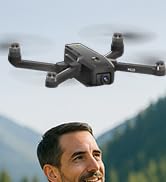
Image 4.2: Remote control with smartphone for FPV viewing.
5. Konfiguracja
5.1 Instalacja i ładowanie akumulatora
- Insert the modular battery into the drone's battery compartment until it clicks into place.
- Aby naładować, wyjmij akumulator z drona. Podłącz kabel ładujący USB do akumulatora i odpowiedniego zasilacza USB (brak w zestawie).
- The charging indicator on the battery will show its status. Ensure the battery is fully charged before flight.

Image 5.1: Modular battery for the K610 drone.
5.2 Instalacja śmigła
Attach the propellers according to the markings (A and B) on the propellers and motor arms. Ensure they are securely fastened with the provided screwdriver.
5.3 Konfiguracja zdalnego sterowania
- Install 3x AA batteries (not included) into the remote control.
- Extend the phone holder and securely mount your smartphone.
5.4 Instalacja i połączenie aplikacji
- Download the official karuisrc drone app from your smartphone's app store.
- Włącz drona, a następnie włącz pilota.
- On your smartphone, connect to the drone's Wi-Fi network (usually named 'K610-XXXXXX').
- Otwórz aplikację, aby nawiązać połączenie i view transmisja na żywo z FPV.

Image 5.2: 5GHz WiFi transmission for real-time viewing.
5.5 Kalibracja
Before the first flight and after any significant change in location, perform compass and gyroscope calibration as instructed in the app or quick start guide. This ensures stable flight and accurate GPS positioning.
6. Obsługa
6.1 Podstawowe sterowanie lotem
Refer to the remote control diagram in the quick start guide for specific joystick and button functions. Generally:
- Left Joystick: Controls altitude (up/down) and rotation (yaw left/right).
- Right Joystick: Controls forward/backward and left/right movement (pitch/roll).
6.2 Start i lądowanie
- Start jednym klawiszem: Press the designated take-off button on the remote or in the app. The drone will automatically ascend to a safe height and hover.
- Ręczny start: Push both joysticks to the bottom-outer corners to unlock motors, then slowly push the left joystick up to ascend.
- Lądowanie jednym klawiszem: Press the designated landing button. The drone will descend and land automatically.
- Lądowanie ręczne: Slowly pull the left joystick down to descend. Once landed, push both joysticks to the bottom-outer corners to stop motors.
6.3 Funkcje GPS
The K610 drone utilizes GPS for enhanced stability and intelligent flight functions.
- Automatyczny powrót do strony głównej (RTH): The drone can automatically return to its take-off point if the signal is lost, battery is low, or the RTH button is pressed.

Image 6.1: GPS Auto Return Home functionality.
6.4 Zaawansowane tryby lotu
Access these modes via the drone's app:
- Obserwuj mnie: The drone will automatically follow the remote control or smartphone, capturing footage gdy się poruszasz.
- Waypoint Flight (Tap Fly): Kliknij punkty na mapie w aplikacji, a dron poleci wzdłuż wskazanej trasy.
- Point-of-Interest (Circle Fly): Select a point on the map, and the drone will circle around it at a set radius and altitude.

Image 6.2: Advanced flight modes: Follow Me, Circle Fly, and Tap Fly.
6.5 Obsługa kamery 4K
The K610 is equipped with a 4K UHD camera with 90° adjustable tilt for capturing high-quality aerial footage i zdjęcia.
- Przechwytywanie zdjęć/wideo: Użyj dedykowanych przycisków na pilocie lub w interfejsie aplikacji, aby robić zdjęcia lub rozpoczynać/zatrzymywać nagrywanie wideo.
- Regulowany kąt kamery: The camera's tilt can be adjusted remotely via the app or remote control.
- Obsługa kart SD: Insert an SD card (not included) into the drone for direct storage of high-resolution media.

Image 6.3: The K610's 4K HD Camera.
6.6 Produkt powyżejview Wideo
Watch this video for a visual guide on the karuisrc K610 GPS Drone's features and operation.
Wideo 6.4: Ponadview of the karuisrc K610 GPS Drone's features and capabilities.
7. Konserwacja
Regularna konserwacja gwarantuje długowieczność i optymalną wydajność drona.
- Czyszczenie: Delikatnie przetrzyj drona i pilota miękką, suchą ściereczką po każdym użyciu. Unikaj stosowania silnych środków chemicznych.
- Kontrola śmigła: Regularnie sprawdzaj śmigła pod kątem pęknięć, wygięć lub uszkodzeń. Uszkodzone śmigła należy natychmiast wymienić, używając dołączonych części zamiennych.
- Pielęgnacja baterii: Store batteries in a cool, dry place. Do not store fully charged or completely depleted batteries for extended periods. Charge them to about 50-60% for long-term storage.
- Składowanie: Gdy drona nie używasz, złóż go i przechowuj w pokrowcu, aby chronić go przed kurzem i uszkodzeniami mechanicznymi.
8. Rozwiązywanie Problemów
Jeśli napotkasz problemy, zapoznaj się z poniższymi typowymi problemami i rozwiązaniami:
| Problem | Możliwa przyczyna | Rozwiązanie |
|---|---|---|
| Dron nie startuje i nie reaguje na polecenia sterujące. | Low battery, improper calibration, motors locked. | Charge drone/remote batteries. Perform calibration. Unlock motors (refer to section 6.2). |
| Niestabilny lot lub dryfowanie. | Poor calibration, strong winds, damaged propellers. | Recalibrate the drone. Fly in calm conditions. Inspect and replace damaged propellers. |
| No FPV feed on smartphone. | Wi-Fi not connected, app not open, drone/phone too far apart. | Ensure phone is connected to drone's Wi-Fi. Open the app. Move closer to the drone. |
| GPS features (RTH, Follow Me) not working. | Insufficient GPS signal, drone not calibrated. | Fly in an open area with clear sky. Wait for sufficient GPS satellites to connect (indicated by app). Perform GPS calibration. |
9. Specyfikacje
Key technical specifications for the karuisrc K610 GPS Drone:
| Funkcja | Szczegół |
|---|---|
| Nazwa modelu | K610 |
| Waga przedmiotu | 204 gramów (7.2 uncji) |
| Kamera | 4K UHD (4096×3072P images), 12 MP Effective Still Resolution, 90° Adjustable, CMOS Sensor |
| Rozdzielczość przechwytywania wideo | 1080p (format MP4) |
| Technologia łączności | Wi-Fi, RF (5GHz FPV Transmission) |
| Typ sterowania | Zdalne sterowanie |
| Cechy specjalne | Adjustable, Auto-Landing, Portable, GPS Auto Return, Follow Me, Waypoint Flight, Point-of-Interest Circle |
| Typ silnika | Silnik bezszczotkowy |
| Bateria | 1 Nonstandard Lithium Ion Battery (included) |
| Czas lotu | Up to 20 minutes (typical 18 minutes) |
| Tworzywo | Plastikowy |
| Wymiary produktu | 7" dł. x 2" szer. x 8" wys. |

Image 9.1: Brushless motor technology for the K610 drone.
10. Gwarancja i wsparcie
For warranty information or technical support, please contact karuisrc customer service. Keep your purchase receipt as proof of purchase.
- Telefon: +44 7419 298225
- E-mail: Karuisrc@gmail.com

Image 10.1: karuisrc customer support.
Ask a question about this manual
Ask about setup, troubleshooting, compatibility, parts, safety, or missing instructions. Manuals+ will review the question and use this page’s manual context to help answer it.