
1. Ważne informacje dotyczące bezpieczeństwa
Please read this manual carefully before using the MiLESEEY S50 Laser Distance Meter. Failure to follow these instructions may result in laser radiation exposure, electric shock, fire, or serious injury.
Bezpieczeństwo laserowe
The MiLESEEY S50 emits Class II laser radiation. Do not stare directly into the laser beam. Direct exposure to the laser beam may cause eye injury.
- Typ lasera: Class II Green Laser (500-530nm, <1mW) and Class II Red Side Laser (630-670nm, <1mW).
- Never look directly into the laser beam or point it at other people.
- Nie rozmontowuj i nie modyfikuj urządzenia.
- Przechowywać urządzenie w miejscu niedostępnym dla dzieci.
2. Koniec produktuview
The MiLESEEY S50 is a professional laser distance meter designed for accurate and efficient measurements in various environments. It features advanced green laser technology for enhanced visibility and a wide range of measurement functions.
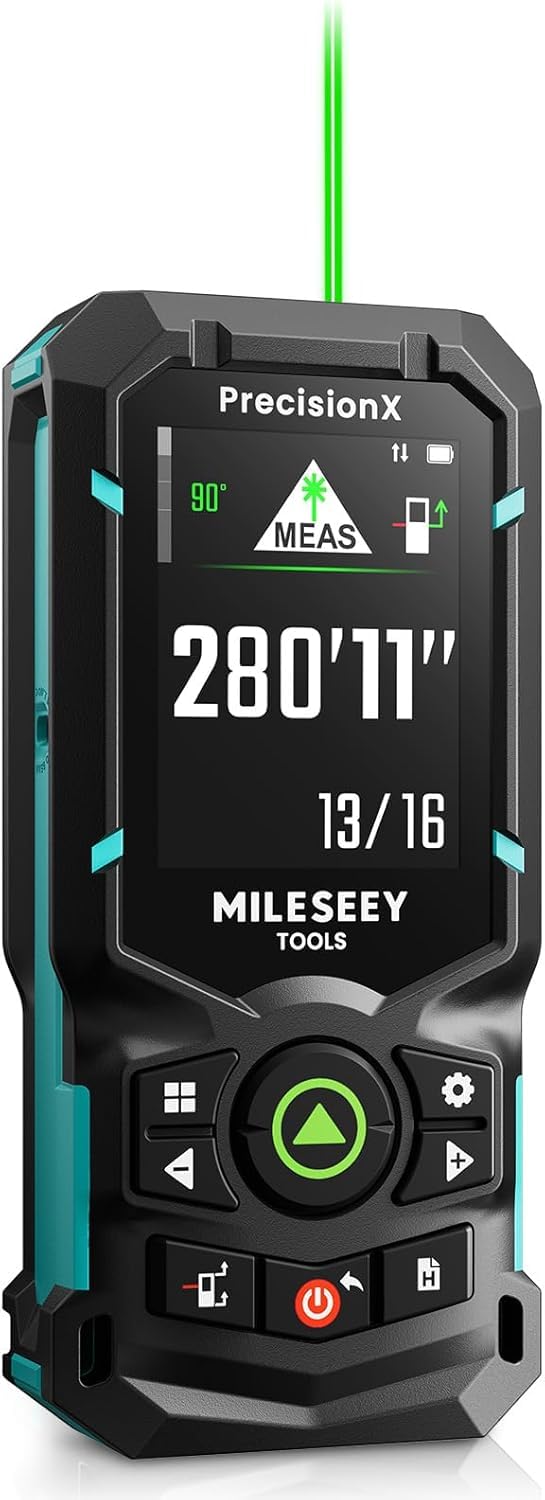
Image: The MiLESEEY S50 Professional Green Laser Distance Meter.
Główne cechy
- 4x Brighter Green Laser: Provides superior visibility compared to standard red lasers, especially in outdoor conditions.
- High Precision & Speed: Utilizes MILESEEY's patented PowerBurst™ technology for stable measurements up to 120m with ±1.5mm accuracy, even in challenging conditions. Up to 8 measurements per second.
- 18 tryby pomiaru: Includes P2P (Point-to-Point), area, volume, indirect measurements, continuous measurement, and more.
- Flexible References & Units: Easily switch between 4 reference points (front, rear, tripod, lateral laser) and 8 units (ft, 0'00"1/32, 0'00"1/16, in1/32, in1/16, in1/16, cm, m).
- 6.1 cm IPS Backlit Screen: High-resolution display with automatic black and white background switching for clear readings in various lighting conditions.
- Akumulatory NiMH: Powered by 2xAA 1800mAh NiMH batteries, offering all-day use and USB-C charging.
- Inteligentna integracja aplikacji: Streamline workflow with smart applications for visualizing measurements on floor plans, exporting data, creating reports, and unlimited cloud storage.
- Trwała konstrukcja: Constructed from robust engineering plastic, IP54 dust and water-resistant.

Image: Enhanced visibility of the green laser beam.

Image: PowerBurst technology for consistent precision.

Image: The 6.1 cm IPS backlit screen in different lighting conditions.
Zawartość opakowania
The MiLESEEY S50 package includes:
- 1 x MiLESEEY S50 Laser Distance Meter
- 1 x Storage Case
- 1 x Smycz
- 2 akumulatorów AA NiMH
- Kabel ładujący 1 x USB-C
- 1 x Instrukcja obsługi
- 1 x Skrócona instrukcja obsługi

Image: Contents of the MiLESEEY S50 box.
3. Konfiguracja
Instalacja i ładowanie baterii
The MiLESEEY S50 uses 2xAA NiMH rechargeable batteries. Ensure batteries are correctly inserted according to polarity markings. For optimal performance, fully charge the batteries before first use.
- Otwórz pokrywę komory baterii.
- Insert the 2xAA NiMH batteries, observing the correct polarity.
- Dokładnie zamknij pokrywę komory baterii.
- Connect the device to a power source using the provided USB-C cable for charging. The screen will indicate charging status.

Image: MiLESEEY S50 with batteries and USB-C charging cable.
Włączanie/wyłączanie
- Aby włączyć, naciśnij Moc przycisk.
- Aby wyłączyć, naciśnij i przytrzymaj Moc Naciśnij przycisk przez kilka sekund. Urządzenie wyłączy się automatycznie po pewnym okresie bezczynności, aby oszczędzać baterię.
4. Instrukcja obsługi
Pomiar podstawowy
Aby wykonać pojedynczy pomiar odległości:
- Skieruj laser na powierzchnię docelową.
- Naciśnij POMIAR button (green triangle). The measurement will be displayed on the screen.
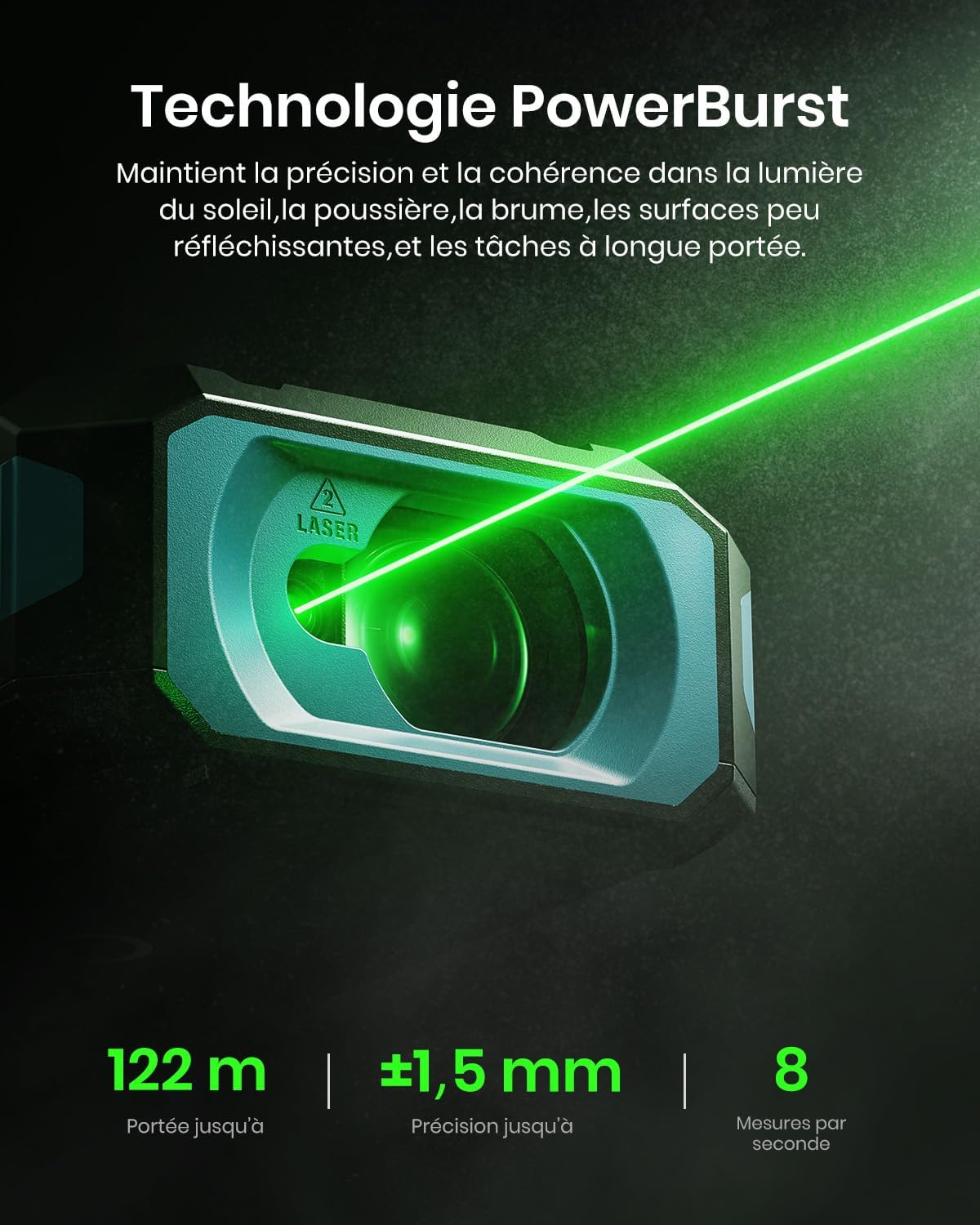
Image: Performing a basic distance measurement.
Changing Units and Reference Points
- Naciśnij Jednostka przycisk umożliwiający przełączanie dostępnych jednostek miary (np. metry, stopy, cale).
- Naciśnij Odniesienie button to change the measurement reference point (front, rear, tripod, lateral laser).
Wybór trybów pomiaru
The MiLESEEY S50 offers 18 different measurement modes. Press the Tryb button to cycle through the available functions. The screen will display an icon representing the selected mode.

Image: Visual representation of the 18 measurement modes.
5. Zaawansowane funkcje
P2P (Point-to-Point) Measurement
The P2P mode allows you to measure the distance between two points from a single location, which is particularly useful for inaccessible areas.
- Select the P2P measurement mode.
- Skieruj laser na pierwszy punkt docelowy i wykonaj pomiar.
- Aim the laser at the second target point and take another measurement.
- The device will calculate and display the distance between the two points.

Image: Demonstrating P2P measurement functionality.
Inteligentna integracja aplikacji
Connect your MiLESEEY S50 to the Smart Life app for enhanced functionality and data management.
- Pobierz aplikację „Smart Life” ze sklepu z aplikacjami na swoim urządzeniu.
- Follow the in-app instructions to pair your S50 device via Bluetooth.
- Po połączeniu możesz view measurements on floor plans, export data, create reports, and utilize unlimited cloud storage for your projects.

Image: Smart Life app integration with the MiLESEEY S50.
Lateral Laser Alignment
The red lateral laser alignment feature helps in precise alignment and layout tasks, providing visible markers up to 1 meter.

Image: Using the red lateral laser for alignment.
6. Konserwacja
- Regularnie czyść urządzenie miękką,amp ściereczka. Nie należy używać środków czyszczących o właściwościach ściernych ani rozpuszczalników.
- Ensure the laser lens is clean and free from dust or debris for accurate measurements.
- Aby zapobiec uszkodzeniom, przechowuj urządzenie w jego ochronnym etui, gdy go nie używasz.
- Jeśli urządzenie nie będzie używane przez dłuższy czas, należy wyjąć baterie.
7. Rozwiązywanie Problemów
| Problem | Możliwa przyczyna | Rozwiązanie |
|---|---|---|
| Urządzenie nie włącza się. | Low or depleted batteries; incorrectly inserted batteries. | Naładuj lub wymień baterie, sprawdź biegunowość baterii. |
| Niedokładne pomiary. | Dirty laser lens; unstable measurement surface; extreme environmental conditions. | Clean the lens; ensure a stable measurement; avoid measuring in conditions outside specified operating range. |
| Wiązka laserowa nie jest widoczna. | Jasne światło otoczenia; laser wyłączony. | Use in lower light conditions or use the green laser for better visibility; ensure laser is activated. |
| Nie można połączyć się z aplikacją Smart Life. | Bluetooth is off; device not in pairing mode; app issues. | Ensure Bluetooth is enabled on your phone; restart both devices; check app permissions. |
8. Specyfikacje
| Funkcja | Szczegół |
|---|---|
| Marka | Mileseey |
| Numer modelu | S50 |
| Zakres pomiaru | Do 120m |
| Dokładność pomiaru | ±1.5 mm |
| Laser Type (Main) | Class II Green Laser (500-530nm, <1mW) |
| Laser Type (Lateral) | Class II Red Laser (630-670nm, <1mW) |
| Wyświetlacz | 6.1 cm IPS Backlit Screen |
| Źródło zasilania | 2xAA NiMH 1800mAh Rechargeable Batteries |
| Port ładowania | USB-C |
| Tworzywo | Akrylonitryl-butadien-styren, guma |
| Odporność na wodę | IP54 (odporność na kurz i wodę) |
| Waga | 150 gram |
9. Gwarancja i wsparcie
The MiLESEEY S50 Laser Distance Meter comes with a 24-miesięczna gwarancja producenta od daty zakupu. Niniejsza gwarancja obejmuje wady materiałowe i wykonawcze przy normalnym użytkowaniu.
For warranty claims, technical support, or any inquiries, please contact Mileseey customer service through the retailer where the product was purchased or visit the official Mileseey webwitryna do informacji kontaktowych.
Zachowaj dowód zakupu w celu potwierdzenia gwarancji.