
1. Wprowadzenie
Thank you for choosing Bluedee BD-SK900 Computer Speakers. This manual provides essential information for the proper setup, operation, and maintenance of your new speakers. Please read this guide thoroughly before use to ensure optimal performance and longevity of your device. These speakers are designed to deliver high-fidelity audio with versatile connectivity and dynamic RGB lighting for an enhanced audio-visual experience.
2. Zawartość opakowania
Sprawdź, czy w przesyłce znajdują się wszystkie elementy wymienione poniżej:
- 1x Bluedee Computer Speaker (Pair)
- 1x USB/USB-C Cable
- Przewodnik szybkiego startu 1x
3. Funkcje produktu
The Bluedee BD-SK900 speakers are equipped with advanced features for a superior audio experience:
- Wysokiej jakości dźwięk stereo: Features 2 tweeters, 2 full-range drivers, and 2 passive radiators for clear highs, rich mids, and powerful bass with a 20W output.
- All-in-One Control Knob: A single, intuitive knob allows for play/pause, volume adjustment, lighting control, and switching between connection modes.
- Łączność Bluetooth 5.4: Ensures a stable, low-latency wireless connection for seamless audio streaming. (Note: Requires USB power supply for operation).
- Projekt typu Plug & Play: Connects easily via the included USB/USB-C cable for both audio and power, requiring no additional drivers or software.
- Dynamiczne oświetlenie RGB: Offers 5 distinct RGB lighting modes, including dynamic color-shifting and static single-color glows, controllable via the knob.
- Unique Egg-shaped Acoustic Design: A minimalist and space-saving design (5.1"D x 5"W x 7.2"H) that enhances sound projection.
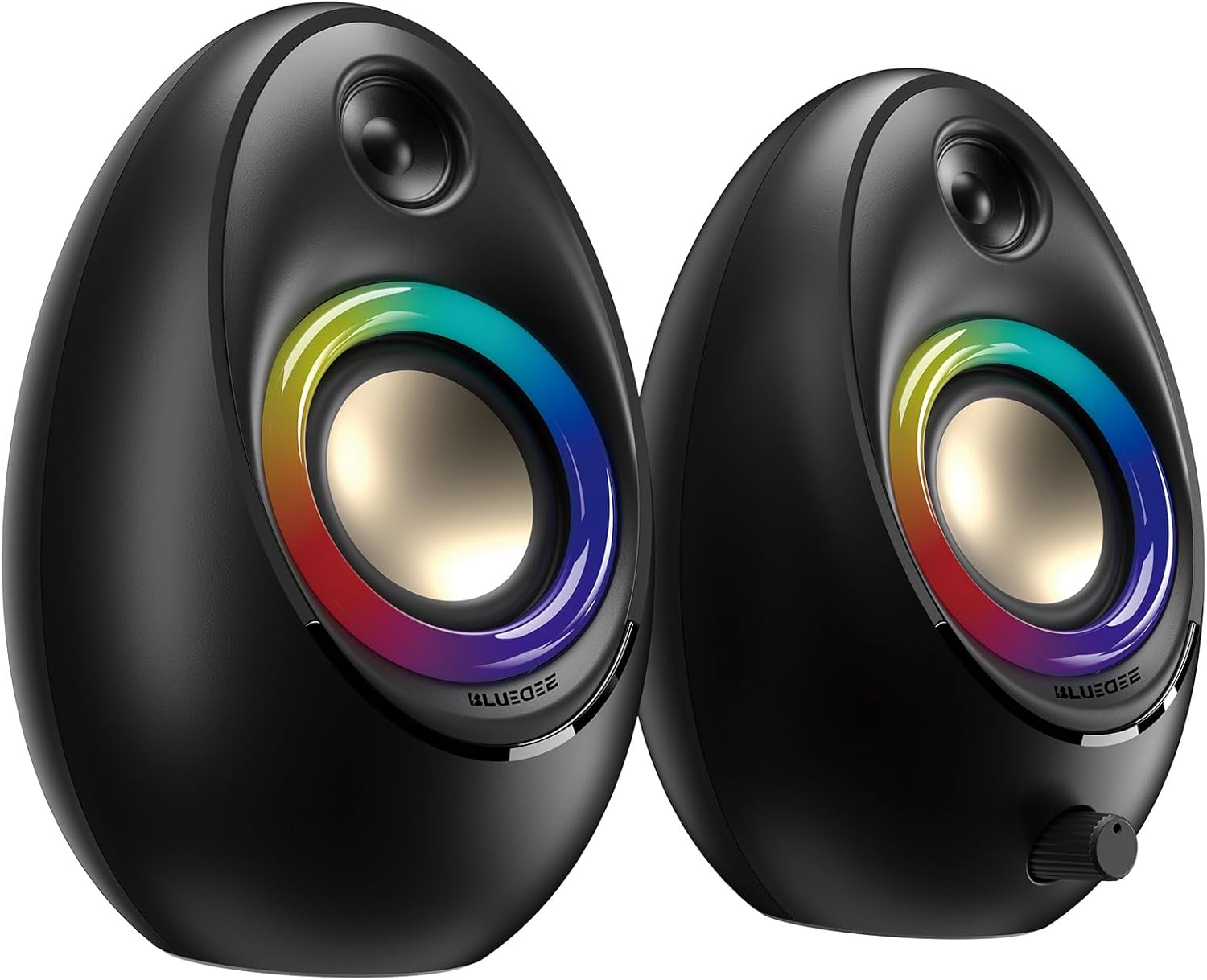
Figure 3.1: Bluedee BD-SK900 Computer Speakers, showcasinich designu i oświetlenia RGB.

Figure 3.2: Internal acoustic architecture of the Bluedee BD-SK900 speakers.

Figure 3.3: The multi-functional control knob for easy operation.
4. Instrukcje konfiguracji
Follow these steps to set up your Bluedee BD-SK900 speakers:
- Umieszczenie: Position the two speakers on your desktop or desired surface, ensuring they are spaced appropriately for optimal stereo sound.
- Connect Power and Audio: Use the provided all-in-one USB/USB-C cable. Connect the USB-A or USB-C end to an available port on your computer (desktop, laptop) or a compatible USB power adapter (not included). The speakers will power on automatically.
- Początkowe połączenie: Upon connecting, the speakers will typically default to USB audio mode. If your computer recognizes the speakers, audio will play directly through them.
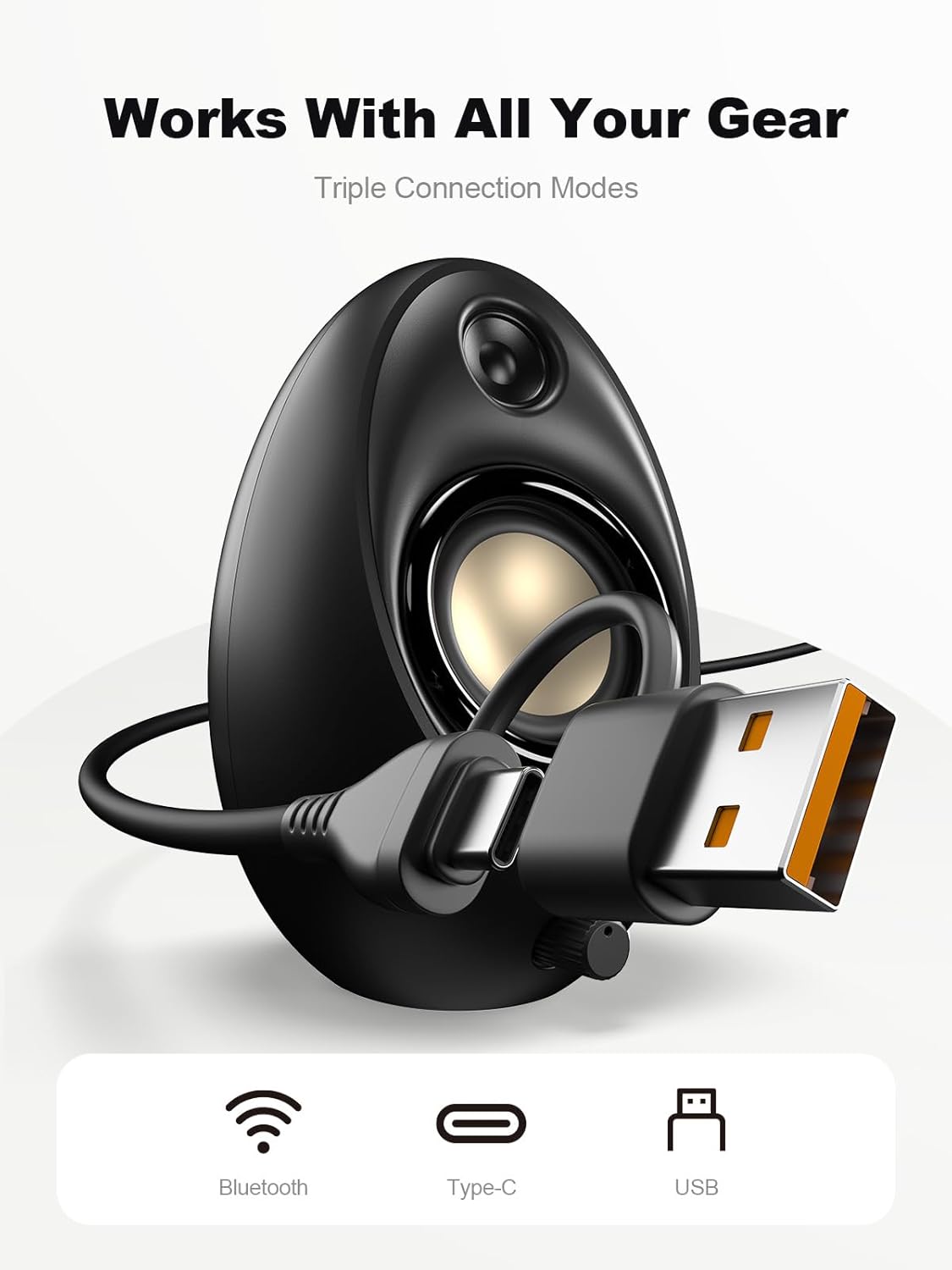
Figure 4.1: Connecting the speakers via USB/USB-C cable.
5. Instrukcja obsługi
5.1 Włączanie/wyłączanie zasilania
The speakers power on automatically when connected to a USB power source. To power off, disconnect the USB cable.
5.2 Regulacja głośności
Rotate the multi-functional knob clockwise to increase volume and counter-clockwise to decrease volume.
5.3 parowanie Bluetooth
- Przełącz na tryb Bluetooth: Press and hold the multi-functional knob for approximately 2-3 seconds until the speaker indicates Bluetooth mode (e.g., a specific light pattern or audio prompt).
- Włącz Bluetooth na urządzeniu: Włącz Bluetooth na swoim smartfonie, tablecie lub laptopie i wyszukaj dostępne urządzenia.
- Para: Select "Bluedee BD-SK900" from the list of devices. Once paired, the speakers will confirm the connection.
5.4 USB/Type-C Connection
When connected via the USB/USB-C cable, the speakers will automatically function as an audio output device for your computer. To switch back to USB mode from Bluetooth, press and hold the multi-functional knob again.
5.5 Sterowanie oświetleniem RGB
The speakers feature 5 dynamic RGB lighting effects. Briefly press the multi-functional knob to cycle through the available lighting modes. This allows you to customize the ambiance to your preference.

Figure 5.1: Dynamic RGB lighting effects.
6. Rozwiązywanie Problemów
If you encounter issues with your Bluedee BD-SK900 speakers, please refer to the following common solutions:
- Brak dźwięku:
- Ensure the USB/USB-C cable is securely connected to both the speakers and your device/power source.
- Check the volume level on both the speakers (using the knob) and your connected device.
- Sprawdź, czy w ustawieniach dźwięku komputera wybrano właściwe urządzenie wyjściowe audio.
- If using Bluetooth, ensure the speakers are in Bluetooth mode and successfully paired.
- Problemy z rozłączaniem/parowaniem Bluetooth:
- Ensure the speakers are within the 10-meter Bluetooth range of your device.
- Wyłącz i włącz ponownie Bluetooth w swoim urządzeniu, a następnie spróbuj sparować ponownie.
- Usuń urządzenie z listy Bluetooth i sparuj je ponownie.
- Ensure the speakers are not connected to another device.
- Światła RGB nie działają:
- Sprawdź, czy głośniki są włączone.
- Briefly press the multi-functional knob to cycle through lighting modes; the lights might be off or in a static mode.
- Zniekształcony dźwięk:
- Zmniejsz głośność głośników i podłączonego urządzenia.
- Upewnij się, że źródło dźwięku jest dobrej jakości.
- Check for any interference if using Bluetooth.
7. Specyfikacje
| Nazwa modelu | BD-SK900 |
| Typ głośnika | Głośniki komputerowe |
| Technologia łączności | Bluetooth, USB |
| Wersja Bluetooth | 5.4 |
| Zasięg Bluetooth | 10 metrów |
| Moc wyjściowa | 20 W |
| Stosunek sygnału do szumu | 70dB |
| Odpowiedź częstotliwościowa | 20 kHz (górna granica, typowa dla pełnego zakresu) |
| Tryby oświetlenia RGB | 5 |
| Kompatybilne urządzenia | Komputer stacjonarny, laptop, smartfon, tablet |
| Wymiary produktu (każdy głośnik) | 5.1" gł. x 5" szer. x 7.2" wys. |
| Waga przedmiotu | 2.88 funta |
| Źródło zasilania | Corded Electric (USB/Type-C) |

Figure 7.1: Speaker dimensions and design.
8. Konserwacja
Aby zapewnić długowieczność i optymalną wydajność głośników, należy przestrzegać poniższych wskazówek dotyczących konserwacji:
- Czyszczenie: Use a soft, dry cloth to clean the speaker surfaces. Avoid using abrasive cleaners, solvents, or strong chemicals, as they may damage the finish.
- Składowanie: Jeśli głośniki nie będą używane przez dłuższy czas, należy je przechowywać w chłodnym, suchym miejscu, z dala od bezpośredniego światła słonecznego i ekstremalnych temperatur.
- Obsługiwanie: Obchodź się z głośnikami ostrożnie. Unikaj ich upuszczania i narażania na silne uderzenia.
- Wentylacja: Ensure proper ventilation around the speakers to prevent overheating. Do not block any vents.
9. Informacje dotyczące bezpieczeństwa
Należy przestrzegać następujących środków ostrożności:
- Nie wystawiaj głośników na działanie wody, wilgoci ani ekstremalnych temperatur.
- Nie należy podejmować prób demontażu ani modyfikacji głośników. Spowoduje to unieważnienie gwarancji i może spowodować uszkodzenia lub obrażenia.
- Keep the speakers away from heat sources, open flames, and direct sunlight.
- Use only the provided USB/USB-C cable for connection.
- Aby zapobiec uszkodzeniu słuchu, należy unikać długotrwałego słuchania muzyki przy zbyt wysokiej głośności.
10. Gwarancja i wsparcie
Bluedee provides comprehensive support for your BD-SK900 Computer Speakers:
- Gwarancja jakości: Your speakers are covered by a 540-day quality warranty from the date of purchase.
- Wsparcie dożywotnie: Bluedee offers lifetime customer support for this product.
- Kontakt: For any questions, technical assistance, or warranty claims, please contact us via Amazon Messages or refer to the contact details provided in your Quick Start Guide.