
1. Wprowadzenie i koniecview
The ELECCTV BW4 is an advanced wireless security camera designed for both indoor and outdoor use. It features dual-band 2.4GHz and 5GHz WiFi connectivity, delivering stable and fast network performance. With 2K QHD resolution, color night vision, AI motion detection, and two-way audio, this camera provides comprehensive surveillance and communication capabilities. Its IP65 waterproof rating ensures durability in various weather conditions, and the built-in rechargeable battery offers wire-free installation flexibility.

Image: ELECCTV BW4 camera highlighting 2.4GHz and 5GHz dual-band WiFi 6 capabilities.
Wideo: Ponadview of the WiFi Security Cameras Wireless Outdoor features.
2. Co znajduje się w pudełku
Your ELECCTV BW4 package includes the following items:
- ELECCTV BW4 Wireless Security Camera(s)
- Mounting bracket(s)
- Śruby montażowe i kotwy
- Kabel do ładowania USB
- Szybki przewodnik
3. Konfiguracja
Follow these steps to set up your ELECCTV BW4 camera:
- Naładuj aparat: Fully charge the camera using the provided USB cable before initial use. The built-in 5200mAh battery provides extended operation.
- Pobierz aplikację: Download the 'O-KAM Pro' app from the App Store (iOS) or Google Play Store (Android).
- Rejestracja konta: Otwórz aplikację i zarejestruj nowe konto lub zaloguj się, jeśli już je posiadasz.
- Dodaj urządzenie: In the app, tap 'Add Device' or the '+' icon and follow the on-screen instructions to connect your camera. The camera supports both 2.4GHz and 5GHz WiFi networks for flexible connectivity.
- Zamontuj kamerę: Wybierz odpowiednie miejsce instalacji, zapewniając optymalną viewing angle and WiFi signal strength. The camera is wire-free and IP65 waterproof, allowing for versatile placement indoors or outdoors. Use the provided mounting bracket, screws, and anchors to secure the camera.

Image: A person installing a wire-free, battery-powered ELECCTV BW4 camera on an outdoor wall.
Video: Installation tutorial for the W1 security camera.
Video: Guide to 2.4/5 Ghz WiFi Cameras for Home Security setup.
4. Instrukcja obsługi
4.1 Na żywo View i dwukierunkowe audio
Access the live feed of your camera through the O-KAM Pro app. Utilize the two-way audio feature to communicate with individuals near the camera, such as delivery personnel or family members.
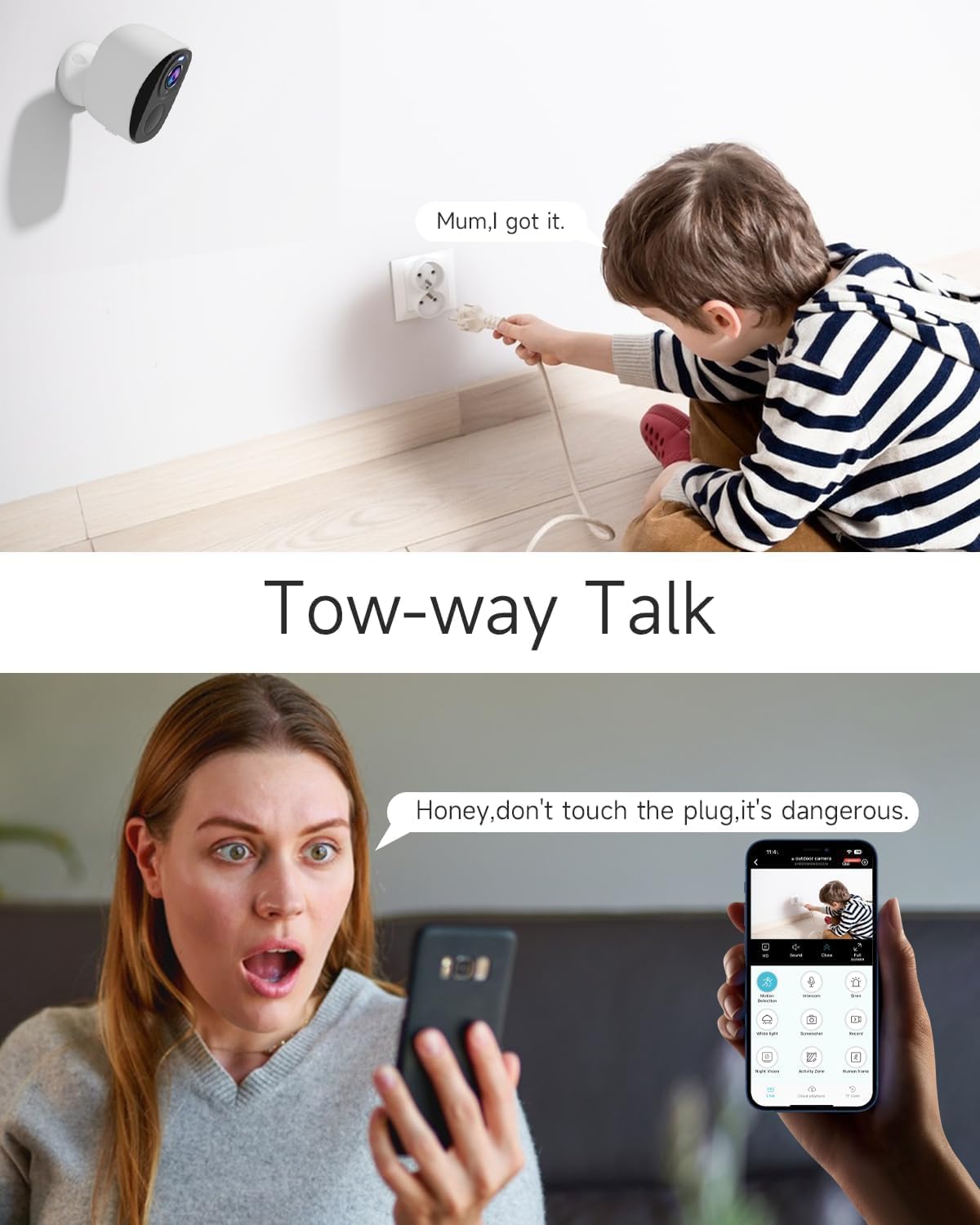
Image: A woman using the O-KAM Pro app to speak through the camera to a child, demonstrating two-way talk.
4.2 Wykrywanie ruchu i alerty AI
The camera's AI motion detection can identify human and animal movement, sending instant alerts to your smartphone. Customize detection zones and sensitivity settings within the app to minimize false alarms. The camera can also activate spotlights and a 120dB siren upon detecting intruders.

Image: ELECCTV BW4 camera detecting a person who has fallen, with an audible alarm, spotlight, and message notification shown on a smartphone screen.
Video: Demonstration of full color night vision and intruder deterrence.
4.3 Kolorowa wizja nocna
Benefit from full-color night vision, providing clear and detailed images even in complete darkness, surpassing traditional black and white night vision.

Image: ELECCTV BW4 camera capturing a deer at night with full color night vision, displayed on a smartphone screen.
4.4 Bird Recognition Feature
The camera supports an optional bird recognition feature, which can identify different bird species when the related cloud/AI service is activated (subscription required).
Video: Demonstration of the bird identification feature for W1 camera.
4.5 Integracja z Alexą
Integrate your ELECCTV BW4 camera with Amazon Alexa for convenient voice control and monitoring. Use commands like "Alexa, show me the courtyard" to view obraz z kamery na kompatybilnych urządzeniach Alexa.

Image: An Amazon Echo Show displaying the live feed from an ELECCTV BW4 camera, demonstrating Alexa integration.
Video: Highlighting family safety and security features.
5. Konserwacja
5.1 Zarządzanie baterią
The camera's 5200mAh rechargeable battery can last 1-3 months on a full charge, depending on usage and power-saving settings in the app. Recharge the camera when the battery level is low using the provided USB cable.
5.2 Odporność na warunki atmosferyczne
The ELECCTV BW4 camera is IP65 certified, making it resistant to dust and water splashes. This ensures reliable operation in various outdoor weather conditions, including rain and snow.
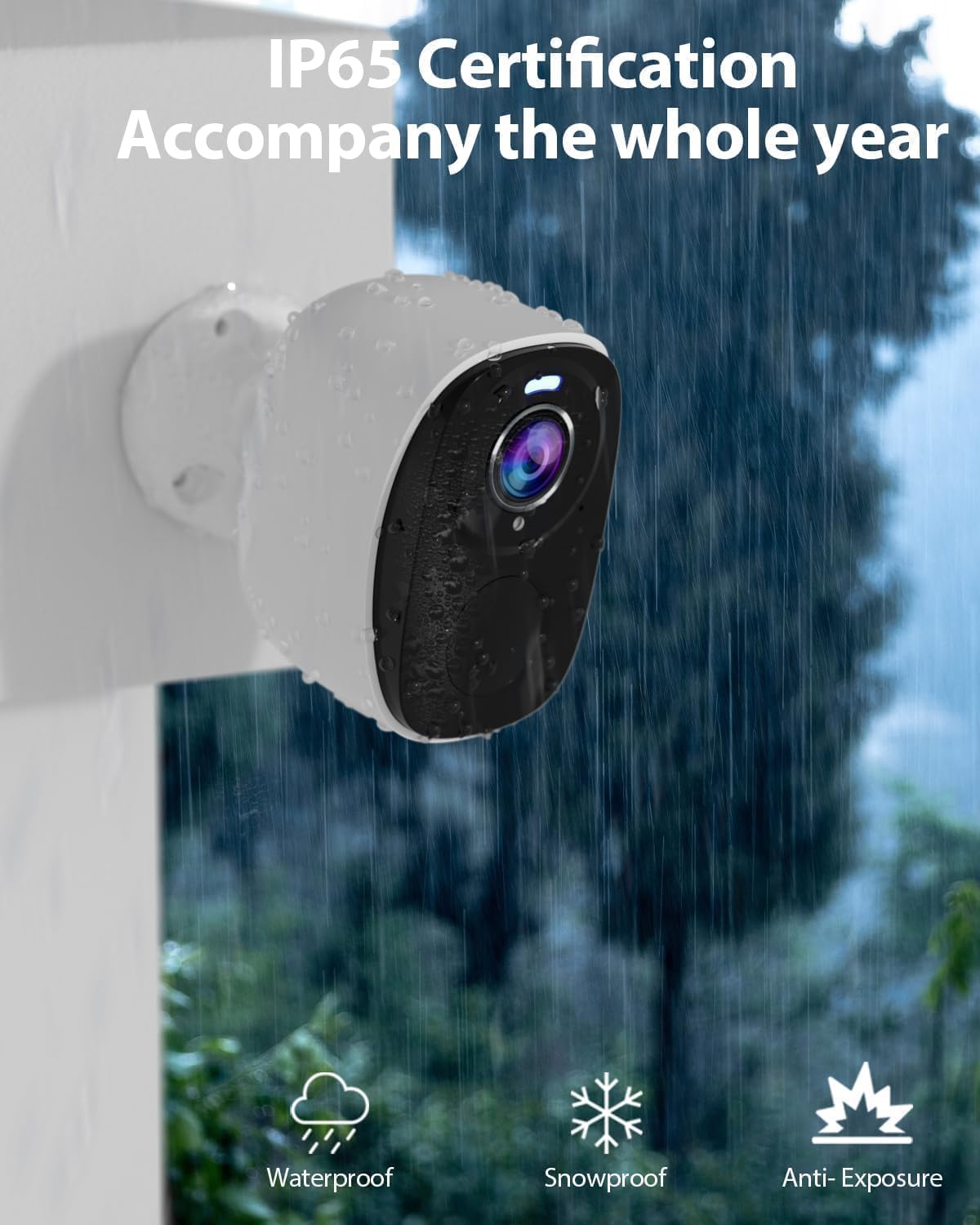
Image: ELECCTV BW4 camera mounted outdoors in the rain, illustrating its IP65 waterproof certification.
5.3 Opcje przechowywania
The camera supports local storage via a Micro SD card (up to 256GB, not included) and optional cloud storage (subscription required). Regularly check your storage to ensure continuous recording. Manage and review recordings through the O-KAM Pro app.

Image: ELECCTV BW4 camera with icons for safe cloud storage and Micro SD card storage.
6. Rozwiązywanie Problemów
- Kamera nie łączy się z siecią Wi-Fi: Ensure your WiFi router is within range and broadcasting a strong signal. Verify that you have selected the correct 2.4GHz or 5GHz network during setup. Restart both the camera and your router.
- Częste fałszywe alarmy: Adjust the AI motion detection sensitivity settings in the O-KAM Pro app. Define specific detection zones to monitor only critical areas and reduce triggers from irrelevant movements.
- Słaba jakość wideo: Check your internet connection speed. Ensure the camera lens is clean and free from obstructions. For optimal 2K QHD resolution, a stable and fast network connection is recommended.
- Bateria szybko się rozładowuje: Reduce the frequency of motion detection events and live view access. Ensure the camera is placed in an area with adequate light if using color night vision frequently, as this consumes more power. Consider pairing with a compatible solar panel for continuous charging.
- Karta SD nie została wykryta: Ensure the Micro SD card is correctly inserted. Format the SD card through the app if it's a new card or if issues persist. Check if the card is damaged or incompatible.
- Opóźnione powiadomienia: Check your phone's notification settings for the O-KAM Pro app to ensure they are enabled. Verify your internet connection for any latency issues.
7. Specyfikacje
| Funkcja | Specyfikacja |
|---|---|
| Marka | ELEKTV |
| Nazwa modelu | BW4 |
| Technologia łączności | Wireless (2.4/5Ghz Wi-Fi) |
| Rozdzielczość przechwytywania wideo | 2K QHD (2304*1297) |
| Cechy specjalne | 2-Way Audio, Color Night Vision, Local Recording, Built-In Light, Motion Sensor, Portable |
| Zastosowanie wewnątrz/na zewnątrz | Wewnątrz/na zewnątrz |
| Poziom wodoodporności | Wodoodporność IP65 |
| Źródło zasilania | Zasilany bateryjnie (5200mAh) |
| Żywotność baterii | 1-3 months (typical), up to 180 days standby |
| Viewing kąt | 130 stopni |
| Zakres noktowizora | 33 stóp |
| Kompatybilne urządzenia | Alexa & O-KAM Pro APP |
| Opcje przechowywania | Micro SD Card (up to 256GB), Cloud Storage (optional subscription) |
8. Gwarancja i wsparcie
8.1 Gwarancja producenta
The ELECCTV BW4 camera is equipped with a 5200mAh battery, designed to provide approximately 36,000 seconds of motion-triggered video recording. This translates to responding to about 60 daily triggers, recording 10-second videos each time. It can maintain standby for up to 180 days under ideal conditions. For extended operation, it can be paired with a 3W solar panel, charging at approximately 140mAh per hour. Actual performance may vary based on real-world usage scenarios.
8.2 Obsługa klienta
For technical assistance, troubleshooting, or warranty claims, please refer to the contact information provided in your Quick Start Guide or visit the official ELECCTV support webStrona. Upewnij się, że masz pod ręką model produktu i szczegóły zakupu, kontaktując się z pomocą techniczną.