
Wstęp
Thank you for choosing the BOTSLAB W510 4K Wireless Outdoor Security Camera System. This manual provides detailed instructions for setting up, operating, maintaining, and troubleshooting your new security system. Please read this manual thoroughly before use to ensure optimal performance and safety.
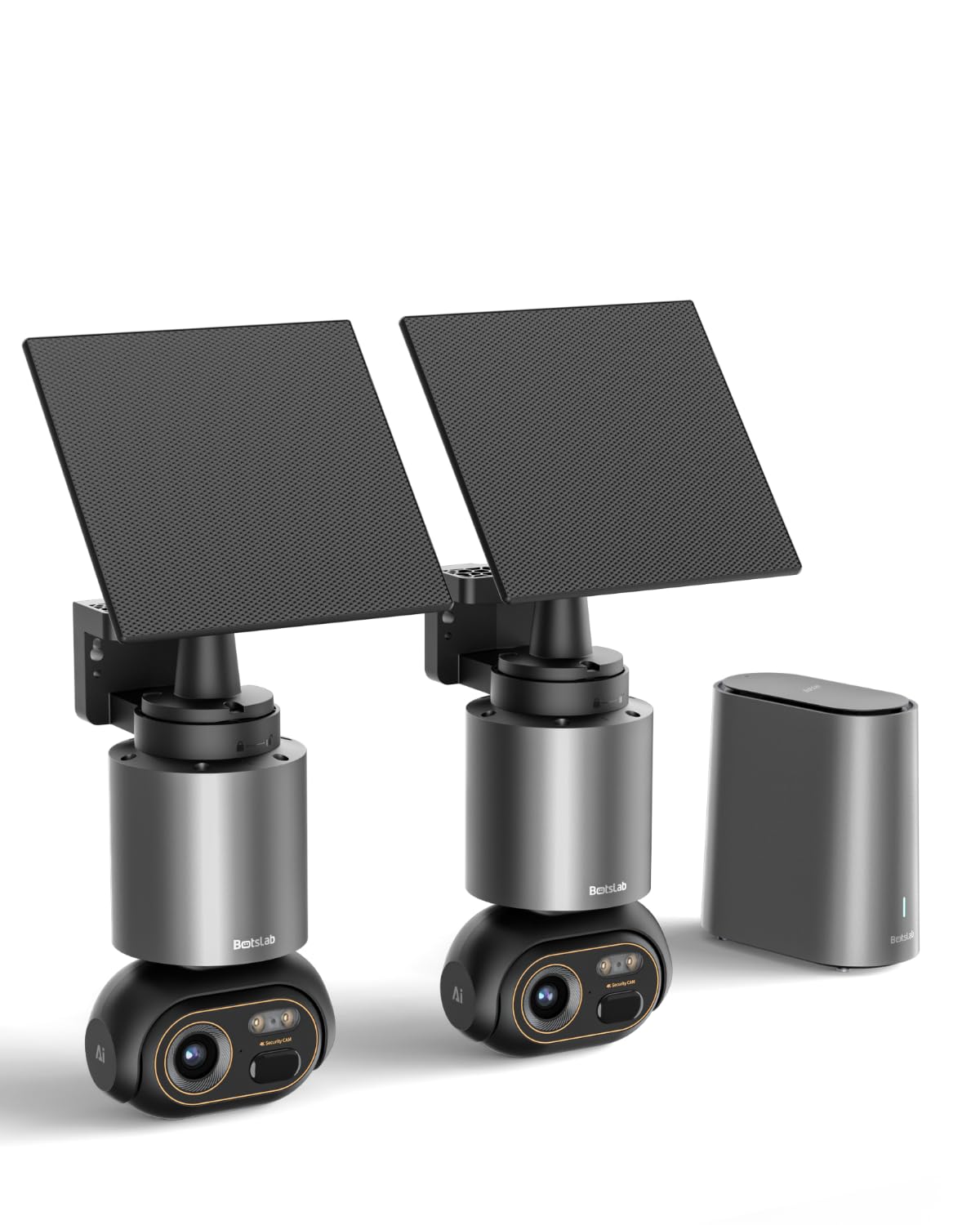
Image: The BOTSLAB W510 4K Wireless Outdoor Security Camera System, featuring two cameras and the H200 HomeBase.
Co jest w pudełku
Sprawdź, czy w pakiecie znajdują się wszystkie komponenty:
- W510 Camera *2
- Camera Mounting Brackets / Wall Stickers *2
- Wall Mounting Screw Kit *2
- Panel słoneczny *2
- Solar Panel Mounting Bracket / Wall Stickers *2
- Solar Panel Installation Screws (for mounting) *2
- Kabel ładujący typu C * 2
- User Manual (Quick Guide + Certification) *1
- Naklejki ostrzegawcze *2
- H200 Base Station *1
- Base Station Adapter *1
- Hard Drive Mounting Screw *1
- Kabel Ethernet *1
- User Guide Card *1

Image: Contents of the BOTSLAB W510 2-camera kit, including cameras, solar panels, HomeBase, and accessories.
Instrukcje konfiguracji
1. HomeBase H200 Installation
- Podłącz zasilanie: Plug the Base Station Adapter into the H200 HomeBase and a power outlet.
- Połącz z siecią: Use the provided Ethernet cable to connect the H200 HomeBase to your router. Ensure a stable internet connection.
- Optional Storage Expansion: The H200 HomeBase includes 32GB of internal storage. For expanded storage up to 16TB, install a compatible 2.5-inch hard drive using the provided mounting screw.
2. Camera Mounting and Solar Panel Connection
The W510 cameras are designed for outdoor use and feature integrated solar panels for continuous power. Choose a mounting location that receives ampświatło słoneczne.
- Wybierz lokalizację: Identify a suitable outdoor location for each camera, ensuring a clear view and good Wi-Fi signal from the HomeBase.
- Zamontuj kamerę: Use the camera mounting brackets and screw kit to securely attach the camera to a wall or desired surface.
- Umiejscowienie panelu słonecznego: The solar panel can be attached directly to the camera or detached and mounted separately using its own bracket for optimal sun exposure. Connect the solar panel to the camera using the Type-C charging cable.

Image: Flexible solar panel attachment options for the BOTSLAB W510 camera, allowing direct or detached mounting for optimal sunlight.
3. Instalacja i parowanie aplikacji
- Pobierz aplikację: Download the Botslab app from your smartphone's app store (iOS or Android).
- Utwórz konto: Otwórz aplikację i postępuj zgodnie z instrukcjami wyświetlanymi na ekranie, aby utworzyć nowe konto lub się zalogować.
- Dodaj urządzenie: In the app, select 'Add Device' and follow the prompts to scan the QR code on your H200 HomeBase.
- Para kamer: Once the HomeBase is added, follow the app's instructions to pair each W510 camera with the HomeBase. This typically involves pressing a sync button on the camera.
Instrukcja obsługi
1. Na żywo View i nagrywanie
- Access the Botslab app to view live 4K Ultra HD video streams from your cameras.
- Record video manually or set up motion-triggered recordings.
- Benefit from vivid color night vision for clear images even in low-light conditions.

Image: The BOTSLAB W510 camera captures details with 4K clarity and offers 360-degree pan and tilt functionality.
2. Pan, Tilt, and Automatic Tracking
- Use the app to remotely control the camera's 360° pan and tilt functions to cover a wide area without blind spots.
- Enable automatic tracking to have the camera follow detected vehicles, pedestrians, or pets within its field of view.

Zdjęcie: Lotnicze view demonstrating the 360-degree coverage provided by the BOTSLAB W510 cameras and HomeBase, ensuring comprehensive protection.
3. Botslab IQ AI Features
The system utilizes Botslab IQ for intelligent monitoring:
- Wykrywanie sztucznej inteligencji: The camera can differentiate between people, vehicles, and pets, reducing false alarms.
- Inteligentne alerty: Receive descriptive notifications on your smartphone, providing details about detected events without needing to open the app.
- Szybkie wyszukiwanie: Easily find specific events (e.g., people, vehicles, objects) in historical footage within seconds.
- Sound Warnings: The outdoor camera can emit appropriate sound warnings for detected situations (English only).

Image: The BOTSLAB W510 camera's AI detects a person near a car and issues a personalized sound warning.

Image: Instant AI recognition by the BOTSLAB W510 with Base Station, accurately identifying people, domestic animals, and vehicles.
4. Dźwięk dwukierunkowy
Communicate with visitors or deter intruders using the built-in microphone and speaker for two-way audio communication.

Image: Two-way communication feature, allowing clear interaction with family members via the camera.
5. Multi-Camera View and Inter-Camera Correlation
The H200 HomeBase supports up to 8 cameras, allowing you to monitor multiple areas simultaneously within the Botslab app. The system automatically correlates event videos across cameras that occurred at the same time.
6. Inteligentne sterowanie głosowe
Integrate your BOTSLAB W510 system with Amazon Alexa or Google Assistant for convenient voice control of your security cameras.

Image: Intelligent voice control for security, compatible with Alexa and Google Assistant.
Konserwacja
- Panel słoneczny: Ensure the solar panels are clean and free from obstructions (e.g., leaves, dirt) to maximize charging efficiency. Approximately 30 minutes of direct sunlight per day can provide unlimited power under typical usage.
- Odporność na warunki atmosferyczne: The cameras are IP66 rated, meaning they are protected against dust and powerful water jets. While robust, avoid submerging the cameras in water or exposing them to extreme conditions beyond their operating temperature range (-20°C to +50°C).
- Czyszczenie soczewek: Okresowo czyść obiektyw aparatu miękką,amp szmatką, aby zachować wyraźną jakość obrazu.

Image: The BOTSLAB W510 camera is robust enough to withstand various weather conditions, featuring IP66 rating.
Rozwiązywanie problemów
- Brak zasilania/ładowania: Ensure solar panels are clean and receiving direct sunlight. Check Type-C cable connection. If indoors, charge directly with the Type-C cable.
- Brak kamery wideo/offline: Verify the camera is within Wi-Fi range of the H200 HomeBase. Check HomeBase internet connection. Restart the camera and HomeBase.
- Słaba jakość obrazu: Clean the camera lens. Ensure the camera is set to 4K resolution in the app. Check for obstructions in the camera's view.
- Fałszywe alarmy: Adjust AI detection sensitivity settings in the Botslab app. Ensure detection zones are configured correctly to avoid unwanted triggers.
- Problemy z dwukierunkowym dźwiękiem: Sprawdź ustawienia mikrofonu i głośnika w aplikacji. Upewnij się, że połączenie sieciowe jest stabilne.
- HomeBase Fan Noise: If the H200 HomeBase fan becomes unusually loud, ensure it has adequate ventilation and is not obstructed. If the issue persists, contact customer support.
Specyfikacje
| Funkcja | Opis |
|---|---|
| Marka | BOTSLAB |
| Nazwa modelu | W510 |
| Zalecane zastosowanie | Bezpieczeństwo na zewnątrz |
| Technologia łączności | Bezprzewodowy (Wi-Fi) |
| Cechy specjalne | 4K 8MP HD, Color Night Vision, 360° Pan & Tilt, Integrated Solar Panel, Two-Way Audio, No Monthly Fees, Automatic Tracking |
| Do użytku wewnątrz/na zewnątrz | Plenerowy |
| Kompatybilne urządzenia | Smartphone (Amazon Alexa, Google Assistant) |
| Źródło zasilania | Zasilany bateryjnie (ładowanie słoneczne) |
| Stopień ochrony IP | IP66 |
| Format przechwytywania wideo | MPEG-4 |
| Wymiary przedmiotu | 12 x 10 x 19 centymetra |
| HomeBase Storage | 32GB Internal, expandable up to 16TB (with 2.5" HDD, not included) |

Image: The H200 Base Station offers 32GB internal storage, expandable up to 16TB with an external hard drive, eliminating monthly fees.
Gwarancja i wsparcie
BOTSLAB is committed to providing reliable products and excellent customer service.
- Gwarancja: Your BOTSLAB W510 system comes with a two-year warranty.
- Zwroty: Enjoy free returns for 30 days from the purchase date.
- Wsparcie techniczne: Dla Twojego produktu dostępna jest dożywotnia pomoc techniczna.
- Skontaktuj się z pomocą techniczną: W razie pytań lub potrzeby pomocy prosimy o kontakt pod adresem serwis@botslab.com. Our support team is available 24/7.

Image: BOTSLAB Support details, including warranty, returns, technical assistance, and contact information.