
1. Wprowadzenie
The NiTHO NEXUS DARK OPS is a versatile wireless controller designed for multi-platform gaming. It offers compatibility with PC (Windows), Nintendo Switch, Switch Lite, Switch OLED, Android, and iOS devices. This controller features a precise 6-axis gyro, four levels of vibration, and magnetic Hall Effect triggers for enhanced gaming accuracy and responsiveness. Customizable RGB lighting and a programmable turbo function further enrich the gaming experience. This manual provides essential information for setting up, operating, maintaining, and troubleshooting your controller.

The NiTHO NEXUS DARK OPS controller features an ergonomic design for comfortable extended gameplay sessions.
2. Zawartość opakowania
- NiTHO NEXUS DARK OPS Wireless Controller
- Kabel ładujący USB-C
- Instrukcja obsługi (ten dokument)
3. Układ kontrolera

Szczegółowy view komponentów kontrolera i ich etykiet.
- Left Rocker: Analogowy joystick do poruszania się i sterowania kamerą.
- - Klucz: Przycisk funkcji systemowej.
- Przycisk parowania: Used to initiate Bluetooth pairing mode.
- Cross Arrow Key (D-Pad): Directional input for navigation and specific game actions.
- Przycisk TURBO: Activates and adjusts the turbo function.
- Przycisk DOMOWY: Powrót do ekranu głównego systemu.
- Screenshot Key: Wykonuje zrzuty ekranu podczas rozgrywki.
- + Klucz: Przycisk funkcji systemowej.
- A/B/X/Y Keys: Standardowe przyciski akcji.
- Right Rocker: Analogowy joystick do poruszania się i sterowania kamerą.
- Kontrolka trybu: Wyświetla aktualny tryb połączenia i stan baterii.
- R1/L1 (Shoulder Buttons): Top trigger buttons.
- R2/L2 (Trigger Buttons): Bottom trigger buttons with Hall Effect technology.
- Port ładowania TYPE-C: Do ładowania kontrolera.
- Force Online Button: For specific connection scenarios.
4. Konfiguracja i połączenie
The NiTHO NEXUS DARK OPS controller supports wireless connection via Bluetooth to various platforms.

The controller is compatible with Nintendo Switch, PC, Android, and iOS devices.
4.1 General Pairing Instructions
- Sprawdź, czy kontroler jest odpowiednio naładowany.
- Naciśnij i przytrzymaj Przycisk parowania on the controller until the Mode Indicator Light begins to flash rapidly, indicating it is in pairing mode.
- On your device (Switch, PC, Android, iOS), navigate to the Bluetooth settings.
- Szukaj available Bluetooth devices and select "NEXUS DARK OPS" or a similar name.
- Once connected, the Mode Indicator Light will become solid.
4.2 Łączenie z Nintendo Switch
- Z menu HOME wybierz Kontrolery > Zmień uchwyt/kolejność.
- While on this screen, press and hold the Przycisk parowania on the NEXUS DARK OPS controller.
- The controller will pair with the Switch, and the player indicator lights will illuminate.
4.3 Łączenie z komputerem (Windows)
- Idź do Ustawienia > Urządzenia > Bluetooth i inne urządzenia.
- Upewnij się, że Bluetooth jest włączony On.
- Trzask Dodaj Bluetooth lub inne urządzenie > Bluetooth.
- Naciśnij i przytrzymaj Przycisk parowania na kontrolerze.
- Select "NEXUS DARK OPS" from the list of devices to pair.
4.4 Łączenie się z urządzeniami Android/iOS
- Włącz Bluetooth na swoim urządzeniu z Androidem lub iOS.
- Przejdź do ustawień Bluetooth.
- Naciśnij i przytrzymaj Przycisk parowania na kontrolerze.
- Select "NEXUS DARK OPS" from the list of available devices to connect.
5. Instrukcja obsługi
5.1 Oświetlenie RGB
The controller features customizable RGB lighting with 7 vibrant colors and 4 dynamic lighting modes.

Explore 7 colors and 4 lighting modes including Jumping, Colorful Constant, Rainbow Mixing, and Breathing effects.
To cycle through the lighting modes or colors, refer to the specific button combination in the quick start guide included with your product. Typically, a dedicated button or a combination with the TURBO button controls RGB effects.
5.2 Sprzężenie zwrotne wibracji
The controller includes dual motors for vibration feedback with 4 adjustable levels: Off, Low, Medium, and High.

Adjust vibration intensity from 0% to 100% for personalized feedback.
To adjust vibration intensity, consult the quick start guide for the specific button sequence, often involving the TURBO button and a directional input.
5.3 Funkcja Turbo
The programmable turbo function allows for rapid-fire actions with three speed settings: 5, 10, or 15 shots per second.

Set your turbo speed to 5, 10, or 15 shots per second for competitive advantage.
To activate turbo for a button, press and hold the TURBINA button, then press the desired action button. Repeat the process to adjust speed or deactivate turbo for that button.
5.4 Magnetic Hall Effect Triggers
The controller is equipped with magnetic Hall Effect triggers. This technology provides smooth, accurate trigger response and helps prevent common issues like analog stick drift, ensuring long-lasting precision.

Magnetic Hall Effect triggers offer precise and durable input.
5.5 6-Axis Gyro Motion Sensor
A precise 6-axis gyro sensor is integrated into the controller, allowing for responsive motion control in games that support it. This feature captures tilts and rotations, enhancing gameplay in racing, action, and adventure titles.
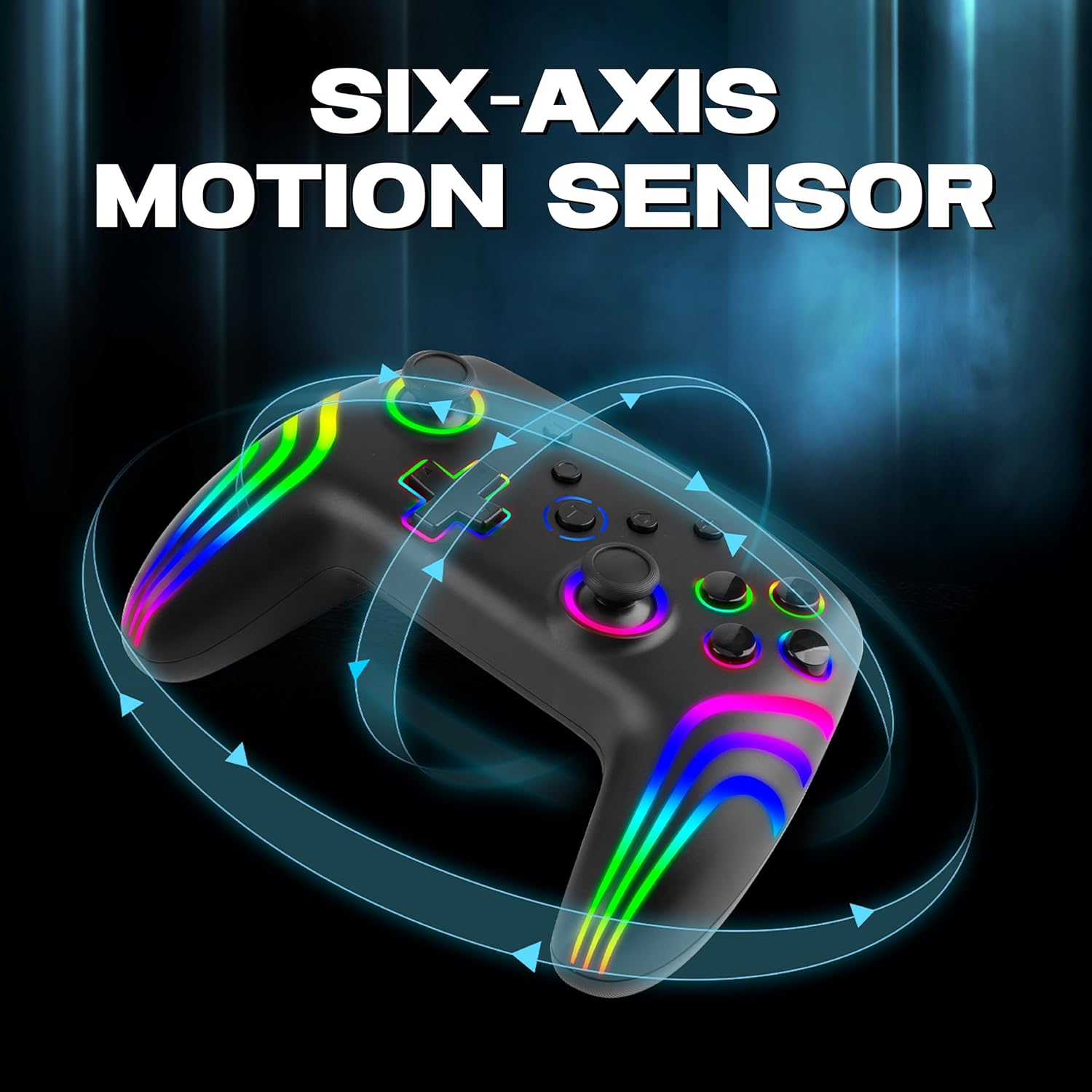
The 6-axis gyro provides accurate motion sensing for immersive gameplay.
6. Ładowanie kontrolera
The NiTHO NEXUS DARK OPS controller is equipped with a built-in 800mAh rechargeable battery.

The 800mAh battery offers up to 9 hours of gameplay on a 2.5-hour charge.
- Connect the supplied USB-C charging cable to the TYPE-C charging port on the controller.
- Podłącz drugi koniec kabla do źródła zasilania USB (np. konsoli, komputera, zasilacza ściennego USB).
- The Mode Indicator Light will typically show charging status (e.g., blinking while charging, solid when fully charged).
- A full charge takes approximately 2.5 hours and provides up to 9 hours of continuous gameplay.
7. Konserwacja
- Czyszczenie: Do czyszczenia kontrolera używaj miękkiej, suchej ściereczki. Unikaj stosowania silnych środków chemicznych i materiałów ściernych.
- Składowanie: Przechowuj kontroler w chłodnym, suchym miejscu, z dala od bezpośredniego światła słonecznego i ekstremalnych temperatur.
- Pielęgnacja baterii: Aby przedłużyć żywotność baterii, unikaj częstego całkowitego rozładowywania kontrolera. Ładuj go regularnie, nawet jeśli nie jest używany przez dłuższy czas.
- Unikaj kropli: Chroń kontroler przed upadkami i uderzeniami, które mogą uszkodzić jego podzespoły wewnętrzne.
8. Rozwiązywanie Problemów
- Kontroler się nie włącza:
- Ensure the controller is fully charged. Connect it to a power source and wait for the charging indicator.
- If the battery is completely drained, it may take a few minutes of charging before the controller responds.
- Unable to pair the controller:
- Make sure the controller is in pairing mode (Mode Indicator Light flashing rapidly).
- Upewnij się, że Bluetooth jest włączony w Twoim urządzeniu i że jest ono wykrywalne.
- Przesuń kontroler bliżej urządzenia.
- Remove any previous pairings of the controller from your device's Bluetooth settings and try pairing again.
- Uruchom ponownie kontroler i urządzenie.
- Kontroler często się rozłącza:
- Ensure there are no obstructions or sources of interference (e.g., Wi-Fi routers, other Bluetooth devices) between the controller and your device.
- Keep the controller within the effective Bluetooth range (typically up to 10 meters).
- Check the controller's battery level. Low battery can affect connection stability.
- Przyciski lub joysticki nie reagują:
- Ensure the controller is properly connected to your device.
- Test the controller on another device or game to determine if the issue is specific to one setup.
- Perform a factory reset if available (refer to the quick start guide for specific instructions, often involves a small reset button).
- Motion sensor (gyro) not working:
- Sprawdź, czy gra, w którą grasz, obsługuje sterowanie ruchem.
- Ensure the controller is properly calibrated. Some systems or games may require manual calibration.
- If connected to PC, ensure necessary drivers or software are installed and updated.
9. Specyfikacje
| Numer modelu | NEXUS DARK OPS |
| Łączność | Bezprzewodowy (Bluetooth) |
| Zgodność | PC (Windows), Nintendo Switch / Lite / OLED / Switch 2, Android, iOS |
| Typ baterii | Built-in Rechargeable Nonstandard Battery |
| Pojemność baterii | 800mAh |
| Pauza w szkole | Do 9 godzin |
| Czas ładowania | Około 2.5 godzin |
| Port ładowania | USB typu C |
| Wymiary (dł. x szer. x wys.) | Wymiary 16.1 x 6.5 x 11.1 cm |
| Waga | 270 gramów |
| Cechy | RGB Lighting, Hall Effect Triggers, 6-Axis Gyro, Dual Motor Vibration, Turbo Function, Programmable Buttons |
10. Gwarancja i wsparcie
For warranty information, please refer to the documentation provided at the time of purchase or contact your retailer. Specific warranty terms may vary by region and retailer.
10.1 Wsparcie techniczne
If you encounter issues not covered in the troubleshooting section or require further assistance, please contact NiTHO customer support:
- Manufacturer Support Email: nithoamazonin@mtm-t.com
- Importer Support Email (India): marketgateindia@gmail.com


