
1. Wprowadzenie
The THIKPO TK063 Digital Brake Fluid Tester is a high-sensitivity device designed for accurately measuring the moisture content in various types of brake fluid. This manual provides essential information for the safe and effective use of your tester, including setup, operation, maintenance, and troubleshooting.
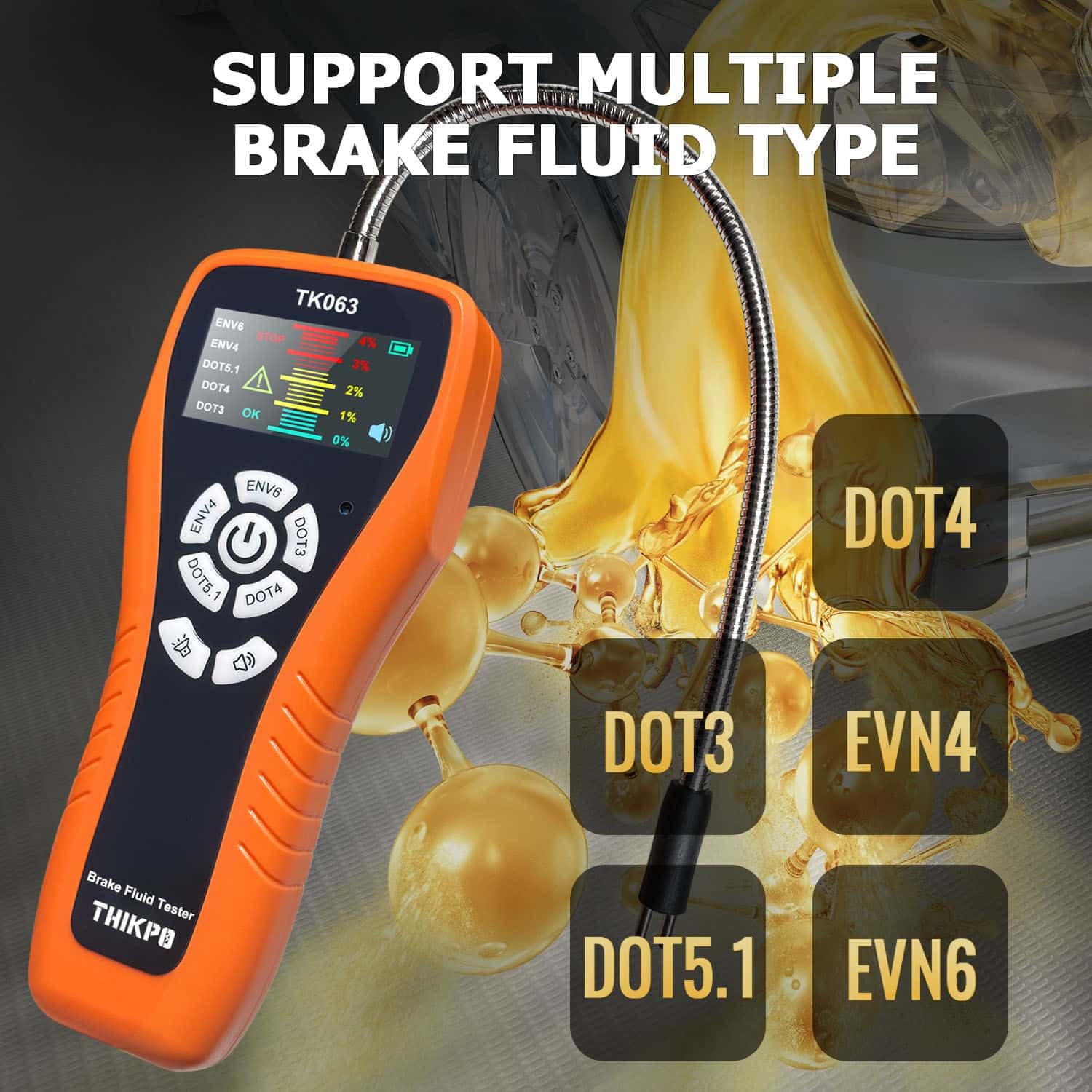
The TK063 is compatible with DOT3, DOT4, DOT5.1, EVN4, and EVN6 brake fluid types.
2. Informacje dotyczące bezpieczeństwa
Please read all safety warnings and instructions carefully before using this product. Failure to follow these instructions may result in injury or damage to the device.
- Always wear appropriate personal protective equipment, such as gloves and eye protection, when handling brake fluid.
- Płyn hamulcowy jest żrący. Unikać kontaktu ze skórą, oczami i powierzchniami malowanymi. W przypadku kontaktu natychmiast przemyć dużą ilością wody.
- Keep the device and brake fluid out of reach of children and pets.
- Do not immerse the main body of the tester in any liquid. Only the flexible probe is designed for immersion.
- Ensure the probe is clean and dry before and after each use to prevent contamination and ensure accurate readings.
- Dispose of used brake fluid and contaminated cleaning materials according to local environmental regulations.
3. Koniec produktuview i komponenty
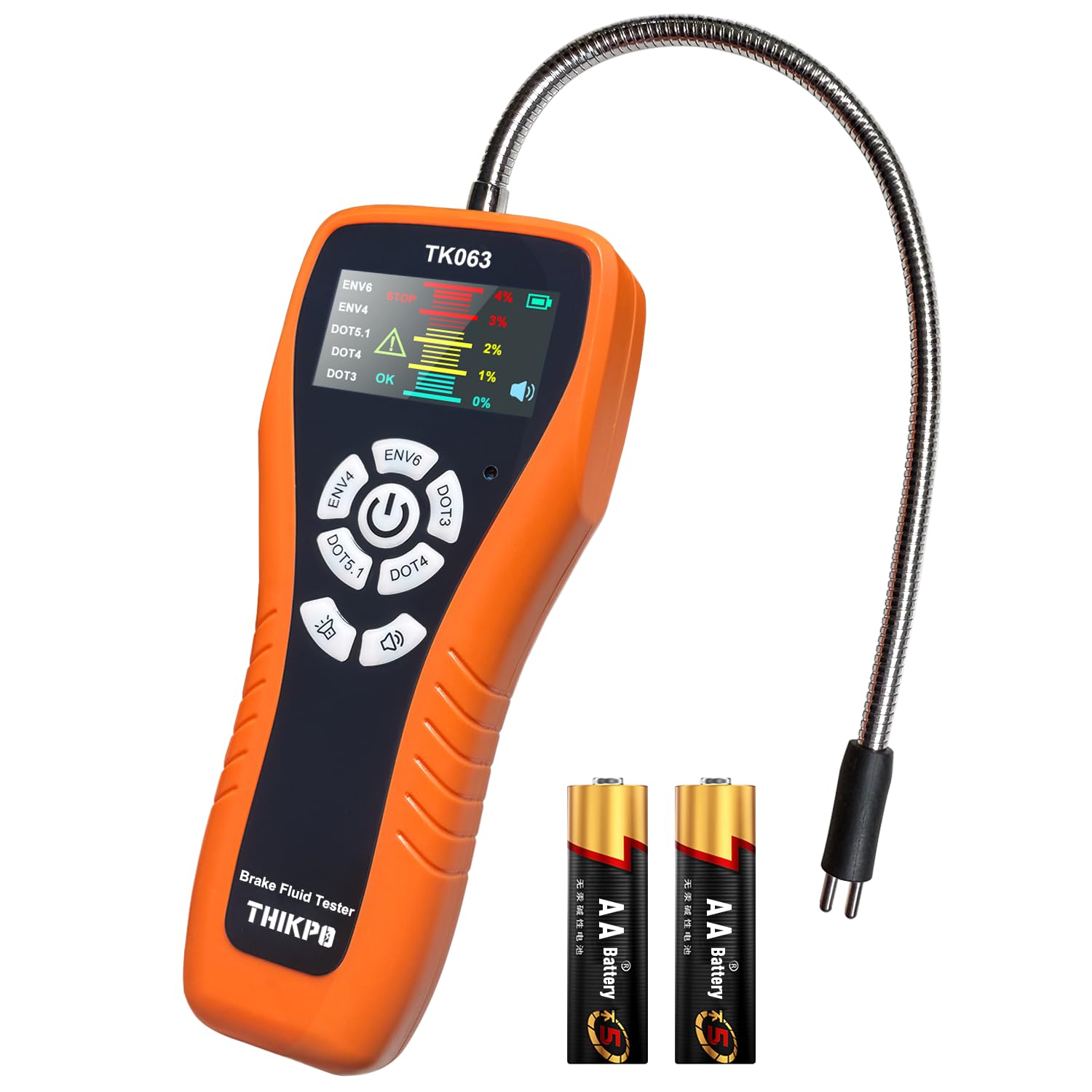
The THIKPO TK063 Digital Brake Fluid Tester is designed for ease of use and accurate results. Familiarize yourself with its components:
- Jednostka główna: Zawiera wyświetlacz LCD, przyciski sterujące i komorę baterii.
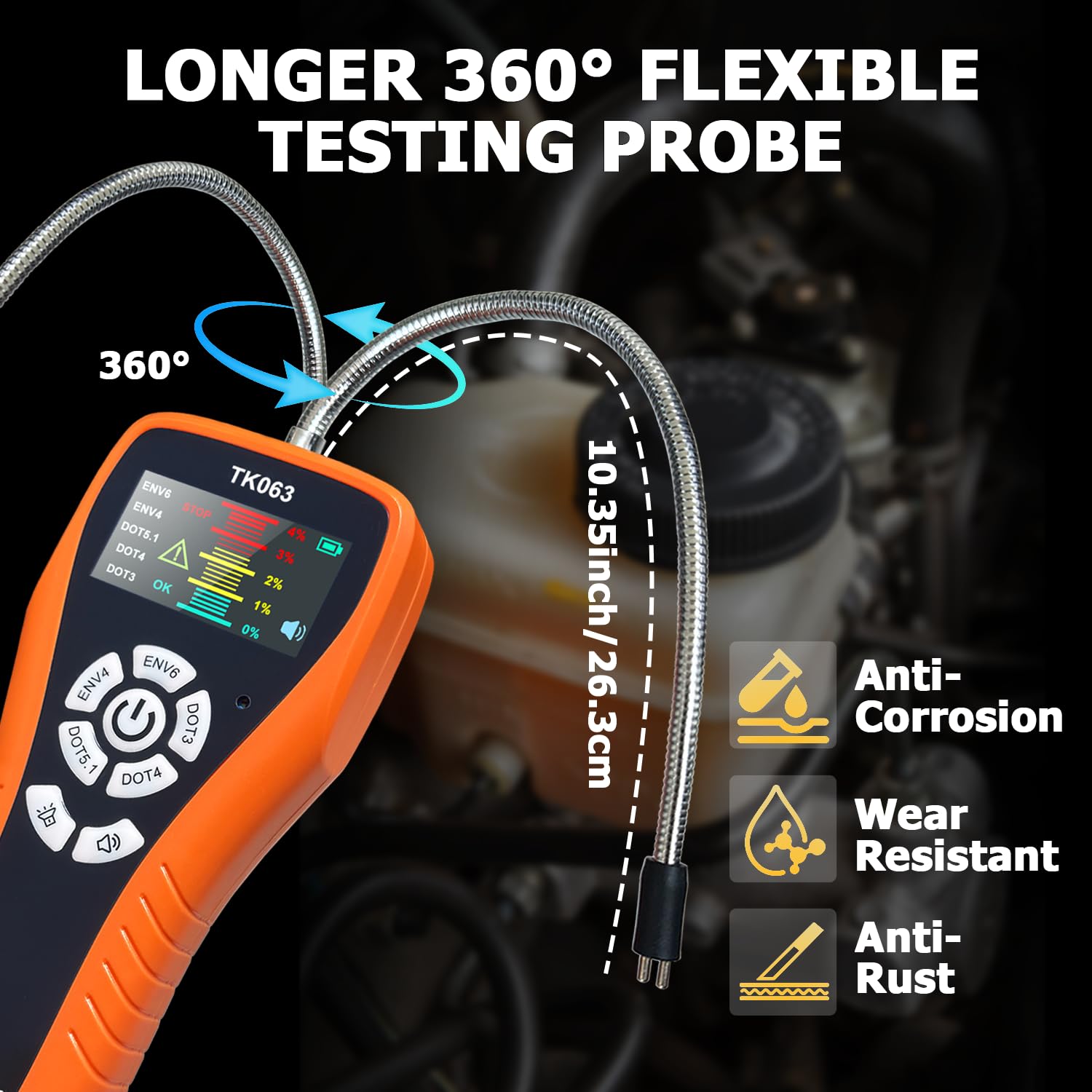
- Elastyczna sonda: A 10.35-inch (26.3 cm) corrosion-resistant zinc alloy probe for accessing brake fluid reservoirs.
- Wyświetlacz LCD: Provides clear readings, fluid type selection, and moisture content levels with color-coded alerts.
- Przyciski sterujące: For power, fluid type selection, backlight adjustment, and buzzer control.
- Calibration Port: For manual fine-tuning of the sensor.
Zawartość pudełka:
- 1 x Brake Fluid Tester Main Unit
- 1 x Instrukcja obsługi (ten dokument)
- 2 x AA High-quality batteries
4. Konfiguracja
4.1 Instalacja baterii
- Znajdź komorę baterii z tyłu jednostki głównej.
- Otwórz pokrywę komory baterii.
- Włóż dwie baterie AA, zwracając uwagę na prawidłową biegunowość (+/-).
- Dokładnie zamknij pokrywę komory baterii.
4.2 Pierwsze włączenie zasilania
Press and hold the power button (usually the central button with a power symbol) to turn on the device. The LCD display will illuminate.
5. Instrukcja obsługi
5.1 Włączanie/wyłączanie zasilania
- Włączanie: Press and hold the central power button.
- Aby wyłączyć: Press and hold the central power button again. The device also features an auto-shutoff function after 5 minutes of inactivity to conserve battery life.
5.2 Fluid Type Selection
Before testing, select the correct brake fluid type:
- With the device powered on, press the dedicated buttons for DOT3, DOT4, DOT5.1, EVN4, or EVN6 to cycle through the fluid types.
- Ensure the selected fluid type on the display matches the brake fluid you are testing.
5.3 Procedura testowa
- Przygotuj sondę: Ensure the flexible probe is clean and dry.
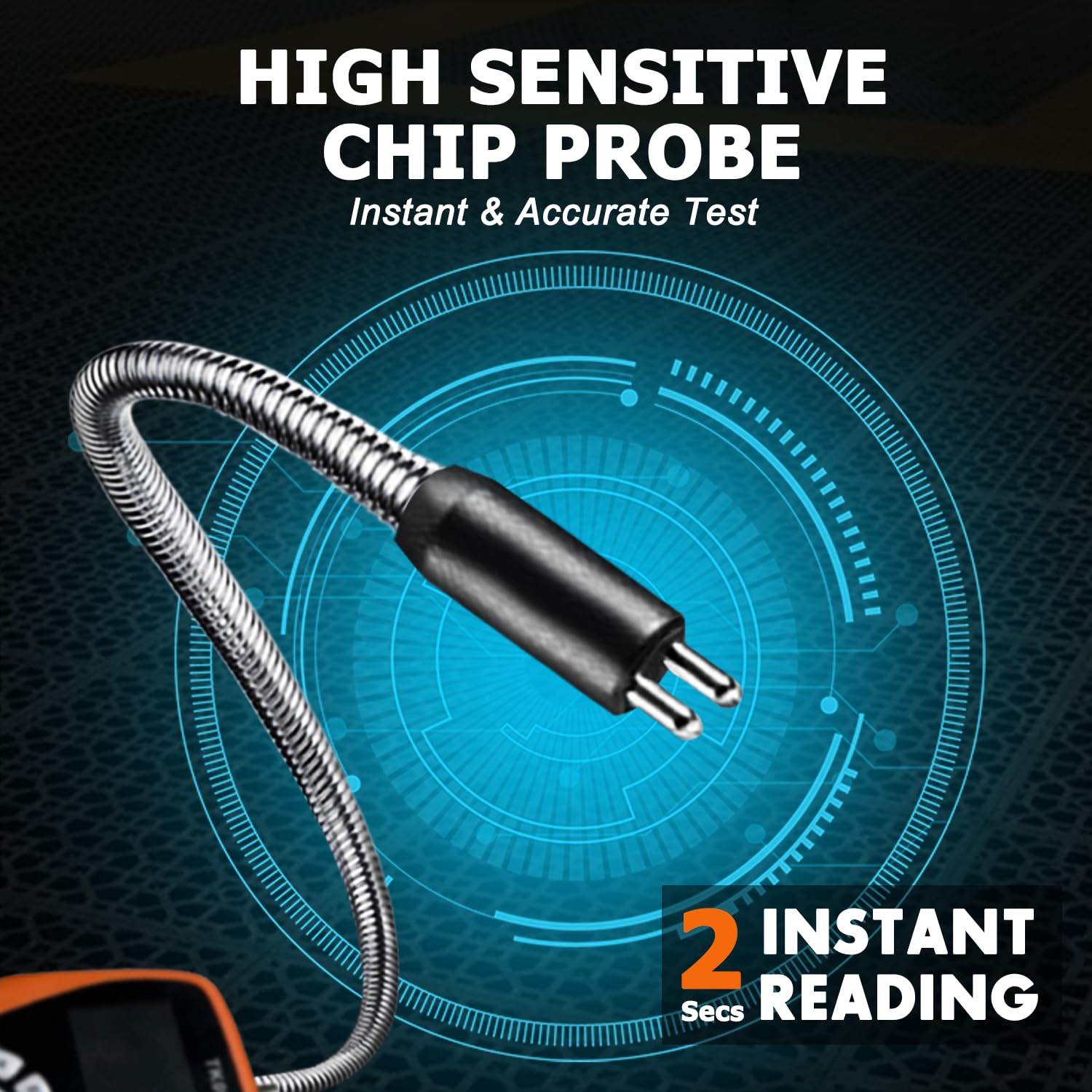
- Zanurz sondę: Carefully immerse the metal tip of the flexible probe into the brake fluid reservoir. Ensure the probe tip is fully submerged in the fluid. The 10.35-inch flexible gooseneck hose allows easy access to narrow spaces.
- Przeczytaj wyniki: The LCD display will show the moisture content percentage within seconds.
- Interpretacja odczytów: The display uses color-coded alerts for easy interpretation:
- Zielony (0%): Indicates good brake fluid quality.
- Yellow (1-2%): Indicates brake fluid should be replaced soon.
- Red (3-4%): Indicates brake fluid needs immediate replacement.
- Alarm brzęczyka: The device features a switchable buzzer alarm that activates for high moisture content (Red alert). Press the buzzer button to toggle it on or off.
- Czyszczenie po użyciu: After each test, thoroughly clean the probe with a clean cloth to remove any brake fluid residue. Rinse with water if necessary, then dry completely.

5.4 Kalibracja ręczna
The TK063 features a precision calibration port for maintaining laboratory-level accuracy over its lifespan. This compensates for potential sensor drift.
- Locate the calibration port on the device (refer to the product diagram if available).
- Using a standard screwdriver, carefully adjust the calibration screw as needed. Refer to the specific calibration procedure in the full manufacturer's guide for detailed steps, typically involving testing with known fluid samples.
5.5 Funkcja zatrzymania danych
Press the 'Hold' button (if available, typically indicated by a 'H' or similar icon) to freeze the current reading on the display. Press it again to release.
5.6 Regulowane podświetlenie
The LCD display backlight can be adjusted for optimal visibility in various lighting conditions. Press the backlight button (typically indicated by a sun icon) to cycle through brightness levels.
5.7 Film demonstracyjny produktu
6. Konserwacja
6.1 Czyszczenie sondy
After each use, wipe the flexible probe thoroughly with a clean, lint-free cloth to remove any brake fluid residue. If necessary, rinse the probe tip with clean water and ensure it is completely dry before storage or next use. Do not use harsh chemicals or abrasive materials.
6.2 Wymiana baterii
When the battery level indicator on the LCD display shows low power, replace the two AA batteries as described in Section 4.1. Remove batteries if the device will not be used for an extended period to prevent leakage.
6.3 Przechowywanie
Store the THIKPO TK063 in a cool, dry place, away from direct sunlight and extreme temperatures. Keep it in its original packaging or a protective case to prevent damage.
7. Rozwiązywanie Problemów
| Problem | Możliwa przyczyna | Rozwiązanie |
|---|---|---|
| Urządzenie nie włącza się | Wyczerpane lub nieprawidłowo zainstalowane baterie | Sprawdź biegunowość baterii, wymień je na nowe baterie AA. |
| Niedokładne odczyty |
|
|
| Brzęczyk nie wydaje dźwięku | Buzzer is turned off | Press the buzzer button to turn it on. |
| Wyświetlacz jest przyciemniony lub migocze | Low battery or backlight setting | Replace batteries; adjust backlight brightness. |
8. Specyfikacje
- Model: TK063
- Compatible Fluid Types: DOT3, DOT4, DOT5.1, EVN4, EVN6
- Długość sondy: 10.35 cali (26.3 cm)
- Materiał sondy: Corrosion-resistant zinc alloy
- Dokładność: 0.1%
- Wyświetlacz: Colorful LCD with visual and audio alerts
- Źródło zasilania: 2 baterie AA
- Automatyczne wyłączanie: Po 5 minutach bezczynności
- Waga przedmiotu: Około 8.8 uncji (249 gramów)
- Wymiary opakowania: 9.92 x 4.84 x 1.61 cala (25.2 x 12.3 x 4.1 cm)
9. Gwarancja i wsparcie
For detailed warranty information, please refer to the documentation provided with your purchase or visit the official THIKPO website. If you encounter any issues or require technical assistance, please contact THIKPO customer support through their official channels.