
1. Wprowadzenie
This manual provides detailed instructions for the proper use and maintenance of your ANYSECU W63-US 4G Network Radio. The W63-US is an intelligent handheld transceiver operating on Android 9.0, designed for Push-to-Talk (PTT) communication over 4G networks. It supports popular platforms like Zello and RealPTT, offering features such as GPS, Bluetooth, Wi-Fi, and a flashlight function. Its robust design includes IP68 waterproof and dustproof ratings, making it suitable for various environments.
2. Zawartość opakowania
Please verify that all items listed below are included in your product package. If any items are missing or damaged, contact your vendor.
- ANYSECU W63-US Radio Body (x1)
- Antena (x1)
- Bateria (x1)
- Kabel zasilający (x1)
- Zasilacz (x1)
- Zaczep na pasek (x1)
- Instrukcja obsługi (x1)
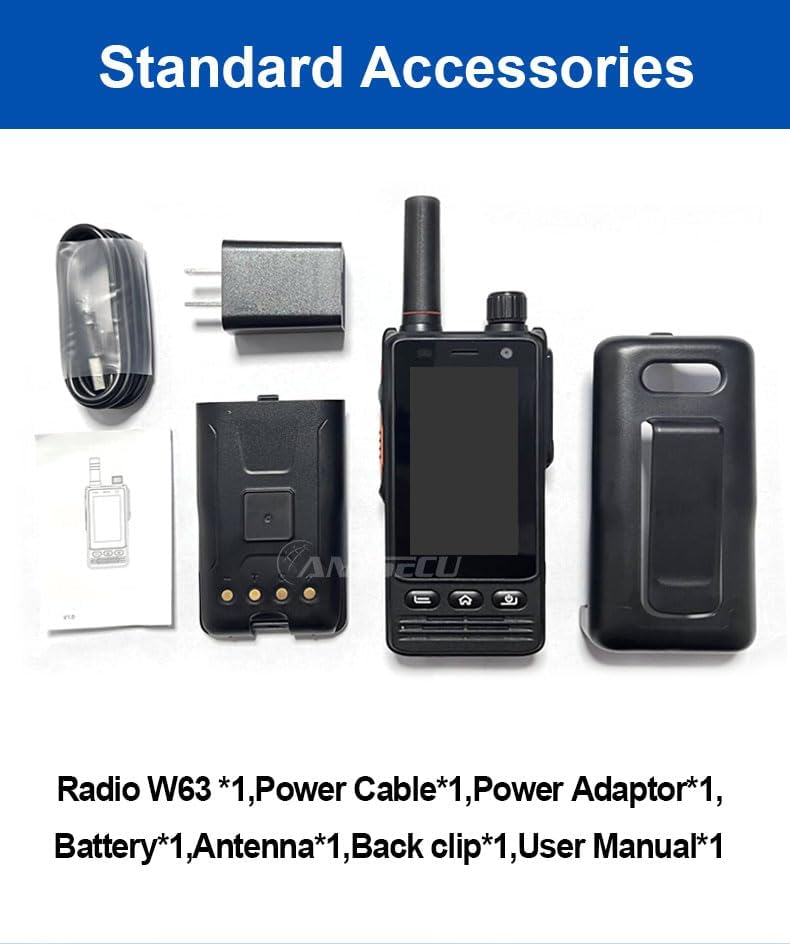
Image: Standard accessories included with the ANYSECU W63-US radio.
3. Koniec produktuview
The ANYSECU W63-US features a compact design with a 2.95-inch high-definition touch screen and physical buttons for intuitive operation. It is equipped with both front and rear cameras, and a high-capacity battery for extended use.

Obraz: Przód view of the ANYSECU W63-US radio highlighting Android 9, touch screen, GPS/BT/WiFi, and flashlight function.

Obraz: Tył view of the ANYSECU W63-US radio, showing the 5MP front and 13MP rear cameras with built-in flash.
Kluczowe komponenty:
- Antena: Do odbioru i transmisji sygnału.
- Pokrętło głośności: Dostosowuje poziom wyjściowy dźwięku.
- Przycisk SOS: For emergency alerts.
- Przycisk NIM: Przycisk „Naciśnij i mów” umożliwiający komunikację.
- Wyświetlacz: 2.95-inch touch screen (854*480 pixels).
- Przyciski nawigacyjne: Home, Back, and Power buttons.
- Port USB-C: Do ładowania i przesyłania danych.
- Sprzączka: Dla wygodnego noszenia.

Image: The ANYSECU W63-US radio shown with its high-quality waist clip for portability.
4. Konfiguracja
4.1 Instalacja baterii
- Sprawdź, czy urządzenie jest wyłączone.
- Znajdź pokrywę komory baterii z tyłu radia.
- Ostrożnie zdejmij pokrywę.
- Insert the provided 4000mAh 3.8V battery, aligning the contacts.
- Załóż pokrywę komory baterii i upewnij się, że jest dobrze zamknięta.

Image: The ANYSECU W63-US radio highlighting its 4000mAh high-capacity battery.
4.2 SIM Card / SD Card Installation
The W63-US supports 4G network connectivity. Insert your SIM card into the designated slot. If desired, an SD card can also be installed for additional storage.
4.3 Pierwsze włączenie zasilania
- Naciśnij i przytrzymaj przycisk zasilania, aż ekran się podświetli.
- Follow the on-screen prompts for initial setup, including language selection and network configuration.
Video: Demonstration of the ANYSECU W63-US radio's physical features and initial power-on sequence.
5. Instrukcja obsługi
5.1 Podstawowa nawigacja
- Ekran dotykowy: Navigate menus and applications by tapping and swiping on the 2.95-inch display.
- Przycisk Home: Powrót do głównego ekranu głównego.
- Przycisk Wstecz: Powrót do poprzedniego ekranu.
- Przycisk zasilania: Short press to lock/unlock screen, long press to power off/restart.

Image: A hand interacting with the 2.95-inch high-definition touch screen of the ANYSECU W63-US radio.
5.2 PTT Communication (Zello/RealPTT)
The W63-US is compatible with Zello and RealPTT applications for Push-to-Talk communication. Ensure you have an active account and are logged into your preferred application.
- Open the Zello or RealPTT application from the home screen.
- Select your desired contact or channel.
- Naciśnij i przytrzymaj dedykowany Przycisk PTT on the side of the radio to transmit your voice.
- Zwolnij przycisk PTT, aby słuchać.
5.3 Łączność sieciowa
The device supports global 4G networks, Wi-Fi, and Bluetooth for versatile connectivity.
- Sieć 4G: Automatically connects if a valid SIM card is inserted and configured.
- Wi-Fi: Access Wi-Fi settings through the Android interface to connect to available networks.
- Bluetooth: Pair with compatible Bluetooth accessories like headsets.
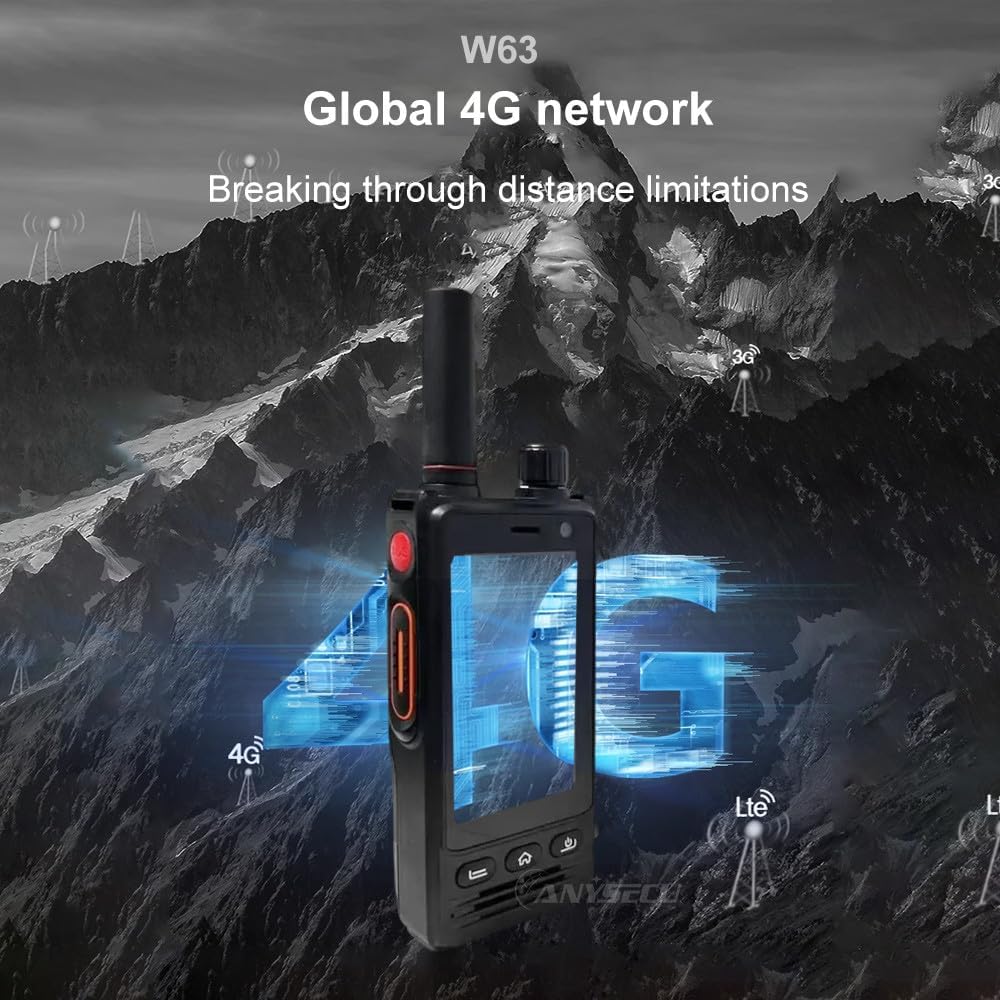
Image: The ANYSECU W63-US radio demonstrating its global 4G network capabilities.
6. Konserwacja
6.1 Czyszczenie urządzenia
Użyj miękkiego, damp cloth to clean the exterior of the radio. Avoid using harsh chemicals or abrasive materials that could damage the device or screen.
6.2 Pielęgnacja baterii
- Całkowicie naładuj baterię przed pierwszym użyciem.
- Unikaj przeładowania lub całkowitego rozładowania baterii, aby przedłużyć jej żywotność.
- Jeśli radio i akumulator nie będą używane przez dłuższy czas, należy je przechowywać w chłodnym i suchym miejscu.
6.3 Odporność na wodę i kurz
The W63-US is rated IP68 waterproof and dustproof. This means it can withstand immersion in water up to 1.5 meters for 30 minutes and is protected against dust ingress. Ensure all ports and covers are securely closed before exposing the device to water or dust.

Image: The ANYSECU W63-US radio demonstrating its IP68 waterproof and dustproof features. An optional explosion-proof version may also be available.
7. Rozwiązywanie Problemów
If you encounter issues with your ANYSECU W63-US radio, refer to the following common problems and solutions:
- Urządzenie się nie włącza:
Ensure the battery is correctly installed and charged. Connect the radio to the charger and attempt to power on again. - Brak połączenia sieciowego:
Verify that your SIM card is properly inserted and active. Check network settings to ensure 4G is enabled. If using Wi-Fi, confirm you are connected to a valid network. - PTT function not working:
Ensure you are logged into your Zello or RealPTT account. Check the application settings to confirm the PTT button is correctly mapped. Verify you have an active internet connection. - Audio issues (no sound/distorted sound):
Adjust the volume knob. Check if a headset is connected and properly functioning. Restart the device. - Ekran dotykowy nie reaguje:
Uruchom ponownie urządzenie. Jeśli problem nadal występuje, upewnij się, że ekran jest czysty i wolny od zanieczyszczeń.
8. Specyfikacje
| Funkcja | Szczegół |
|---|---|
| Marka | ANYSECU |
| Numer modelu | W63-US |
| Kolor | Czarny |
| System operacyjny | Android 9.0 |
| Protokół łączności | 4G |
| Typ tunera | 4G |
| Wyświetlacz | 2.95 inch High-definition (854*480 pixels) Touch Screen |
| Poziom wodoodporności | Wodoodporność IP68 |
| Bateria | 4000mAh 3.8V (1 AA battery required, included) |
| Liczba kanałów | 1000 |
| Maksymalny zasięg rozmów | 10 mil |
| Cechy specjalne | Long Range, GPS, Bluetooth, Wi-Fi, Flashlight |
| Kompatybilne urządzenia | Zello, RealPTT |
| Kamery | Front 5MP, Rear 13MP with Built-in Flash |
9. Gwarancja i wsparcie
9.1 Informacje o gwarancji
The ANYSECU W63-US radio body is covered by a 1-letnia gwarancja od daty zakupu. Niniejsza gwarancja obejmuje wady produkcyjne powstałe w wyniku normalnego użytkowania. Prosimy zachować dowód zakupu na wypadek roszczeń gwarancyjnych. Gwarancja nie obejmuje uszkodzeń spowodowanych niewłaściwym użytkowaniem, wypadkami, nieautoryzowanymi modyfikacjami ani normalnym zużyciem.
9.2 Obsługa klienta
For technical assistance, troubleshooting beyond this manual, or warranty inquiries, please contact your authorized ANYSECU dealer or visit the official ANYSECU webwitryna zawierająca zasoby pomocy.