
1. Wprowadzenie
The AWOW HA7 Mini PC is a compact yet powerful computing solution designed for a wide range of applications, from daily office tasks to creative work and light gaming. Featuring the AMD Ryzen 7 8745HS processor, advanced integrated graphics, and high-speed connectivity, the HA7 delivers robust performance in a small form factor.
This manual provides essential information for setting up, operating, maintaining, and troubleshooting your AWOW HA7 Mini PC. Please read it carefully to ensure proper use and to maximize your device's potential.
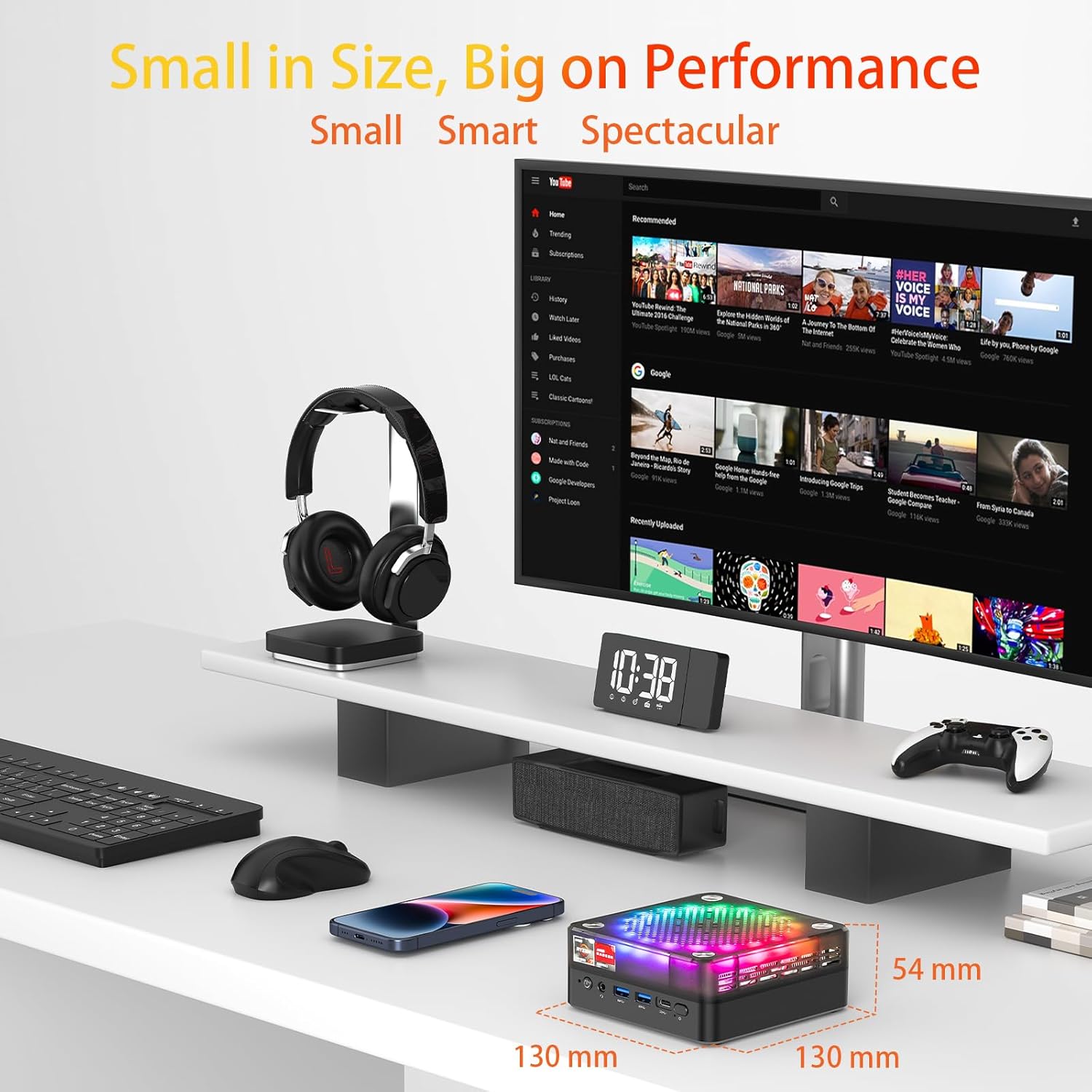
The AWOW HA7 Mini PC is designed for high performance in a compact size, measuring 130mm x 130mm x 54mm.
Główne cechy:
- Pure Power in a Tiny Form Factor: The AMD Ryzen 7 8745HS processor (8 cores / 16 threads) on a 4nm manufacturing process, with 16MB Smart Cache and turbo speeds up to 5.1 GHz, handles demanding tasks and multitasking with ease.
- Miraculous Efficiency: With a TDP of only 54W, this mini PC delivers incredible power density, ensuring high performance while being energy-efficient, quiet, and cost-effective.
- Versatile for Work and Creativity: The HA7 is a reliable partner for daily office tasks, programming, and demanding photo/video editing, ensuring smooth operation with multiple applications simultaneously.
- Compact Gaming Pleasure: The HA7, with its Ryzen 7 8745HS and integrated Radeon graphics, provides smooth gaming for popular titles like CS:GO, APEX Legends, PUBG, DOTA 2, and League of Legends.
2. Konfiguracja
2.1 Rozpakowanie i wstępna inspekcja
Carefully remove the AWOW HA7 Mini PC and all accessories from its packaging. Inspect the device for any signs of damage. If any damage is found, contact your retailer immediately.
2.2 Podłączanie urządzeń peryferyjnych
Przed włączeniem komputera Mini PC podłącz wszystkie niezbędne urządzenia peryferyjne:
- Monitor: Connect your monitor(s) to the HDMI 2.0, DisplayPort 1.4, or Type-C video output ports. The HA7 supports triple 4K display output.
- Klawiatura i mysz: Connect your USB keyboard and mouse to the available USB 2.0 or USB 3.0 ports. Wireless peripherals can be connected via Bluetooth 5.2 or a USB dongle.
- Sieć: For a wired connection, connect an Ethernet cable to the 2.5G LAN port. For wireless, ensure your Wi-Fi network is available.
- Audio: W razie potrzeby podłącz głośniki lub słuchawki do gniazda audio 3.5 mm.
- Moc: Connect the power adapter to the Mini PC's power input port and then to a power outlet.

Front and rear ports of the AWOW HA7 Mini PC for connecting various peripherals.
2.3 Pierwsze uruchomienie i konfiguracja systemu operacyjnego
After connecting all peripherals, press the power button on the front of the Mini PC. The device will power on. Since the system is listed with DOS as the operating system, you will likely need to install your preferred operating system (e.g., Windows, Linux) following its specific installation instructions. Refer to the operating system's documentation for detailed installation steps.
3. Instrukcja obsługi
3.1 Włączanie/wyłączanie zasilania
- Włączanie: Naciśnij przycisk zasilania znajdujący się z przodu komputera Mini PC.
- Wyłączone: For a safe shutdown, use the operating system's shutdown function. Alternatively, press and hold the power button for 5-10 seconds to force a shutdown (only recommended if the system is unresponsive).
3.2 Łączność sieciowa
- Przewodowe (LAN): Ensure an Ethernet cable is connected to the 2.5G LAN port. The operating system should automatically detect the connection.
- Bezprzewodowa (Wi-Fi 6): Access your operating system's network settings, select your Wi-Fi network, and enter the password to connect. The HA7 supports Wi-Fi 6 for faster and more reliable connections.
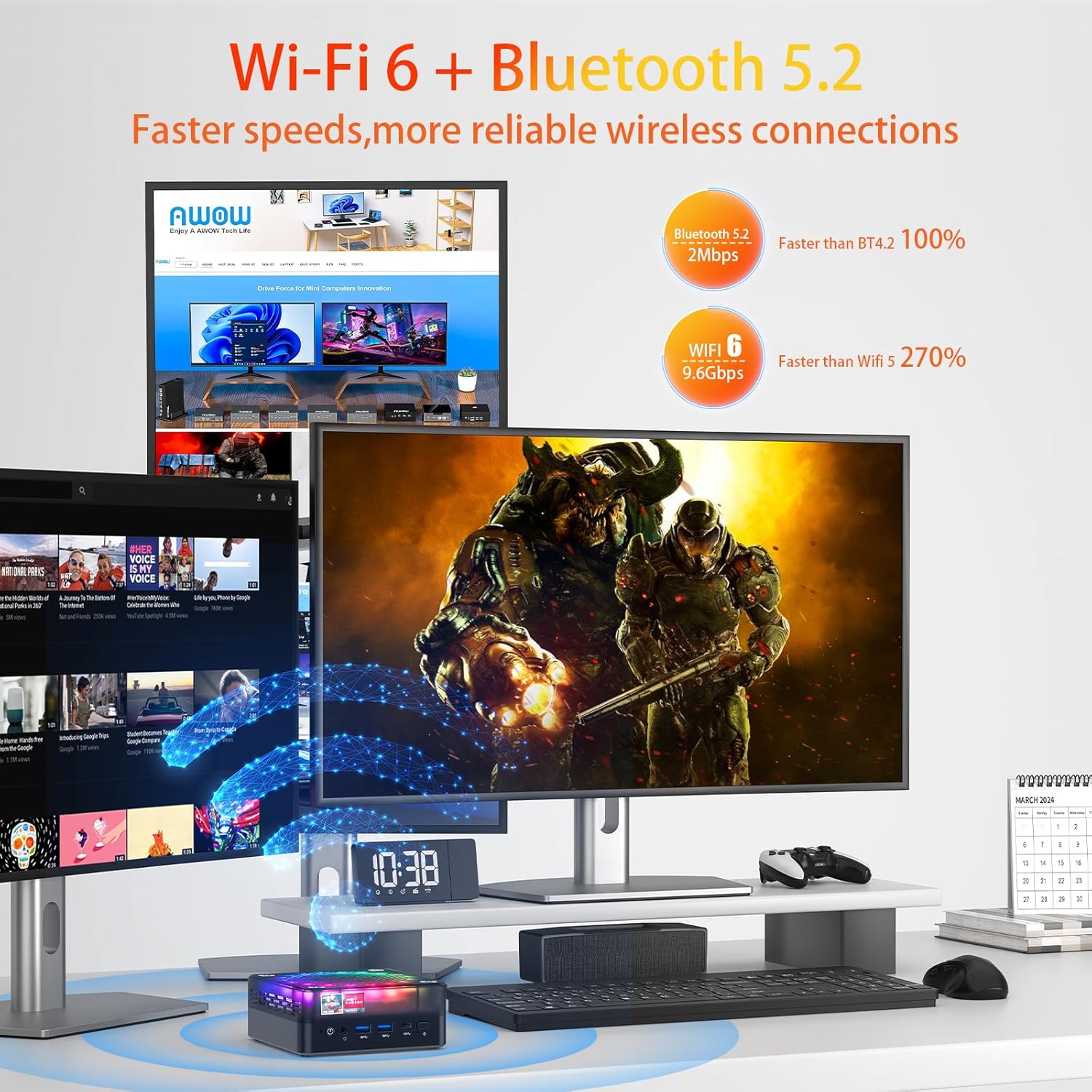
The AWOW HA7 Mini PC features Wi-Fi 6 and Bluetooth 5.2 for advanced wireless connectivity.
3.3 Urządzenia Bluetooth
To connect Bluetooth devices (e.g., headphones, speakers, keyboard, mouse), enable Bluetooth in your operating system's settings, search for available devices, and pair them according to their instructions.
3.4 Potrójne wyjście wyświetlacza
The AWOW HA7 supports connecting up to three 4K displays simultaneously. Connect your monitors to the HDMI 2.0, DisplayPort 1.4, and Type-C ports. Configure display settings within your operating system to extend or duplicate your desktop across multiple screens.
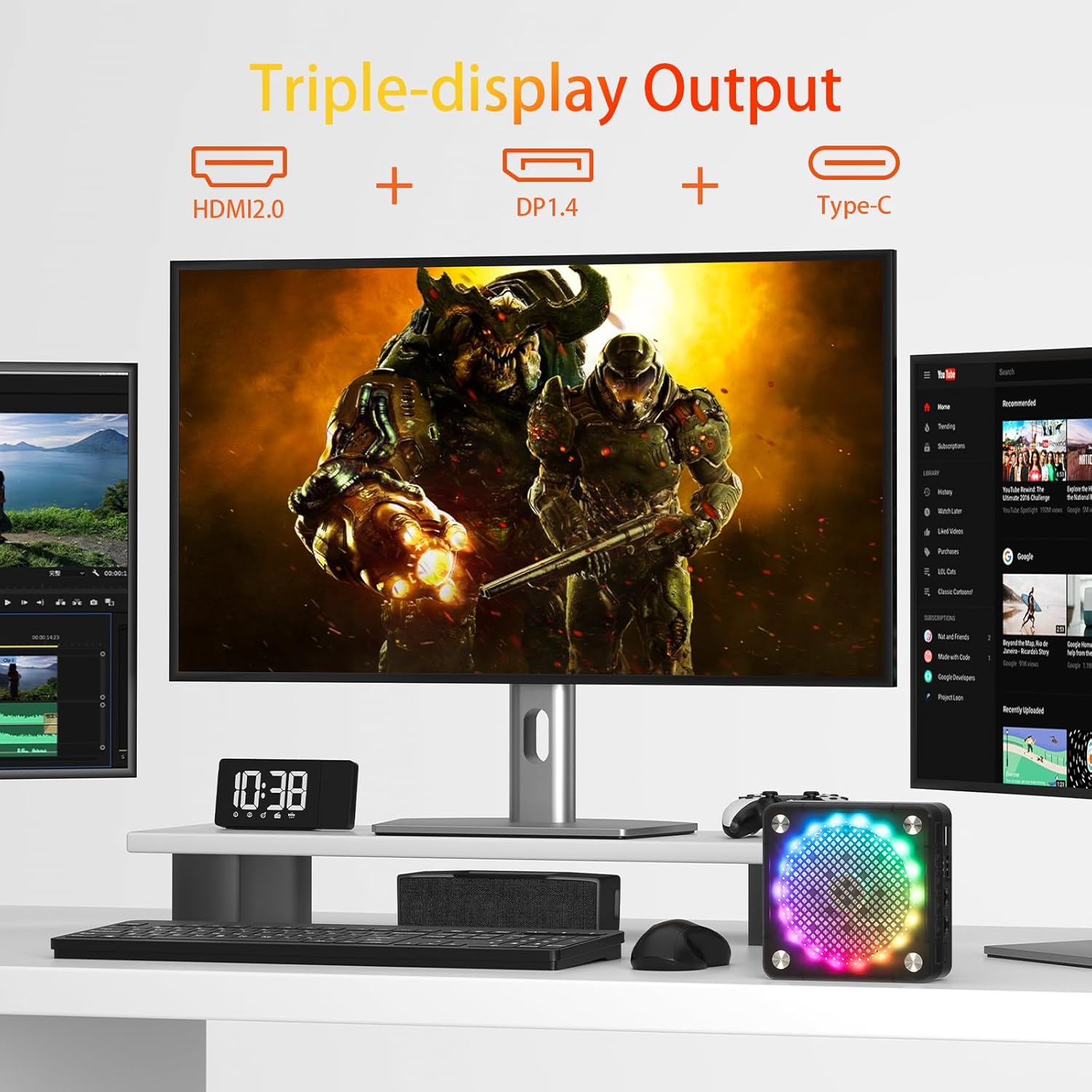
Triple display setup with the AWOW HA7 Mini PC using HDMI, DisplayPort, and Type-C outputs.
4. Konserwacja
4.1 Czyszczenie
To maintain optimal performance and longevity, regularly clean your Mini PC:
- Zewnętrzny: Use a soft, dry, lint-free cloth to wipe the exterior. Avoid liquid cleaners.
- Wentylatory: Use compressed air to gently clear dust from the ventilation openings. Do this periodically to prevent overheating.
4.2 Aktualizacje oprogramowania
Keep your operating system, drivers, and applications updated to ensure security, stability, and optimal performance. Check for updates regularly through your operating system's settings or the manufacturer's webstrona.
4.3 Ulepszenia sprzętu
The AWOW HA7 Mini PC may support upgrades for components such as RAM (up to 64GB) and storage (PCIe 4.0 SSD). If you plan to upgrade, consult a qualified technician or refer to specific upgrade guides provided by AWOW to avoid damaging the device or voiding the warranty.

Internal cooling system of the AWOW HA7 Mini PC, featuring a 10cm CPU fan and a 7cm system fan.
5. Rozwiązywanie Problemów
This section addresses common issues you might encounter with your AWOW HA7 Mini PC.
5.1 Brak zasilania
- Upewnij się, że zasilacz jest prawidłowo podłączony do komputera Mini PC i do sprawnego gniazdka elektrycznego.
- Sprawdź działanie gniazdka elektrycznego, podłączając do niego inne urządzenie.
- Jeśli jest dostępny i kompatybilny, spróbuj użyć innego zasilacza.
5.2 Brak wyjścia wyświetlacza
- Verify that the monitor is powered on and the correct input source is selected.
- Check that the video cables (HDMI, DP, Type-C) are securely connected to both the Mini PC and the monitor.
- Spróbuj podłączyć się do innego wyświetlacza lub użyć innego kabla wideo.
5.3 Problemy z łącznością sieciową
- wired: Ensure the Ethernet cable is properly connected and your router/modem is working. Check network adapter settings in your operating system.
- Bezprzewodowy: Verify that Wi-Fi is enabled in your operating system and you are connected to the correct network with the right password. Restart your router/modem.
5.4 System nie odpowiada
- Jeśli system się zawiesi, naciśnij i przytrzymaj przycisk zasilania przez 5–10 sekund, aby wymusić wyłączenie. Odczekaj chwilę, a następnie włącz go ponownie.
- If the issue persists, consider reinstalling the operating system or contacting support.
6. Specyfikacje
Below are the detailed technical specifications for the AWOW HA7 Mini PC:

The AWOW HA7 is powered by the AMD Ryzen 7 8745HS processor.
| Funkcja | Specyfikacja |
|---|---|
| Marka | Ojej |
| Numer modelu przedmiotu | HA7 |
| Szereg | HA7 |
| System operacyjny | DOS |
| Marka procesora | AMD |
| Typ procesora | Procesor AMD Ryzen 7 |
| Model procesora | Procesor AMD Ryzen 7 8745HS |
| Prędkość procesora | 3.8 GHz (do 5.1 GHz Turbo) |
| Liczba rdzeni | 8 |
| Rozmiar pamięci podręcznej | 16 MB inteligentnej pamięci podręcznej |
| Maksymalna pamięć | 64 GB |
| Rozmiar dysku twardego | 1 TB |
| Technologia dysków twardych | SSD (PCIe 4.0) |
| Koprocesor graficzny | Karta graficzna AMD Radeon 780M |
| Opis karty graficznej | Zintegrowany |
| Typ pamięci RAM karty graficznej | Pamięć DDR5 SDRAM |
| Typ łączności | Bluetooth, Wi-Fi 6 (802.11ac) |
| Interfejs sprzętowy | Ethernet (2.5G), HDMI, DisplayPort, USB |
| Liczba portów HDMI | 1 2.0 (HDMI XNUMX) |
| Number of DisplayPort Ports | 1 (DP 1.4) |
| Liczba portów USB 2.0 | 2 |
| Liczba portów USB 3.0 | 2 (USB 3.2 Gen2) |
| Port typu C | Yes (for display output and data) |
| Gniazdo audio | 3.5mm |
| Cechy specjalne | High-performance processor, Triple 4K display support, Quiet operation |
| Typ komputera | Mini PC |
| Wymiary opakowania | Wymiary 20.3 x 20 x 11.4 cm |
| Waga | 1.33 kilograma |
7. Gwarancja i wsparcie
7.1 Informacje o gwarancji
The AWOW HA7 Mini PC comes with a standard manufacturer's warranty. Please refer to the warranty card included in your product packaging or visit the official AWOW webSzczegółowe warunki gwarancji znajdziesz na stronie. Zachowaj dowód zakupu na wypadek roszczeń gwarancyjnych.
7.2 Wsparcie techniczne
For technical assistance, troubleshooting beyond this manual, or service inquiries, please contact AWOW customer support. You can typically find contact information (email, phone, or support portal) on the official AWOW website. When contacting support, please have your product model (HA7) and serial number ready.