
SVITOO PL002
Instrukcja obsługi tabletu SVITOO PL002 z systemem Android 15
Model: PL002
1. Wprowadzenie
This manual provides essential information for setting up, operating, and maintaining your SVITOO PL002 Android 15 Tablet. Please read this guide thoroughly to ensure optimal performance and longevity of your device. Keep this manual for future reference.
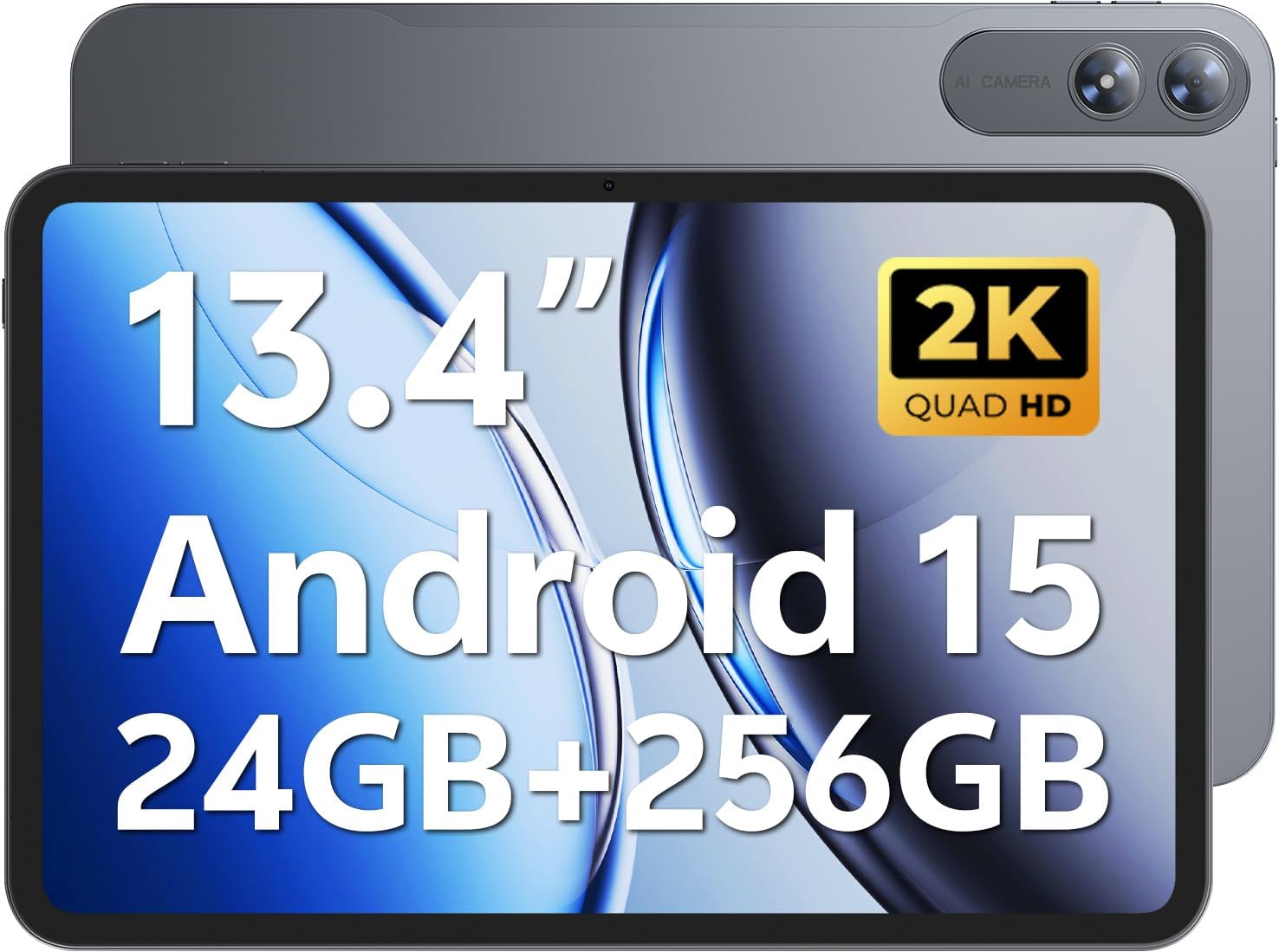
Image 1.1: SVITOO PL002 Android 15 Tablet, showcasing its sleek design and dual cameras.
Zawartość opakowania
- SVITOO PL002 Android 15 Tablet
- Protective Case with Magnetic Bracket
- Kabel ładujący USB-C
- Zasilacz (szybkie ładowanie 18 W)
- Instrukcja obsługi (ten dokument)
2. Koniec produktuview
The SVITOO PL002 tablet features a 13.4-inch FHD IPS display, an Octa-Core processor, 24GB RAM, 256GB internal storage, and runs on Android 15. It is designed for versatile use, from entertainment to productivity.

Obraz 2.1: Koniecview of the SVITOO PL002 tablet's main features.
Komponenty fizyczne
While a detailed diagram is not available, the tablet typically includes:
- Przycisk zasilania: Znajduje się z boku urządzenia i służy do włączania/wyłączania lub wybudzania/uśpienia urządzenia.
- Przyciski głośności: Located near the power button, for adjusting audio levels.
- Port USB typu C: Do ładowania i przesyłania danych.
- Gniazdo słuchawkowe 3.5 mm: Do przewodowego wyjścia audio.
- Gniazdo kart microSD: Do rozszerzenia pamięci masowej.
- Przednia kamera: Do połączeń wideo i selfie.
- Kamery tylne: Do robienia zdjęć i nagrywania filmów.
- Prelegenci: Dwa głośniki do odtwarzania dźwięku.
3. Konfiguracja
3.1 Pierwsze ładowanie
Before first use, fully charge your tablet using the provided USB-C cable and power adapter. The tablet supports 18W fast charging.
3.2 Włączanie/wyłączanie zasilania
- Włączanie: Press and hold the Power button until the SVITOO logo appears.
- Aby wyłączyć: Naciśnij i przytrzymaj przycisk zasilania, a następnie wybierz na ekranie opcję „Wyłącz”.
- Aby zasnąć/obudzić się: Krótko naciśnij przycisk zasilania.
3.3 Protective Case and Screen Protector
The tablet comes with a pre-installed screen protector and a protective case. The case features a magnetic bracket that automatically wakes the tablet when opened and puts it to sleep when closed.

Image 3.1: The smart wake-up case and pre-installed screen protector for convenience.
3.4 Połączenie Wi-Fi
- Idź do Ustawienia > Sieć i internet > Wi-Fi.
- Przełącz Wi-Fi On.
- Wybierz interesującą Cię sieć z listy.
- Wprowadź hasło, jeśli zostaniesz o to poproszony, a następnie stuknij Łączyć. The tablet supports dual-band Wi-Fi (2.4GHz/5GHz).
3.5 Google Mobile Services (GMS) Setup
Your SVITOO PL002 tablet is GMS certified, providing full access to the Google ecosystem. During initial setup, follow the on-screen prompts to sign in with your Google account or create a new one. This enables access to Google Play Store, Gmail, YouTube, Google Maps, and other Google applications.

Image 3.2: GMS certification ensures access to a wide range of Google applications.
4. Instrukcja obsługi
4.1 Podstawowa nawigacja (Android 15)
The tablet runs on Android 15, offering an intuitive user interface. Swipe gestures are commonly used for navigation:
- Dom: Przesuń palcem od dołu ekranu w górę.
- Z powrotem: Przesuń od lewej lub prawej krawędzi ekranu.
- Ostatnie aplikacje: Przesuń palcem od dołu do góry i przytrzymaj.
- Powiadomienia/Szybkie ustawienia: Przesuń palcem od góry ekranu w dół.
4.2 Funkcje wyświetlacza
The 13.4-inch IPS Incell display provides a 1920x1200 resolution with a 16:10 aspect ratio and a 178° viewing angle. It features a smooth 60Hz refresh rate for fluid visuals.

Image 4.1: The 13.4-inch 2K IPS display offers vibrant colors and sharp details.
4.3 Wydajność i przechowywanie
The tablet is powered by a Unisoc T7250 Octa-Core processor, ensuring smooth multitasking. It comes with 24GB RAM (6GB physical + 18GB virtual) and 256GB internal storage, expandable up to 1TB via a MicroSD card (sold separately).

Image 4.2: The Unisoc T7250 Octa-Core processor provides efficient performance.

Obraz 4.3: Ample storage and expansion options for your filei aplikacji.
4.4 kamer
The tablet features a 13MP rear camera for high-quality photos and videos, and an 8MP front camera for clear video calls and selfies.

Image 4.4: Capture moments with the tablet's dual cameras.
4.5 Zarządzanie baterią
Equipped with a 10,000mAh battery, the tablet provides extended usage times. It supports USB-PD 18W fast charging for quick recharges.

Image 4.5: The 10,000mAh battery provides long-lasting power.
Dźwięk 4.6
The tablet features dual speakers for immersive sound and includes a 3.5mm headphone jack for private listening.
4.7 Funkcje specjalne
- Certyfikat Widevine L1: Enjoy full HD streaming on platforms like Netflix, Disney+, Prime Video, and Hulu.
- Odblokowanie twarzą: Securely and quickly unlock your tablet using facial recognition.
- Wielozadaniowość na podzielonym ekranie: Run two applications side-by-side for enhanced productivity.
- Wireless Casting (Screen Mirroring): Cast your tablet's screen to compatible smart TVs for a larger viewzdobywania doświadczenia.
- Tryb ochrony oczu: Redukuje emisję niebieskiego światła, minimalizując zmęczenie oczu podczas długotrwałego użytkowania.
- Kontrola rodzicielska: Manage usage time and app access for children.
- Wbudowany GPS: Provides navigation capabilities for travel and location services.

Image 4.6: Widevine L1 certification enables high-definition content streaming.

Image 4.7: Key operational features including multitasking, casting, security, and navigation.
5. Konserwacja
5.1 Czyszczenie
Do czyszczenia tabletu należy używać miękkiej, niepozostawiającej włókien ściereczki. W przypadku uporczywych plam należy delikatnie przetrzeć tablet.ampPrzetrzyj ściereczkę wodą lub specjalnym płynem do czyszczenia ekranów przeznaczonym do urządzeń elektronicznych. Unikaj stosowania silnych środków chemicznych, materiałów ściernych i nadmiernej wilgoci.
5.2 Przechowywanie
Store the tablet in a cool, dry place away from direct sunlight and extreme temperatures. If storing for an extended period, ensure the battery is charged to approximately 50% to preserve battery health.
5.3 Aktualizacje oprogramowania
Regularnie sprawdzaj dostępność aktualizacji systemu i instaluj je, aby mieć pewność, że Twój tablet ma najnowsze funkcje, poprawki zabezpieczeń i udoskonalenia wydajności. Przejdź do Ustawienia > System > Aktualizacja systemu.
6. Rozwiązywanie Problemów
This section addresses common issues you might encounter with your SVITOO PL002 tablet.
6.1 Tablet się nie włącza
- Upewnij się, że bateria jest naładowana. Podłącz tablet do ładowarki i odczekaj kilka minut przed ponownym włączeniem.
- Aby wymusić ponowne uruchomienie, naciśnij i przytrzymaj przycisk zasilania przez co najmniej 10–15 sekund.
6.2 Nie można połączyć się z siecią Wi-Fi
- Verify that Wi-Fi is enabled in Ustawienia > Sieć i internet > Wi-Fi.
- Upewnij się, że wpisujesz prawidłowe hasło Wi-Fi.
- Uruchom ponownie router Wi-Fi i tablet.
- Try connecting to a different Wi-Fi network to determine if the issue is with the tablet or your network.
6.3 Applications Freeze or Crash
- Zamknij i ponownie otwórz problematyczną aplikację.
- Wyczyść pamięć podręczną i dane aplikacji w Ustawienia > Aplikacje > [Nazwa aplikacji] > Pamięć masowa i pamięć podręczna.
- Sprawdź, czy aplikacja została zaktualizowana do najnowszej wersji, pobranej ze sklepu Google Play.
- Uruchom ponownie tablet.
6.4 Niska wydajność
- Zamknij niepotrzebne aplikacje działające w tle.
- Clear cached data from apps and the system.
- Upewnij się, że masz wystarczająco dużo miejsca na dysku. Usuń nieużywane aplikacje lub files.
- Okresowo należy ponownie uruchamiać tablet.
7. Specyfikacje
| Funkcja | Specyfikacja |
|---|---|
| Model | PL002 |
| System operacyjny | Android 15 |
| Rozmiar wyświetlacza | 13.4 cali |
| Rozdzielczość ekranu | 1920 x 1200 Pixels (FHD IPS Incell) |
| Edytor | Unisoc T7250 ośmiordzeniowy (1.8 GHz) |
| Koprocesor graficzny | Mali-G57 |
| BARAN | 24 GB (6 GB + 18 GB wirtualne) |
| Pamięć wewnętrzna | 256 GB |
| Możliwość rozbudowy pamięci masowej | Up to 1TB via MicroSD (sold separately) |
| Kamera tylna | 13MP |
| Przednia kamera | 8MP |
| Pojemność baterii | 10,000mAh |
| Ładowanie | USB-C, 18W Fast Charging |
| Łączność bezprzewodowa | 802.11ax (Dual-Band Wi-Fi 2.4GHz/5GHz), Bluetooth 5.0 |
| Wymiary (dł. x szer. x wys.) | 9.7 x 6.4 x 0.4 cala |
| Waga przedmiotu | 3.58 funta (ok. 1.62 kg) |
8. Gwarancja i wsparcie
8.1 Informacje o gwarancji
The SVITOO PL002 tablet comes with a One Year Protection warranty from the date of purchase. This warranty covers manufacturing defects and ensures quality assurance. Please note that the warranty does not cover damage caused by misuse, accidents, natural disasters, or other force majeure events.

Image 8.1: SVITOO's commitment to quality and customer support.
8.2 Obsługa klienta
For any questions, technical assistance, or warranty claims, please contact SVITOO customer support through your Amazon order details. Navigate to your order history on Amazon and select the option to "Contact Seller" for assistance.