
1. Wprowadzenie
This manual provides detailed instructions for the eppfun DX08 Pro Wireless Bluetooth Neckband Headphones. Please read this manual thoroughly before using the product to ensure proper operation and to maximize its performance and lifespan. The DX08 Pro features advanced Bluetooth 5.4 technology, supporting high-fidelity audio codecs such as LDAC, aptX Lossless, aptX Adaptive, and aptX-HD, powered by the QCC3095 chip.
2. Zawartość opakowania
Sprawdź, czy w opakowaniu produktu znajdują się wszystkie elementy wymienione poniżej:
- eppfun DX08 Pro Wireless Bluetooth Neckband
- MMCX Earphone Cable (pre-attached or separate)
- Kabel ładujący USB
- Instrukcja obsługi (ten dokument)
- (Assumed: Various sizes of ear tips for optimal fit)

Image: The eppfun DX08 Pro neckband with its detachable MMCX earphone cables.
3. Konfiguracja
3.1. Ładowanie urządzenia
- Podłącz kabel ładujący USB do portu ładowania w pałąku na szyję.
- Podłącz drugi koniec kabla USB do kompatybilnego źródła zasilania USB (np. portu USB komputera, zasilacza sieciowego).
- The LED indicator on the neckband will illuminate to show charging status. Refer to the LED indicator section for details.
- Pełne naładowanie trwa zazwyczaj około 2 godzin.
- Po pełnym naładowaniu odłącz kabel ładujący.

Image: Close-up of the eppfun DX08 Pro neckband, showing the control panel and charging port area.
3.2. Connecting MMCX Earphones
The eppfun DX08 Pro neckband uses standard MMCX connectors, allowing you to attach compatible earphones.
- Identify the left (L) and right (R) connectors on both the neckband and your MMCX earphones.
- Align the MMCX connector on the earphone cable with the corresponding port on the neckband.
- Gently push the earphone connector into the neckband port until you feel a secure click. Do not force the connection.
- To disconnect, firmly grasp the earphone connector (not the cable) and pull it straight out from the neckband port.

Image: The eppfun DX08 Pro neckband with its MMCX connectors, ready for earphone attachment.
3.3. Parowanie Bluetooth
- Włączanie: Press and hold the Power button on the neckband until the LED indicator flashes, indicating it is in pairing mode.
- Aktywuj Bluetooth: Włącz Bluetooth na swoim urządzeniu (smartfonie, tablecie, komputerze).
- Szukaj Urządzenia: W ustawieniach Bluetooth swojego urządzenia wyszukaj dostępne urządzenia.
- Select "eppfun DX08 Pro": From the list of found devices, select "eppfun DX08 Pro" to initiate pairing.
- Potwierdzenie: Once successfully paired, the LED indicator on the neckband will change, and you may hear an audio prompt.
- Na nowo połączyć: Po włączeniu słuchawki automatycznie podejmą próbę ponownego połączenia się z ostatnio sparowanym urządzeniem.
4. Instrukcja obsługi
4.1. Podstawowe sterowanie
| Przycisk/Akcja | Funkcjonować |
|---|---|
| Przycisk zasilania (długie naciśnięcie) | Włączanie/wyłączanie zasilania |
| Przycisk zasilania (krótkie naciśnięcie) | Odtwarzaj/wstrzymuj muzykę, odbieraj/kończ połączenia |
| Przycisk głośności + (krótkie naciśnięcie) | Zwiększ głośność |
| Głośność - Przycisk (krótkie naciśnięcie) | Zmniejsz głośność |
| Przycisk głośności + (długie naciśnięcie) | Następny utwór |
| Głośność - Przycisk (Długie naciśnięcie) | Poprzedni utwór |
| Przycisk zasilania (naciśnięcie podwójne) | Aktywuj Asystenta Głosowego |
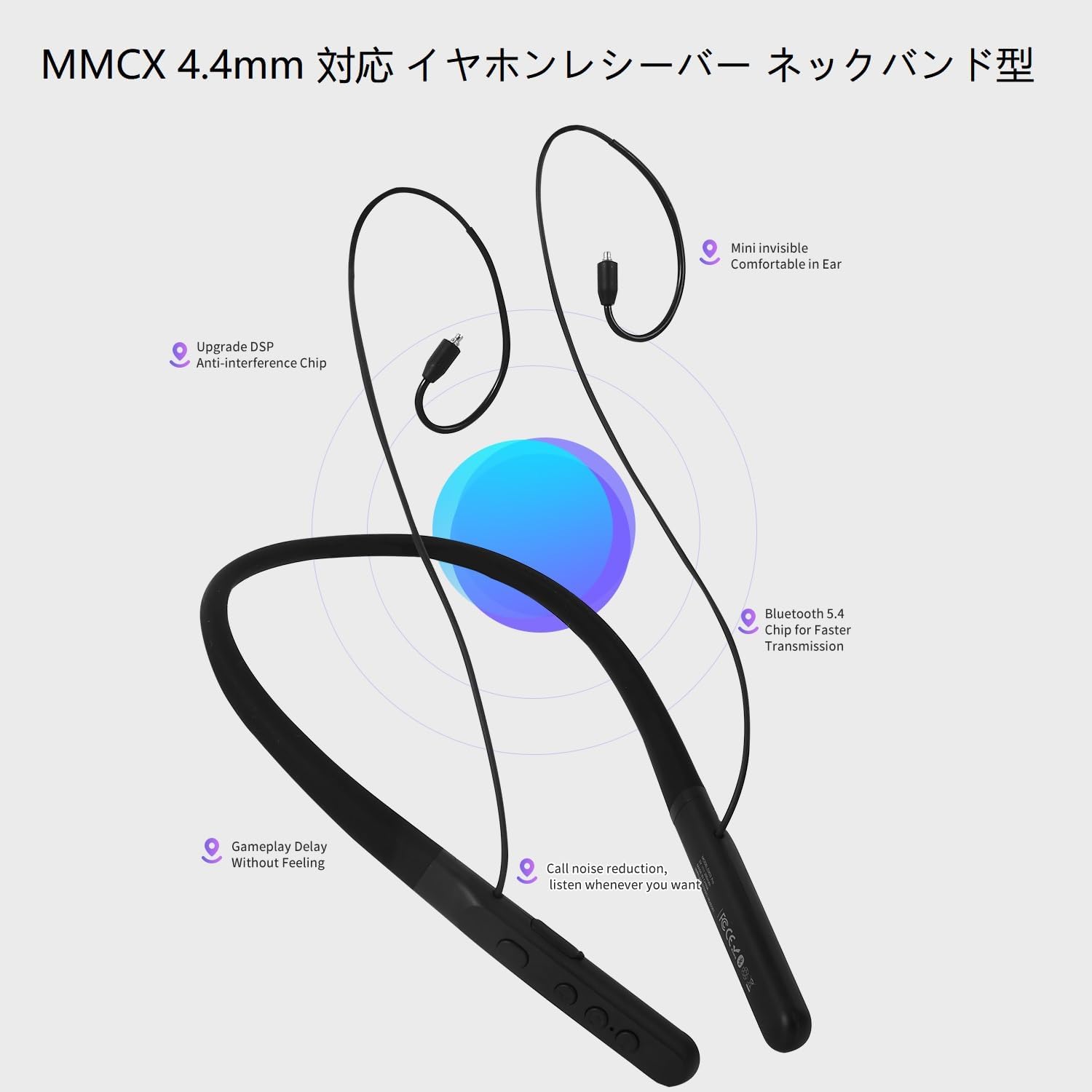
Image: The control panel on the eppfun DX08 Pro neckband, showing the various buttons for operation.
4.2. Zaawansowane funkcje audio
The DX08 Pro supports multiple high-quality audio codecs for an enhanced listening experience:
- LDAC: Sony's high-resolution audio codec, enabling high-quality wireless audio transmission.
- aptX bezstratny: Qualcomm's latest codec for bit-perfect CD-quality audio over Bluetooth.
- aptX Adaptacyjny: Dynamically adjusts audio quality and latency based on environmental factors.
- aptX-HD: Delivers 24-bit high-resolution audio over Bluetooth.
- SBC/AAC: Standard Bluetooth audio codecs for broad compatibility.
Ensure your connected device also supports these codecs to utilize their full potential. The headphones will automatically select the best available codec.
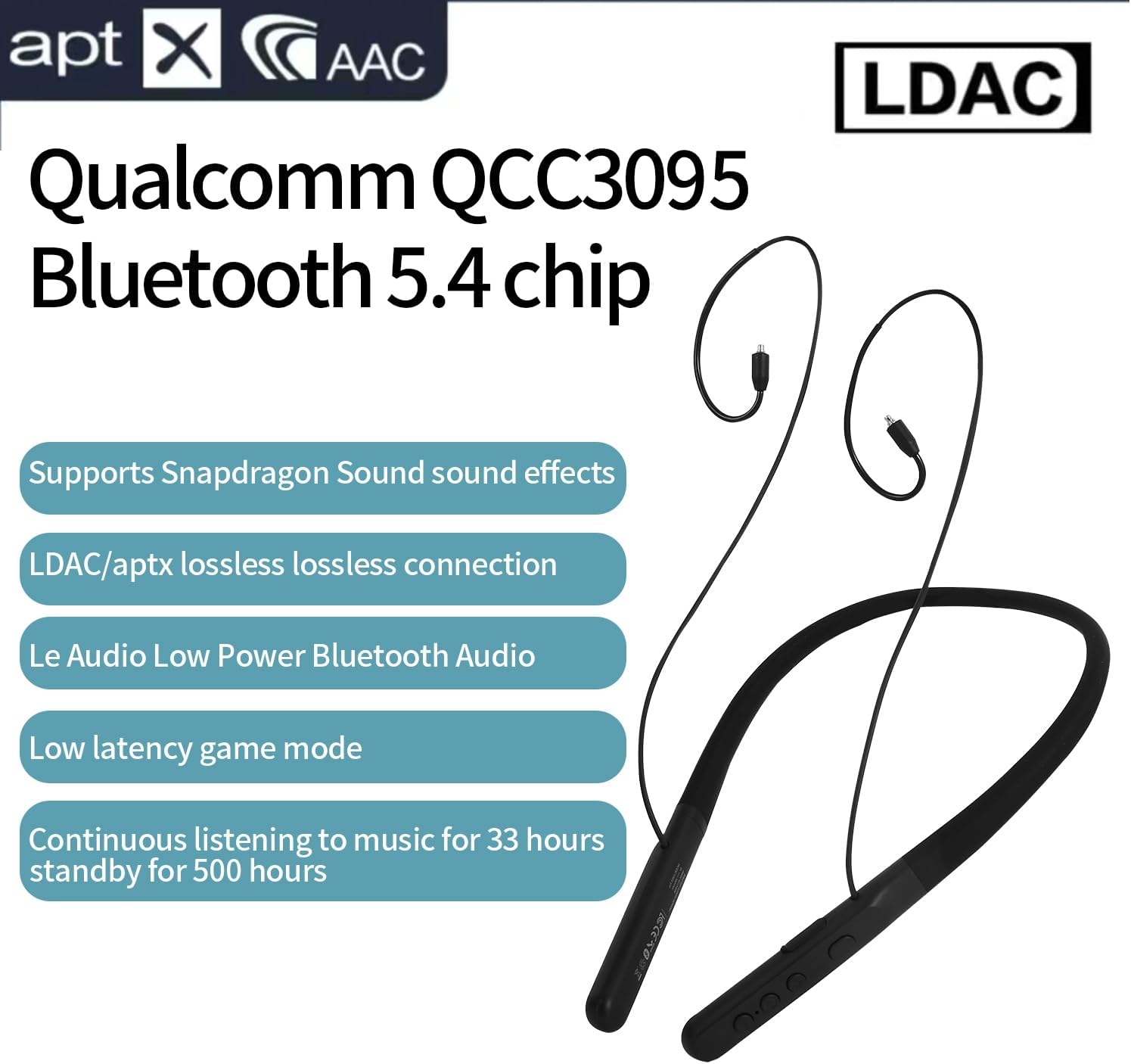
Image: Visual representation of the eppfun DX08 Pro's QCC3095 chip and supported audio codecs like LDAC, aptX HD, and AAC.
4.3. Low Latency Game Mode
The DX08 Pro features a low-latency mode, optimized for gaming and video playback, to minimize audio delay. This mode is automatically engaged when supported by the connected device and content, or can be manually activated if available through specific button combinations (refer to future firmware updates or product website for specific activation methods if not automatic).
5. Konserwacja
5.1. Czyszczenie
- Wipe the neckband and earphone cables with a soft, dry, lint-free cloth.
- W przypadku uporczywych zabrudzeń, delikatnieampPrzetrzyj szmatkę wodą. Unikaj stosowania silnych środków chemicznych, rozpuszczalników i ściernych środków czyszczących.
- Przed ładowaniem lub podłączaniem sprawdź, czy wszystkie porty są suche.
- Regularly clean ear tips to prevent wax buildup, which can affect sound quality.
5.2. Przechowywanie
- Przechowuj słuchawki w chłodnym i suchym miejscu, z dala od bezpośredniego światła słonecznego i ekstremalnych temperatur.
- Unikaj umieszczania ciężkich przedmiotów na słuchawkach.
- If storing for an extended period, charge the battery to approximately 50% to preserve battery health.
5.3. Pielęgnacja baterii
- Nie wystawiaj akumulatora na działanie nadmiernego ciepła, np. bezpośredniego światła słonecznego lub ognia.
- Unikaj częstego całkowitego rozładowywania akumulatora.
- Charge the battery regularly, even if the headphones are not in use, to maintain optimal performance.
6. Rozwiązywanie Problemów
If you encounter issues with your eppfun DX08 Pro headphones, refer to the following common problems and solutions:
6.1. Brak zasilania
- Upewnij się, że słuchawki są w pełni naładowane. Podłącz je do źródła zasilania i sprawdź wskaźnik ładowania.
- Press and hold the Power button for at least 5 seconds to ensure it's not just in standby.
6.2. Nie można sparować z urządzeniem
- Sprawdź, czy słuchawki są w trybie parowania (dioda LED miga).
- Wyłącz i włącz ponownie Bluetooth w swoim urządzeniu.
- Przysuń słuchawki bliżej urządzenia.
- Wyczyść historię parowania Bluetooth na swoim urządzeniu i spróbuj sparować ponownie.
- Ensure no other devices are actively connected to the headphones.
6.3. Brak dźwięku lub niski poziom głośności
- Sprawdź poziom głośności zarówno na słuchawkach, jak i na podłączonym urządzeniu.
- Ensure the MMCX earphones are securely connected to the neckband.
- Sprawdź, czy słuchawki są prawidłowo sparowane i podłączone do urządzenia.
- Spróbuj odtworzyć dźwięk z innej aplikacji lub urządzenia.
6.4. Intermittent Connection or Audio Dropouts
- Zmniejsz odległość między słuchawkami a urządzeniem.
- Avoid obstacles (walls, large metal objects) between the headphones and your device.
- Zminimalizuj zakłócenia ze strony innych urządzeń bezprzewodowych (routerów Wi-Fi, innych urządzeń Bluetooth).
- Upewnij się, że sterowniki Bluetooth Twojego urządzenia są aktualne.
7. Specyfikacje
| Funkcja | Szczegół |
|---|---|
| Nazwa modelu | DX08Pro |
| Wersja Bluetooth | 5.4 |
| Chipset Bluetooth | Qualcomm QCC3095 |
| Obsługiwane kodeki audio | SBC, AAC, aptX HD, aptX Adaptive, aptX Lossless, LDAC |
| Technologia łączności | Bluetooth |
| Gniazdo słuchawkowe | MMCX |
| Czas pracy baterii (odtwarzanie muzyki) | Do 33 godzin |
| Czas czuwania | Do 500 godzin |
| Typ sterowania | Sterowanie przyciskami |
| Waga przedmiotu | 0.16 kilograma (ok. 5.6 uncji) |
| Producent | śmiech |
| Impedancja | 32 omy |
8. Gwarancja i wsparcie
eppfun products are designed and manufactured to the highest quality standards. For specific warranty information, please refer to the warranty card included with your product or visit the official eppfun webZachowaj dowód zakupu na wypadek roszczeń gwarancyjnych.
For technical support, troubleshooting assistance, or general inquiries, please contact eppfun customer service through the contact information provided on the official eppfun webwitrynę lub platformę zakupową.
Zasoby internetowe:
- Official eppfun Webstrona: www.eppfun.com (Byłyample link, rzeczywisty link nie jest podany w danych)
- Strona pomocy technicznej produktu: (Odnieś się do oficjalnej strony pomocy technicznej) web(witryna zawierająca strony pomocy technicznej dotyczące konkretnych produktów)