
Wstęp
This manual provides essential information for the safe and efficient operation, maintenance, and troubleshooting of your Xiaomi Robot Vacuum 5 Pro. Please read this manual thoroughly before using the product and retain it for future reference.
Ważne informacje dotyczące bezpieczeństwa
To reduce the risk of injury or damage, read and follow all safety precautions. This device is for household use only.
- Do not use the robot vacuum on wet surfaces or in environments with standing water.
- Keep children and pets away from the robot vacuum during operation.
- Należy używać wyłącznie oryginalnego zasilacza i stacji ładującej dostarczonych przez producenta.
- Ensure the power cord is not damaged or tangled.
- Przed czyszczeniem usuń z podłogi wszelkie luźne kable, małe przedmioty i delikatne przedmioty, aby zapobiec ich splątaniu lub uszkodzeniu.
- Nie należy używać robota odkurzającego w pobliżu otwartego ognia lub materiałów łatwopalnych.
- Do not sit on the robot vacuum or place heavy objects on it.
- Przed przystąpieniem do jakichkolwiek czynności konserwacyjnych lub czyszczenia wyłącz robota odkurzającego i odłącz stację ładującą.
Zawartość opakowania
Sprawdź, czy w opakowaniu znajdują się wszystkie komponenty:
- Xiaomi Robot Vacuum 5 Pro
- Self-cleaning Base Station
- Zasilacz
- Szczotka boczna
- Główna szczotka (wstępnie zainstalowana)
- Kosz na śmieci (wstępnie zainstalowany)
- Zbiornik na wodę (wstępnie zainstalowany)
- Nakładki na mopa (x2)
- Instrukcja obsługi
Produkt ponadview
Familiarize yourself with the components and features of your Xiaomi Robot Vacuum 5 Pro.
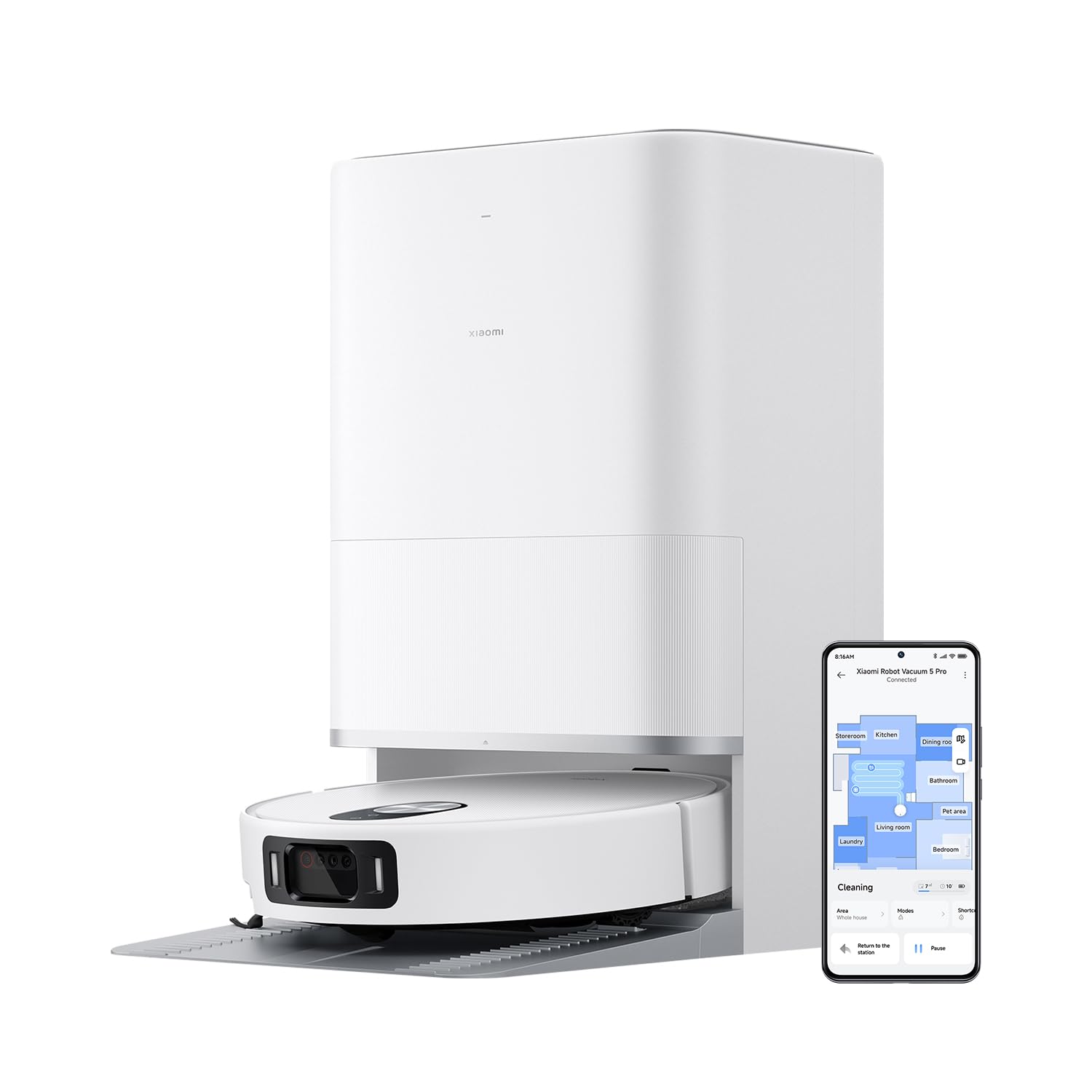
Rysunek 1: The Xiaomi Robot Vacuum 5 Pro docked in its self-cleaning base station, with a smartphone displaying the control app interface.
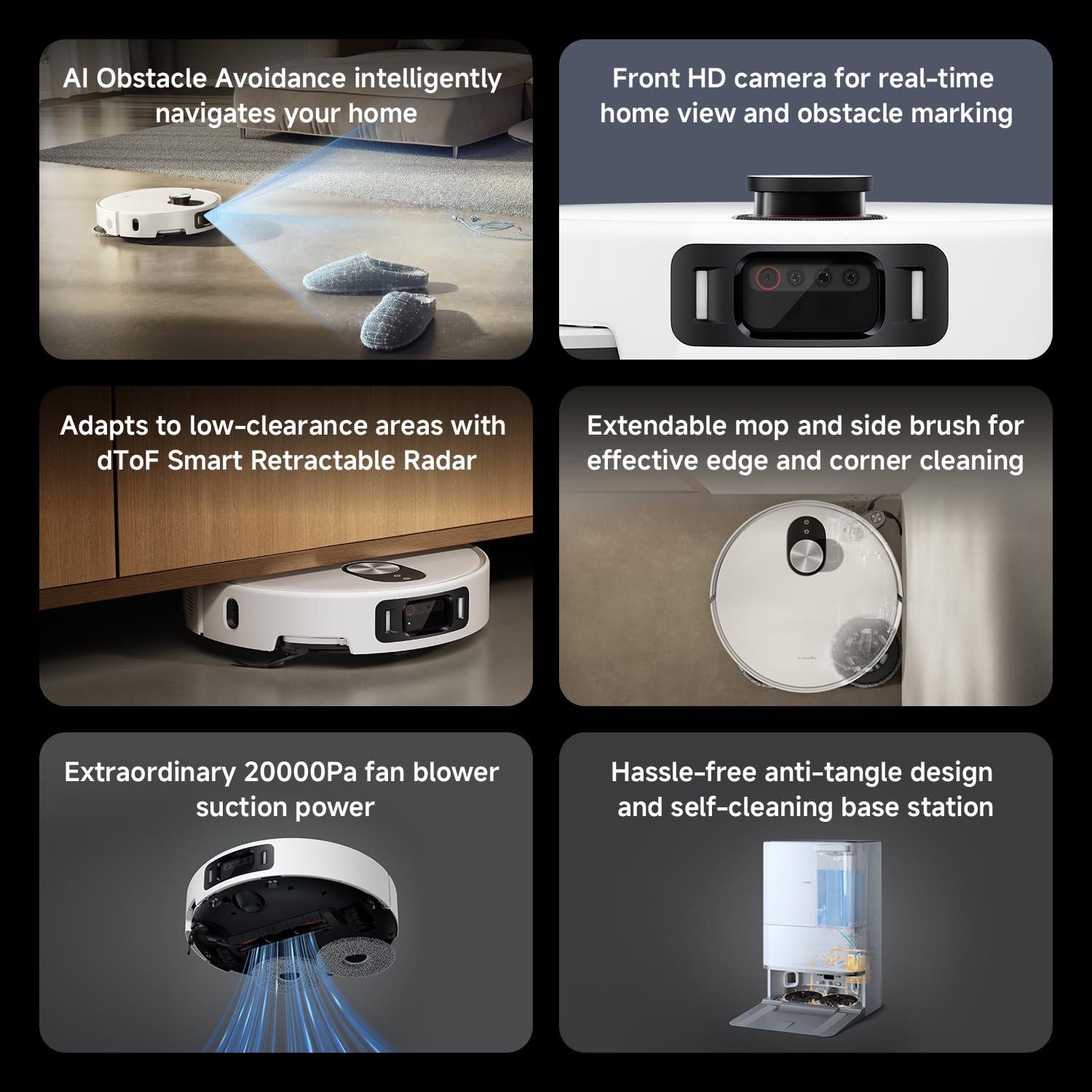
Rysunek 2: Nadview of key features including AI obstacle avoidance, front HD camera, dToF radar, extendable mop, powerful suction, and the self-cleaning base station.
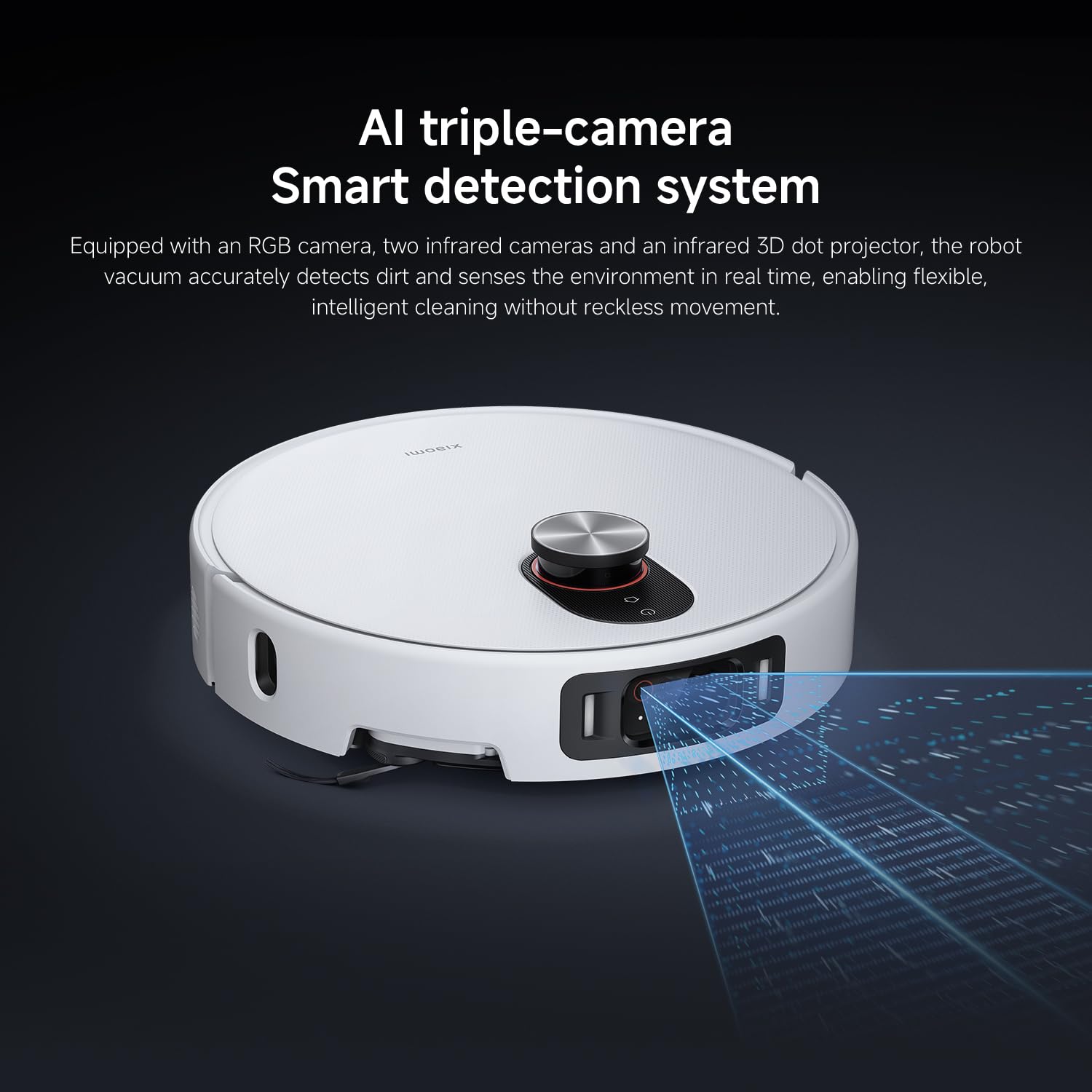
Rysunek 3: The AI triple-camera smart detection system, comprising an RGB camera, two infrared cameras, and an infrared 3D dot projector for accurate environment sensing.
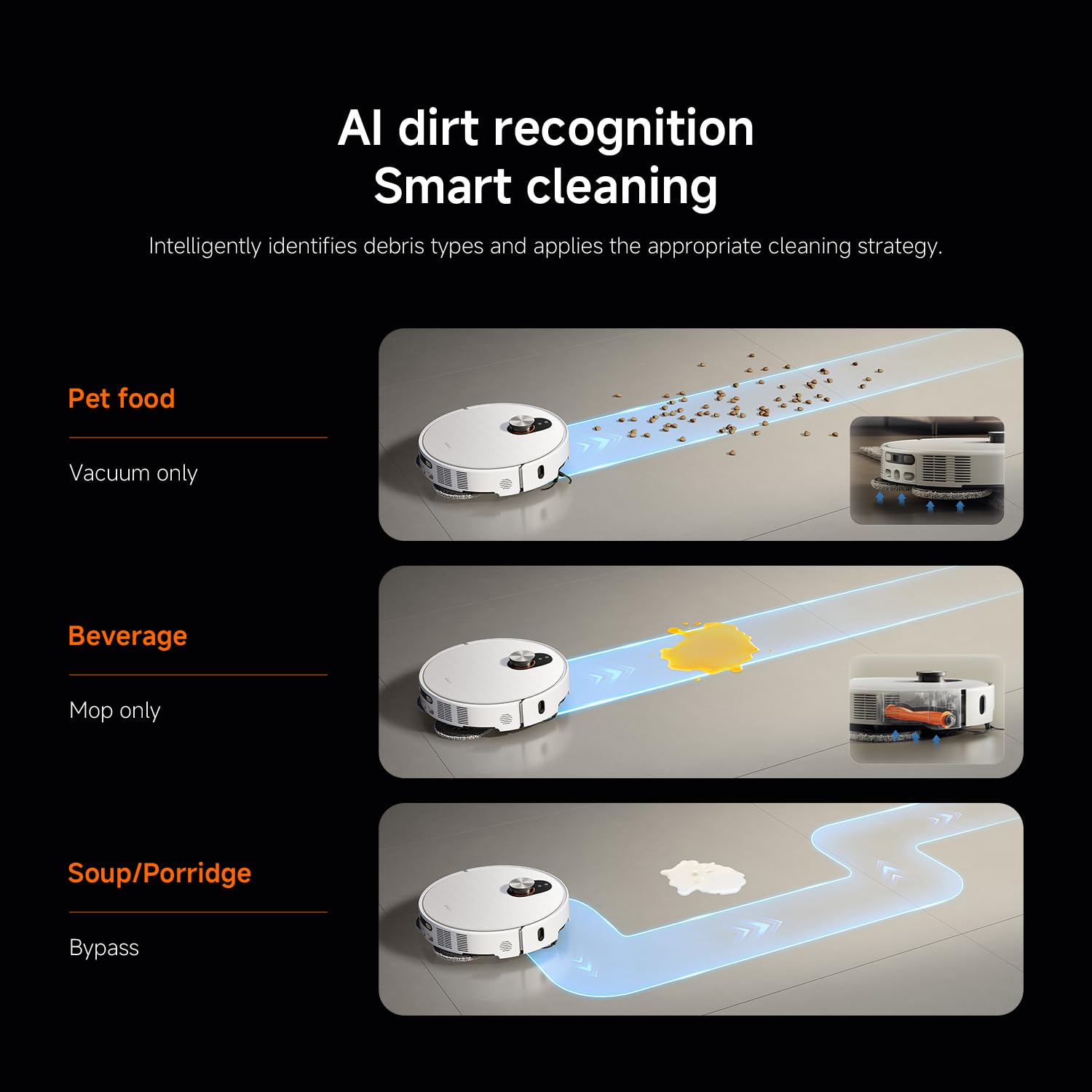
Rysunek 4: AI dirt recognition system intelligently identifying debris types and applying appropriate cleaning strategies (vacuum, mop, or bypass).
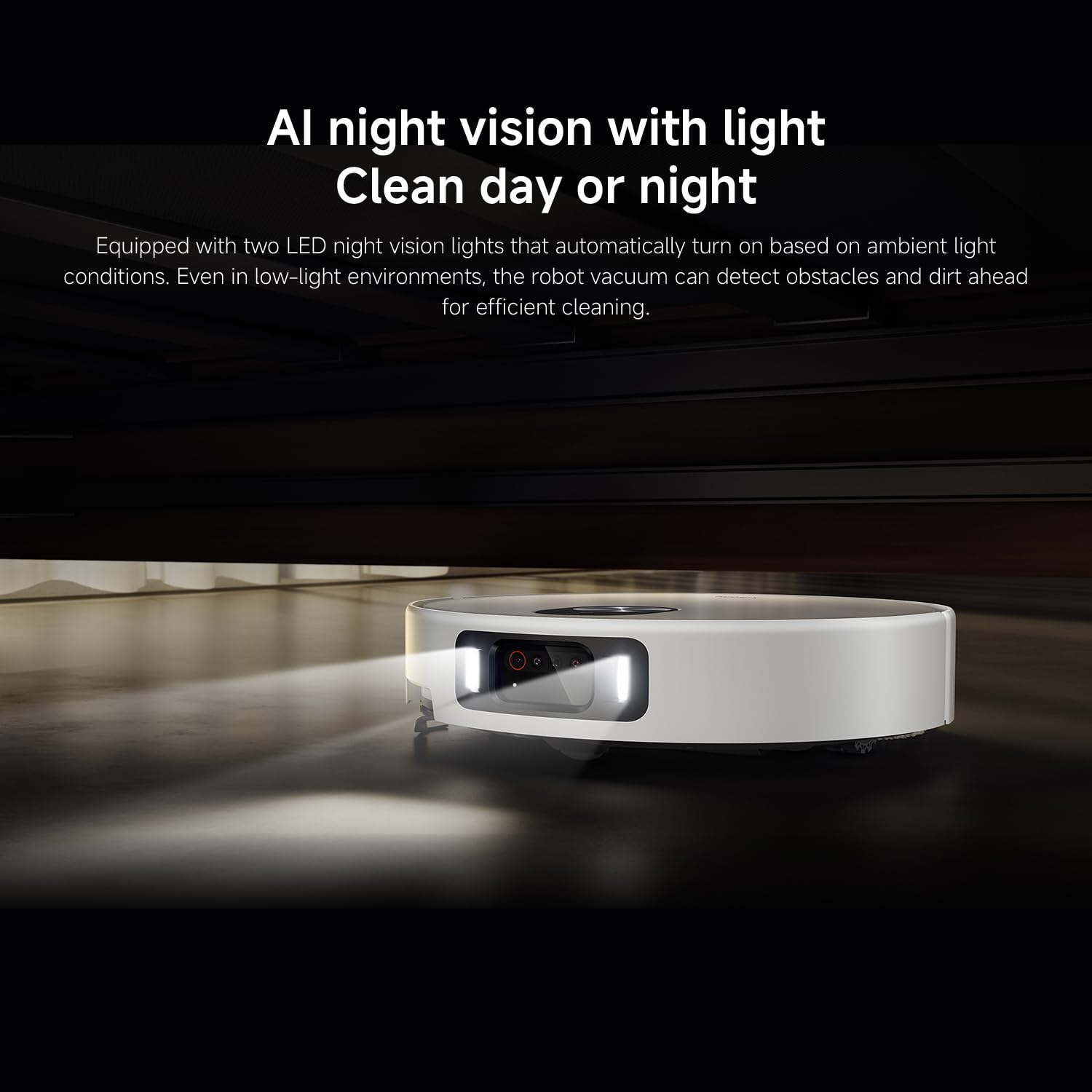
Rysunek 5: AI night vision with two LED lights, enabling the robot vacuum to detect obstacles and dirt efficiently in low-light conditions.
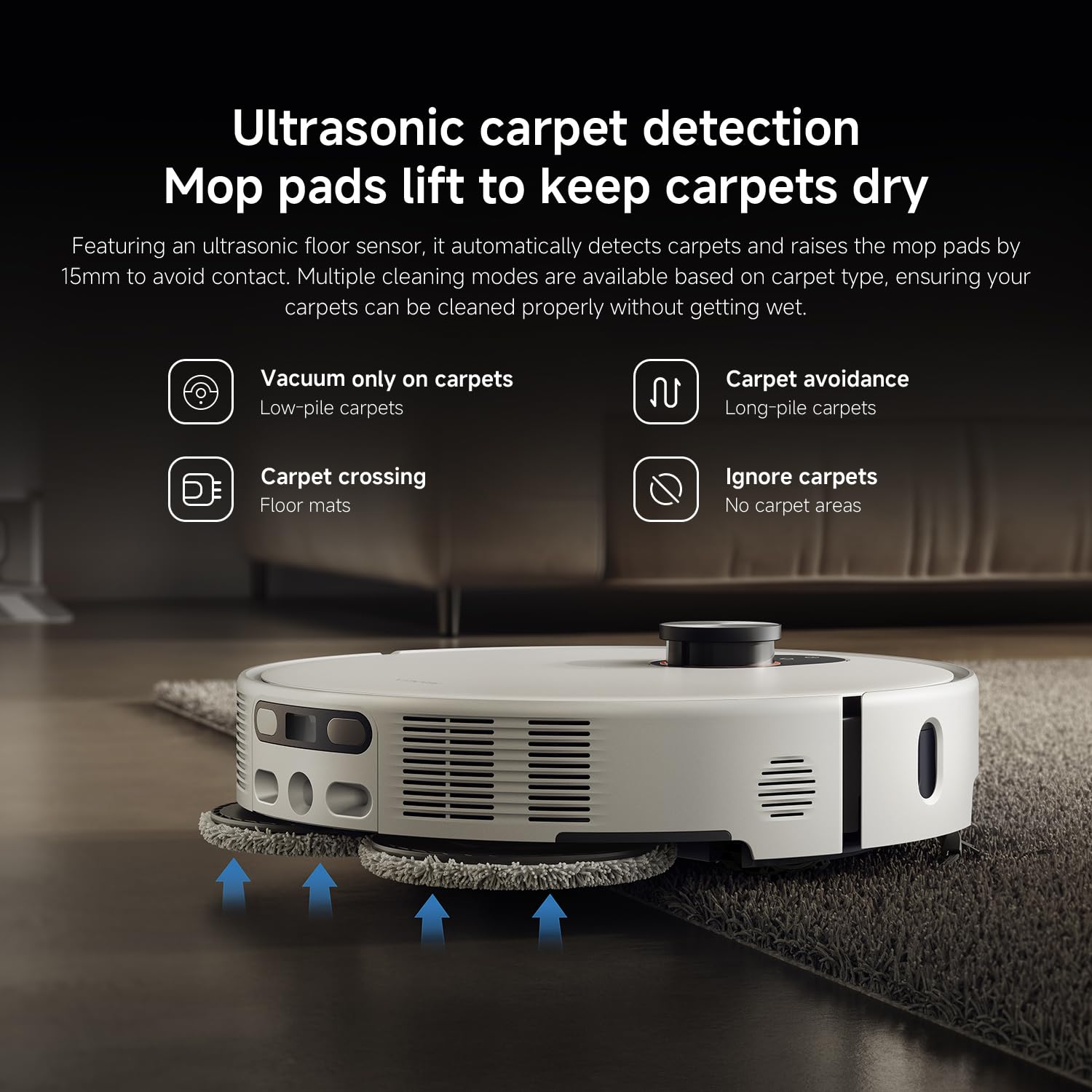
Rysunek 6: Ultrasonic carpet detection system, which automatically lifts mop pads by 15mm to avoid wetting carpets, offering multiple cleaning modes.
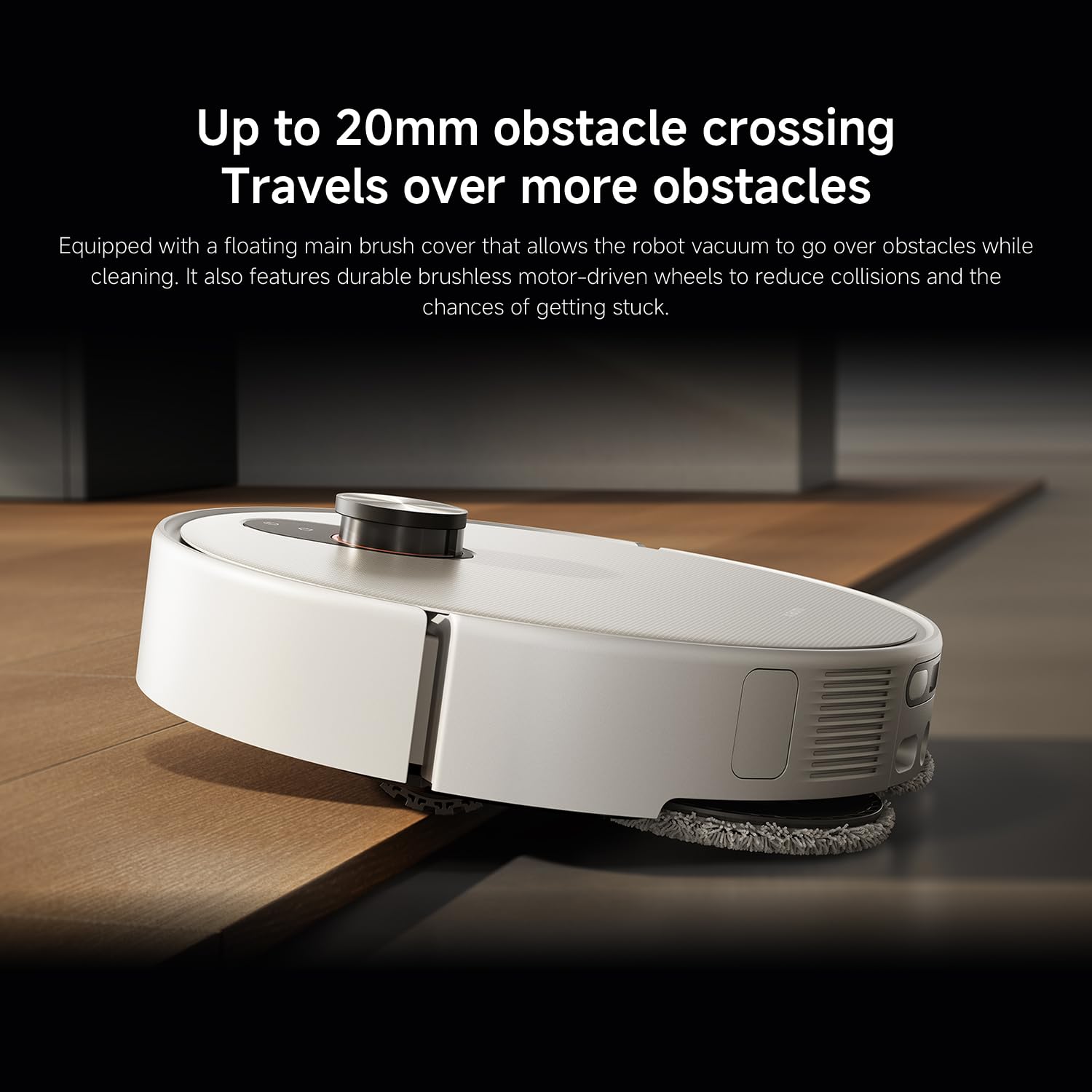
Rysunek 7: The robot vacuum's ability to cross obstacles up to 20mm high, facilitated by a floating main brush cover and durable wheels.
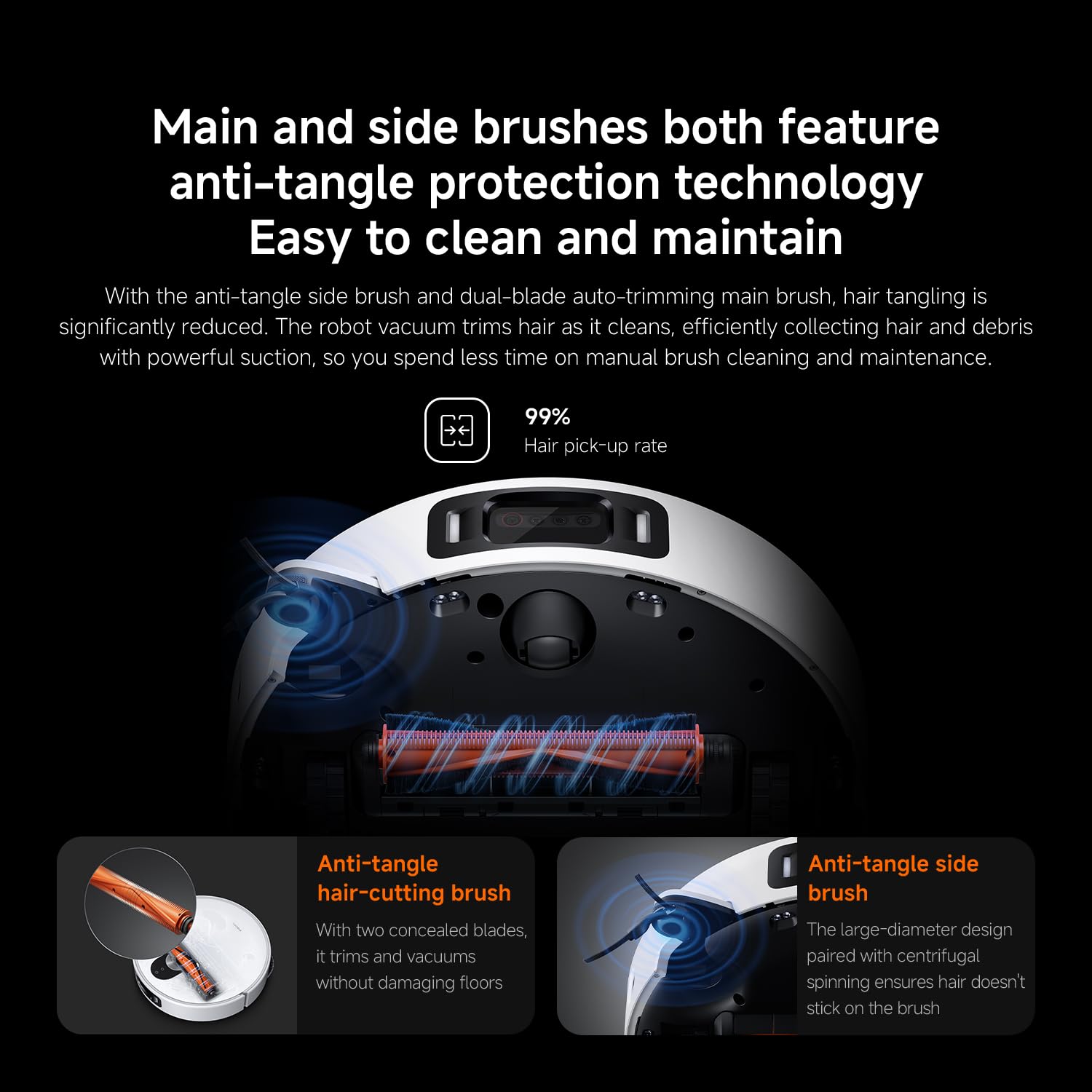
Rysunek 8: Main and side brushes featuring anti-tangle protection technology, including concealed blades for the main brush and a large-diameter design for the side brush.
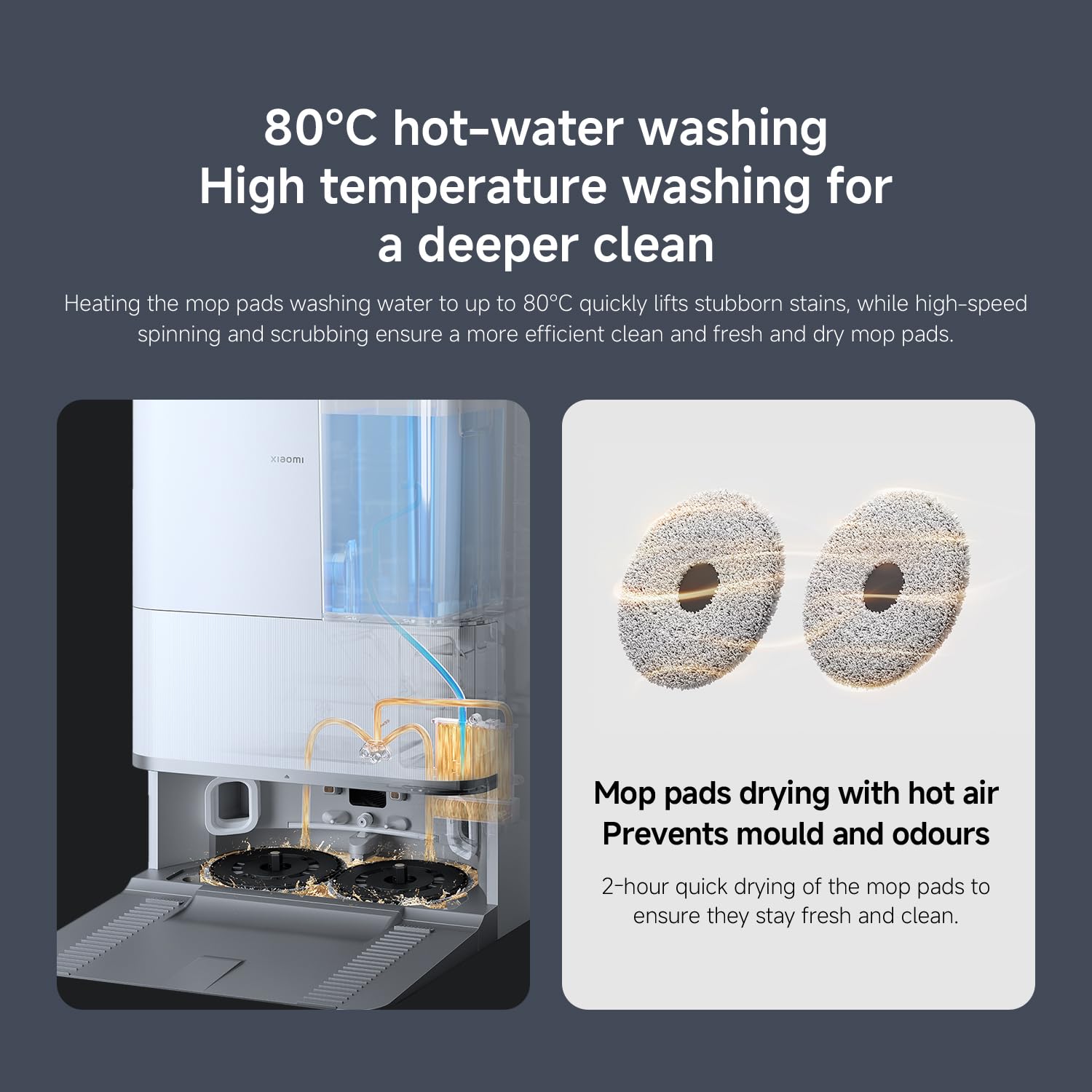
Rysunek 9: The self-cleaning base station performing 80°C hot-water washing for deep cleaning and 2-hour hot air drying of mop pads to prevent mold and odors.
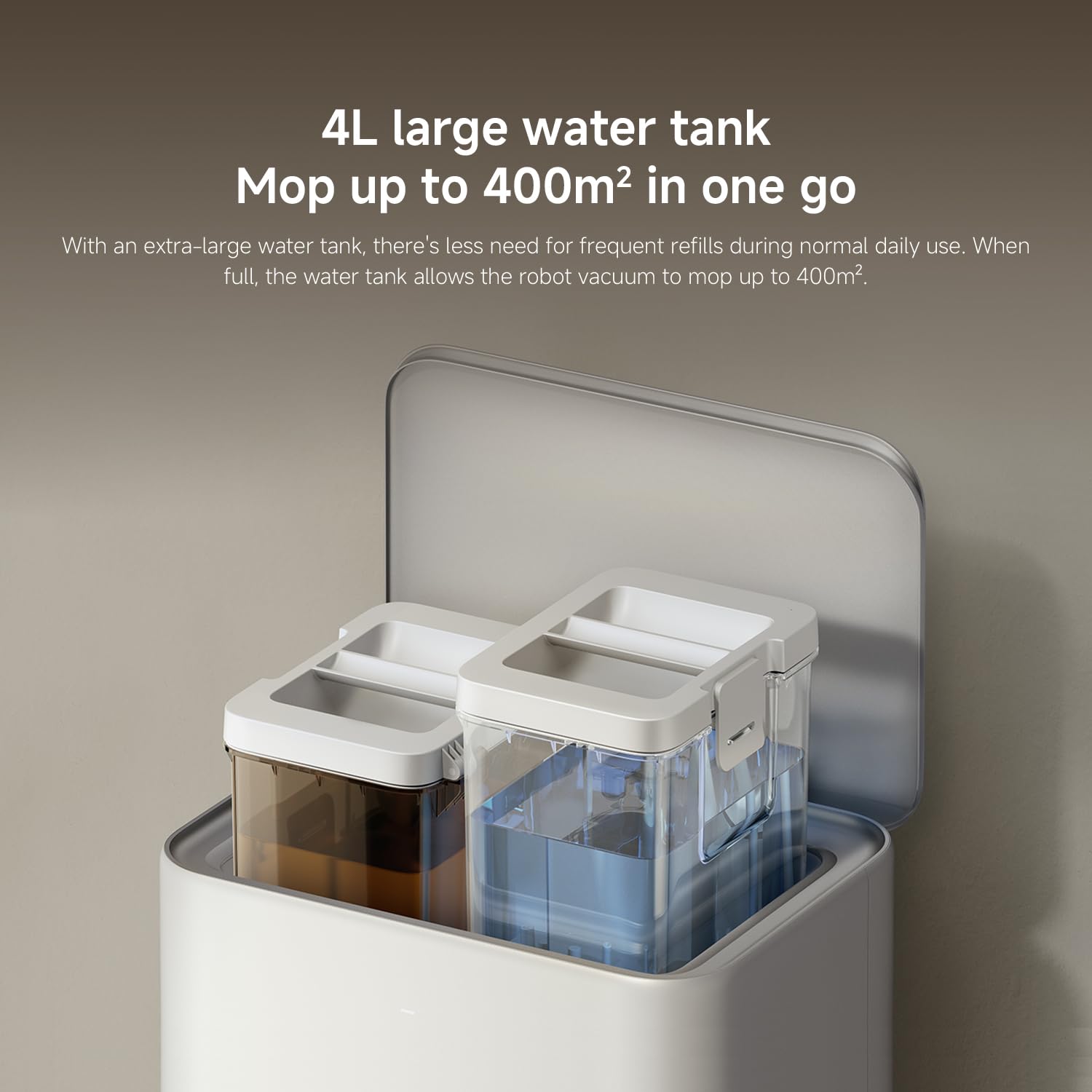
Rysunek 10: The 4L large water tank system within the self-cleaning base station, designed for extended mopping coverage without frequent refills.
Przewodnik po konfiguracji
1. Rozpakowanie i ustawienie
- Ostrożnie wyjąć wszystkie elementy z opakowania.
- Choose a suitable location for the self-cleaning base station. Ensure there is at least 0.5 meters of clear space on both sides and 1.5 meters in front of the base station.
- Place the base station against a wall on a hard, level surface. Do not place it on carpets.
- Connect the power adapter to the base station and plug it into a power outlet. Ensure the cable is neatly tucked away to prevent entanglement.
2. Ładowanie początkowe
- Place the robot vacuum onto the charging contacts of the base station. Ensure the contacts align.
- The robot will automatically power on and begin charging. Allow it to fully charge before first use (approximately 6 hours). The indicator light on the robot will change when fully charged.
3. Pobieranie aplikacji i łączenie
- Pobierz Strona główna Xiaomi aplikację ze sklepu z aplikacjami na Twoim smartfonie (App Store dla iOS, Google Play Store dla Android).
- Otwórz aplikację i załóż konto lub zaloguj się.
- Kliknij ikonę „+” w prawym górnym rogu, aby dodać urządzenie.
- Select "Xiaomi Robot Vacuum 5 Pro" from the list of available devices or scan the QR code on the robot.
- Follow the in-app instructions to connect the robot to your home Wi-Fi network. Ensure your phone is connected to a 2.4GHz Wi-Fi network during setup.
- Po połączeniu możesz sterować robotem, view maps, set schedules, and access advanced features through the app.
Instrukcja obsługi
1. Rozpoczęcie i zakończenie czyszczenia
- Zacznij sprzątać: Press the power button on the robot or tap "Clean" in the Xiaomi Home app. The robot will automatically map your home and begin cleaning.
- Wstrzymaj czyszczenie: Press any button on the robot or tap "Pause" in the app.
- Wznów czyszczenie: Press the power button again or tap "Resume" in the app.
- Powrót do bazy: Press the home button on the robot or tap "Recharge" in the app. The robot will return to the self-cleaning base station.
2. Tryby czyszczenia
The Xiaomi Home app allows you to select various cleaning modes:
- Tylko odkurzacz: For dry debris and general vacuuming.
- Tylko mop: For wet cleaning with mop pads.
- Odkurzanie i mycie: Jednoczesne odkurzanie i mycie podłóg.
- Sprzątanie obszaru: Select specific rooms or zones on the map to clean.
- Czyszczenie punktowe: Poleć robotowi posprzątanie określonego, małego obszaru.
3. Advanced Features via Xiaomi Home App
- Zarządzanie mapą: View and edit your home's map. Set virtual walls and no-go zones to restrict the robot from certain areas.
- Zaplanowane sprzątanie: Ustaw konkretne godziny, o których robot będzie automatycznie sprzątał.
- Preferencje dotyczące czyszczenia: Adjust suction power, water flow level, and carpet cleaning modes (e.g., vacuum only on carpets, carpet avoidance).
- Monitorowanie na żywo: Monitor the robot's cleaning progress and location in real-time.
- AI Dirt Recognition: The robot automatically adjusts its cleaning strategy based on detected dirt types.
- AI Night Vision: Enables cleaning in low-light conditions.
Konserwacja
Regular maintenance ensures optimal performance and extends the lifespan of your robot vacuum. Always turn off the robot and unplug the base station before performing maintenance.
1. Kosz na śmieci i filtr
- Opróżnij kosz na śmieci: The self-cleaning base station will automatically empty the dustbin. However, manually check and empty the dustbin if the base station is not used or if the dustbin is full.
- Wyczyść filtr: Tap the dustbin to remove loose dirt. Rinse the filter under running water. Ensure it is completely dry before re-installing (allow 24 hours). Replace the filter every 3-6 months, or as needed.
2. Water Tank and Mop Pads
- Uzupełnij zbiornik na wodę: The base station will manage water levels. Ensure the clean water tank in the base station is filled.
- Czyste nakładki na mopa: The base station automatically washes and dries the mop pads. Periodically remove and hand wash the mop pads for a deeper clean. Replace mop pads every 1-3 months, depending on usage.
3. Pędzle
- Pędzel główny: Remove the main brush cover and lift out the main brush. Use the cleaning tool to remove hair and debris. Check the bearings for any entanglement. Reinstall the brush. Replace every 6-12 months.
- Szczotka boczna: Unscrew the side brush and remove any tangled hair or debris. Reattach the brush. Replace every 3-6 months.
4. Czujniki i styki ładowania
- Wipe all sensors (cliff sensors, wall sensors, dToF radar) and charging contacts on both the robot and the base station with a clean, dry cloth.
Rozwiązywanie problemów
Jeśli masz problemy z odkurzaczem automatycznym, zapoznaj się z poniższymi typowymi problemami i ich rozwiązaniami:
| Problem | Możliwa przyczyna | Rozwiązanie |
|---|---|---|
| Robot does not power on or charge. | Akumulator rozładowany, styki ładowania brudne, zasilacz niepodłączony. | Ensure robot is properly docked. Clean charging contacts. Check power adapter connection. |
| Robot często się zacina. | Obstacles on floor; low-clearance furniture; cliff sensors dirty. | Clear floor of cables and small items. Use virtual walls in app. Clean cliff sensors. |
| Słaba skuteczność czyszczenia. | Pełny pojemnik na kurz; szczotki splątane; zatkany filtr; za niskie ustawienie siły ssania. | Empty dustbin. Clean main and side brushes. Clean/replace filter. Increase suction power in app. |
| Robot nie może wrócić do stacji bazowej. | Base station obstructed; robot too far from base; charging contacts dirty. | Ensure clear path to base. Move robot closer to base. Clean charging contacts. |
| Mop pads not cleaning effectively or leaving streaks. | Mop pads dirty; water tank empty; low water flow setting. | Clean or replace mop pads. Refill clean water tank. Adjust water flow in app. |
| Problemy z połączeniem aplikacji. | Nieprawidłowe hasło Wi-Fi; sieć Wi-Fi 5 GHz; robot znajduje się zbyt daleko od routera. | Ensure 2.4GHz Wi-Fi. Re-enter password. Move robot closer to router. Restart robot and router. |
Specyfikacje
| Funkcja | Szczegół |
|---|---|
| Marka | XIAOMI |
| Numer modelu | 65238 |
| Numer części | BHR07WEGB |
| Tomtage | 240 wolty |
| Źródło zasilania | Zasilany bateryjnie |
| Baterie w zestawie | Tak (1 x akumulator 12 V) |
| Współczynnik kształtu | Okrągły |
| Wymiary produktu | Wymiary 44.3 x 43.1 x 68.6 cm |
| Waga przedmiotu | 15 kilograma |
| Zalecenia dotyczące powierzchni | Wielopowierzchniowy |
| Data pierwszej dostępności | 23 września 2025 |
Gwarancja i wsparcie
For warranty information and customer support, please refer to the warranty card included with your product or visit the official XIAOMI website. You can also contact XIAOMI customer service for assistance with product inquiries, technical support, or service requests.
Urzędnik Webstrona: www.mi.com