
Bmax B9 Power
Instrukcja obsługi minikomputera Bmax B9 Power
Model: B9 Power | Brand: Bmax
Wstęp
Welcome to the user manual for your new Bmax B9 Power Mini PC. This compact and powerful computer is designed for a wide range of applications, from demanding business tasks and gaming to everyday home entertainment and online learning. Featuring an Intel Core i9-12900HK processor, ample memory, and high-speed storage, the B9 Power delivers exceptional performance in a small form factor. This manual provides essential information on setting up, operating, maintaining, and troubleshooting your device to ensure optimal performance and longevity.
Co jest w pudełku
Po otwarciu opakowania należy sprawdzić, czy wszystkie elementy są obecne i w dobrym stanie.
- 1 x Bmax B9 Power MINI PC
- Zasilacz
- Instrukcja obsługi (ten dokument)
- Kabel HDMI
- Mocowanie VESA (do mocowania monitora)
Produkt ponadview
Familiarize yourself with the Bmax B9 Power Mini PC's physical layout and available ports.

Obraz: przód i tył view of the Bmax B9 Power Mini PC, showcasindzięki kompaktowej konstrukcji i licznym portom.
Porty i złącza

Image: Detailed diagram of the Bmax B9 Power Mini PC's multi-expansion interfaces, including USB, HDMI, DisplayPort, and audio jacks.
- Przycisk zasilania: Znajduje się na panelu przednim.
- 3.2 USB Porty: Two ports on the front for high-speed data transfer.
- Port typu C: One full-featured Type-C port on the front.
- Gniazdo audio 3.5 mm: Do słuchawek lub głośników.
- Przycisk Wyczyść CMOS: Do resetowania ustawień BIOS-u.
- Port Ethernet RJ45: Do przewodowego połączenia sieciowego.
- 2.0 USB Porty: Two ports on the rear for peripherals.
- Port HDMI 2.1: Do wyjścia wideo.
- DisplayPort 1.4a: For additional video output.
- DC19V/3.42A Power Input: Tutaj podłącz dołączony zasilacz.
Organizować coś
- Połącz z wyświetlaczem: Connect your monitor(s) to the Mini PC using the HDMI, DisplayPort, or Type-C video outputs. The B9 Power supports triple 4K@60Hz displays.

Image: Illustration showing the Bmax B9 Power Mini PC connected to three monitors, demonstrating its triple 4K@60Hz display support.
- Podłącz urządzenia peryferyjne: Podłącz klawiaturę, mysz i inne urządzenia USB do dostępnych portów USB.
- Połącz z siecią: For a wired connection, plug an Ethernet cable into the RJ45 port. For wireless, the device supports WiFi 6.
- Podłącz zasilanie: Plug the power adapter into the DC19V/3.42A input port on the Mini PC, then plug the adapter into a power outlet.
- Włączanie: Naciśnij przycisk zasilania z przodu minikomputera. System się uruchomi.
- Początkowe ustawienia: Postępuj zgodnie z instrukcjami wyświetlanymi na ekranie, aby ukończyć początkową konfigurację systemu Windows 11, obejmującą ustawienia języka, regionu i sieci.
Instrukcja obsługi
Ogólne zastosowanie
The Bmax B9 Power Mini PC comes pre-installed with Windows 11, providing a familiar and intuitive operating environment.
- Włączanie/wyłączanie: Press the power button to turn on. To shut down, use the Windows Start menu options (Start > Power > Shut down).
- Uruchom ponownie: Użyj opcji menu Start systemu Windows (Start > Zasilanie > Uruchom ponownie).
- Tryb uśpienia: Use the Windows Start menu options (Start > Power > Sleep) or press the power button briefly.
- Podłączanie urządzeń Bluetooth: The Mini PC supports Bluetooth 5.2. Go to Windows Settings > Bluetooth & devices to pair wireless accessories like headsets, mice, and keyboards.
- Multi-Application Handling: The Intel Core i9-12900HK processor, 32GB DDR4 RAM, and 1TB NVMe SSD enable smooth operation across multiple demanding applications simultaneously.
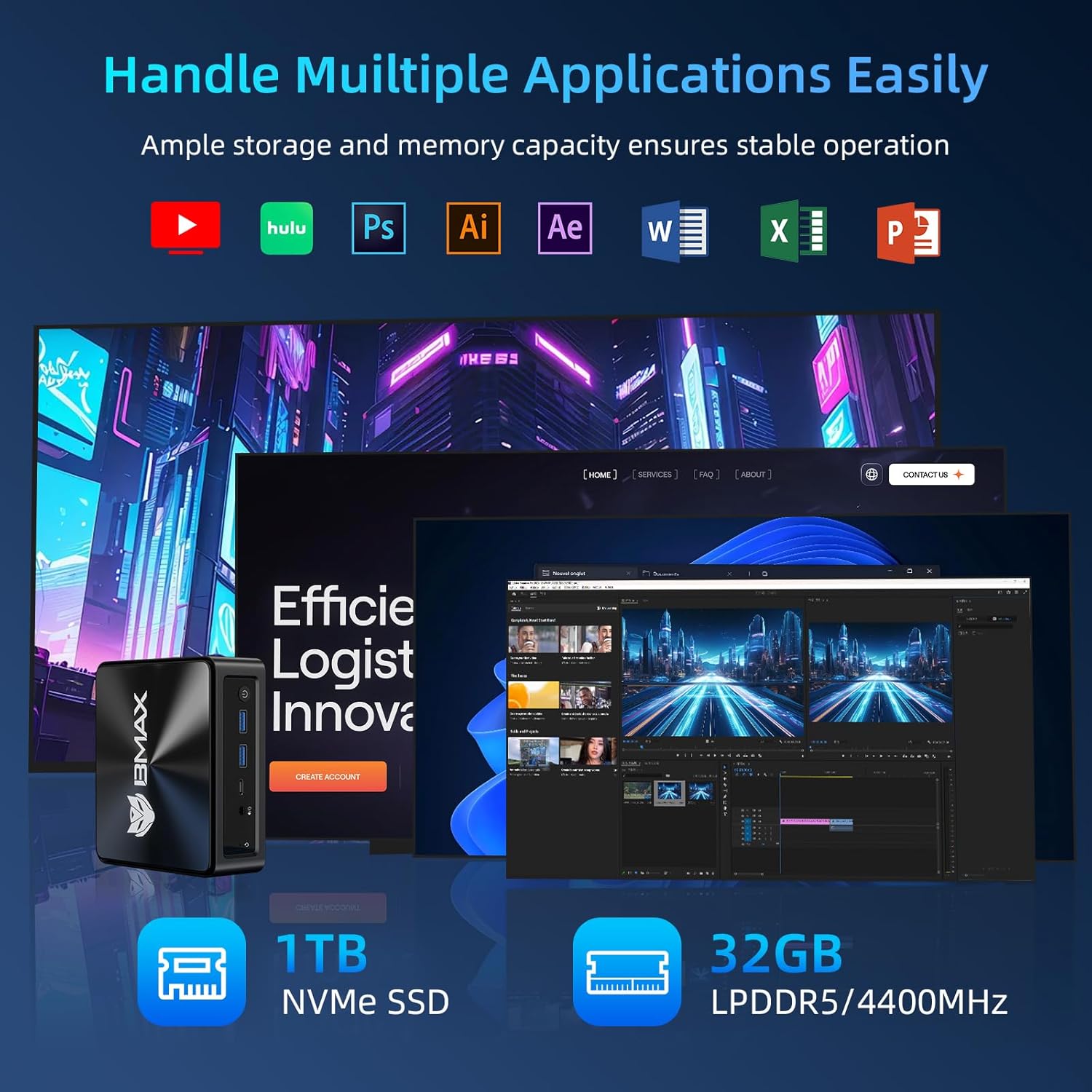
Image: Visual representation of the Bmax B9 Power Mini PC handling various applications like video editing, graphic design, and web przeglądanie jednocześnie.
Smart Recovery Function
The Bmax B9 Power Mini PC features a unique one-click Smart Recovery function, allowing you to restore the system to factory settings quickly. This is useful in cases of OS crashes, slow performance, or incorrect configurations.
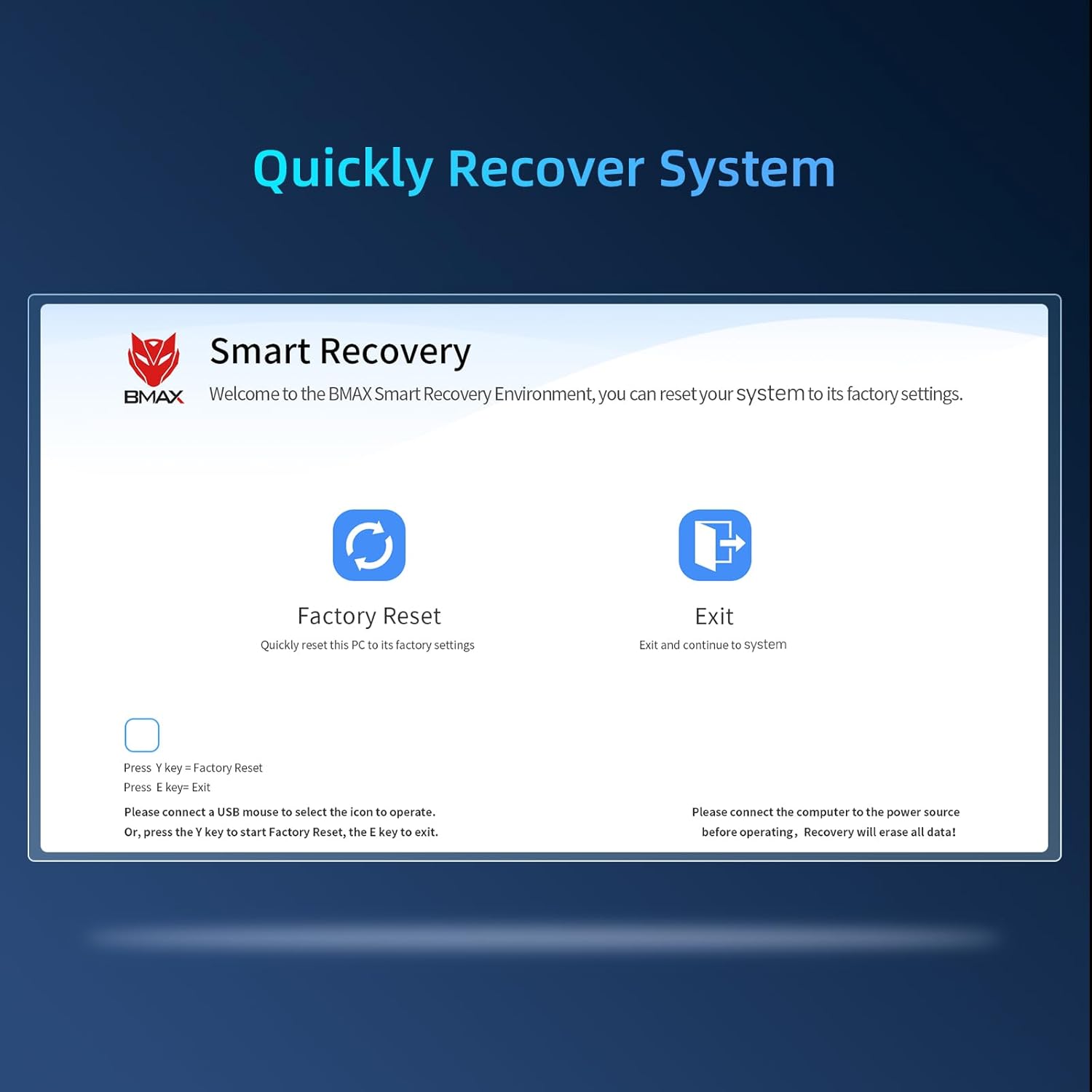
Image: Screenshot of the Bmax Smart Recovery interface, showing options for "Factory Reset" and "Exit".
- Accessing Recovery: During startup, you may be prompted to enter the Smart Recovery Environment. Alternatively, consult the on-screen instructions or product support for specific key presses to access this mode.
- Przywrócenie ustawień fabrycznych: Select the "Factory Reset" option. Ostrzeżenie: This process will erase all data on your system drive. Ensure you have backed up any important files przed kontynuowaniem.
- Potwierdzenie: Confirm your choice to begin the restoration process.
- Ukończenie: Once the process is complete, the system will restart with factory default settings.
Konserwacja
Proper maintenance ensures the longevity and optimal performance of your Bmax B9 Power Mini PC.
- Czyszczenie: Regularly clean the exterior of the Mini PC with a soft, dry cloth. Avoid liquid cleaners directly on the device.
- Wentylacja: Ensure the ventilation openings are clear of dust and obstructions. The B9 Power features an efficient Space Capsule Cooling System with an enlarged double copper heat pipe and a giant turbo smart fan for effective heat dissipation.

Image: Diagram illustrating the internal cooling system of the Bmax B9 Power Mini PC, highlighting the double copper heat pipe and smart fan.
- Aktualizacje oprogramowania: Aktualizuj system operacyjny i sterowniki, aby zapewnić bezpieczeństwo i wydajność.
- Bezpieczne wyłączenie: Zawsze wyłączaj Mini PC prawidłowo za pomocą systemu operacyjnego, aby zapobiec uszkodzeniu danych.
Rozwiązywanie problemów
If you encounter issues with your Bmax B9 Power Mini PC, refer to the following common problems and solutions.
| Problem | Możliwa przyczyna | Rozwiązanie |
|---|---|---|
| No power / Won't turn on | Power adapter not connected; Faulty power outlet; Power button issue. | Upewnij się, że zasilacz jest prawidłowo podłączony zarówno do komputera Mini PC, jak i do sprawnego gniazdka elektrycznego. Spróbuj użyć innego gniazdka. |
| Brak obrazu na monitorze | Incorrect cable connection; Monitor input not selected; Driver issue. | Check HDMI/DisplayPort/Type-C cable connections. Ensure monitor is on and set to the correct input source. Try a different cable or monitor. |
| Niska wydajność | Zbyt wiele uruchomionych aplikacji; mało miejsca na dysku; przegrzanie. | Close unnecessary applications. Free up disk space. Ensure proper ventilation and clean dust from vents. Consider using the Smart Recovery function if software issues persist. |
| Problemy z łącznością Wi-Fi/Bluetooth | Drivers outdated; Interference; Adapter disabled. | Check device manager for Wi-Fi/Bluetooth adapter status. Update drivers. Move closer to the Wi-Fi router or reduce interference. |
Specyfikacje
Detailed technical specifications for the Bmax B9 Power Mini PC.
| Funkcja | Szczegół |
|---|---|
| Edytor | Intel Core i9-12900HK (up to 5.0GHz, 14 Cores/20 Threads, 20MB Cache) |
| BARAN | 32GB DDR4 3200MHz SO-DIMM (Expandable up to 64GB) |
| Składowanie | Dysk SSD NVMe 1TB |
| Grafika | Intel Integrated Graphics |
| System operacyjny | Windows 11 |
| Łączność bezprzewodowa | Wi-Fi 6 (802.11ax), Bluetooth 5.2 |
| Łączność przewodowa | Gigabitowy Ethernet (RJ45) |
| Wyjście wideo | 1x HDMI 2.1, 1x DisplayPort 1.4a, 1x Type-C (supports 4K@60Hz triple display) |
| Porty USB | 2x USB 3.2, 2x USB 2.0, 1x Typ-C |
| Audio | Gniazdo audio 3.5mm |
| Wymiary | Około 10.94 x 6.18 x 2.99 cala |
| Waga | Około 1.54 funtów |
Gwarancja i wsparcie
BMAX provides comprehensive support for your Mini PC.
- Gwarancja: Your Bmax B9 Power Mini PC comes with a one-year limited warranty from the date of purchase.
- Obsługa klienta: For any pre-sale or after-sale inquiries, technical assistance, or warranty claims, please do not hesitate to contact BMAX professional customer service. Refer to the product packaging or the official BMAX webstrona dla danych kontaktowych.
- Zasoby internetowe: Visit the official BMAX website for updated drivers, FAQs, and additional support resources.
Powiązane dokumenty - Moc B9
 |
Instrukcja obsługi tabletu BMAX Kids I9 Plus – funkcje i obsługa Oficjalna instrukcja obsługi tabletu BMAX Kids I9 Plus z systemem Android 15, 8 GB pamięci RAM, 64 GB pamięci ROM, ekranem o przekątnej 10.1 cala i procesorem Allwinner RK3562. Dowiedz się więcej o konfiguracji, funkcjach i bezpieczeństwie. |
 |
Instrukcja obsługi i instalacji komputera BMAX Mini PC Kompleksowa instrukcja obsługi komputera BMAX Mini PC, obejmująca konfigurację początkową, ustawienia językowe, instalację sprzętu (dysk SSD M.2, dysk twardy/SSD 2.5", moduły pamięci) oraz środowisko odzyskiwania. Zawiera informacje o zgodności z przepisami FCC i ostrzeżenia dotyczące bezpieczeństwa. |
 |
Instrukcja obsługi i informacje o gwarancji minikomputera BMAX B2 PLUS Kompleksowy przewodnik po minikomputerze BMAX B2 PLUS, obejmujący konfigurację, funkcje i szczegóły gwarancji. Zawiera wielojęzyczne instrukcje i specyfikacje techniczne. |
 |
Instrukcja obsługi tabletu BMAX MB01 Instrukcja obsługi tabletu BMAX MB01 zawierająca informacje na temat wyglądu, funkcji, ustawień i zgodności z normami FCC. |
 |
BMAX Phone Cases: Perfect Fit & Protection for iPhone 6/6s Plus Explore BMAX phone cases, including the BMAX Latex soft case for Apple iPhone 6/6s Plus. Featuring a perfect fit, precise cutouts, and optimal protection with a microfiber lining and raised screen edge. Learn easy installation steps. |
 |
BMAX Telefoonhoesjes en Screenprotectors - Optimale Bescherming Ontdek BMAX telefoonhoesjes die een perfecte pasvorm en optimale bescherming bieden voor uw apparaat. Leer meer over verschillende hoesjes zoals hardcase, soft case en bookcase, en hoe u ze eenvoudig installeert. Verbeter de veiligheid van uw telefoon met BMAX screenprotectors. |