
Mocny SRT427
STRONG 4K UHD Box SRT 427 User Manual
Wstęp
This manual provides comprehensive instructions for the installation, operation, and maintenance of your STRONG 4K UHD Box SRT 427. Please read this manual carefully before using the device to ensure proper functionality and to prevent damage. Keep this manual for future reference.
Zawartość opakowania
Przed przystąpieniem do instalacji sprawdź, czy w opakowaniu znajdują się wszystkie elementy:
- STRONG 4K UHD Box SRT 427
- Pilot zdalnego sterowania (baterie nie są dołączone)
- Zasilacz
- Kabel HDMI
- Szybki przewodnik instalacji
Organizować coś
Follow these steps to set up your STRONG 4K UHD Box SRT 427:
- Połącz z telewizorem: Connect one end of the HDMI cable to the HDMI OUT port on the SRT 427 and the other end to an available HDMI IN port on your television.
- Podłącz do zasilania: Plug the power adapter into the DC IN port on the SRT 427, then plug the adapter into a wall outlet.
- Połącz się z Internetem (opcjonalnie): For internet-based features, connect an Ethernet cable to the LAN port on the SRT 427, or configure Wi-Fi settings after initial boot-up.
- Włóż baterie do pilota: Open the battery compartment on the remote control and insert 2x AAA batteries (not included), ensuring correct polarity.
- Włączanie: Turn on your TV and select the correct HDMI input source. The SRT 427 should power on automatically. If not, press the power button on the remote control.
- Kreator konfiguracji początkowej: Follow the on-screen instructions to complete the initial setup, including language selection, network configuration, and channel scanning.
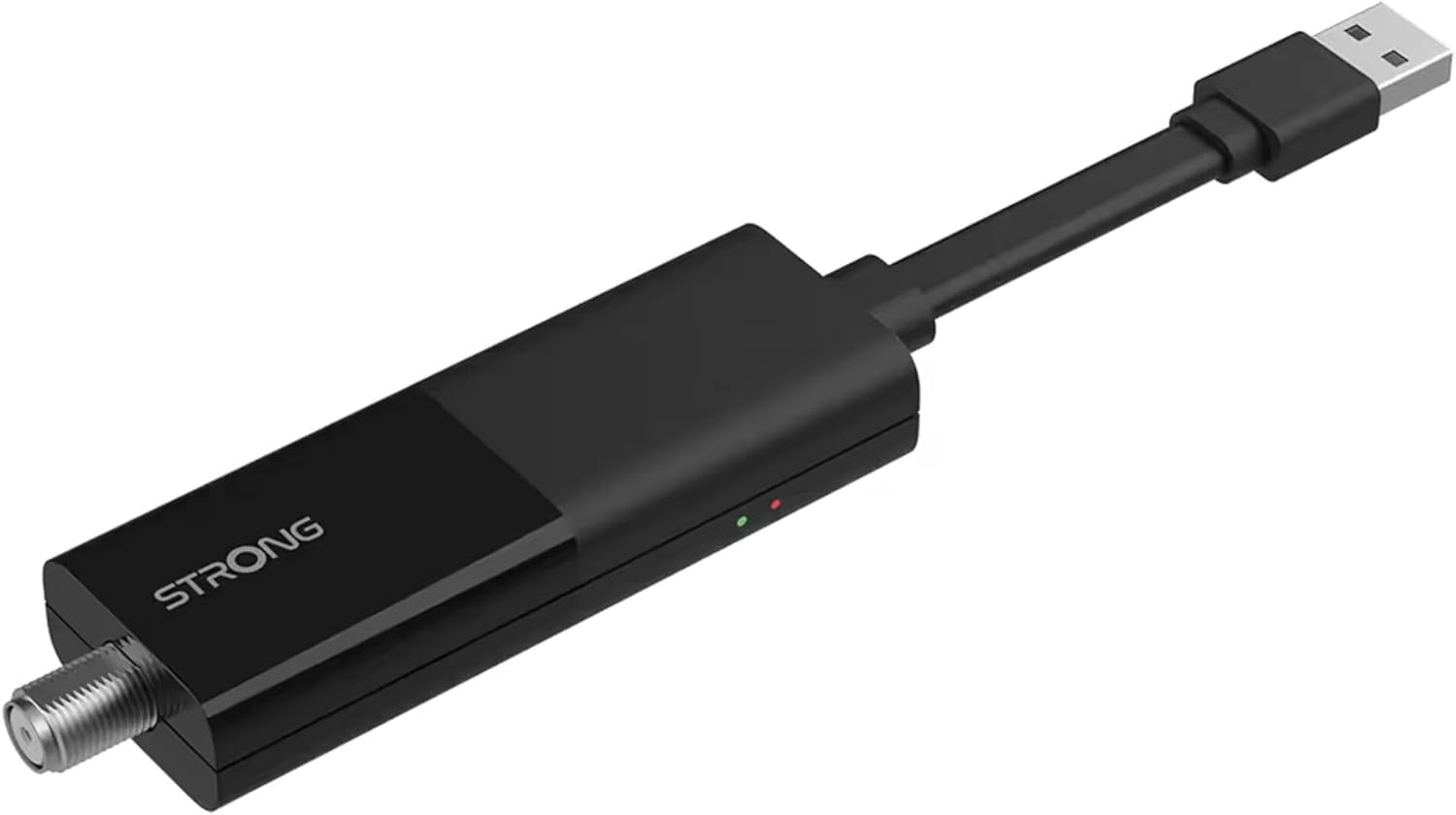
Image: The STRONG 4K UHD Box SRT 427, a compact black USB dongle-style device with a USB connector on one end and an F-type coaxial antenna input on the other, featuring the 'STRONG' logo and small indicator lights.
Instrukcja obsługi
Once the initial setup is complete, you can begin using your SRT 427. Use the remote control to navigate the user interface.
- Ekran główny: Naciśnij DOM button to access the main menu, where you can find applications, settings, and media options.
- Nawigacja: Użyj strzałek (GÓRA DÓŁ LEWO PRAWO) to move through menus and options. Press OK aby potwierdzić wybór.
- Regulacja głośności: Użyj Objętość + I TOM- przyciski do regulacji głośności dźwięku.
- Wybór kanału: If connected to an antenna, use the CH+ I CH- buttons to change channels, or enter channel numbers directly using the numeric keypad.
- Ustawienia: Access the settings menu to customize display, audio, network, and system preferences.
- Odtwarzanie multimediów: Connect a USB storage device to the USB port to play media files (photos, videos, music) through the built-in media player.
Konserwacja
Proper maintenance ensures the longevity and optimal performance of your SRT 427.
- Czyszczenie: Disconnect the device from power before cleaning. Use a soft, dry cloth to wipe the exterior. Do not use liquid cleaners or abrasive materials.
- Wentylacja: Ensure the device is placed in a well-ventilated area. Do not block ventilation openings.
- Temperatura: Unikaj wystawiania urządzenia na działanie ekstremalnych temperatur, bezpośredniego światła słonecznego lub wysokiej wilgotności.
- Aktualizacje oprogramowania układowego: Periodically check for firmware updates through the system settings to ensure you have the latest features and bug fixes.
Rozwiązywanie problemów
If you encounter issues with your SRT 427, refer to the following common problems and solutions:
| Problem | Rozwiązanie |
|---|---|
| Brak zasilania | Check if the power adapter is securely connected to the device and the wall outlet. Ensure the outlet is functional. |
| Brak obrazu w telewizorze | Verify the HDMI cable is correctly connected to both the SRT 427 and the TV. Ensure the TV is set to the correct HDMI input source. |
| Brak dźwięku | Check the volume level on both the SRT 427 and your TV. Ensure audio settings in the SRT 427 menu are correct. |
| Pilot nie działa | Check and replace the batteries. Ensure there are no obstructions between the remote and the device's IR sensor. |
| Nie można połączyć się z siecią Wi-Fi | Ensure your Wi-Fi router is on and within range. Re-enter the Wi-Fi password in the network settings. Try restarting both the SRT 427 and your router. |
Specyfikacje
Technical specifications for the STRONG 4K UHD Box SRT 427:
- Numer modelu: SRT427
- Wymiary produktu: 5.91 x 7.87 x 5.91 cala
- Waga przedmiotu: 1.76 funta
- Baterie: 1 AAAA batteries required (for remote control, typically)
- Producent: Mocny
- Language (Default): Italian (may vary by region, user configurable)
- ASIN: B0FDPX7PRQ
- Data pierwszej dostępności: 21 sierpnia 2025 r.
Gwarancja i wsparcie
For warranty information and technical support, please refer to the warranty card included in your product packaging or visit the official Strong webNie próbuj samodzielnie naprawiać urządzenia, ponieważ może to spowodować utratę gwarancji.
Urzędnik Webstrona: www.mocny.tv
Ask a question about this manual
Ask about setup, troubleshooting, compatibility, parts, safety, or missing instructions. Manuals+ will review the question and use this page’s manual context to help answer it.