
1. Wprowadzenie
This manual provides detailed instructions for the MCHOSE A5 Ultra V2 Wireless Gaming Mouse. Designed for high-performance gaming, this mouse combines a lightweight, symmetrical design with advanced connectivity and sensor technology. Please read this manual thoroughly to ensure proper setup and optimal use of your device.
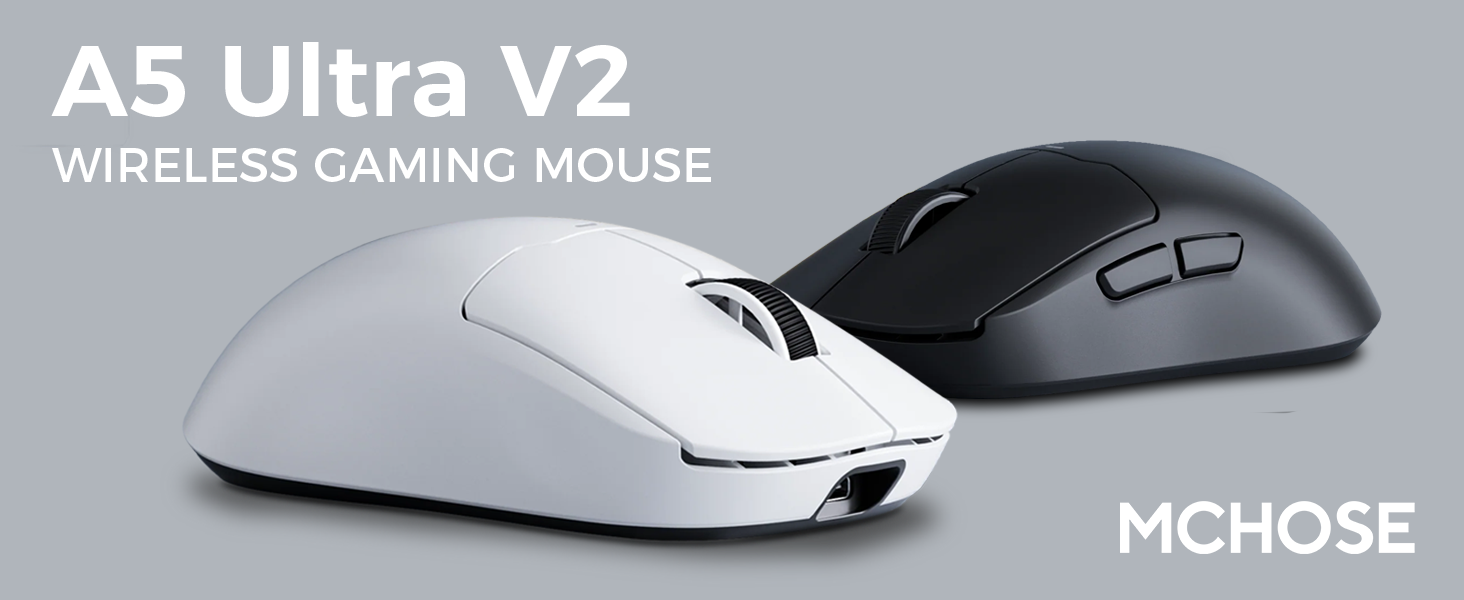
Figure 1: MCHOSE A5 Ultra V2 Wireless Gaming Mouse Overview
2. Główne cechy
- Lekka konstrukcja: Weighing only 54g, the mouse offers optimal control and comfort for extended gaming sessions.

Rysunek 2: Lekka konstrukcja zapewniająca większy komfort.
- High Precision PAW3395 Optical Sensor: Achieve maximum accuracy with up to 26,000 DPI for precise tracking.

Figure 3: PAW3395 optical sensor for high precision.
- Wired 8K/Wireless 4K Polling Rate: Experience ultra-low-latency and lightning-fast response times with up to 8000Hz wired and 4000Hz wireless polling rates.

Figure 4: Illustrating the 4K wireless polling rate capability.
- Połączenie trójmodowe: Connect via ultra-low-latency 2.4GHz wireless, Bluetooth, or wired USB for versatile use across various devices.

Rysunek 5: Opcje łączności trójmodowej.
- Custom Software: Utilize the dedicated software to store custom settings for buttons, DPI adjustments, polling rates, and gaming modes directly on the mouse's onboard memory.

Figure 6: Custom software for personalized settings.
- Długotrwała bateria: Enjoy up to 130 hours of battery life on a single charge, minimizing interruptions during gameplay.
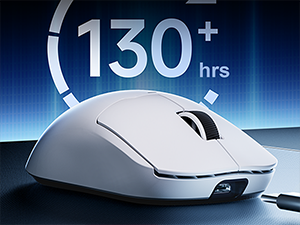
Rysunek 7: Dłuższy czas pracy baterii przy dłuższym użytkowaniu.
3. Instrukcje konfiguracji
The MCHOSE A5 Ultra V2 offers three connection modes: 2.4GHz wireless, Bluetooth, and wired USB.
3.1. Połączenie bezprzewodowe 2.4 GHz
- Locate the 2.4GHz USB receiver (dongle) inside the mouse's bottom compartment.
- Podłącz odbiornik USB do dostępnego portu USB w komputerze.
- Turn on the mouse using the switch located on the bottom. Ensure it is set to the 2.4GHz wireless mode (usually indicated by a specific position or LED color).
- Your computer should automatically detect the mouse. If not, try restarting your computer or replugging the receiver.

Figure 8: USB receiver stored in the mouse compartment.
3.2. Połączenie Bluetooth
- Turn on the mouse and set the switch on the bottom to Bluetooth mode.
- Na komputerze lub urządzeniu przejdź do ustawień Bluetooth.
- Initiate the pairing process on your device. The mouse should appear as "MCHOSE A5 Ultra V2" or similar.
- Wybierz myszkę, którą chcesz sparować. Postępuj zgodnie z instrukcjami wyświetlanymi na ekranie.
3.3. Połączenie przewodowe USB
- Podłącz dołączony kabel USB-C do przedniego portu myszy.
- Podłącz drugi koniec kabla do wolnego portu USB w komputerze.
- Mysz automatycznie przełączy się na tryb przewodowy i rozpocznie ładowanie.
4. Instrukcja obsługi
4.1. Funkcje podstawowe
- Lewy przycisk myszy: Działanie podstawowe.
- Kliknij prawym przyciskiem myszy: Akcja drugorzędna/menu kontekstowe.
- Kółko przewijania: Przewijaj w górę/w dół, kliknij środkowym przyciskiem.
- Przyciski boczne: Zwykle skonfigurowany do nawigacji do przodu/do tyłu web browsers. Customizable via software.
4.2. Regulacja DPI
The mouse features a dedicated DPI button (often located on the bottom or top, near the scroll wheel) to cycle through preset DPI levels. For fine-tuning and custom DPI settings, use the MCHOSE custom software.
4.3. Custom Software Usage
Download the MCHOSE custom software from the official MCHOSE webwitryna. To oprogramowanie pozwala na:
- Remap buttons.
- Dostosuj poziomy DPI i stwórz własne profiles.
- Zmień częstotliwość sondowania.
- Configure macros.
- Manage gaming modes.
Settings are stored on the mouse's onboard memory, allowing you to use your custom configurations on any computer without the software installed.
5. Konserwacja
- Czyszczenie: Do czyszczenia powierzchni myszy użyj miękkiej, suchej ściereczki. W przypadku uporczywych zabrudzeń, delikatnie przetrzyj powierzchnię.amp Można używać ściereczki, upewniając się, że do urządzenia nie dostanie się wilgoć. Unikaj agresywnych środków chemicznych i materiałów ściernych.
- Czyszczenie czujnika: Periodically clean the optical sensor on the bottom of the mouse with a cotton swab to ensure optimal tracking performance.
- Pielęgnacja baterii: To prolong battery life, avoid fully discharging the mouse frequently. Charge the mouse when the battery indicator is low.
- Składowanie: Jeśli mysz nie będzie używana przez dłuższy czas, należy ją przechowywać w chłodnym i suchym miejscu.
6. Rozwiązywanie Problemów
| Problem | Możliwa przyczyna | Rozwiązanie |
|---|---|---|
| Mysz nie reaguje (bezprzewodowo) | Low battery; USB receiver disconnected; Incorrect mode selected. | Charge the mouse; Re-plug the USB receiver; Ensure the mouse is in 2.4GHz or Bluetooth mode. |
| Mysz nie reaguje (Bluetooth) | Not paired; Bluetooth off on device; Low battery. | Re-pair the mouse; Enable Bluetooth on your device; Charge the mouse. |
| Niedokładne śledzenie | Zabrudzony czujnik; Nieodpowiednia powierzchnia; Nieprawidłowe ustawienie DPI. | Clean the optical sensor; Use a mouse pad or suitable surface; Adjust DPI settings. |
| Przyciski nie działają | Konflikt oprogramowania; Uszkodzenie fizyczne. | Restart computer; Check custom software settings; Contact support if physical damage is suspected. |
| Krótki czas pracy baterii | Frequent high polling rate use; Battery degradation. | Reduce polling rate if not critical; Ensure full charges; Contact support if battery life significantly degrades. |
7. Specyfikacje produktu
| Funkcja | Szczegół |
|---|---|
| Model | A5 Ultra V2 |
| Marka | WYBIERZ |
| Technologia łączności | Bezprzewodowa łączność 2.4 GHz, Bluetooth, przewodowa łączność USB |
| Technologia wykrywania ruchu | Optyczny (PAW3395) |
| Maksymalna rozdzielczość | 26,000 DPI |
| Współczynnik sondowania | Przewodowe 8000 Hz, bezprzewodowe 4000 Hz |
| Waga przedmiotu | 54 gramów (2.12 uncji) |
| Żywotność baterii | Do 130 godzin |
| Baterie | 1 bateria litowo-jonowa (w zestawie) |
| Kolor | Czarny (według aktualnej wersji) |
| Wymiary opakowania | 7.36 x 4.53 x 3.31 cala |
| Zgodność z systemem operacyjnym | Linux, Windows |
8. Gwarancja i wsparcie
This MCHOSE product is covered by a standard manufacturer's warranty. For specific warranty details, please refer to the warranty card included in your product packaging or visit the official MCHOSE webstrona.
For technical support, troubleshooting assistance, or warranty claims, please contact MCHOSE customer service through their official webwitrynę lub dane kontaktowe podane w dokumentacji produktu.
Note: Protection plans may be available for purchase separately through retailers. These plans are not directly provided by MCHOSE.