
1. Wprowadzenie
This manual provides essential instructions for the safe and efficient operation of your artfone CF241A GSM Flip Phone. Please read this manual thoroughly before using the device and keep it for future reference.
The artfone CF241A is designed with user-friendliness in mind, featuring large buttons, a clear display, and essential functions for reliable communication.

Rysunek 1.1: The artfone CF241A Flip Phone, showcasing its design with large buttons and a clear display, suitable for easy use.
2. Koniec produktuview
The artfone CF241A is a compact and robust flip phone, specifically designed for ease of use. Key features include:
- Przyjazny dla użytkownika projekt: Features a 2.4-inch color screen, extra-large backlit keys, and clear menu icons for enhanced visibility and intuitive operation.
- Przycisk alarmowy SOS: A dedicated button allows for quick dialing of up to 5 pre-set emergency contacts and sending predefined SMS messages.
- Długotrwała bateria: Equipped with a 1300 mAh Lithium-ion battery, providing extended talk time and standby duration.
- Essential Daily Functions: Includes a flashlight, FM radio, basic camera, Bluetooth connectivity, alarm clock, and calculator.
- Obsługa dwóch kart SIM: Umożliwia jednoczesne korzystanie z dwóch kart SIM.
- Voice Number Broadcast: Announces dialed numbers to prevent errors, beneficial for users with visual impairments.
- Głośnik: Ensures clear conversations even in noisy environments.

Rysunek 2.1: Detail of the large, easy-to-read buttons and clear display of the artfone CF241A.

Rysunek 2.2: Nadview of the artfone CF241A's features, including battery, flashlight, and user-centric design.
3. Konfiguracja
3.1. Instalacja karty SIM i karty MicroSD
The phone supports Dual SIM cards and a MicroSD card for expanded storage (up to 32GB).
- Otwórz tylną pokrywę telefonu.
- Wyjmij baterię.
- Carefully insert your SIM card(s) into the designated slot(s). Ensure the gold contacts face downwards.
- If using a MicroSD card, insert it into its dedicated slot.
- Replace the battery and then the back cover.

Rysunek 3.1: Illustration of SIM and MicroSD card insertion points.
3.2. Montaż i ładowanie akumulatora
- Ensure the battery is correctly placed in its compartment with the contacts aligned.
- Connect the charger cable to the USB Type C port on the phone.
- Plug the charger into a power outlet. The phone will indicate charging status.
- Przed pierwszym użyciem należy całkowicie naładować telefon.
3.3. Pierwsze włączenie zasilania
Press and hold the Power/End Call button (red button) until the screen lights up. Follow any on-screen prompts for initial setup, such as language selection.
4. Instrukcja obsługi
4.1. Funkcje podstawowe
- Nawiązywanie połączenia: Wprowadź numer telefonu za pomocą klawiatury i naciśnij zielony przycisk połączenia.
- Odbieranie połączenia: Press the Green Call button to answer an incoming call.
- Zakończenie połączenia: Naciśnij czerwony przycisk Zakończ połączenie.
- Wysyłanie SMS-ów: Navigate to the 'Messages' menu, select 'Write message', enter your text, and choose a recipient from your contacts or enter a number.
4.2. Funkcja alarmowa SOS
The SOS button is located on the back of the phone. To activate:
- Go to 'Settings' > 'SOS Settings' to program up to 5 emergency contact numbers.
- In an emergency, press and hold the SOS button for 3 seconds.
- The phone will automatically call the programmed numbers in sequence until one is answered. It will also send a predefined emergency SMS to these contacts.

Rysunek 4.1: Using the one-button SOS emergency call feature.
4.3. Książka telefoniczna
You can store up to 250 contacts. To add a contact:
- Go to 'Menu' > 'Phonebook' > 'Add New Contact'.
- Wprowadź imię i numer telefonu.
- Zapisz kontakt.
Szybkie wybieranie: Assign frequently called numbers to M1, M2, and keys 2-9 for quick dialing. Access this feature via 'Menu' > 'Settings' > 'Speed Dial'.

Rysunek 4.2: Features like Speed Dial, Backlit Keyboard, and Voice Dialing for ease of use.
4.4. Funkcje multimedialne
- Kamera: Access the camera from the main menu to take photos. Photos are saved to the phone's memory or MicroSD card.
- Radio FM: Plug in headphones (acting as an antenna) and select 'FM Radio' from the menu.
- Flesz: Activate the flashlight via a dedicated side button or through the menu.

Rysunek 4.3: The integrated flashlight feature in use.
4.5. Ustawienia
- Język: Change the phone's language (German, English, French, Spanish, Italian are supported).
- Data i godzina: Adjust these settings manually or set to automatic update.
- Tom: Adjust ringtone, call, and media volumes.
- Podświetlenie: Adjust screen brightness and keypad backlight duration.
- Transmisja głosowa: Enable or disable the feature that announces dialed numbers.
- Tryb samolotowy: Deactivates all wireless functions.

Rysunek 4.4: The voice number broadcast feature in action.
5. Konserwacja
5.1. Pielęgnacja baterii
- Unikaj ekstremalnych temperatur, które mogą skrócić żywotność baterii.
- Nie wystawiaj akumulatora na działanie wody i ognia.
- Używaj wyłącznie oryginalnej lub zatwierdzonej ładowarki.
- Jeżeli telefon nie będzie używany przez dłuższy czas, naładuj go do około 50% i przechowuj w chłodnym, suchym miejscu.
5.2. Czyszczenie
- Wytrzyj telefon miękką, suchą ściereczką.
- Nie używaj żrących chemikaliów ani ściernych środków czyszczących.
5.3. Przechowywanie i utylizacja
- Store the phone in a dry place away from direct sunlight.
- Dispose of the phone and battery according to local regulations for electronic waste. Do not dispose of in household waste.

Rysunek 5.1: Recycling information for the product and its components.
6. Rozwiązywanie Problemów
If you encounter issues with your artfone CF241A, please refer to the following common problems and solutions:
| Problem | Możliwa przyczyna | Rozwiązanie |
|---|---|---|
| Telefon się nie włącza | Niski poziom naładowania baterii; Bateria nie została prawidłowo zainstalowana | Charge the battery; Reinstall the battery ensuring correct alignment. |
| Nie można wykonywać ani odbierać połączeń | No SIM card; SIM card not installed correctly; No network signal | Install SIM card; Reinstall SIM card; Move to an area with better network coverage. |
| Słaba jakość połączeń | Weak network signal; Obstructions | Move to an open area; Ensure no physical obstructions are blocking the signal. |
| Bateria szybko się rozładowuje | Częste używanie; Aplikacje działające w tle; Stara bateria | Zmniejsz jasność ekranu; Zamknij nieużywane aplikacje; Rozważ wymianę baterii, jeśli jest stara. |
| Przycisk SOS nie działa | Emergency numbers not set; Button not pressed long enough | Program emergency numbers in settings; Press and hold the SOS button for 3 seconds. |
Jeśli problem będzie się powtarzał, skontaktuj się z obsługą klienta.
7. Specyfikacje
Detailed technical specifications for the artfone CF241A:
| Funkcja | Szczegół |
|---|---|
| Marka | artfon |
| Nazwa modelu | CF241A |
| Typ produktu | Telefon z klapką |
| System operacyjny | system operacyjny artfone |
| Rozmiar ekranu | 2.4 cali |
| Znajomości | Bluetooth, 3.5 mm Jack, USB Type C |
| Effective Fixed Resolution (Camera) | 1.0 MP |
| Cechy specjalne | Dual SIM, Basic Phone, SOS Button, Large Keys, Backlit Keyboard, Voice Dialing, FM Radio, Flashlight |
| Skład baterii | Litowo-jonowy (1300 mAh) |
| Rozmiar pamięci RAM | 32 MB |
| Model procesora | Cortex A13 1.2 GHz Processor |
| Prędkość procesora | 1000MHz |
| Pojemność pamięci masowej | 128 MB (expandable up to 32GB with MicroSD) |
| Technologia komórkowa | 2G (850/900/1800/1900 MHz) |

Rysunek 7.1: Physical dimensions of the artfone CF241A.
8. Informacje o gwarancji
Szczegóły dotyczące gwarancji są zazwyczaj podane w dokumentacji zakupu lub na oficjalnej stronie producenta. webStrona internetowa. Zapoznaj się z tymi źródłami, aby uzyskać najbardziej dokładne i aktualne warunki gwarancji.
9. Informacje o pomocy i kontakcie
For further assistance, technical support, or inquiries, please refer to the contact information provided with your product packaging or visit the official artfone webstrona.
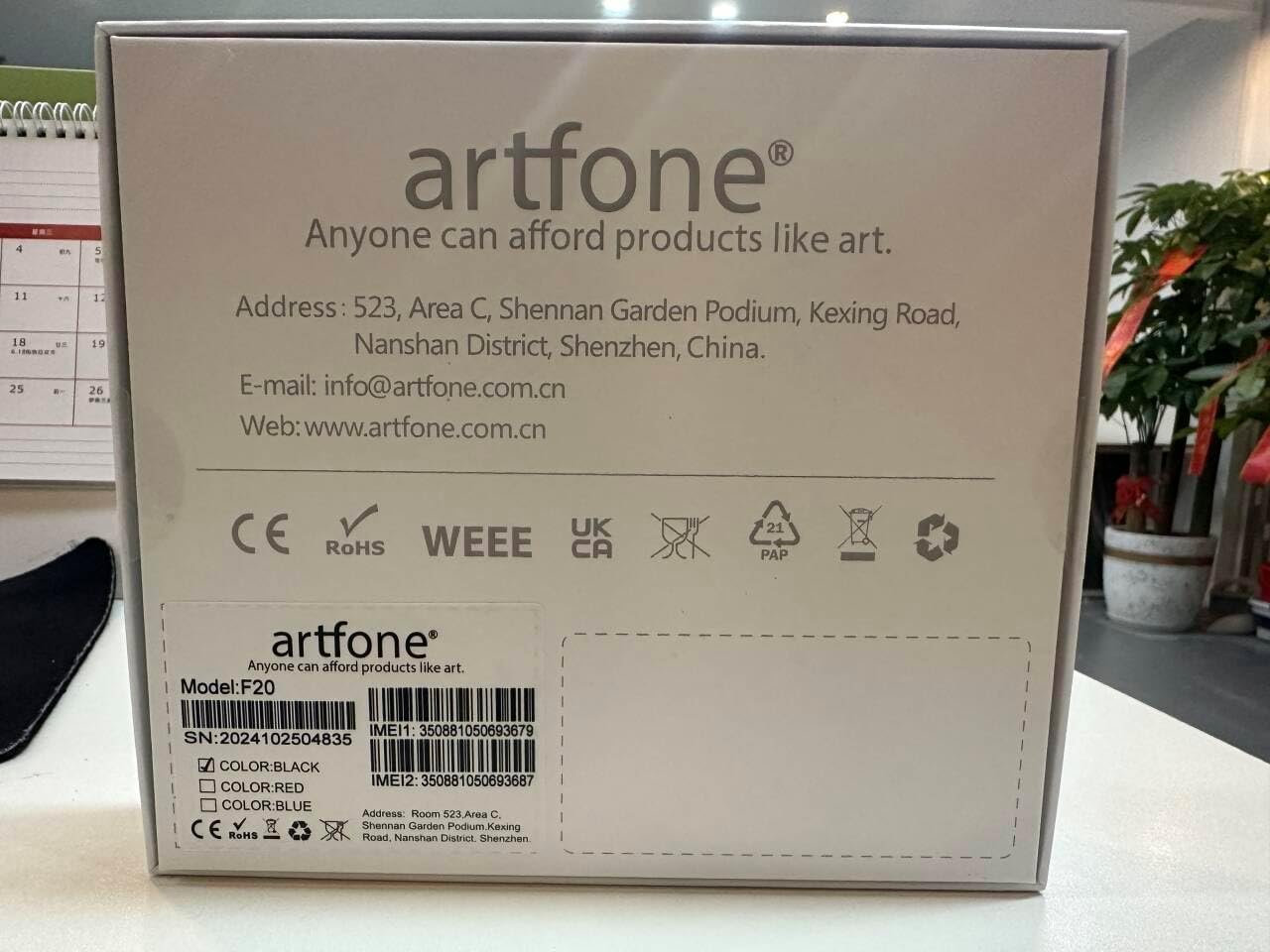
Rysunek 9.1: Manufacturer contact details from product packaging.
Producent: artfon
Webstrona: www.artfone.com.cn
E-mail: info@artfone.com.cn