
Wstęp
This manual provides comprehensive instructions for the SAFFUN 2.4 GHz Wireless GameCube Switch2 Pro Controller. It covers product features, setup, operation, maintenance, and troubleshooting to ensure optimal performance and user experience. Please read this manual thoroughly before using the product.
Zawartość opakowania
Sprawdź, czy w przesyłce znajdują się wszystkie elementy wymienione poniżej:
- Kontroler bezprzewodowy (2 sztuki)
- GameCube Receiver (2 units)
- USB Receiver (2 units)
- Kabel ładujący (2 sztuki)
- Instrukcja obsługi

Image: Contents of the SAFFUN 2.4 GHz Wireless GameCube Switch2 Pro Controller package, including two controllers and their receivers.
Produkt ponadview
The SAFFUN Wireless GameCube Switch2 Pro Controller is designed to provide a familiar GameCube layout with modern wireless capabilities and multi-platform compatibility. Key features include:
- GameCube Layout: Retains the original GameCube button and stick configuration.
- Łączność bezprzewodowa 2.4 GHz: Offers a reliable connection up to 10 meters (33 feet).
- Built-in Rumble: Provides immersive vibration feedback.
- Akumulator: Integrated 500mAh lithium battery for extended usage.
- Precision Analog Sticks: Features Japanese imported 3D analog sticks and ALPS buttons for accuracy.
- Obsługa wielu platform: Compatible with NGC GameCube Console, Nintendo Switch, PC, and Steam Deck.
- Player Indicator & Low Battery LED: Visual indicators for status.
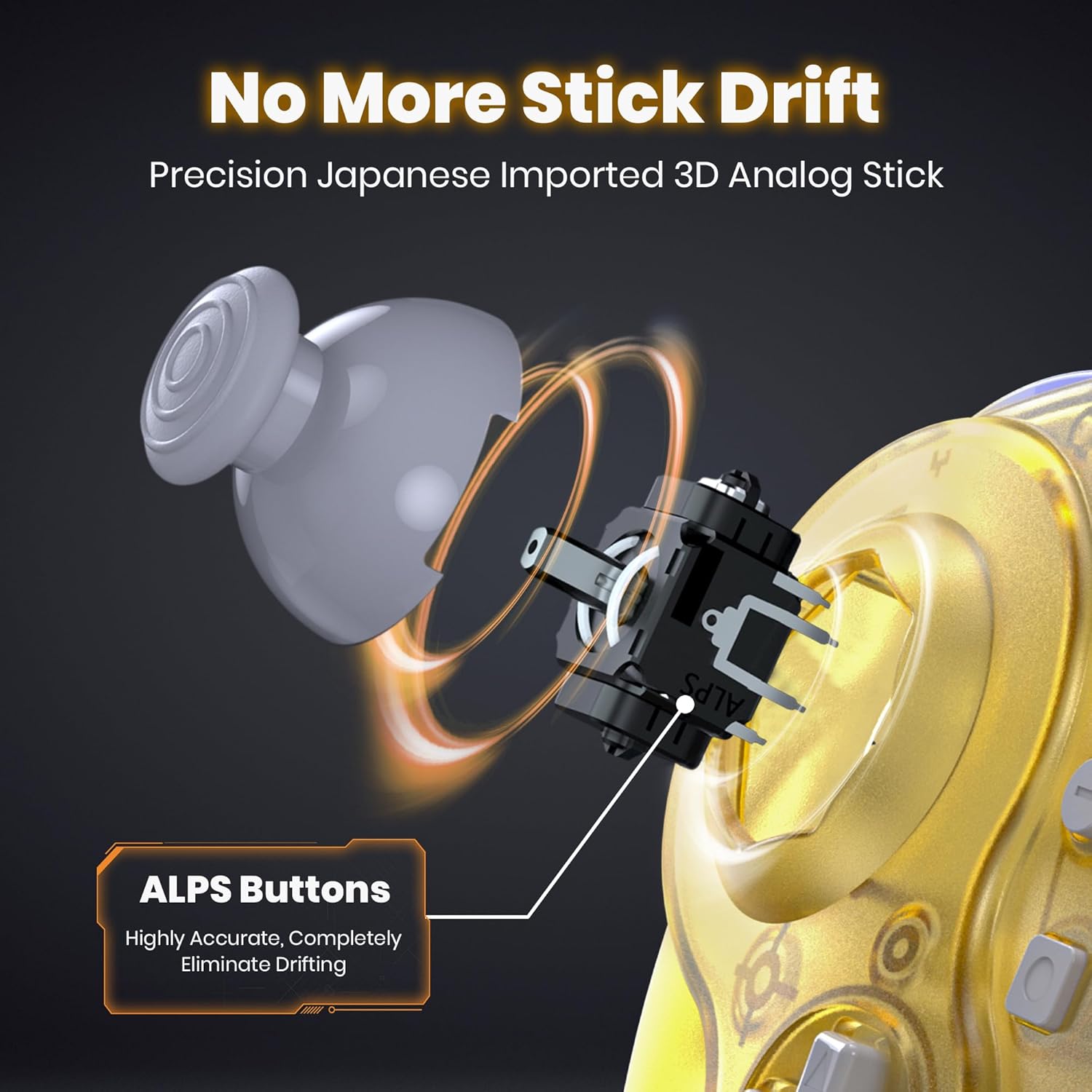
Obraz: Wewnętrzny view of the controller's analog stick mechanism, emphasizing precision components.

Obraz: Wielokrotny views of the clear yellow controller, showcasing jego projektu.
Organizować coś
1. Ładowanie kontrolera
The controller is equipped with a built-in rechargeable lithium battery. Before first use, or when the low battery LED indicates, charge the controller using the provided USB charging cable.
- Connect the small end of the charging cable to the controller's charging port.
- Connect the large end of the charging cable to a USB power source (e.g., computer USB port, USB wall adapter).
- Ensure the controller's ON/OFF switch is in the "ON" position for charging to initiate.
- The charging indicator LED will illuminate during charging and turn off when fully charged.
- A full charge takes approximately 2.5 hours and provides up to 10 hours of usage.

Image: Battery specifications and charging details for the controller.
2. Connecting to Consoles/Devices
The controller supports multiple platforms using two types of receivers:
- GameCube Receiver: For NGC GameCube Console.
- Odbiornik USB: For Nintendo Switch, PC, Steam Deck, iOS Mac, and Raspberry Pi.
2.1. Connecting to NGC GameCube Console
- Insert the GameCube Receiver into a controller port on your NGC GameCube Console.
- Ensure the controller's ON/OFF switch is in the "ON" position.
- Press the SYNC button on the GameCube Receiver and the SYNC button on the controller simultaneously. The indicator lights on both devices will flash and then become solid when connected.
2.2. Connecting to Nintendo Switch, PC, Steam Deck
- Insert the USB Receiver into an available USB port on your Nintendo Switch dock, PC, or Steam Deck.
- Ensure the controller's ON/OFF switch is in the "ON" position.
- Press the SYNC button on the USB Receiver and the SYNC button on the controller simultaneously. The indicator lights on both devices will flash and then become solid when connected.
- For Nintendo Switch, ensure "Pro Controller Wired Communication" is enabled in the system settings if connecting via the dock.

Image: Multi-platform compatibility of the controller, including Nintendo Switch, GameCube, Steam Deck, and PC.
Instrukcja obsługi
1. Włączanie/wyłączanie zasilania
- Aby włączyć urządzenie, przesuń przełącznik ON/OFF do pozycji „ON”.
- Aby wyłączyć urządzenie, przesuń przełącznik ON/OFF do pozycji „OFF”.
2. Player Indicator and Low Battery Warning
- The controller features an LED player indicator to show which player number it is assigned to.
- A flashing LED will indicate a low battery level. Recharge the controller promptly when this occurs.
3. Rumble Feature
The controller includes built-in vibration motors to enhance your gaming experience with tactile feedback. This feature is automatically active when supported by the game.

Image: Visual representation of the controller's built-in vibration motor functionality.
4. Ergonomiczna konstrukcja
The controller is ergonomically designed to fit comfortably in your hands, providing a secure grip during extended gaming sessions.

Image: A user holding the clear yellow controller, highlighting its ergonomic design.

Image: A user holding the clear red controller, highlighting its ergonomic design.
Konserwacja
- Keep the controller and receivers dry. Avoid exposure to humidity or liquids.
- Czyść kontroler miękką, suchą ściereczką. Nie używaj silnych środków chemicznych ani materiałów ściernych.
- Przechowuj kontroler w chłodnym, suchym miejscu, z dala od bezpośredniego światła słonecznego i ekstremalnych temperatur.
- Unikaj upuszczania kontrolera i narażania go na silne uderzenia.
Rozwiązywanie problemów
| Problem | Możliwa przyczyna | Rozwiązanie |
|---|---|---|
| Kontroler nie włącza się. | Bateria jest rozładowana. | Charge the controller for at least 2.5 hours. Ensure the ON/OFF switch is in the "ON" position during charging. |
| Controller does not connect to console/PC. | Not paired correctly; receiver not properly inserted; out of range. | Ensure the correct receiver is used and fully inserted. Re-attempt pairing by pressing SYNC buttons on both controller and receiver. Ensure controller is within 10 meters of the receiver. |
| Opóźnienie sygnału wejściowego lub zerwane połączenie. | Interference; low battery; too far from receiver. | Move closer to the receiver. Ensure no other 2.4 GHz devices are causing interference. Charge the controller. |
| Rumble feature not working. | Game does not support rumble; rumble disabled in game settings. | Verify that the game supports vibration feedback. Check in-game settings to ensure rumble is enabled. |
| Controller charges but does not turn on. | Przełącznik ON/OFF znajduje się w pozycji „OFF”. | Przesuń przełącznik ON/OFF do pozycji „ON”. |
Specyfikacje
- Model: 2.4 GHz Wireless GameCube Switch2 Pro Controller
- Łączność: Sieć bezprzewodowa 2.4 GHz
- Zasięg bezprzewodowy: Do 10 metrów (33 stóp)
- Bateria: 500mAh litowo-polimerowa (w zestawie)
- Czas ładowania: Około 2.5 godzin
- Czas użytkowania: Do 10 godzin
- Zgodność: NGC GameCube Console, Nintendo Switch, PC, Steam Deck, iOS Mac, Raspberry Pi
- Wymiary produktu: 8 x 6 x 0.72 cala
- Waga przedmiotu: 1.37 funta
- Producent: SZAFUNA
- ASIN: B0FD2FQB6N
Gwarancja i wsparcie
SAFFUN products are designed for reliability and performance. For any issues or questions regarding your SAFFUN 2.4 GHz Wireless GameCube Switch2 Pro Controller, please refer to the following:
- Gwarancja: Zachowaj dowód zakupu na wypadek roszczeń gwarancyjnych. Szczegółowe warunki gwarancji mogą się różnić w zależności od regionu i sprzedawcy.
- Obsługa klienta: For technical assistance or support, please contact the retailer where the product was purchased or visit the official SAFFUN support webwitryna (jeśli jest dostępna).