
Wstęp
This manual provides detailed instructions for assembling, operating, and maintaining your Sillbird STEM Robot Building Kit. This 5-in-1 programmable robot kit offers an engaging and educational experience, encouraging hands-on learning and early programming skills.
Informacje dotyczące bezpieczeństwa
RYZYKO ZADŁAWIENIA: Small parts. Not suitable for children under 3 years. Adult supervision is recommended during assembly and play for younger users.
Zawartość opakowania
Your Sillbird STEM Robot Building Kit includes 596 building pieces, electronic components, a remote control, and detailed instruction manuals for various models. Please verify all components are present before beginning assembly.
Instrukcja montażu
The kit allows for the construction of five different robot designs: Robot, Tank, Battle Car, and more. Each model has varying difficulty levels. Follow the clear, colorful, step-by-step instructions provided in the manual for each specific model.
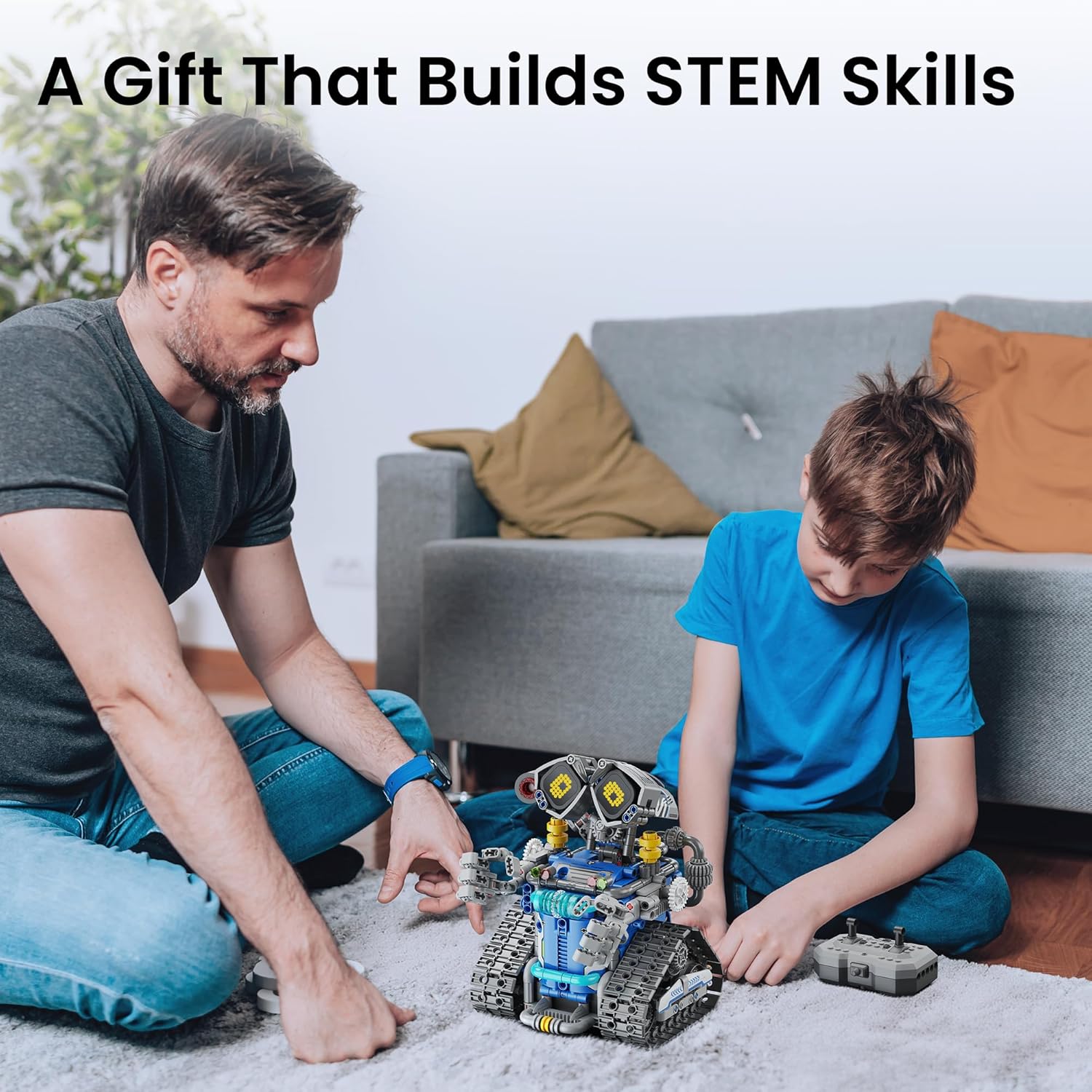
Image: Adult and child assembling the robot, demonstrating the hands-on building process.
An included brick separator tool assists in easy assembly and disassembly, allowing you to build and rebuild different models.

Image: The custom brick separator tool for easy assembly and disassembly of pieces.
The kit supports 5-in-1 build models, each with increasing levels of challenge to foster continuous learning and engagement.

Image: Visual representation of the five progressive robot models that can be constructed from the kit, each with varying complexity.
Włączanie i ładowanie
The robot is equipped with a rechargeable battery, providing up to 40 minutes of continuous operation on a single charge. Ensure the battery is fully charged before first use. Charging is typically done via a USB cable (included).
Obsługa robota
Obsługa za pomocą pilota
The robot can be controlled using the included wireless remote. Turn on the robot's power switch and the remote control. The remote's indicator light will stay on after a successful connection. Use the joysticks to control movement (forward, backward, left turn, right turn) and rotation.

Image: A child using the remote control to operate the robot, highlighting ease of use for young operators.
Operacja kontroli aplikacji
For advanced control and coding features, download the dedicated app. Scan the QR code in the instruction manual or search for the app in your device's app store. After installation, open the app and connect via Bluetooth.
Video: Demonstration of both remote and app control modes for the robot, showing pairing and basic movements.
Aplikacja oferuje wiele trybów sterowania:
- Tryb zdalny: Use virtual joysticks on your device screen for direct control.
- Tryb wykrywania grawitacji: Tilt your phone to control the robot's direction.
- Tryb ścieżki: Narysuj ścieżkę na ekranie, a robot będzie ją śledził.
- Tryb programowania: Utilize a drag-and-drop block-based interface to create custom movement sequences, fostering early coding skills.

Image: A child interacting with the robot using a smartphone app for coding and control.
Video: A detailed operation guide for the Wall Robot Toy, demonstrating both remote and app-controlled functions, including programming.
Cechy specjalne
- Digital LED Eyes: The robot features expressive LED eyes that can change expressions, adding personality to your creation.
- Playful Sound Effects: Enjoy interactive sound effects that enhance the play experience.
- Mist-Spray Feature: Add a small amount of water to activate a mist-spray function, adding a unique element to the robot's capabilities.

Image: The robot's digital LED eyes showcasing dynamic expressions.

Image: The robot demonstrating dynamic voice effects, enhancing interactive play.

Image: The robot's mist-spray feature, adding a scientific element to play.
Konserwacja
To ensure the longevity of your robot, keep it clean and free from dust. Avoid exposing electronic components to water or extreme temperatures. Store the robot and its components in a dry, cool place when not in use.
Rozwiązywanie problemów
- Robot nie odpowiada: Ensure the robot's power switch is ON and the battery is charged. Check the remote control or app connection.
- Incorrect movement direction (App Control): If the robot moves in the opposite direction to your phone's motion, use the settings icon in the app to adjust the control direction orientation.
- Remote Control not pairing: Ensure both the robot and remote are powered on. Turn both off and on again to re-establish connection.
Specyfikacje
| Funkcja | Szczegół |
|---|---|
| Nazwa modelu | CA-899 |
| Liczba sztuk | 596 |
| Tworzywo | Plastikowy |
| Zalecany wiek | 8 lata i więcej |
| Metody kontroli | Remote Control, Bluetooth App (Remote, Gravity, Path, Programming Modes) |
| Typ baterii | Rechargeable (1 AA battery included, 1 non-standard battery) |
| Pauza w szkole | Do 40 minut na jednym ładowaniu |
| Wymiary produktu | Wymiary 17.78 x 20.32 x 15.24 cm |
Gwarancja i wsparcie
For any questions, concerns, or support needs regarding your Sillbird STEM Robot Building Kit, please contact our customer service team. All emails will be replied to within 24 hours.
E-mail obsługi klienta: serwis@sillbird.com