
Produkt ponadview
The ASTRO Gaming A20 Gen 2 Wireless Headset provides a high-quality audio experience for gaming across multiple platforms. Designed for comfort and performance, it features low-latency wireless connectivity and a convenient flip-to-mute microphone.
Główne cechy:
- Next-Gen Compatibility: Seamlessly works with PlayStation 5, PlayStation 4, Windows, and Mac OS.
- Lag-Free Wireless Audio: 2.4GHz USB wireless transmitter ensures low-latency, high-quality sound.
- Długotrwała bateria: Up to 15 hours of wireless gaming on a single charge.
- Mikrofon wyciszany przez obrócenie: Flexible boom mic with an intuitive flip-to-mute function for instant control.
- Komfort przez cały dzień: Lightweight design with padded headband and ear cushions for extended wear.
Co jest w pudełku
- Bezprzewodowy zestaw słuchawkowy A20
- Nadajnik USB
- Kabel ładujący USB-C na USB-A
Instrukcje konfiguracji
Follow these steps to set up your ASTRO Gaming A20 Gen 2 Wireless Headset:
- Naładuj zestaw słuchawkowy: Connect the headset to a power source using the provided USB-C to USB-A charging cable. Ensure the headset is fully charged before first use for optimal battery life.
- Connect the USB Transmitter: Plug the USB transmitter into an available USB port on your PlayStation console (PS5 or PS4) or your Windows/Mac computer. The transmitter facilitates the 2.4GHz wireless connection.
- Włączanie: Turn on your ASTRO Gaming A20 Gen 2 Wireless Headset. The headset should automatically pair with the USB transmitter. Refer to your device's audio settings to ensure the headset is selected as the input and output device.
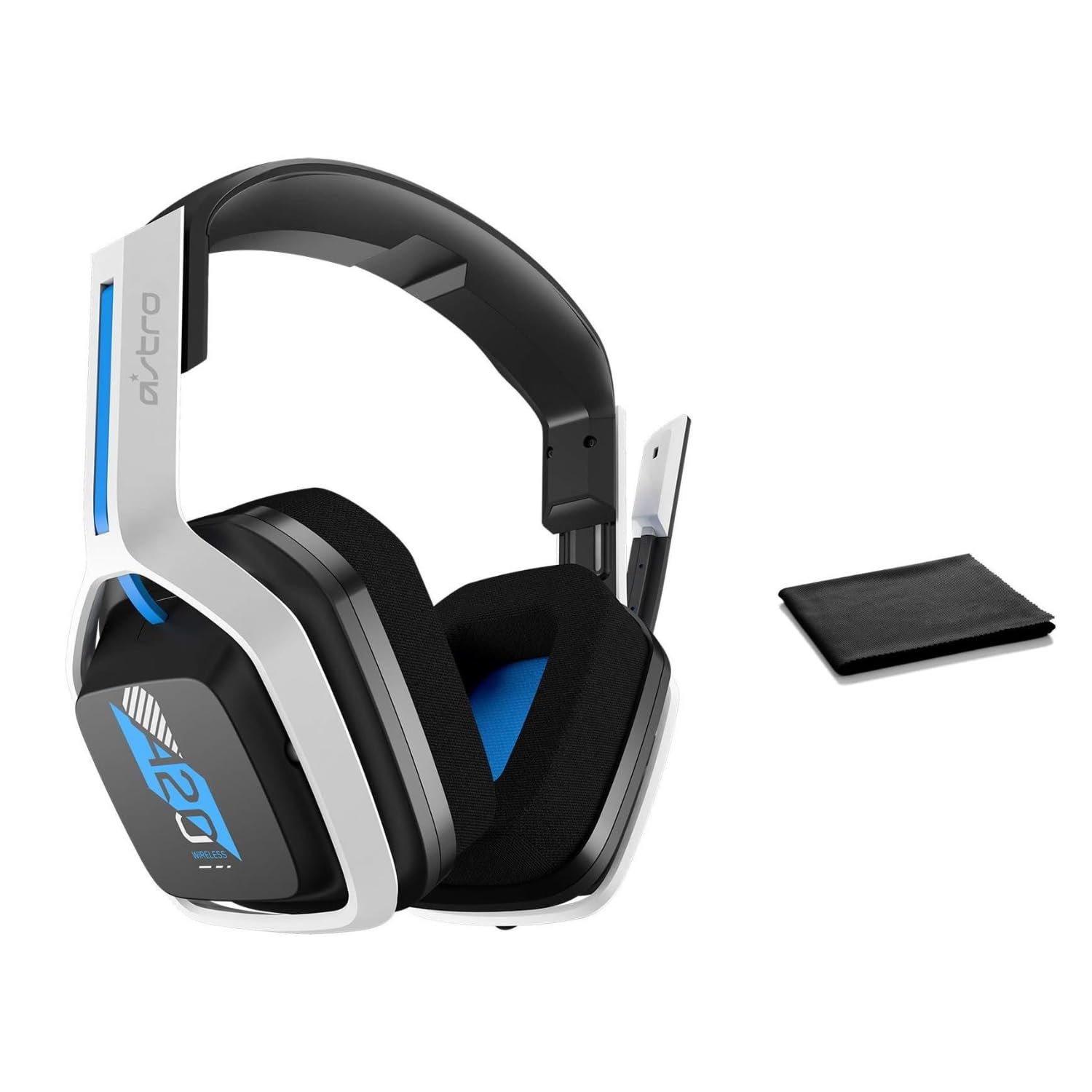
Image: The ASTRO Gaming A20 Gen 2 Wireless Headset, ready for use.
Instrukcja obsługi
Funkcjonalność mikrofonu
The headset features a flexible boom microphone with a flip-to-mute function. To mute your microphone, simply flip the boom arm upwards. To unmute and activate the microphone, flip the boom arm back down to its original position.
Kontrola głośności
Adjust the audio volume using the dedicated volume control located on the headset. Rotate the dial or press the buttons (depending on the specific model variant) to increase or decrease the sound output.
Konserwacja
Aby zapewnić długą żywotność i optymalną wydajność zestawu słuchawkowego:
- Czyszczenie: Use the included premium microfiber cloth to gently wipe down the headset and accessories. This helps keep your headset dust-free and smudge-free.
- Składowanie: Przechowuj zestaw słuchawkowy w czystym, suchym miejscu, z dala od ekstremalnych temperatur i bezpośredniego światła słonecznego, gdy nie jest używany.
- Pielęgnacja baterii: For best battery health, avoid fully discharging the headset frequently. Charge it regularly.
Rozwiązywanie problemów
If you encounter issues with your ASTRO Gaming A20 Gen 2 Wireless Headset, consider the following:
- Brak dźwięku/niedziałający mikrofon: Ensure the USB transmitter is securely plugged into your device and the headset is powered on and paired. Check your device's audio settings to confirm the headset is selected as the default input/output. For the microphone, ensure it is not in the 'flipped-up' (muted) position.
- Problemy z połączeniem: Try unplugging and re-plugging the USB transmitter. If issues persist, try connecting to a different USB port.
- Akumulator nie ładuje się: Verify the charging cable is properly connected to both the headset and the power source. Try a different USB port or power adapter.
- Aktualizacja firmware: Visit the official ASTRO Gaming support website for any available firmware updates for your headset, as these can resolve various performance issues.
Specyfikacje
| Funkcja | Szczegół |
|---|---|
| Nazwa modelu | 939-001876 |
| Marka | Gry ASTRO |
| Technologia łączności | Bezprzewodowy |
| Komunikacja bezprzewodowa | Bezprzewodowy 2.4GHz |
| Kompatybilne urządzenia | Mac OS, PlayStation 4, Playstation 5, Windows |
| Żywotność baterii | 15 godzin |
| Czas ładowania | 15 godzin |
| Mikrofon | Odwróć, aby wyciszyć |
| Umieszczenie ucha | Na ucho |
| Waga przedmiotu | 11.2 uncji (318 grama) |
| Tworzywo | Plastikowy |
| Zawarte komponenty | A20 Wireless Headset, USB transmitter, USB-C to USB-A charging cable |
Gwarancja i wsparcie
For detailed warranty information and technical support, please refer to the official ASTRO Gaming webOdwiedź witrynę lub skontaktuj się z działem obsługi klienta. Zachowaj dowód zakupu na wypadek reklamacji.