
Kamera samochodowa WOLFBOX X3

Kamera samochodowa WOLFBOX X3
Instrukcja obsługi
Produkt ponadview
The WOLFBOX X3 Dash Cam is a high-performance dual dash camera system designed to provide comprehensive recording of your driving experience. It features a front camera with 2.5K (2560*1440P) resolution at 60 frames per second and a rear camera with 1080P resolution at 30 frames per second, ensuring clear and detailed footage. Equipped with the advanced STARVIS 2 IMX675 sensor, the X3 excels in low-light conditions, reducing noise and motion blur. Its integrated 5.8GHz Wi-Fi and GPS capabilities allow for fast data transfer and accurate location/speed tracking. The intuitive touch screen and Advanced Driver Assistance System (ADAS) enhance user interaction and driving safety.
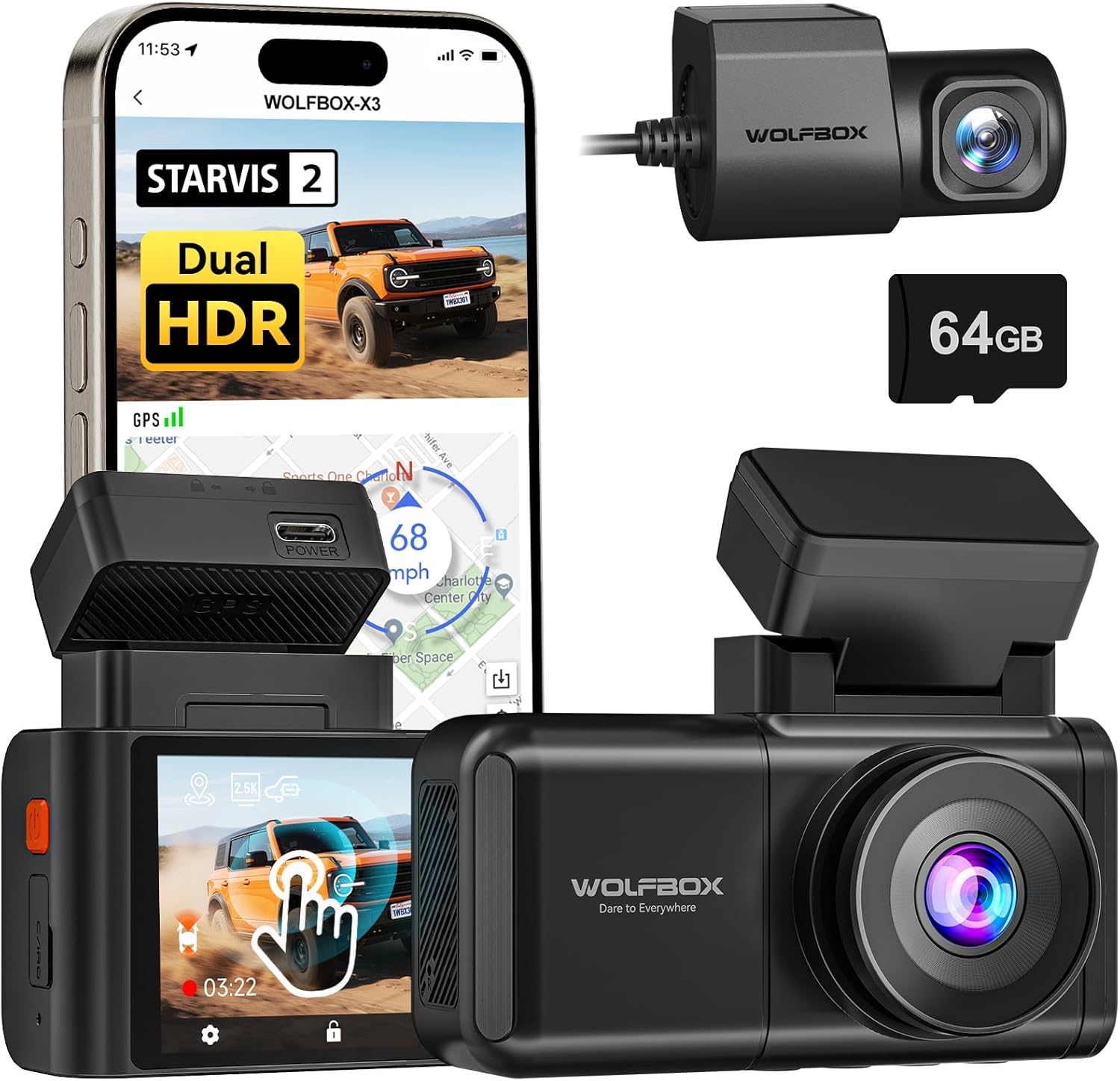
Image: The WOLFBOX X3 Dash Cam, showcasing its main unit, rear camera, and the included 64GB SD card, alongside a smartphone displaying the companion app interface.
Co jest w pudełku
Upon unboxing your WOLFBOX X3 Dash Cam, please verify that all the following components are included:
- X3 Dash Cam (Main Unit)
- Uchwyt GPS
- Tylna kamera 1080P
- Kabel zasilający USB-C
- Kabel tylnego wałka rozrządu
- Narzędzie do przycinania przewodów samochodowych
- Naklejka elektrostatyczna
- 64GB Memory Card (pre-formatted)
- Uchwyt samoprzylepny
- Instrukcja obsługi (ten dokument)
- Ładowarka samochodowa
- Szybka porada
- Narzędzie instalacyjne

Image: A visual representation of the WOLFBOX X3 Dash Cam package contents, including the main dash cam unit, rear camera, power cables, and mounting accessories.
Konfiguracja i instalacja
Follow these steps for proper installation of your WOLFBOX X3 Dash Cam:
- Przygotuj powierzchnię montażową: Clean the area on your windshield where the dash cam will be mounted. Ensure it does not obstruct your view. Apply the electrostatic sticker to the chosen area on the windshield. This allows for easy removal without residue.
- Montaż przedniej kamery: Attach the GPS bracket to the electrostatic sticker. The main dash cam unit then slides onto the GPS bracket. Ensure it is securely fastened.
- Zainstaluj tylną kamerę: Mount the rear camera on your rear window using its adhesive. Route the rear camera cable from the main unit to the rear camera. Use the provided car wire trim tool to tuck the cable neatly along the vehicle's headliner and pillar trim for a clean installation.
- Podłącz zasilanie: Plug the USB-C power cable into the main dash cam unit and the car charger into your vehicle's 12V DC power outlet.
- Włóż kartę SD: The included 64GB SD card is pre-formatted. Insert it into the designated slot on the dash cam.
- Dostosuj kąt kamery: Power on the dash cam and adjust the lens angle of both the front and rear cameras to ensure they capture the desired field of view.

Image: Diagram illustrating the connection of the rear camera to the main dash cam unit.

Image: Diagram illustrating the proper attachment of the GPS bracket to the main dash cam unit.
Instrukcja obsługi
Podstawowa obsługa
- Włączanie/wyłączanie: Kamera samochodowa włączy się automatycznie i rozpocznie nagrywanie po włączeniu zapłonu pojazdu. Wyłączy się automatycznie po wyłączeniu zapłonu.
- Nagrywanie w pętli: The X3 features continuous loop recording. When the memory card is full, the oldest unlocked footage will be overwritten by new recordings.
- Czujnik G: W przypadku nagłego uderzenia lub kolizji wbudowany czujnik G automatycznie wykryje zdarzenie i zablokuje bieżące nagranie wideo file, zapobiegając jego nadpisaniu.

Image: An illustration demonstrating the loop recording feature and G-Sensor impact detection, ensuring critical footage jest zapisane.
Interfejs ekranu dotykowego
The WOLFBOX X3 is equipped with a responsive touch screen for easy navigation and settings adjustment. Simply tap or swipe on the screen to access menus, review footage, or change settings.
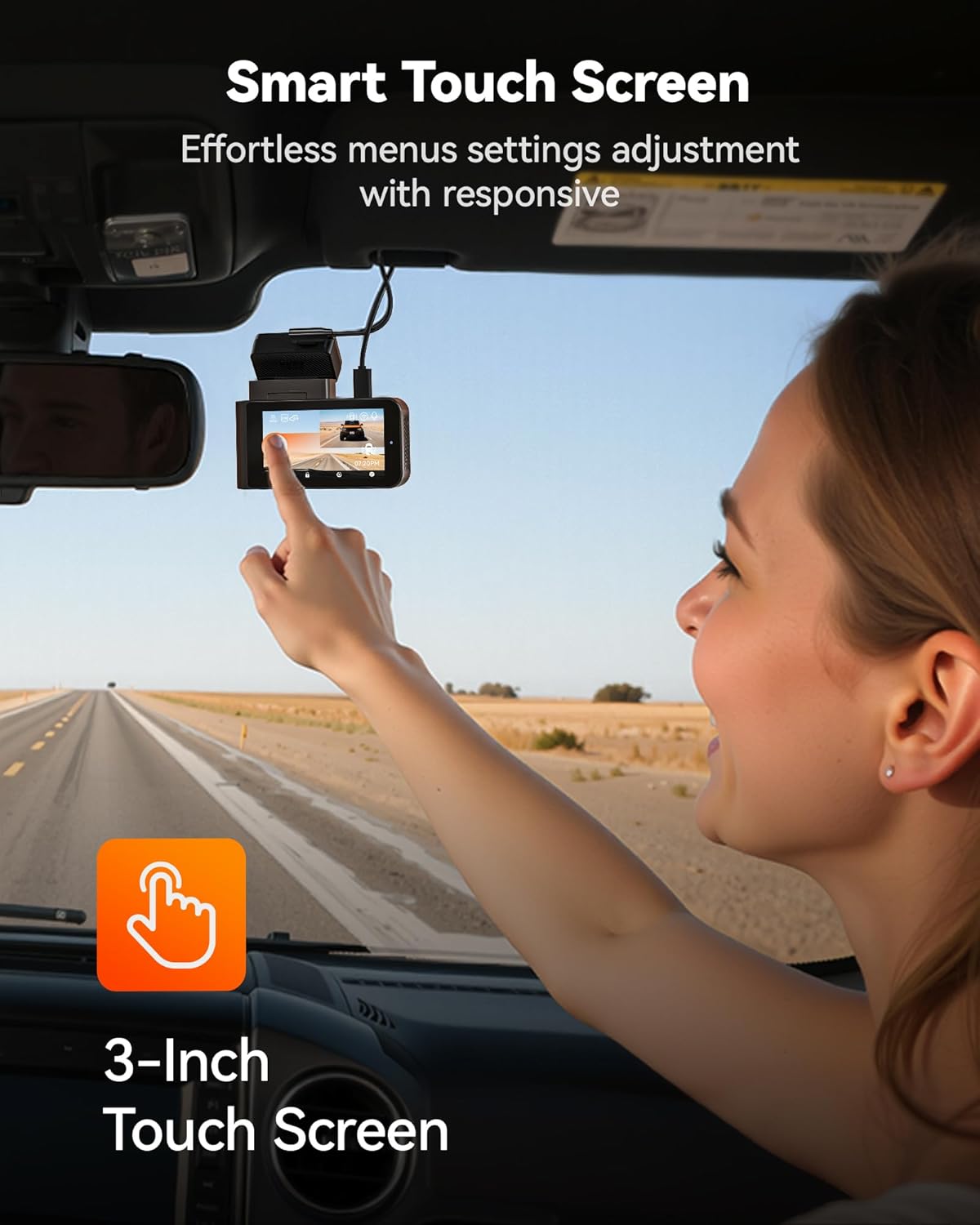
Image: A user demonstrating interaction with the intuitive touch screen of the WOLFBOX X3 Dash Cam for effortless menu navigation.
Wi-Fi and GPS Connectivity
The built-in 5.8GHz Wi-Fi allows for fast and stable connection to the WOLFBOX app on your smartphone. This enables seamless video transfers, live preview, and easy sharing of footage. The integrated GPS module accurately records your vehicle's speed and location, embedding this data directly into your video files for irrefutable evidence.

Image: The WOLFBOX X3 Dash Cam in a vehicle, with a smartphone displaying the WOLFBOX app, highlighting the 5.8GHz Wi-Fi and GPS functionalities for fast data transfer and location tracking.
Zaawansowany system wspomagania kierowcy (ADAS)
The X3 incorporates ADAS technology to proactively alert you to potential road hazards, enhancing driving safety. Key ADAS features include:
- Ostrzeżenie przed kolizją czołową (FCW): Ostrzega Cię, jeśli zbliżasz się do pojazdu zbyt szybko.
- Ostrzeżenie o opuszczeniu pasa ruchu (LDW): Powiadamia Cię, jeśli Twój pojazd zjedzie z pasa ruchu bez sygnalizacji.
- Zatrzymaj się i ruszaj: Informs you when the vehicle in front of you starts moving after a stop.

Image: Visual representation of the WOLFBOX X3's Advanced Driver Assistance System (ADAS) in action, showing alerts for forward collision, lane departure, and stop-and-go traffic.
Dual HDR Recording
The WOLFBOX X3 supports Dual HDR (High Dynamic Range) recording, which automatically balances footage in extreme lighting conditions. This feature preserves critical details in both bright highlights and deep shadows, ensuring clear video quality whether driving into direct sunlight or through tunnels. Note: For HDR recording, the front camera resolution switches to 2.5K at 30fps.

Image: A side-by-side comparison demonstrating the improved visibility and detail captured with Dual HDR Recording enabled on the WOLFBOX X3 Dash Cam, especially in challenging lighting.
Monitor parkingowy 24h
For continuous surveillance when your vehicle is parked, the X3 offers a 24-hour parking monitor function. This feature requires an additional hardwire kit (ASIN: B09X9F8GMT), which is sold separately. The parking monitor includes:
- Monitor wykrywania kolizji: Rekordy footagjeśli podczas postoju zostanie wykryte uderzenie.
- Monitor poklatkowy: Records continuous footage at a low frame rate to save storage space, capturing events over extended periods.

Image: An illustration of the WOLFBOX X3's 24-hour Parking Monitor capabilities, showing both collision detection and time-lapse recording modes for comprehensive vehicle security.
Konserwacja
- Zarządzanie kartami SD: Regularly format the included 64GB SD card (at least once a month) to ensure optimal performance and prevent data corruption. You can do this through the dash cam's settings menu. Replace the SD card if you notice any recording errors or degradation in performance.
- Cleaning the Lenses and Screen: Use a soft, lint-free cloth to gently wipe the front and rear camera lenses and the dash cam's touch screen. Avoid using abrasive cleaners or solvents that could damage the surfaces.
- Aktualizacje oprogramowania układowego: Sprawdź oficjalny WOLFBOX website or app periodically for firmware updates. Keeping your dash cam's firmware up-to-date ensures you have the latest features and performance improvements.
Rozwiązywanie problemów
If you encounter any issues with your WOLFBOX X3 Dash Cam, please refer to the following common problems and solutions:
| Problem | Możliwa przyczyna | Rozwiązanie |
|---|---|---|
| Kamera samochodowa nie włącza się. | Brak zasilania z ładowarki samochodowej; luźne połączenie; uszkodzona ładowarka. | Check car charger connection and vehicle's 12V outlet. Try another power source or charger. |
| Nagrywanie zatrzymuje się lub footage jest uszkodzone. | SD card full or corrupted; low-quality SD card; card not formatted. | Format the SD card via the dash cam's settings. Use a high-endurance U3 (or higher) microSD card. Replace the SD card if issues persist. |
| Połączenie Wi-Fi jest niestabilne lub wolne. | Interference; distance from phone; app issues. | Ensure your phone is close to the dash cam. Restart both the dash cam and your phone's Wi-Fi. Reinstall the WOLFBOX app if necessary. |
| ADAS alerts are too frequent/sensitive. | ADAS sensitivity settings are too high. | Adjust ADAS sensitivity settings in the dash cam's menu. Disable specific alerts if they are not useful for your driving conditions. |
| Tylna kamera nie wyświetla obrazu ani nie nagrywa. | Luźne połączenie kabla; uszkodzona kamera tylna. | Sprawdź połączenie kabla kamery tylnej z jednostką główną. Upewnij się, że kabel nie jest uszkodzony. |
Specyfikacje
| Nazwa modelu | X3 |
| Numer modelu przedmiotu | Kamera samochodowa X3 |
| Wymiary produktu | 1.61 x 3.9 x 2.99 cala |
| Waga przedmiotu | 1.72 funta |
| Rozdzielczość przechwytywania wideo z przodu | 2.5K (2560*1440P) @ 60fps |
| Rozdzielczość przechwytywania wideo z tyłu | 1080p przy 30 klatkach na sekundę |
| Transduktor | STARVIS 2 IMX675 |
| Technologia łączności | Wi-Fi (5.8 GHz) |
| Cechy specjalne | App Control, Built-In Display, Built-In GPS, Built-In Supercapacitor, Compact Design, Built-In WiFi, G-Sensor, Internal Memory, Loop Recording, Night Vision, Parking Monitor, Reverse Assist, Touch Screen, ADAS |
| Dołączona karta pamięci | 64 GB |
| Typ montażu | Mocowanie do przedniej szyby |
| Producent | WOLFBOX |
Gwarancja i wsparcie
WOLFBOX is committed to providing high-quality products and excellent customer service. Your WOLFBOX X3 Dash Cam comes with the following:
- 12 miesięcy gwarancji: A full one-year guarantee from the date of purchase, covering manufacturing defects and malfunctions.
- 7-dniowa polityka zwrotów: You may return the product within 7 days of receipt for a refund or exchange, subject to terms and conditions.
- Zwrot z powodu wad: Products found to be defective will be eligible for return or replacement.
For dedicated support, setup assistance, or troubleshooting, please contact WOLFBOX customer service:
E-mail: serwis@wolfbox.com
Telefon: +1 888 296 8399
Ask a question about this manual
Ask about setup, troubleshooting, compatibility, parts, safety, or missing instructions. Manuals+ will review the question and use this page’s manual context to help answer it.