
1. Wprowadzenie
This manual provides essential instructions for the safe operation and maintenance of your karuisrc K600GPS-7 GPS Drone. Please read this manual thoroughly before operating the drone to ensure proper usage and to prevent damage or injury. Retain this manual for future reference.
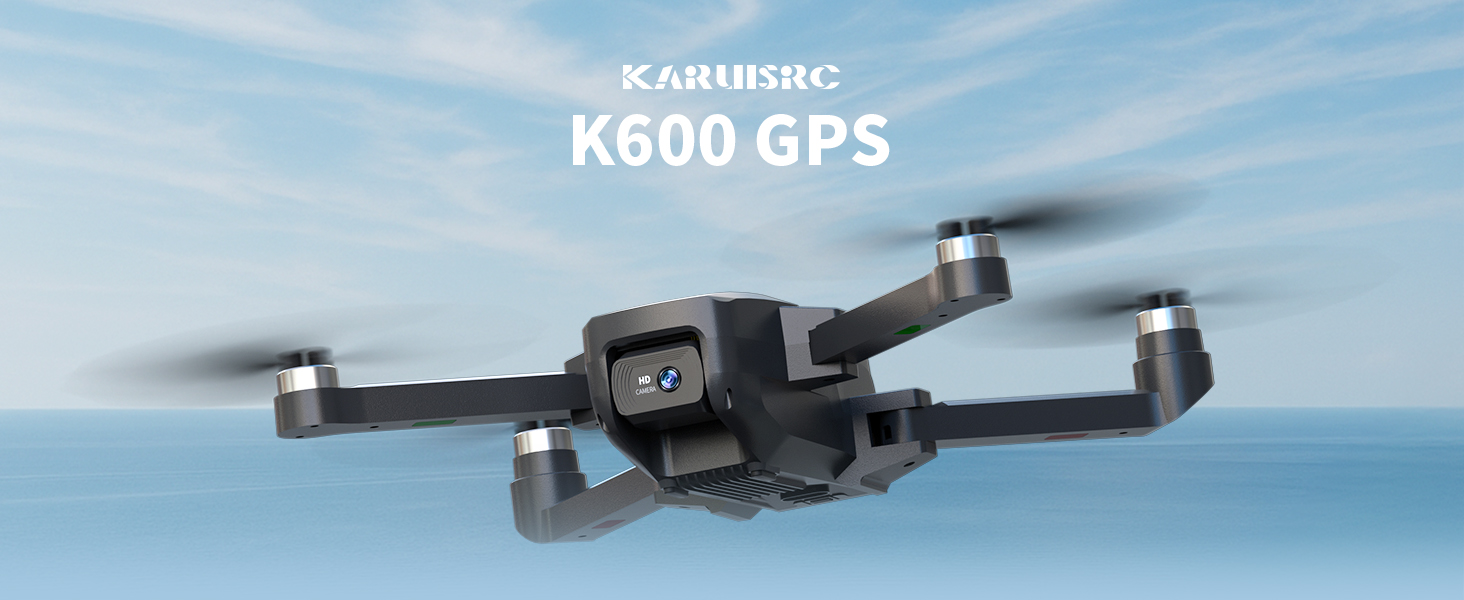
The karuisrc K600GPS-7 drone features a 110° FOV, 90° adjustable 1080P HD camera, 5G Wi-Fi connectivity, a 4.5-inch HD LCD screen on the remote, and a 1312 ft transmission range.
2. Wytyczne bezpieczeństwa
Adhering to these safety guidelines is crucial for safe drone operation and to prevent accidents or damage.
- Kontrola przed lotem: Always inspect the drone, remote control, and propellers for any damage before each flight. Ensure batteries are fully charged.
- Warunki środowiskowe: Do not fly in strong winds, rain, snow, or fog. Maintain clear line of sight with the drone.
- Obszar lotu: Operate in open areas, away from people, animals, buildings, and power lines. Avoid flying over crowds or private property.
- Bezpieczeństwo baterii: Używaj wyłącznie dołączonej ładowarki i akumulatorów. Nie przeładowuj ani nie przekłuwaj akumulatorów. Zaprzestań używania, jeśli akumulatory wykazują oznaki puchnięcia lub uszkodzenia.
- Szanuj prywatność: Be mindful of privacy laws when using the camera function.
- Zalecany wiek: This drone is intended for adults.
3. Zawartość opakowania
Sprawdź, czy w przesyłce znajdują się wszystkie elementy:
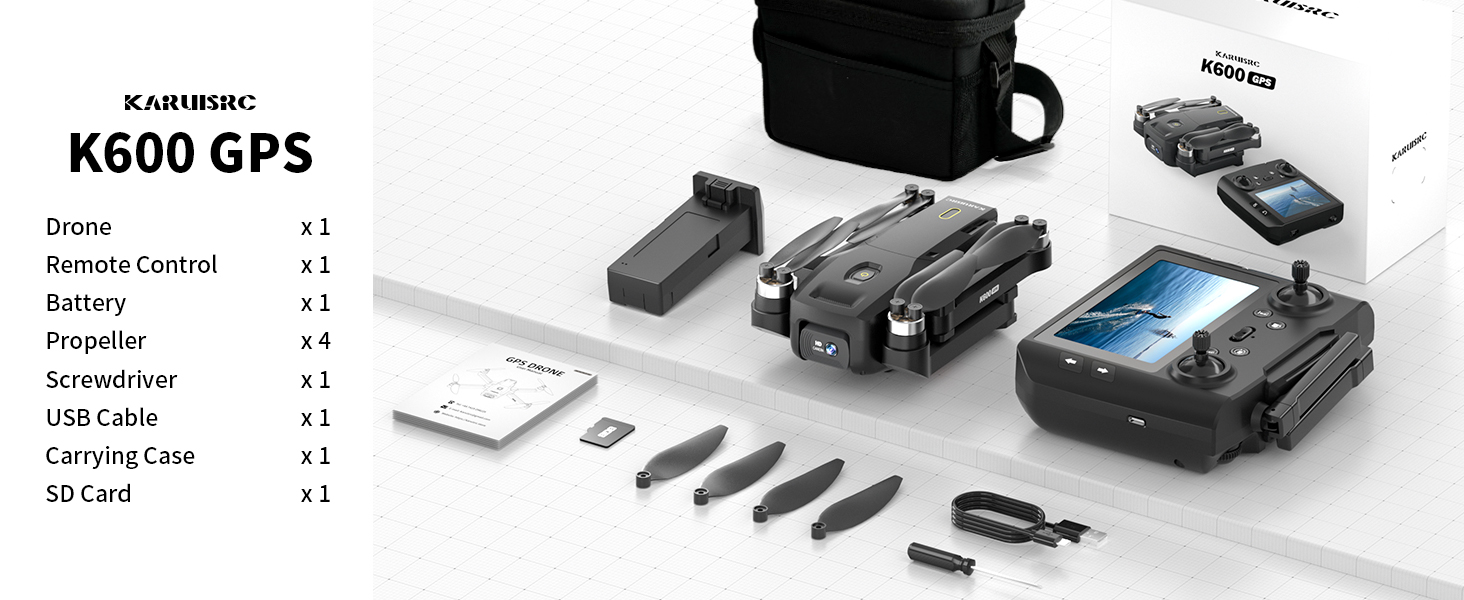
The karuisrc K600GPS-7 package includes the drone, remote control, battery, propellers, screwdriver, USB cable, carrying case, and an SD card.
- karuisrc K600GPS-7 Drone x 1
- Remote Control with 4.5-inch LCD Screen x 1
- Drone Battery (Lithium Ion) x 1
- Zapasowe śmigła x 4
- Wkrętak x 1
- Kabel do ładowania USB x 1
- Walizka transportowa x 1
- Karta SD 32 GB x 1
- Instrukcja obsługi x 1
4. Koniec produktuview
4.1 Komponenty drona

The karuisrc K600GPS-7 drone features a foldable design for portability, equipped with a 1080p HD camera and GPS module.
- Składane ramiona: Do kompaktowego przechowywania i transportu.
- Śmigła: Four main propellers for flight.
- Kamera HD: Front-facing 1080p camera with 90-degree adjustable angle.
- Dolna kamera: For optical flow positioning and landing assistance.
- Moduł GPS: Enables precise positioning and intelligent flight functions.
- Komora baterii: Houses the removable Lithium Ion flight battery.
4.2 Pilot zdalnego sterowania

The remote control for the karuisrc K600GPS-7 features an integrated 4.5-inch HD LCD screen for real-time video feed and flight data.
- 4.5-calowy ekran HD LCD: Displays real-time video feed and flight parameters.
- Drążki sterujące: Lewy drążek odpowiada za przepustnicę/odchylenie, prawy drążek za pochylenie/przechylenie.
- Przyciski funkcyjne: Dedicated buttons for one-key takeoff/landing, auto-return, photo/video capture, and speed modes.
- Anteny: Dla stabilnej transmisji sygnału.
- Komora baterii: For remote control batteries (not included, typically AA).
5. Przewodnik konfiguracji
5.1 Ładowanie akumulatorów
- Drone Battery: Connect the drone battery to the USB charging cable and plug it into a 5V/2A USB adapter (not included). The indicator light will show charging status and turn off when fully charged. Charging time is approximately 120-150 minutes.
- Bateria pilota zdalnego sterowania: Insert 3 AA batteries (not included) into the remote control's battery compartment, ensuring correct polarity.
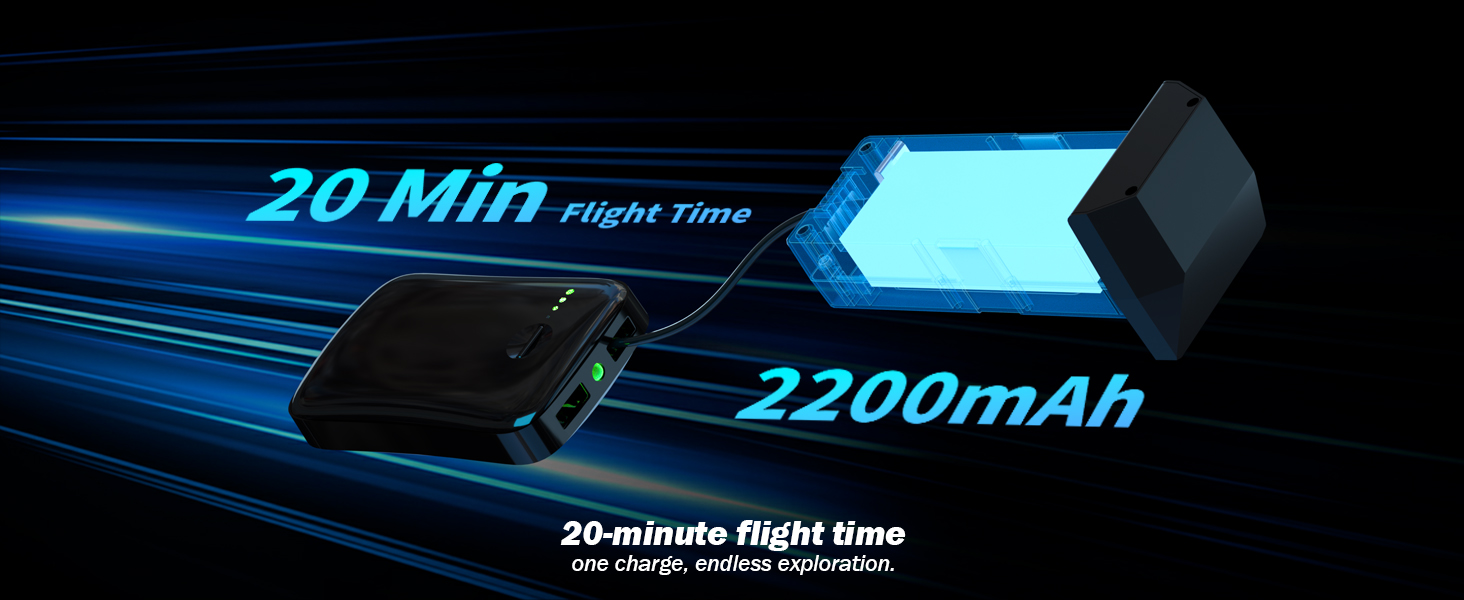
The karuisrc K600GPS-7 drone battery provides approximately 20 minutes of flight time with a 2200mAh capacity.
5.2 Instalacja śmigła
Attach the propellers to the motor shafts according to the markings (A and B) on both the propellers and the drone arms. Use the provided screwdriver to secure them firmly.
5.3 Wkładanie karty SD
Insert the provided 32GB SD card into the drone's SD card slot. Ensure it is inserted correctly until it clicks into place. This card is used for storing photos and videos.

The karuisrc K600GPS-7 drone supports an SD card for media storage, with a 32GB card included.
5.4 Parowanie i kalibracja
- Umieść drona na płaskiej, poziomej powierzchni.
- Turn on the drone, then turn on the remote control. The remote will automatically search for the drone.
- Once paired, perform gyroscope calibration by moving both control sticks to the bottom-left or bottom-right corners simultaneously until the drone's indicator lights flash rapidly and then become solid.
- Perform GPS calibration by rotating the drone horizontally and then vertically as instructed by the remote control's screen or indicator lights. Wait for sufficient GPS satellites to be acquired (usually indicated by solid green lights).
6. Instrukcja obsługi
6.1 Podstawowe sterowanie lotem

Operating the karuisrc K600GPS-7 drone in an open environment allows for optimal flight experience.
- Start/Lądowanie: Press the one-key takeoff/landing button or push both control sticks to the bottom-outward corners to start/stop motors, then push the left stick up to ascend.
- Wspinaczka/Spadanie: Przesuń lewy drążek sterujący w górę/w dół.
- Naprzód wstecz: Przesuń prawy drążek sterujący w górę/w dół.
- Lot boczny w lewo/prawo: Przesuń prawy drążek sterujący w lewo/prawo.
- Skręć w lewo/prawo (odchylenie): Przesuń lewy drążek sterujący w lewo/prawo.
6.2 GPS Intelligent Flight Functions
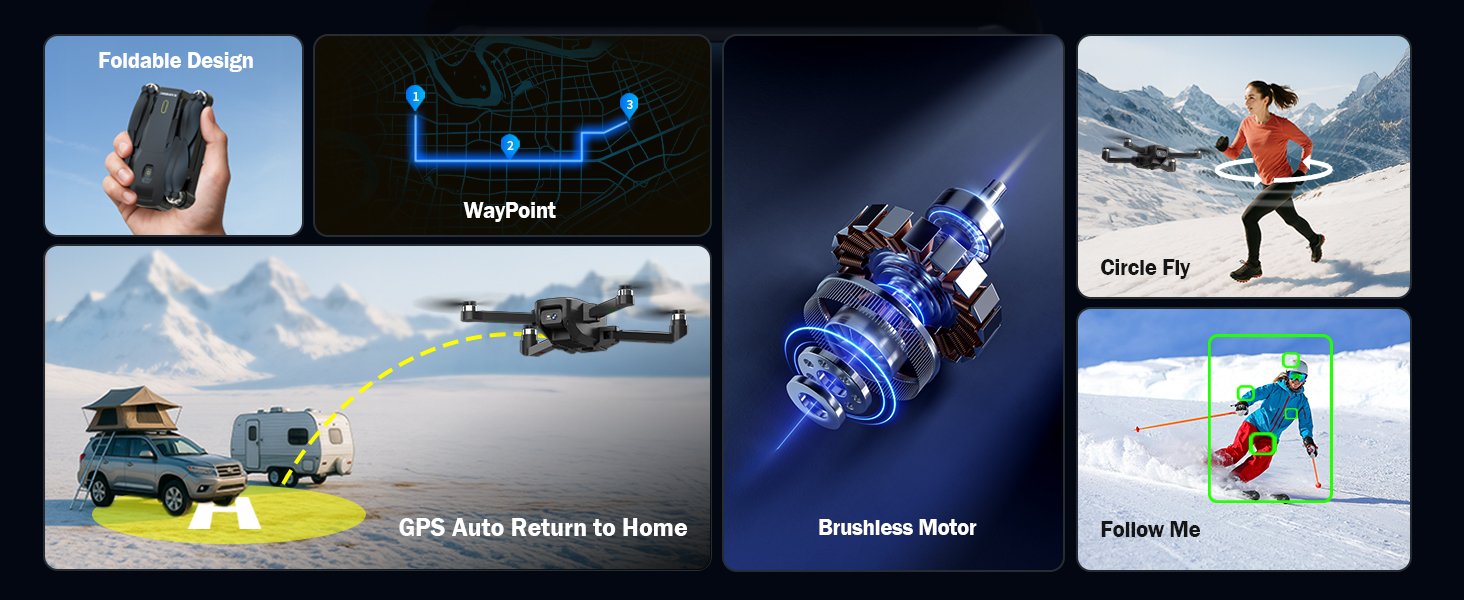
The karuisrc K600GPS-7 drone offers advanced features including WayPoint flight, Circle Fly, GPS Auto Return to Home, and Follow Me mode.
- GPS Auto Return to Home (RTH): The drone will automatically return to its takeoff point if the signal is lost, battery is low, or RTH is manually activated. Ensure sufficient GPS signal before flight.
- Tryb „Podążaj za mną”: The drone will automatically follow the remote control (or connected smartphone) at a set distance (3-50 meters) and altitude, keeping the subject centered.
- Lot punktowy: Plan a custom flight path by tapping points on the map within the companion app. The drone will fly along the designated route.
- Okrągła mucha: The drone will orbit around a designated point or the remote control, capturing footagz różnych kątów.

The GPS auto-return function ensures the karuisrc K600GPS-7 drone safely returns to its starting point.
6.3 Obsługa kamery

The karuisrc K600GPS-7 features a 1080p HD camera with 90-degree electric adjustment for versatile aerial photography and videography.
- Ujęcie: Press the dedicated photo button on the remote control to take a picture.
- Nagrywanie wideo: Press the dedicated video button to start recording. Press again to stop.
- Regulacja kąta kamery: Use the designated button or dial on the remote to adjust the camera's vertical angle (90-degree electric adjustment).
- Podwójny aparat: Switch between the front and bottom cameras via the remote or companion app for different perspectives.
6.4 LCD Screen Usage
The 4.5-inch HD LCD screen on the remote control provides a clear, real-time view from the drone's camera. It also displays important flight data such as altitude, distance, speed, and battery level. Monitor this information to ensure safe and controlled flight.
7. Konserwacja
Regularna konserwacja gwarantuje długowieczność i optymalną wydajność drona.
- Czyszczenie: Do czyszczenia drona i pilota używaj miękkiej, suchej ściereczki. Unikaj stosowania rozpuszczalników i silnych środków chemicznych.
- Kontrola śmigła: Regularnie sprawdzaj śmigła pod kątem pęknięć, wygięć lub uszkodzeń. Uszkodzone śmigła należy natychmiast wymienić, używając dostarczonych części zamiennych.
- Pielęgnacja baterii: Store batteries in a cool, dry place. Do not store fully charged or completely depleted batteries for extended periods. Charge them to about 50-60% for long-term storage.
- Konserwacja silnika: Keep motors free from dust and debris. Do not attempt to lubricate motors.
- Składowanie: Gdy drona nie używasz, przechowuj go wraz z akcesoriami w załączonym futerale, aby chronić je przed kurzem i uszkodzeniami mechanicznymi.
8. Rozwiązywanie Problemów
W tej sekcji znajdziesz informacje o typowych problemach i ich rozwiązaniach.
| Problem | Możliwa przyczyna | Rozwiązanie |
|---|---|---|
| Dron się nie włącza | Akumulator nie jest naładowany lub jest nieprawidłowo włożony. | Ensure drone battery is fully charged and correctly inserted. |
| Pilot zdalnego sterowania nie włącza się | AA batteries not inserted or depleted. | Insert fresh AA batteries with correct polarity. |
| Drone cannot pair with remote | Nieprawidłowa kolejność parowania lub zakłócenia. | Ensure drone and remote are turned on in sequence. Move to an area with less interference. Repeat pairing steps. |
| Dron dryfuje podczas lotu | Żyroskop nie jest skalibrowany lub wiatr jest silny. | Perform gyroscope calibration on a flat surface. Avoid flying in strong winds. |
| GPS functions not working | Insufficient GPS signal or calibration not performed. | Fly in an open outdoor area. Perform GPS calibration. Wait for sufficient satellite acquisition. |
| Słaba jakość obrazu z aparatu | Obiektyw jest brudny lub warunki oświetleniowe są słabe. | Wyczyść obiektyw kamery. Zapewnij odpowiednie oświetlenie do nagrywania. |
| Błąd karty SD | SD card not inserted correctly or corrupted. | Reinsert the SD card. Try formatting the card (backup data first) or use a different compatible SD card. |
9. Specyfikacje
| Funkcja | Szczegół |
|---|---|
| Marka | karuisrc |
| Nazwa modelu | K600GPS-7 |
| Cechy specjalne | Auto Follow, Auto-Landing, GPS Auto Return |
| Kolor | Czarny |
| Rozdzielczość przechwytywania wideo | 1080p |
| Technologia łączności | Wi-Fi, Bluetooth |
| Poziom umiejętności | Wszystko |
| Waga przedmiotu | 150 gramów (5.3 uncji) |
| Format przechwytywania wideo | MP4 |
| Typ sterowania | Zdalne sterowanie |
| Tworzywo | Plastikowy |
| Skład ogniw baterii | Litowo-jonowy |
| Baterie w zestawie | Yes (1 Nonstandard Battery for drone) |
| W zestawie pilot zdalnego sterowania | Tak |
| Technologia czujnika optycznego | CMOS, CCD |
| Wymiary produktu | 7.09" dł. x 1.97" szer. x 8.66" wys. |
| Producent | karuisrc |
| Data pierwszej dostępności | 11 czerwca 2025 r. |
10. Gwarancja i wsparcie
karuisrc is committed to providing quality products and customer satisfaction. For any questions, technical assistance, or warranty claims, please contact our support team.

karuisrc customer support is available Monday to Sunday, 24 hours a day.
- E-mail: Karuisrc@gmail.com
- Telefon: +44 7419 298225
Please have your model number (K600GPS-7) and purchase information ready when contacting support.