
1. Wprowadzenie
This manual provides essential instructions for setting up, operating, and maintaining your LEFFOT H618 Plus 4K Ultra HD Streaming Device. Please read this guide thoroughly before use to ensure proper functionality and to maximize your entertainment experience.
2. Informacje dotyczące bezpieczeństwa
- Aby zapobiec przypadkowemu upadkowi, należy ustawić urządzenie na stabilnej, płaskiej powierzchni.
- Nie wystawiaj urządzenia na działanie wody, wilgoci ani ekstremalnych temperatur.
- Unikaj blokowania otworów wentylacyjnych, aby zapobiec przegrzaniu.
- Aby uniknąć uszkodzeń, należy używać wyłącznie dołączonego zasilacza.
- Przechowuj urządzenie i akcesoria poza zasięgiem dzieci.
- Nie próbuj samodzielnie demontować ani naprawiać urządzenia. Skontaktuj się z wykwalifikowanym personelem serwisowym w celu uzyskania pomocy.
3. Zawartość opakowania
Sprawdź, czy w opakowaniu znajdują się wszystkie elementy:
- LEFFOT H618 Plus Streaming Device
- Zdalne sterowanie głosem
- Zasilacz
- Kabel HDMI
- Instrukcja obsługi

Rysunek 3.1: Zawartość opakowania
4. Instrukcje konfiguracji
4.1 Podłączanie urządzenia
- Połącz z telewizorem: Plug one end of the HDMI cable into the HDMI port on the LEFFOT H618 Plus device and the other end into an available HDMI input on your television.
- Podłącz zasilanie: Connect the power adapter to the DC port on the device and then plug the adapter into a wall outlet.
- Włączanie: Urządzenie powinno włączyć się automatycznie. Jeśli nie, naciśnij przycisk zasilania na pilocie.

Figure 4.1: Connection Overview
4.2 Konfiguracja zdalnego sterowania
- Włóż baterie: Open the battery compartment on the back of the voice remote control and insert two AAA batteries (included), ensuring correct polarity.
- Łączenie w pary: The remote control should automatically pair with the device upon first use. If not, follow the on-screen instructions or press and hold the pairing button (usually located inside the battery compartment or on the side of the remote) until the indicator light flashes.
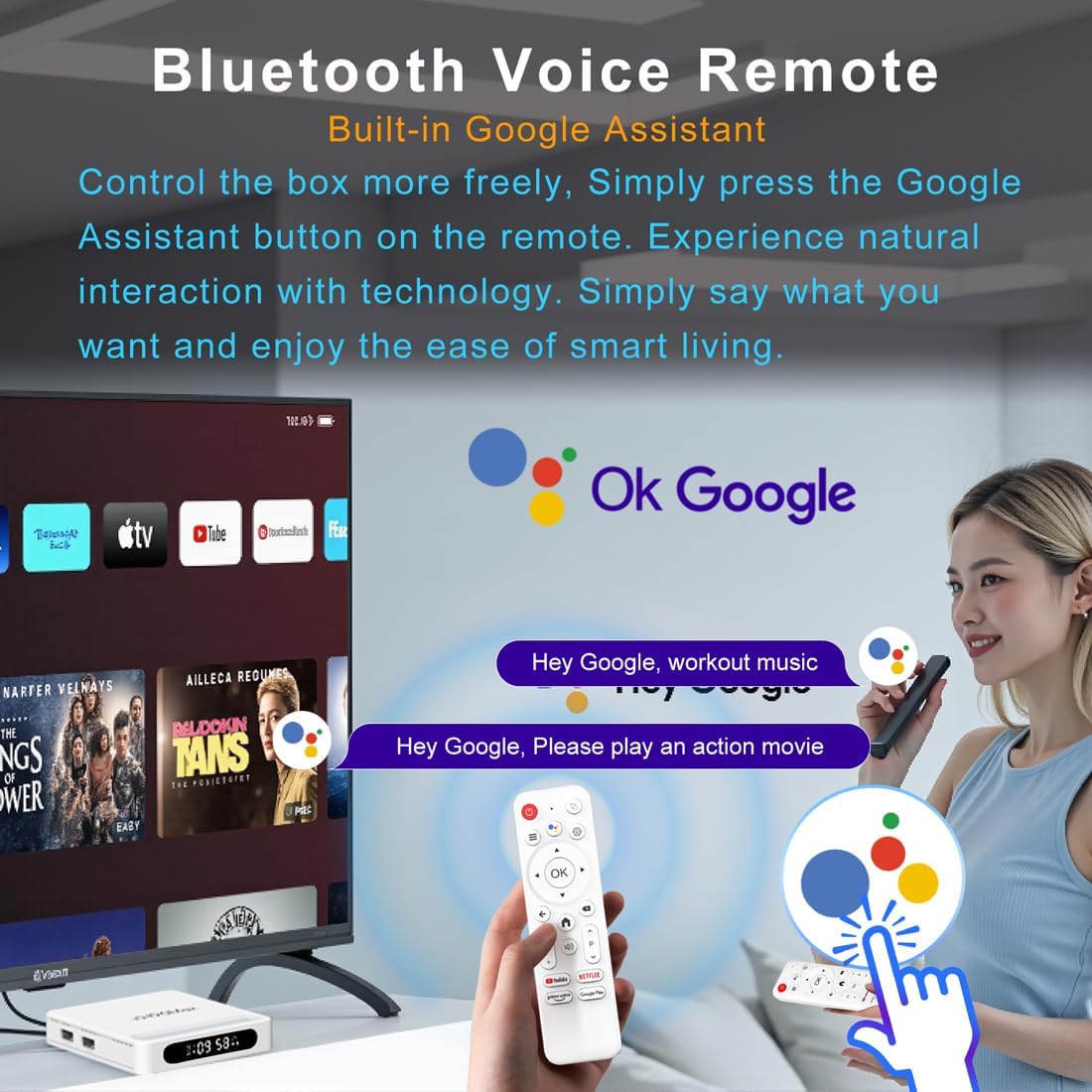
Rysunek 4.2: Zdalne sterowanie głosowe
4.3 Początkowa konfiguracja urządzenia
Postępuj zgodnie z instrukcjami wyświetlanymi na ekranie, aby dokończyć konfigurację początkową, która zazwyczaj obejmuje:
- Wybór języka.
- Connecting to a Wi-Fi network or Ethernet.
- Logowanie przy użyciu konta Google.
- Installing essential applications.
5. Instrukcja obsługi
5.1 Nawigacja i interfejs
Use the directional pad (D-pad) on your remote to navigate through the Android TV interface. The 'OK' button confirms selections, 'Back' returns to the previous screen, and 'Home' takes you to the main screen.
5.2 Voice Remote with Google Assistant
Press the Google Assistant button on your remote and speak your commands. You can search for content, open apps, control playback, and more using your voice.
5.3 Dostęp do aplikacji
The device comes pre-loaded with Google Play, allowing access to over 5000+ applications. Navigate to the 'Apps' section on the home screen to browse, download, and manage your applications.

Figure 5.1: Accessing Apps via Google Play
5.4 4K UHD Playback and HDR10
The LEFFOT H618 Plus supports 8K@22fps decoding and 4K@60fps playback with HDR10. Ensure your television is 4K HDR compatible and that you are streaming 4K HDR content for the best visual experience.

Figure 5.2: 4K UHD and HDR10 Visuals
5.5 Przesyłanie ekranu
Utilize the built-in Airplay and Miracast features to cast content from your smartphone or tablet directly to your TV screen.
6. Specyfikacje
| Funkcja | Opis |
|---|---|
| Marka | LEFFOT |
| Nazwa modelu | H618Plus |
| System operacyjny | Android 14 |
| Procesor | Allwinner H618 Quad-Core ARM Cortex A53 |
| Procesor graficzny | Mali-G31 MP2 |
| BARAN | 2 GB |
| ROM | 16 GB |
| Dekodowanie wideo | 8K@22fps, 4K@60fps with HDR10 |
| Łączność | Dual-band WiFi 6 (2.4G/5G), 100M Ethernet, Bluetooth 5.4 |
| Porty | HDMI 2.0a, USB 2.0 (x2), AV, DC |
| Cechy specjalne | Voice Remote with Google Assistant, Airplay, Miracast |
| Wymiary | 3.2 x 3.2 x 0.67 cala |
| Waga | 4.1 uncji |

Rysunek 6.1: Najważniejsze cechyview
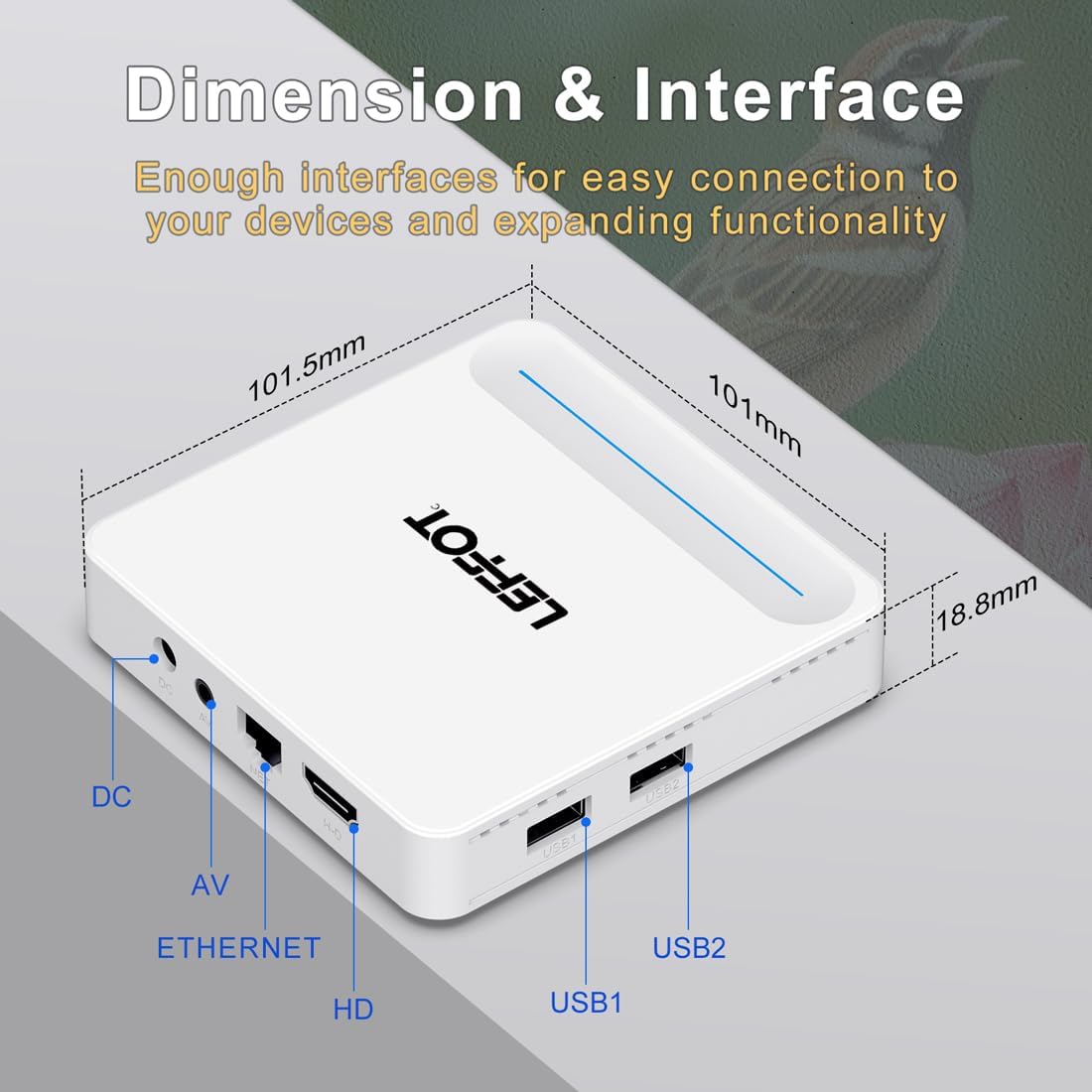
Figure 6.2: Device Dimensions and Interface
7. Rozwiązywanie Problemów
7.1 Brak zasilania / Urządzenie się nie włącza
- Sprawdź, czy zasilacz jest prawidłowo podłączony do urządzenia i gniazdka elektrycznego.
- Ensure the power outlet is functional. Try plugging another device into the same outlet.
- Naciśnij przycisk zasilania na pilocie lub na samym urządzeniu.
7.2 No Signal on TV Screen
- Verify that the HDMI cable is securely connected to both the device and the TV.
- Sprawdź, czy w telewizorze wybrane jest właściwe źródło sygnału HDMI.
- Spróbuj użyć innego kabla HDMI lub innego portu HDMI w telewizorze.
- Restart the streaming device and your TV.
7.3 Pilot zdalnego sterowania nie odpowiada
- Sprawdź i wymień baterie w pilocie.
- Upewnij się, że między pilotem a urządzeniem nie ma żadnych przeszkód.
- Re-pair the remote control with the device by following the instructions in Section 4.2.
7.4 Buffering or Slow Performance
- Check your internet connection speed. A stable and fast connection is crucial for streaming 4K content.
- If using Wi-Fi, try moving the device closer to your router or connecting via an Ethernet cable for a more stable connection.
- Close any unused applications running in the background on the device.
- Clear the cache of streaming applications.
- Restart your router, modem, and the streaming device.
8. Konserwacja
- Regularnie czyść urządzenie miękką, suchą ściereczką. Nie używaj płynnych środków czyszczących ani aerozoli.
- Keep the device free from dust and debris, especially around ventilation areas.
- Przechowuj urządzenie w chłodnym i suchym miejscu, jeśli nie będziesz go używać przez dłuższy czas.
9. Gwarancja i wsparcie
For warranty information and technical support, please refer to the documentation included with your purchase or visit the official LEFFOT webZachowaj dowód zakupu na wypadek roszczeń gwarancyjnych.