
1. Wprowadzenie
This manual provides detailed instructions for the installation, operation, and maintenance of your Vtopek 7-inch Motorcycle CarPlay Android Auto Screen. Please read this manual thoroughly before using the product to ensure proper function and safety. Keep this manual for future reference.
2. Informacje dotyczące bezpieczeństwa
- Always prioritize road safety. Do not operate the device in a manner that distracts you from driving.
- Ensure all connections are secure and properly insulated to prevent electrical hazards, especially in wet conditions.
- Mount the device securely to prevent it from detaching during operation.
- Nie próbuj demontować ani modyfikować urządzenia. Wszelkie prace serwisowe zlecaj wykwalifikowanemu personelowi.
- The device is IP67 waterproof; however, avoid prolonged submersion or high-pressure water jets.
3. Zawartość opakowania
Sprawdź, czy w opakowaniu znajdują się wszystkie elementy:
- 1 x Vtopek 7-inch Motorcycle CarPlay Screen
- 1 x Zestaw uchwytów montażowych
- 1 x Power Cable (ACC+12V and Ground)
- 1 x antena GPS
- 1 x przewodowy pilot zdalnego sterowania
- 1 x 4K Front Camera
- 1 x tylna kamera 1080P
- 1 x karta TF 64 GB
- 1 x Instrukcja obsługi

Image 3.1: The Vtopek 7-inch Motorcycle CarPlay Android Auto Screen shown with its main components including the display, mounting hardware, GPS antenna, remote, dual cameras, and 64GB TF card.
4. Konfiguracja
4.1 Montaż urządzenia
- Attach the U-shaped reinforced bracket to your motorcycle's handlebar. Ensure it is securely fastened and positioned for optimal viewbez blokowania Twojego view drogi lub elementów sterujących.
- Mount the 7-inch display unit onto the bracket. The bracket allows for 360-degree rotation to adjust the viewkąt.

Image 4.1: The Vtopek 7-inch screen mounted on a motorcycle handlebar, demonstrating its placement and visibility.
4.2 Okablowanie i podłączenie zasilania
- Connect the power cable to your motorcycle's ACC+12V power source and ground. Ensure proper polarity. The device supports DC12V-24V input.
- Connect the GPS antenna to the designated port on the main unit.
- Connect the wired remote control to its port for easy access to functions.
4.3 Instalacja kamery
- Install the 4K front camera at the front of your motorcycle, ensuring a clear, unobstructed view drogi przed nami.
- Install the 1080P rear camera at the rear of your motorcycle, providing a clear view drogi z tyłu.
- Route the camera cables securely, avoiding moving parts and heat sources. Connect them to the corresponding ports on the main unit.

Image 4.2: A diagram illustrating the wiring connections for the main unit, cameras, and power supply.
4.4 Wkładanie karty TF
Włóż dołączoną kartę TF o pojemności 64 GB do odpowiedniego gniazda w jednostce głównej. Karta ta jest niezbędna do nagrywania z kamery samochodowej.
5. Instrukcja obsługi
5.1 Włączanie/wyłączanie
The device will power on automatically when your motorcycle's ignition is turned on (ACC+12V connection). To power off, turn off the ignition.
5.2 Funkcje ekranu
The 7-inch IPS touchscreen offers a resolution of 1560x720p and up to 1000 nits brightness for clear visibility in various lighting conditions. The integrated sun visor further enhances readability.

Image 5.1: The 7-inch HD IPS touchscreen displaying navigation, mounted on a motorcycle handlebar.
5.3 Bezprzewodowy CarPlay i Android Auto
Urządzenie obsługuje bezprzewodową technologię CarPlay i Android Auto, co umożliwia bezproblemową integrację ze smartfonem.
- CarPlay Requirements: An iPhone with iOS 6 or later. Ensure CarPlay system and voice control are enabled on your iPhone.
- Android Auto Requirements: A phone that supports 5 GHz Wi-Fi and runs Android 11 or higher. Ensure the Android Auto app is updated to the latest version.
- Połączenie: Pair your smartphone with the CarPlay screen via Bluetooth and Wi-Fi. Follow the on-screen prompts for initial setup.

Obraz 5.2: Examples of the Wireless CarPlay and Android Auto interfaces displayed on the screen.
5.4 Podwójna łączność Bluetooth
The device features dual Bluetooth for enhanced audio management:
- Pair the CarPlay screen with your smartphone.
- Connect your Bluetooth headset or helmet communication system to the CarPlay screen. This allows for hands-free calls and music playback directly through your headset.
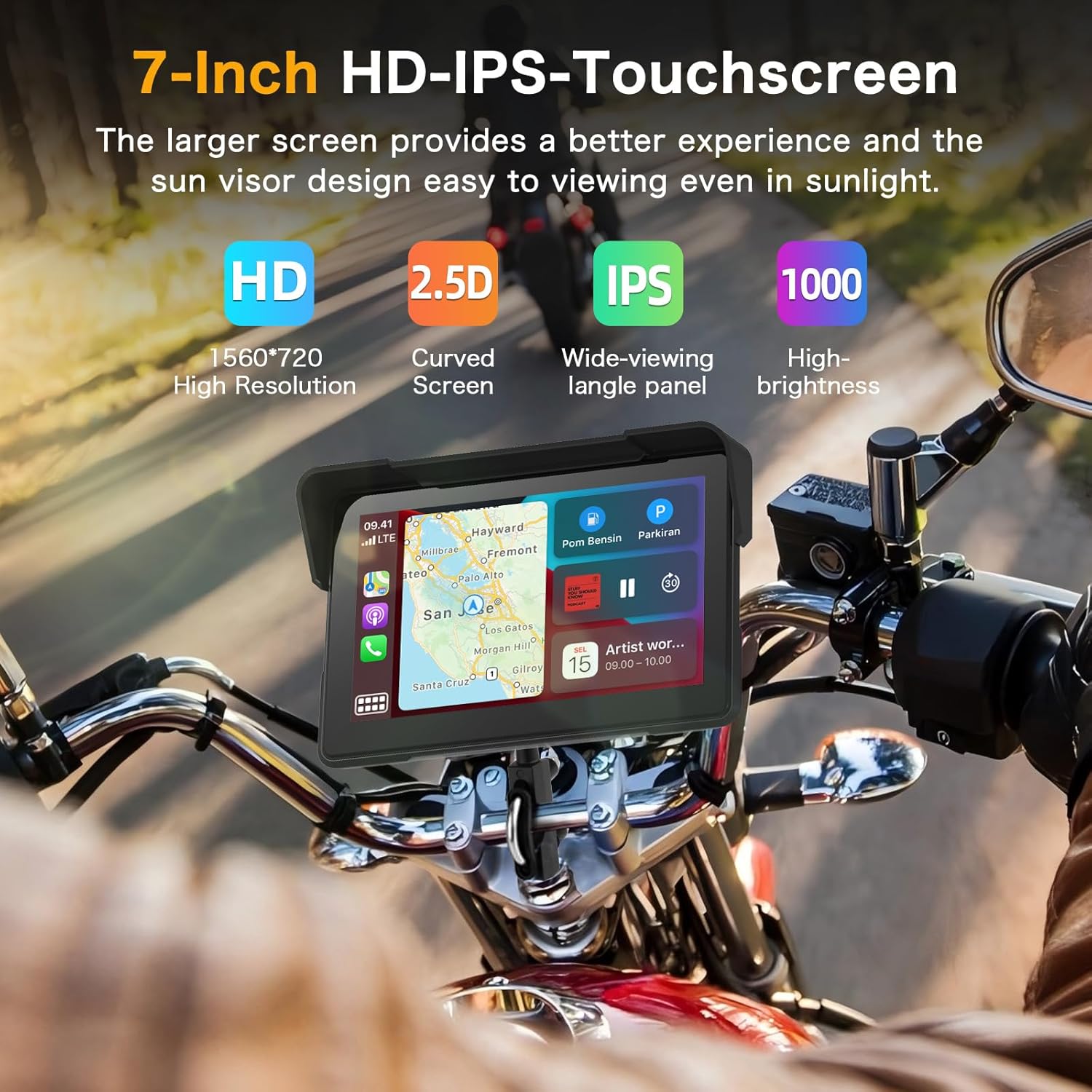
Image 5.3: A visual representation of the dual Bluetooth connectivity, showing the screen connecting to a smartphone and a Bluetooth headset/helmet.
5.5 Sterowanie głosowe
Utilize voice assistants like Siri (for iOS) or Google Assistant (for Android) for safe, hands-free operation. This allows you to navigate, play music, and make calls without touching the screen.
Image 5.4: A motorcycle rider using voice commands for navigation, demonstrating hands-free operation.
5.6 Dash Cam (DVR) Features
The integrated dual cameras provide comprehensive recording capabilities:
- Przednia kamera: 4K UHD resolution with a 150° ultra-wide angle.
- Kamera tylna: 1080P AHD resolution with a 150° ultra-wide angle.
- Nagrywanie w pętli: Automatycznie nadpisuje starsze files when the TF card is full, ensuring continuous recording.
- Wyświetlanie na podzielonym ekranie: View front and rear camera feeds simultaneously on the screen.
- Technologia HDR: Enhances image quality for clear and detailed recordings, even at night.

Image 5.5: The screen displaying simultaneous views from the 4K front camera and 1080P rear camera, highlighting the dual recording capability.
5.7 WiFi-App Control
Connect the device to your smartphone via Wi-Fi to use the dedicated app. This allows you to:
- Przedview transmisja na żywo z kamer.
- Pobierz nagrane filmy na swój telefon.
- Udostępniaj filmy bezpośrednio z aplikacji.

Image 5.6: A smartphone screen showing the app interface for managing dash cam recordings and sharing content.
5.8 Wyświetlacz w czasie rzeczywistym
The screen can display real-time information relevant to your ride, including:
- Prędkość
- Przebieg
- Wysokość
- Kompas
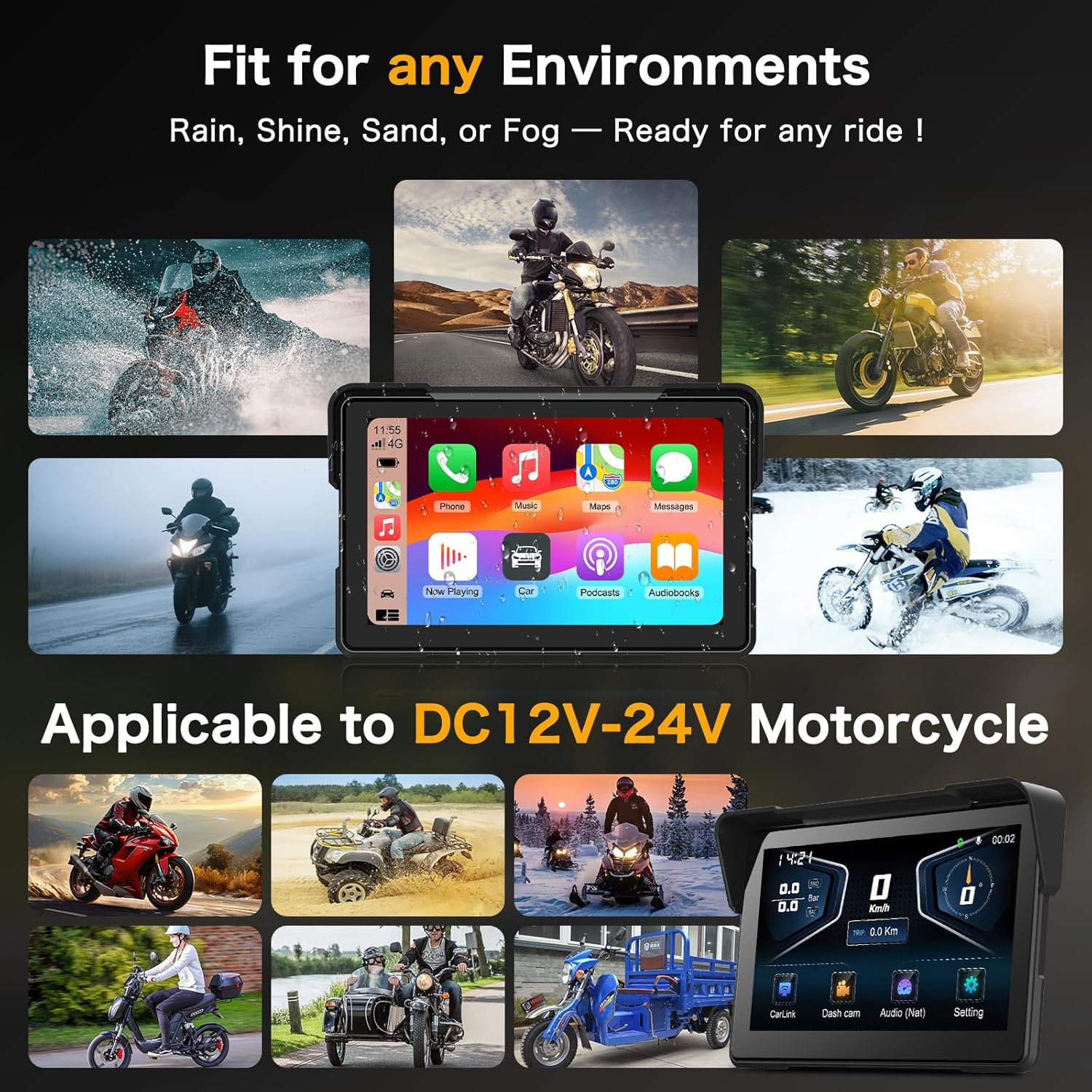
Image 5.7: The screen showing real-time riding data such as speed, altitude, and compass, enhancing situational awareness.
6. Konserwacja
6.1 Czyszczenie ekranu
Delikatnie przetrzyj ekran miękką, niepozostawiającą włókien ściereczką. W przypadku uporczywych plam delikatnie przetrzyj.ampPrzetrzyj ściereczkę wodą lub środkiem do czyszczenia ekranów. Unikaj materiałów ściernych i silnych środków chemicznych.
6.2 Konstrukcja wodoodporna
The device features an IP67 waterproof rating, making it resistant to dust and water immersion up to 1 meter for 30 minutes. This ensures optimal performance in various weather conditions, including heavy rain.

Image 6.1: The Vtopek screen mounted on a motorcycle, demonstrating its waterproof capability during rain.
7. Rozwiązywanie Problemów
7.1 Problemy z łącznością CarPlay/Android Auto
- Zgodność: Ensure your smartphone meets the minimum requirements (iOS 6+ for CarPlay, Android 11+ with 5GHz Wi-Fi for Android Auto).
- Specific Phone Models: Note that compatibility may be limited with certain Samsung (Note/S series), Huawei, and Xiaomi models. Verify your phone's wireless CarPlay/Android Auto support before purchase.
- Kroki połączenia: Re-attempt pairing via Bluetooth and Wi-Fi. Ensure both are enabled on your phone and the device.
7.2 Dash Cam Recording Problems
- Karta TF: Ensure the 64GB TF card is properly inserted and not full. The loop recording function should manage space automatically.
- Formatowanie: If issues persist, try formatting the TF card through the device settings.
- Zasilanie: Verify stable power supply to the device.
7.3 General Device Malfunctions
- Uruchom ponownie: Turn off your motorcycle's ignition and restart it to power cycle the device.
- Oprogramowanie sprzętowe: Sprawdź producenta webodwiedź naszą witrynę, aby sprawdzić, czy są dostępne aktualizacje oprogramowania sprzętowego.
8. Specyfikacje
| Funkcja | Specyfikacja |
|---|---|
| Marka | Vtopek |
| Nazwa modelu | Vtopek MotoCarplay |
| Rozmiar ekranu | 7 cali |
| Rozdzielczość ekranu | 1560x720p |
| Jasność ekranu | Do 1000 nitów |
| Przednia kamera | 4K UHD, 150° wide angle |
| Kamera tylna | 1080P AHD, 150° wide angle |
| Łączność | Bluetooth, Wi-Fi (5GHz for Android Auto) |
| Składowanie | Karta TF 64 GB (w zestawie) |
| Moc wejściowa | DC12V-24V |
| Stopień wodoodporności | IP67 |
| Typ montażu | Uchwyt na kierownicę |
9. Gwarancja i wsparcie
Your Vtopek MotoCarplay device comes with a 1-letnia gwarancja from the date of purchase. Additionally, Vtopek provides dożywotnia pomoc techniczna.
If you encounter any issues or require support, please contact Vtopek customer service. Refer to the contact information provided with your product packaging or on the official Vtopek webstrona.