
1. Wprowadzenie
This manual provides detailed instructions for the installation, operation, and maintenance of your EKIY EC17 Wireless CarPlay & Android Auto Adapter. Please read this manual thoroughly before using the device to ensure optimal performance and safety. The EKIY EC17 converts your existing wired CarPlay or Android Auto system into a wireless connection, offering enhanced convenience and a clutter-free driving experience.
2. Zawartość opakowania
Sprawdź, czy w przesyłce znajdują się wszystkie elementy:
- EKIY EC17 Bezprzewodowy adapter CarPlay i Android Auto
- Kabel USB żeński A do C
- Instrukcja obsługi
3. Przewodnik konfiguracji
Follow these steps to set up your EKIY EC17 adapter:
- Podłącz adapter: Connect the EKIY EC17 adapter to your car's USB port using the provided USB Female A to C cable. Ensure the port supports data transfer for CarPlay/Android Auto.
- Włącz Bluetooth: On your smartphone (iPhone or Android), go to your device's Bluetooth settings and ensure Bluetooth is turned on.
- Parowanie z adapterem: On your car's infotainment screen, navigate to the CarPlay or Android Auto interface. The adapter should appear as a Bluetooth device. Select it to initiate pairing.
- Potwierdź połączenie: Follow any on-screen prompts on your car's display and your smartphone to confirm the connection. Once paired, your wired CarPlay or Android Auto system will now function wirelessly.
The initial setup typically takes about 30 seconds. For future drives, the adapter will automatically reconnect to your phone within approximately 5 seconds after the car engine is turned on.
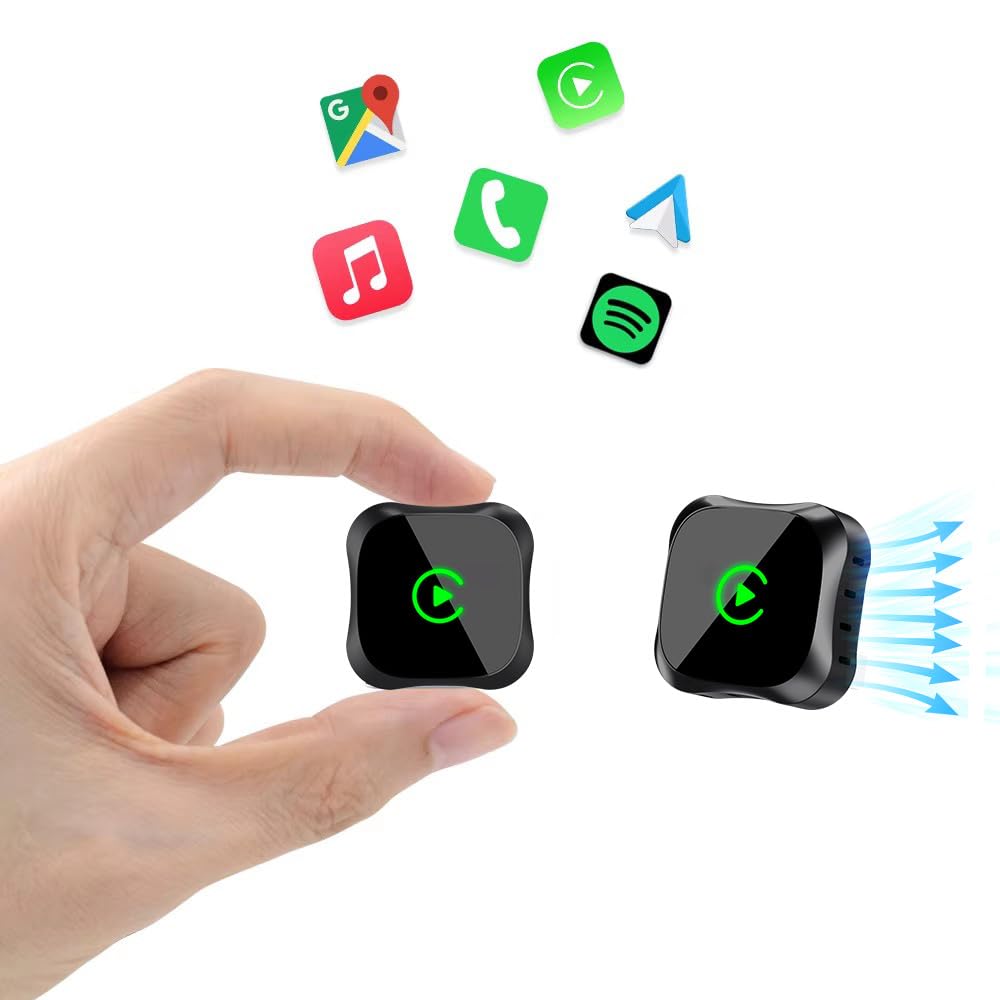
Image: The EKIY EC17 adapter, a compact device, shown connected to a car's USB port, ready for wireless operation.
4. Instrukcja obsługi
Once set up, the EKIY EC17 adapter provides a seamless wireless experience:
- Automatyczne ponowne połączenie: The adapter automatically connects to your paired smartphone when the car starts, utilizing its built-in 5.8GHz WiFi module for quick detection.
- Pełna funkcjonalność: Enjoy all standard CarPlay and Android Auto features wirelessly, including hands-free calling, navigation, music streaming, and messaging.
- Metody kontroli: The adapter supports various control inputs from your car's system, such as voice control, steering wheel buttons, touchscreen, and knob operations.
- Stabilne połączenie: Advanced Bluetooth 5.3 and 5.8GHz WiFi technology ensure a stable and fast wireless connection for uninterrupted performance.
Ważna uwaga: The adapter connects to only one phone at a time. If you need to switch to a different phone, ensure you disconnect the Bluetooth and Wi-Fi connection of the previously connected phone first.
5. Zgodność
The EKIY EC17 Wireless CarPlay & Android Auto Adapter is designed for broad compatibility:
- Zgodność pojazdu: Works with approximately 98% of cars manufactured from 2016 onwards that come with factory-installed wired CarPlay and Android Auto.
- System operacyjny smartfona: Requires iOS 10 or later for iPhones, and Android 11.0 or later for Android smartphones.
- Wykluczenia: Ten adapter to robi nie support BMW, Tesla, certain other specific car models, and some aftermarket stereos.
For specific compatibility verification, please refer to the official CarPlay & Android Auto websites or contact EKIY support.
6. Konserwacja
To ensure the longevity and optimal performance of your EKIY EC17 adapter:
- Zachowaj czystosc: Regularnie przecieraj adapter miękką, suchą ściereczką, aby usunąć kurz i zanieczyszczenia. Unikaj stosowania płynnych środków czyszczących.
- Warunki środowiskowe: Store and operate the adapter within recommended temperature ranges. Avoid exposure to extreme heat, cold, or moisture.
- Aktualizacje oprogramowania sprzętowego (OTA): The adapter supports Over-The-Air (OTA) updates. Periodically check for and install updates to ensure you have the latest features and performance enhancements. Instructions for OTA updates will be provided through the adapter's interface or support channels.
7. Rozwiązywanie Problemów
If you encounter issues with your EKIY EC17 adapter, refer to the following common solutions:
- Adapter nie łączy się:
- Ensure the adapter is securely plugged into a functional USB port in your car.
- Sprawdź, czy w Twoim smartfonie włączono Bluetooth i Wi-Fi.
- Restart your car's infotainment system and your smartphone.
- Forget the adapter from your phone's Bluetooth settings and re-pair.
- Częste rozłączenia lub opóźnienia:
- Ensure no other devices are interfering with the Bluetooth or Wi-Fi signal.
- Try plugging the adapter into a different USB port if available.
- Sprawdź, czy są dostępne aktualizacje oprogramowania sprzętowego OTA dla adaptera i zainstaluj je.
- Upewnij się, że system operacyjny Twojego telefonu jest aktualny.
- Cannot Switch Between Phones:
- Remember to disconnect the Bluetooth and Wi-Fi of the previously connected phone before attempting to connect a new one.
- Brak dźwięku lub dźwięk zniekształcony:
- Check your car's audio settings and ensure the correct input source is selected.
- Adjust volume levels on both your phone and car's system.
If problems persist, please contact EKIY customer support for further assistance.
8. Specyfikacje
| Marka | EKIY |
| Model | EC17 |
| Producent | EKIY |
| Wymiary produktu | 50 x 70 x 30 mm (dł. x szer. x wys.) |
| Waga przedmiotu | 50 gramów |
| Tworzywo | Aluminium, Tempered Glass |
| Kompatybilne urządzenia | Smartphone (with iOS 10+ or Android 11+) |
| Typ złącza | USB typu C |
| Technologie bezprzewodowe | Bluetooth 5.3, 5.8GHz WiFi |
| Rozpraszanie ciepła | 4-Way Heat Dissipation Design |
9. Gwarancja i wsparcie
EKIY is committed to providing excellent customer service and product reliability:
- Gwarancja: The EKIY EC17 adapter comes with a 12-month global support warranty.
- Wsparcie techniczne: Enjoy lifetime professional technical support through a dedicated Customer Care Portal.
For any inquiries, technical assistance, or warranty claims, please visit our official webstronie internetowej lub skontaktuj się z naszym zespołem obsługi klienta.