
1. Wprowadzenie
The Contixo F28A Premium Drone is a high-performance quadcopter equipped with a 4K camera, 2-axis gimbal, and Electronic Image Stabilization (EIS). Designed for both beginners and experienced pilots, it offers intelligent flight modes, extended flight time, and a robust control range. This manual provides essential information for safe operation, setup, and maintenance of your drone.
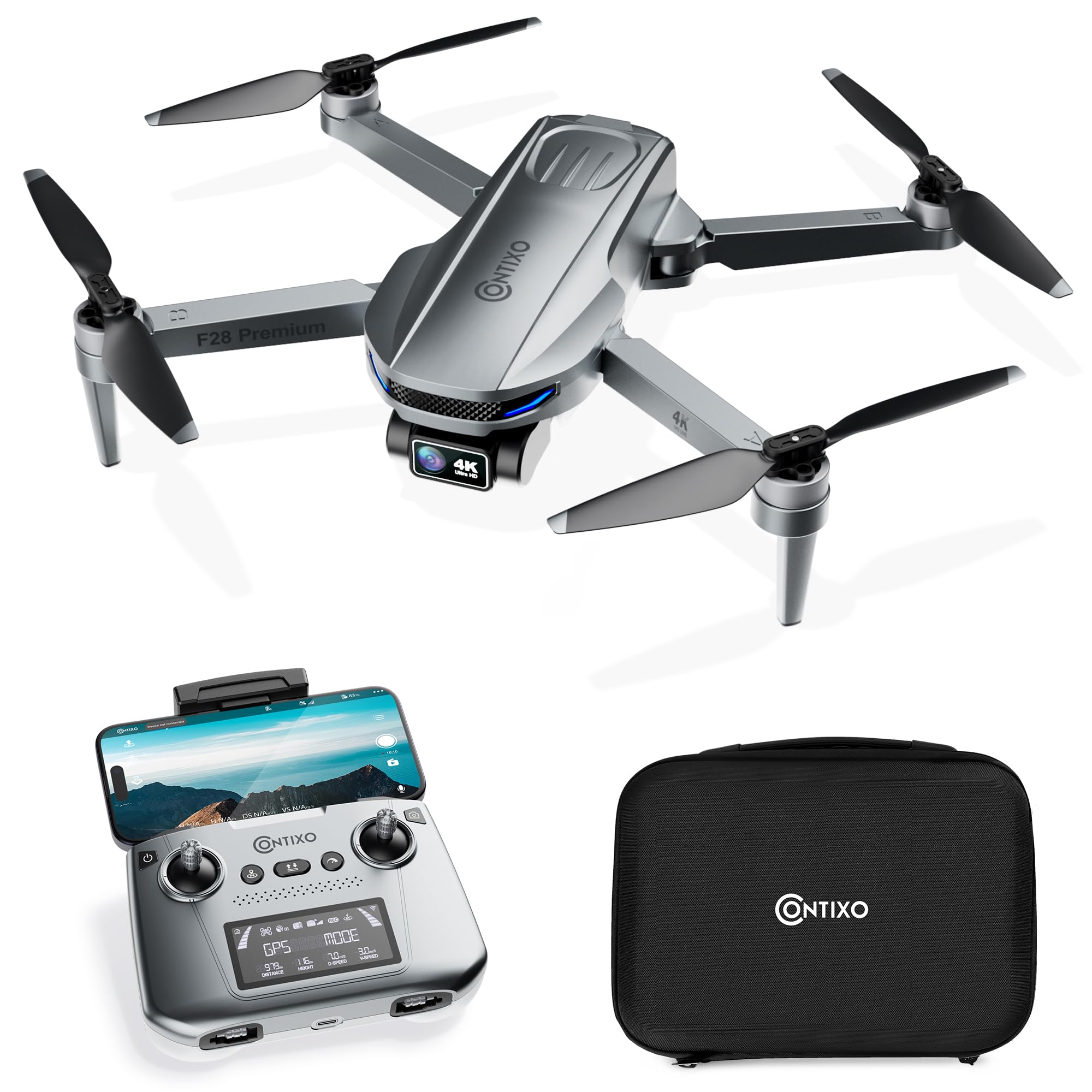
Image 1.1: The Contixo F28A Premium Drone in flight.
2. Co znajduje się w pudełku
Sprawdź, czy w pakiecie znajdują się wszystkie komponenty:
- Contixo F28 Premium Drone x1
- Battery x1 (7.7V 1820mAh Li-Po)
- Transmitter (Remote Control) x1
- Blades x8 (4 installed, 4 spare)
- Landing Gear x1
- Kabel ładujący x1
- Waterproof Carry Case x1
- Instrukcja obsługi x1

Image 2.1: All items included in the Contixo F28A Premium Drone package.
3. Koniec produktuview
The Contixo F28A drone features a compact, foldable design for portability. Key components include the 4K camera with a 2-axis gimbal, brushless motors, and an intelligent flight battery.

Image 3.1: Dimensions of the Contixo F28A drone in both folded and unfolded states.

Image 3.2: Illustration of the drone's compact design, brushless motor, and intelligent flight battery.
4. Konfiguracja
4.1 Rozkładanie drona
- Carefully unfold the front arms of the drone.
- Rozłóż tylne ramiona.
- Ensure all arms are securely locked into position.
4.2 Instalacja baterii
- Włóż w pełni naładowany akumulator do komory akumulatora z tyłu drona, aż do zatrzaśnięcia.
- Press the power button on the battery once to check the charge level, then press and hold for 2 seconds to power on the drone.
4.3 Konfiguracja zdalnego sterowania
- Włóż do pilota 4 baterie AA (nie ma ich w zestawie).
- Włącz pilota, naciskając i przytrzymując przycisk zasilania.
- Attach your smartphone to the remote control holder.
4.4 App Connection and Linking
Download the Contixo F28 app from your smartphone's app store. Follow these steps to link the drone and remote:
- Włącz drona i pilota.
- On your smartphone, go to Wi-Fi settings and connect to the drone's Wi-Fi network (e.g., "Contixo-F28-Premium-XXXX").
- Open the Contixo F28 app. The app should display a live feed from the drone's camera once connected.
- Wait for the drone to acquire sufficient GPS satellites (indicated by solid green lights on the drone and GPS status on the remote).
Video 4.1: Official Contixo F28 Premium Drone Linking Guide. This video demonstrates the steps for unfolding the drone, installing the battery, powering on the remote, and connecting to the app via Wi-Fi.
5. Instrukcja obsługi
5.1 Lista kontrolna przed lotem
- Sprawdź, czy baterie drona i pilota są w pełni naładowane.
- Sprawdź, czy śmigła nie są uszkodzone i upewnij się, że są solidnie zamocowane.
- Verify GPS signal strength before takeoff.
- Ensure you are in an open area, free from obstacles and people.
5.2 Podstawowe sterowanie lotem
Refer to the remote control diagram in the included manual for specific button functions. Common controls include:
- Lewy joystick: Kontroluje wysokość (w górę/w dół) i odchylenie (obrót w lewo/w prawo).
- Prawy joystick: Kontroluje ruch do przodu/do tyłu oraz w lewo/w prawo.
- Start/lądowanie jednym klawiszem: Naciśnij wyznaczony przycisk, aby uruchomić automatyczny start lub lądowanie.
- Awaryjny postój: Press and hold the emergency stop button to immediately cut power to the motors (use only in emergencies).

Image 5.1: Visual representation of the one-key takeoff and landing function.
5.3 Smart Flight Modes
The F28A drone offers several intelligent flight modes for enhanced control and creative shots:
- Obserwuj mnie: The drone automatically follows the remote controller or a designated subject.
- Punkt trasy: Plan a custom flight path by setting multiple waypoints on the app map. The drone will fly along the specified route.
- Tryb orbity: The drone circles around a designated point of interest, maintaining a set distance and altitude.
- Automatyczny powrót do domu (RTH): The drone automatically returns to its takeoff point in case of low battery, signal loss, or manual activation.

Image 5.2: The drone actively following a person in Follow Me mode.

Image 5.3: The drone flying a pre-programmed route using Waypoint mode.

Image 5.4: The drone performing a circular flight path in Orbit Mode.

Obraz 5.5: Koniecview of GPS Intelligent Return functions, including Signal Loss RTH, Low Battery RTH, and One-key RTH.
6. Obsługa kamery
The F28A is equipped with a 4K UHD camera featuring a 2-axis gimbal and Electronic Image Stabilization (EIS) for smooth, high-quality footage.
- Przechwytywanie zdjęć/wideo: Use the dedicated buttons on the remote control or within the app interface to take photos or start/stop video recording.
- Sterowanie gimbalem: Adjust the camera's tilt angle using the dedicated dial on the remote control.
- Sterowanie gestami: Perform specific hand gestures for photo and video capture (refer to the app for details).

Image 6.1: Close-up of the 4K UHD camera with 2-axis gimbal and EIS, highlighting its 110° wide-angle lens and 90° adjustable angle.

Image 6.2: Comparison showing improved stability in pitch and roll with the 2-Axis Gimbal and EIS technology.

Image 6.3: Demonstrates hand gestures for initiating photo and video capture.
7. Konserwacja
7.1 Czyszczenie
- Regularly clean the drone body and camera lens with a soft, dry cloth.
- Usuń kurz i zanieczyszczenia z silników i śmigieł.
7.2 Wymiana śmigła
If a propeller is damaged, replace it immediately using the spare blades provided. Ensure you match the correct 'A' and 'B' propellers to their respective motor arms.
7.3 Pielęgnacja baterii
- Naładuj akumulator za pomocą dostarczonego kabla ładującego.
- Nie przeładowuj ani nie rozładowuj całkowicie akumulatora.
- Baterie przechowuj w chłodnym i suchym miejscu, z dala od bezpośredniego światła słonecznego.
8. Rozwiązywanie Problemów
- Dron się nie włącza: Ensure the battery is fully charged and correctly installed. Press and hold the power button for 2 seconds.
- No live video feed in app: Verify that your smartphone is connected to the drone's Wi-Fi network. Restart the app and drone if necessary.
- Dron dryfuje w czasie lotu: Ensure GPS mode is active and the drone has acquired enough satellites before takeoff. Calibrate the gyroscope if drifting persists.
- Pilot zdalnego sterowania nie łączy się: Ensure both the drone and remote are powered on. Re-link the remote control following the instructions in the full manual.
- Krótki czas lotu: Upewnij się, że akumulator jest w pełni naładowany. Czas lotu może ulec skróceniu ze względu na warunki wietrzne i agresywne latanie.
9. Specyfikacje
| Marka | Contixo |
| Nazwa modelu | F28 Premium |
| Rozdzielczość przechwytywania wideo | 4K |
| Efektywna rozdzielczość obrazu nieruchomego | 8 MP |
| Technologia łączności | Wi-Fi |
| Pojemność baterii | 1820 mlnamp Godziny (7.7 V) |
| Maksymalny zasięg | 3280 Feet (Control), 2600 Feet (Video Transmission) |
| Czas lotu | Do 23 minut |
| Waga | Less than 249g (0.55 lbs) |
| Tworzywo | ABS, Plastik |
| Wymiary (dł. x szer. x wys.) | 11.8" dł. x 12.6" szer. x 2.2" wys. (po rozłożeniu) |
10. Wytyczne bezpieczeństwa
Always prioritize safety when operating your drone:
- Fly in open areas, away from people, animals, and obstacles.
- Przez cały czas utrzymuj widoczność drona.
- Nie lataj w pobliżu lotnisk ani przestrzeni powietrznej o ograniczonym dostępie.
- Unikaj latania przy silnym wietrze lub niekorzystnych warunkach pogodowych.
- Ensure propellers are clear before starting motors.
- Familiarize yourself with local drone regulations.
11. Gwarancja i wsparcie
For warranty information, technical support, or service inquiries, please refer to the official Contixo webOdwiedź witrynę lub skontaktuj się z działem obsługi klienta. Zachowaj paragon jako dowód zakupu na wypadek reklamacji.
Contixo is committed to customer satisfaction and provides support for their products. For further assistance, please visit the Contixo Store on Amazon.