
1. Wprowadzenie
Thank you for choosing the DreamSky Sound Machine DS6682. This device is designed to create a soothing auditory environment to aid in sleep, relaxation, focus, and noise cancellation. It features a variety of sounds, an RGB night light, and user-friendly controls. Please read this manual thoroughly before use to ensure proper operation and to maximize your experience.
2. Konfiguracja
2.1 Unpacking and Power Connection
Carefully remove the DreamSky Sound Machine from its packaging. Ensure all components are present: the sound machine unit, a USB-C cable, and a 5V plug-in adapter.

Image: DreamSky Sound Machine DS6682, showing the unit, power adapter, and user manual.
- Connect the USB-C cable to the port on the sound machine.
- Plug the other end of the USB-C cable into the provided 5V plug-in adapter.
- Insert the adapter into a standard electrical outlet. The device will power on automatically or enter standby mode.
3. Instrukcja obsługi
3.1 Panel sterowania ponadview
The control panel is located on the top surface of the sound machine. It features intuitive touch buttons for various functions.
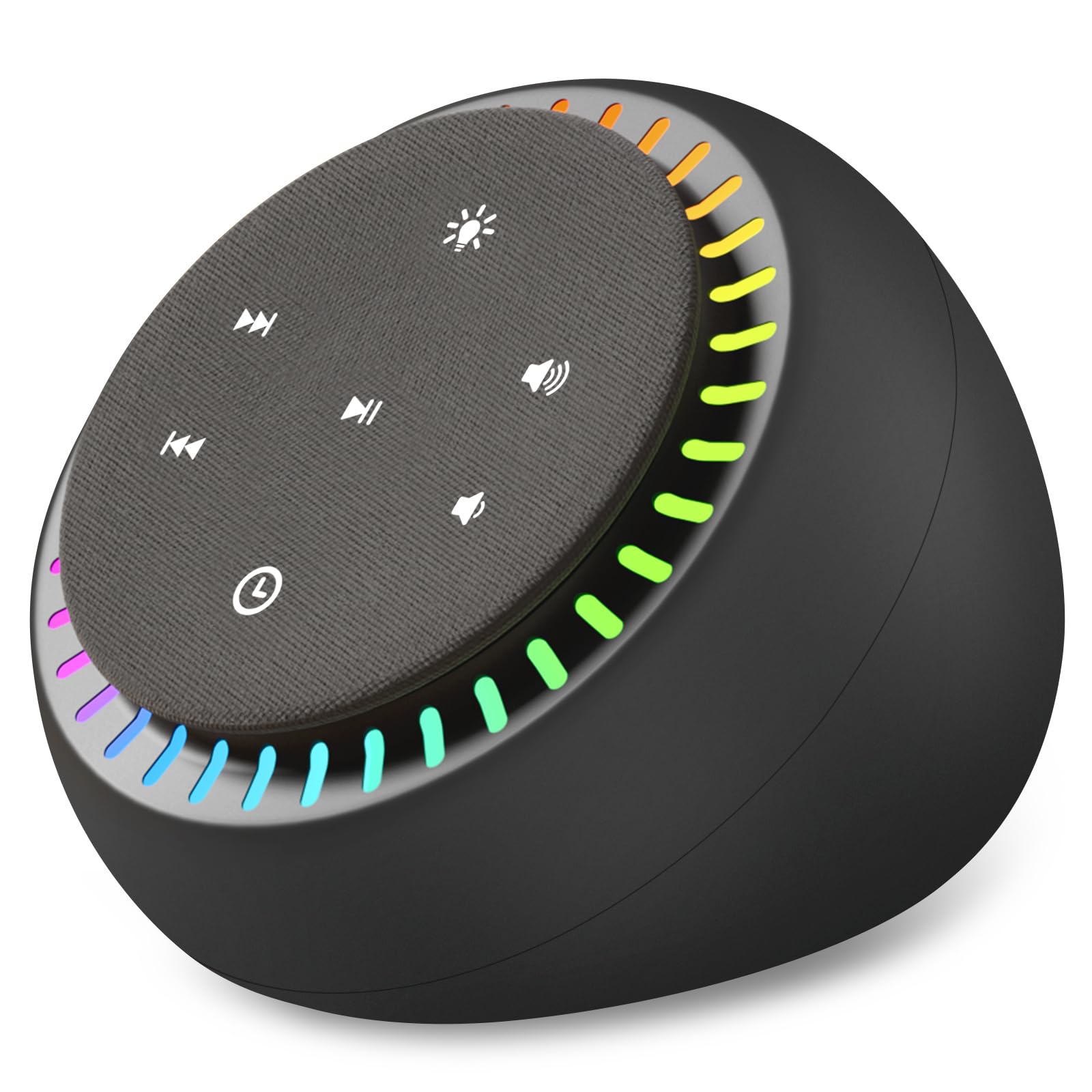
Obraz: Góra view of the DreamSky Sound Machine DS6682, highlighting the control panel with various function buttons and the surrounding RGB light ring.
- Przycisk zasilania: Naciśnij, aby włączyć lub wyłączyć urządzenie.
- Wybór dźwięku: Use the "Previous Track" and "Next Track" buttons to cycle through the 26 available sounds.
- Regulacja głośności: Use the "Volume Up" and "Volume Down" buttons to adjust the sound level. There are 30 levels of volume.
- Sterowanie oświetleniem: Press the "RGB Light Dimmer" button to cycle through light modes (RGB, solid warm light, off) and adjust brightness levels.
- Przycisk timera: Press to set an auto-off timer.
3.2 Sound Selection and Volume Adjustment
To select a sound, press the "Previous Track" or "Next Track" buttons. The device offers 26 unique sounds, including various white noises, nature sounds, and lullabies. Adjust the volume using the "Volume Up" and "Volume Down" buttons to your preferred level. The device supports 30 volume levels, from a whispered quiet to a loud environment for effective noise blocking.

Image: The DreamSky Sound Machine DS6682 illustrating the volume control buttons and the concept of adjustable sound levels.
3.3 Działanie lampki nocnej
The DreamSky Sound Machine features an RGB night light and a solid warm light. Press the "RGB Light Dimmer" button to activate the light. Subsequent presses will cycle through different light modes and 4 adjustable brightness levels for the warm light, including an option to turn the light off while the sound continues.
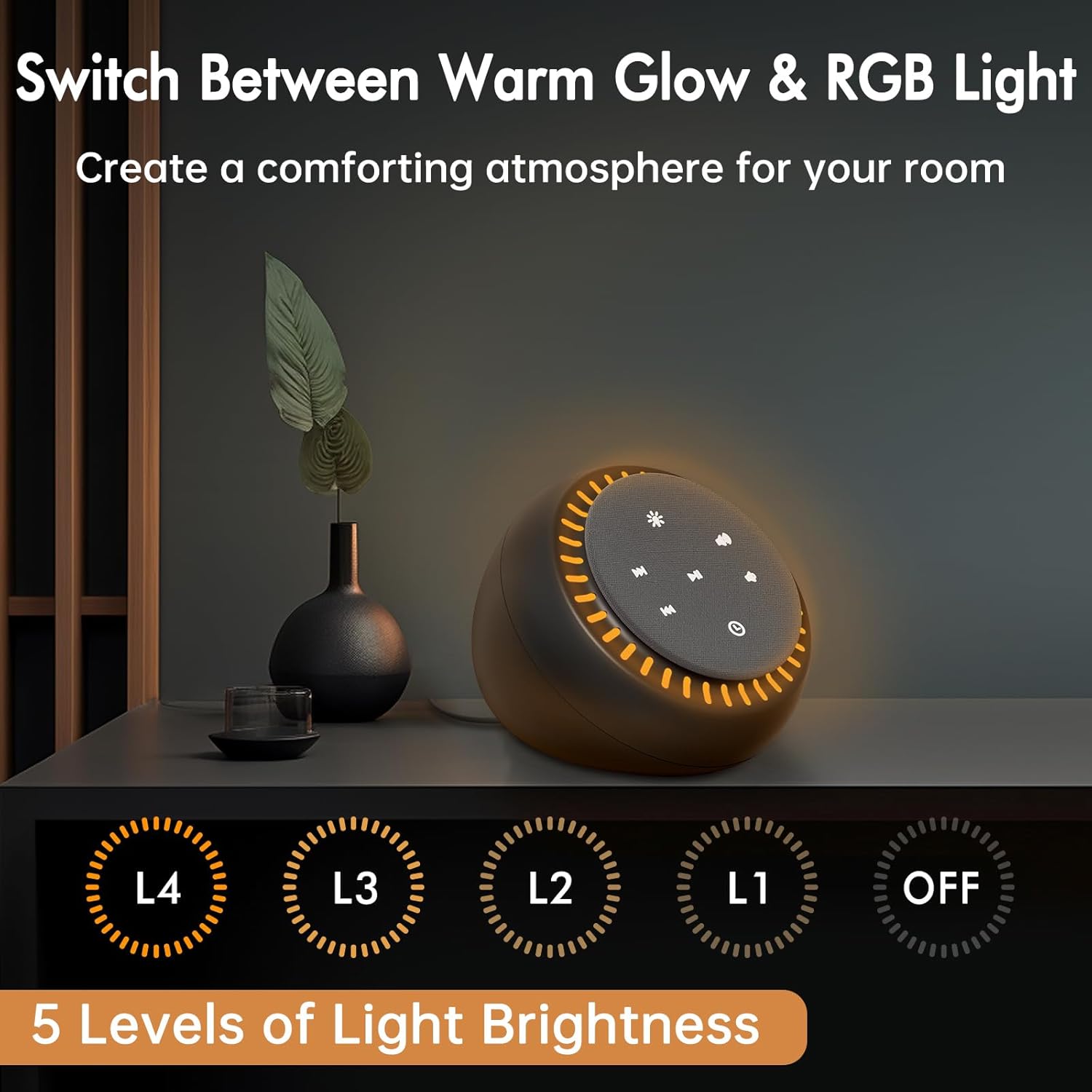
Image: The DreamSky Sound Machine DS6682 displaying its warm glow night light and indicating 5 levels of light brightness, including off.
3.4 Ustawianie timera uśpienia
The device includes an adjustable auto-off timer. Press the "Timer" button to set the duration for 10, 20, 30, 60, or 90 minutes. You can also select continuous play. Once the timer expires, the sound machine will automatically turn off. The memory function retains your last sound setting for convenience.

Image: The DreamSky Sound Machine DS6682 with a sleeping person in the background, illustrating the auto-off timer settings (10, 20, 30, 60, 90 minutes, and continuous).
4. Główne cechy
- 26 kojących dźwięków: Includes white noise, brown noise, pink noise, blue noise, fan sounds, ocean wave, rain, birds sound, stream, fire, lullaby, and other nature sounds.
- Wysoka jakość dźwięku: Immersive, high-fidelity audio with deep bass from a powerful speaker, suitable for office privacy, noise canceling, relaxation, and concentration.
- RGB Night Light & Warm Light: Features an RGB light and a solid warm night light with 4 adjustable brightness levels and a light-off option to create a desired atmosphere.
- 30 Levels Volume Control: Offers a wide range of volume adjustments, including a silent mode, to suit various scenarios.
- Adjustable Sleep Timer: Auto-off timer settings for 10, 20, 30, 60, 90 minutes, or continuous play. Includes a memory function for the last sound setting.
- Zasilane przez USB-C: Conveniently powered by a 5V plug-in adapter for easy setup.
- Obsługa przyjazna użytkownikowi: Straightforward buttons for intuitive control.

Image: The DreamSky Sound Machine DS6682 on a desk, highlighting the "26 Soothing Sounds" feature with icons for various sound types like white noise, stream, wave, rain, fan, fire, and music.
5. Konserwacja
To ensure the longevity and optimal performance of your DreamSky Sound Machine, follow these simple maintenance guidelines:
- Czyszczenie: Wipe the exterior of the device with a soft, dry cloth. Do not use abrasive cleaners, waxes, or solvents as they may damage the finish.
- Składowanie: Jeśli urządzenie nie będzie używane przez dłuższy czas, należy je przechowywać w chłodnym i suchym miejscu, z dala od bezpośredniego światła słonecznego i ekstremalnych temperatur.
- Unikaj wilgoci: Keep the sound machine away from water and high humidity environments to prevent damage to internal components.
- Zachowaj ostrożność: Unikaj upuszczania urządzenia i narażania go na silne uderzenia.
6. Rozwiązywanie Problemów
If you encounter any issues with your DreamSky Sound Machine, please refer to the following common problems and solutions:
| Problem | Możliwa przyczyna | Rozwiązanie |
|---|---|---|
| Urządzenie nie włącza się. | Brak zasilania lub luźne połączenie. | Upewnij się, że zasilacz jest prawidłowo podłączony zarówno do urządzenia, jak i do sprawnego gniazdka elektrycznego. Spróbuj użyć innego gniazdka. |
| Brak dźwięku lub niski poziom głośności. | Volume is too low or muted. Incorrect sound selected. | Press the "Volume Up" button repeatedly. Cycle through sounds using the "Previous/Next Track" buttons. |
| Lampka nocna nie działa. | Light is turned off or set to lowest brightness. | Press the "RGB Light Dimmer" button to cycle through light modes and brightness levels. |
| Funkcja timera nie aktywuje się. | Timer nie jest ustawiony prawidłowo. | Press the "Timer" button to select a desired duration (10, 20, 30, 60, 90 minutes). Ensure continuous play is not selected if a timer is desired. |
If the problem persists after trying these solutions, please contact DreamSky customer support for further assistance.
7. Specyfikacje produktu
| Funkcja | Szczegół |
|---|---|
| Numer modelu | DS6682 |
| Marka | Niebo marzeń |
| Wymiary | 4.65 x 4.61 x 4.37 cala |
| Waga | 13.58 uncji |
| Źródło zasilania | 5V Plug-in Adapter (USB-C) |
| Opcje dźwięku | 26 Soothing Sounds (White Noise, Brown Noise, Pink Noise, Blue Noise, Fan, Ocean Wave, Rain, Birds, Stream, Fire, Lullaby, Nature Sounds) |
| Poziomy głośności | 30 regulowanych poziomów |
| Światło nocne | RGB Light, Solid Warm Light with 4 Brightness Levels |
| Timer snu | 10, 20, 30, 60, 90 minutes, or Continuous Play |
| Typ materiału | Plastikowy |
| Producent | ShenZhen litian technology Co.,Ltd |
8. Gwarancja i wsparcie
DreamSky products are designed for reliability and performance. For information regarding warranty coverage, product registration, or technical support, please refer to the contact information provided with your purchase or visit the official DreamSky webstrona.
Proszę zachować dowód zakupu na wypadek ewentualnych roszczeń gwarancyjnych.