
1. Wprowadzenie
This manual provides essential information for the safe and efficient installation, operation, and maintenance of your OSRAM ENDURA PRO Outdoor Wall Projector with Sensor. This high-efficiency outdoor wall luminaire features an extensive angle and innovative optical design, providing reliable and secure lighting for various outdoor applications.

Image 1.1: Highly Efficient Lighting. The OSRAM ENDURA PRO LED projector provides uniform and efficient lighting, enhancing security around your property with optimal brightness.
2. Instrukcje bezpieczeństwa
Please read and understand all safety instructions before installing or operating the product. Failure to follow these instructions may result in electric shock, fire, or other hazards.
- Wykwalifikowany personel: Wszystkie połączenia elektryczne muszą być wykonane przez wykwalifikowanego elektryka.
- Ryzyko porażenia prądem: Always disconnect power before installation, maintenance, or repair. Caution, risk of electric shock.
- Ryzyko uduszenia: To reduce the risk of strangulation, ensure that any flexible wiring connected to this luminaire is effectively secured to the wall if the wiring is within reach.
- Integralność produktu: Do not modify or alter the product in any way. Use only original OSRAM accessories and spare parts.
- Środowisko operacyjne: This product is designed for outdoor use with an IP55 rating. Do not submerge in water.
3. Funkcje produktu
The OSRAM ENDURA PRO projector is engineered for optimal outdoor lighting performance and durability.
- Wysoka wydajność: Provides bright and uniform illumination, enhancing safety in all outdoor areas.
- Regulowana głowica: The luminaire head is adjustable, allowing for precise light orientation to illuminate specific areas and dark corners.
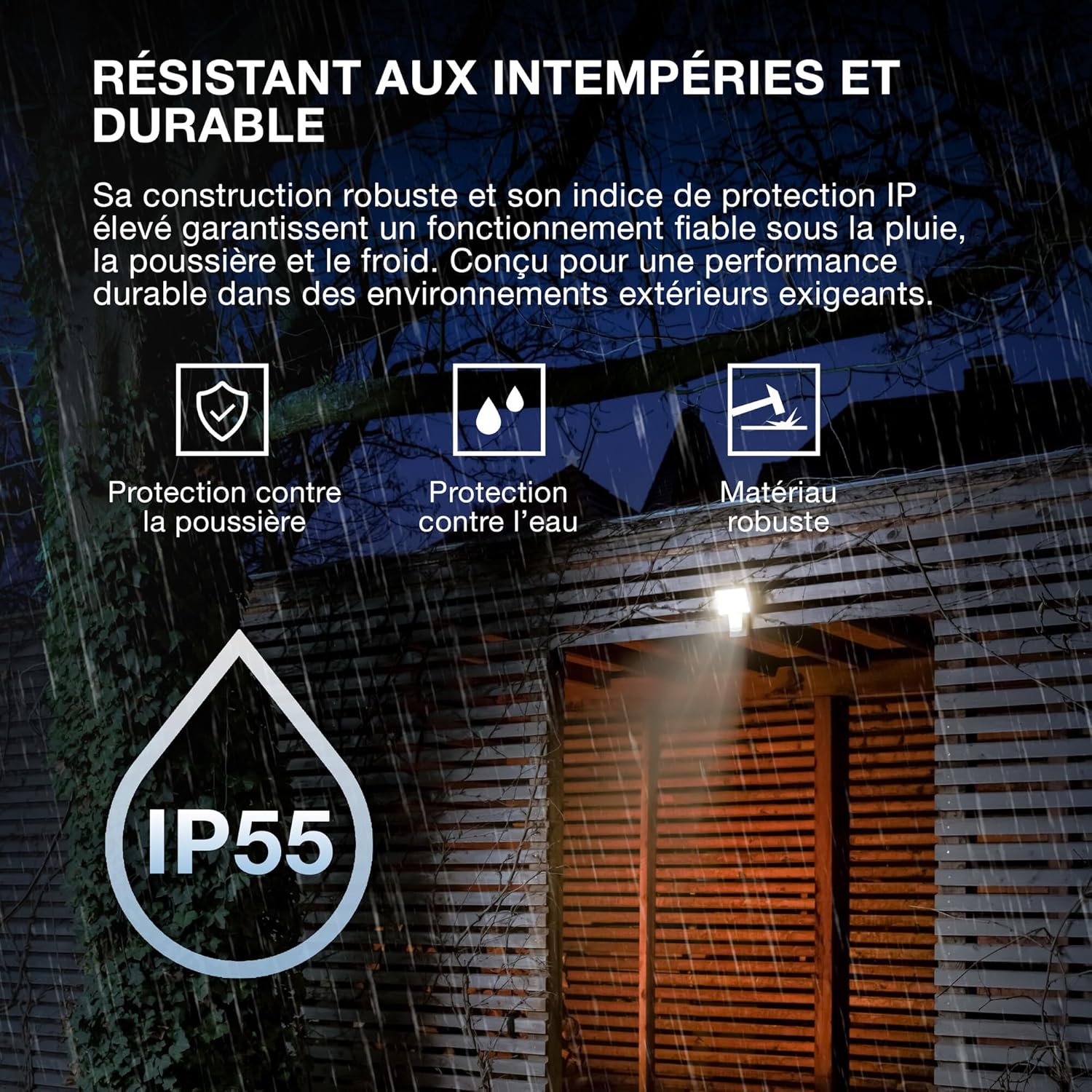
- Solidna konstrukcja: Features IP55 protection against dust and water jets, and IK05 impact resistance, ensuring reliable operation in various weather conditions.
- Zintegrowany czujnik: Equipped with a motion and brightness detection sensor for automated operation.
- Tryby pracy: Offers 4 selectable operating modes, including 6-hour continuous illumination or activation by motion and ambient light.
- Energooszczędny: Zaprojektowane z myślą o energooszczędnej pracy.

Image 3.1: Weather Resistant and Durable. The robust construction with IP55 and IK05 ratings ensures reliable performance in demanding outdoor environments, protecting against dust, water, and impacts.

Image 3.2: Precisely Adjustable. The pivoting lamp head allows for precise light orientation, directing illumination exactly where needed for efficient and glare-free lighting.
4. Konfiguracja i instalacja
The OSRAM ENDURA PRO projector is designed for easy and quick installation on walls or ceilings.
4.1. Przed instalacją
- Ensure the power supply is disconnected at the main circuit breaker before starting any electrical work.
- Verify that the mounting surface is suitable and can support the weight of the luminaire.
- Consult a qualified electrician for all electrical connections.
4.2. Etapy montażu
- Przygotuj miejsce montażu: Choose a suitable location for wall or ceiling mounting.
- Zaznacz punkty wiercenia: Use the mounting bracket as a template to mark the drilling points on the surface.
- Wiercenie otworów: Wywierć otwory w zaznaczonych punktach i włóż odpowiednie kołki rozporowe (jeśli to konieczne).
- Bezpieczny wspornik montażowy: Attach the mounting bracket securely to the wall or ceiling using screws.
- Podłączenie elektryczne: Connect the electrical wiring to the luminaire terminals according to local electrical codes. Ensure proper grounding.
- Zamontuj oprawę: Mount the luminaire onto the secured bracket.
- Bezpieczne okablowanie: If the flexible wiring is within reach, secure it effectively to the wall to prevent strangulation hazards.
- Przywróć zasilanie: Po zakończeniu instalacji i zabezpieczeniu wszystkich połączeń można przywrócić zasilanie obwodu.

Image 4.1: Quick Assembly and Easy Installation. The diagram illustrates both wall and ceiling installation methods, highlighting the 180° detection angle and coverage area for enhanced security.
Ilustracja 4.2: Wymiary produktu. Detailed dimensions of the luminaire for accurate installation planning.
5. Instrukcja obsługi
The OSRAM ENDURA PRO projector offers flexible operating modes and an adjustable head for customized lighting.
5.1. Wybór trybów pracy
The luminaire features 4 selectable operating modes, typically controlled via a push button or internal switch (refer to the detailed wiring diagram in the packaging for exact control method):
- Motion and Brightness Detection: The light turns on automatically when motion is detected in low ambient light conditions.
- Continuous Illumination (e.g., 6 hours): The light remains on for a set duration, regardless of motion or ambient light.
- Other modes may include variations of detection sensitivity, time-on duration, or ambient light threshold.
5.2. Adjusting the Luminaire Head
The luminaire head can be manually adjusted to direct the light beam as required. Gently pivot the head to the desired angle (up to 60 degrees as indicated in product images) to optimize illumination for your specific area.
6. Konserwacja
Regular maintenance ensures the longevity and optimal performance of your OSRAM ENDURA PRO projector.
- Czyszczenie: Clean the luminaire regularly with a soft, damp ściereczką. Nie używaj środków czyszczących o właściwościach ściernych ani rozpuszczalników, ponieważ mogą one uszkodzić powierzchnię.
- Kontrola: Periodically inspect the luminaire for any signs of damage, such as cracks in the housing or frayed wiring. If damage is found, disconnect power immediately and contact a qualified electrician for repair or replacement.
- Połączenia elektryczne: Ensure all electrical connections remain secure. If any looseness is detected, have it checked by a qualified electrician.
7. Rozwiązywanie Problemów
If you encounter issues with your OSRAM ENDURA PRO projector, refer to the following common troubleshooting steps:
| Problem | Możliwa przyczyna | Rozwiązanie |
|---|---|---|
| Światło się nie włącza | Brak zasilania Sensor not triggered Nieprawidłowy tryb pracy | Sprawdź wyłącznik automatyczny i połączenia elektryczne. Ensure motion is within sensor range and ambient light is low enough. Verify selected operating mode. |
| Światło pozostaje włączone w sposób ciągły | Continuous illumination mode selected Constant motion in sensor range Awaria czujnika | Switch to motion detection mode. Adjust sensor position or sensitivity. Skontaktuj się z obsługą klienta. |
| Migotanie światła | Niestabilne zasilanie Luźne połączenie | Aby sprawdzić zasilanie, należy skonsultować się z wykwalifikowanym elektrykiem. Sprawdź, czy wszystkie połączenia elektryczne są bezpieczne. |
If the problem persists after attempting these solutions, please contact OSRAM customer support or a qualified electrician.
8. Specyfikacje
Key technical specifications for the OSRAM ENDURA PRO Flood Sensor 27W 4000K IP55.
| Funkcja | Specyfikacja |
|---|---|
| Numer modelu | 4099854451744 |
| Marka | OSRAM |
| Pobór mocy | 27 watów |
| Strumień świetlny | 3000 lm (Lumen) |
| Temperatura barwowa | 4000K (zimna biel) |
| Tomtage | 220 V (AC) |
| Stopień ochrony | IP55 (Dust protected, protected against water jets) |
| Odporność na uderzenia | IK05 |
| Tworzywo | Poliwęglan (PC) |
| Wymiary (dł. x szer. x wys.) | Wymiary 20.1 x 5.6 x 22.5 cm |
| Waga | 480 gram |
| Typ przełącznika | Czujnik ruchu |
| Typ montażu | Montaż ścienny |
| Obszary zastosowań | Outdoor, Parking lots, Squares, Parks, Arcades |
Image 8.1: Performance Options. The OSRAM ENDURA PRO is available in various wattages and luminous fluxes. This model is the 27W version, providing 3000 lumens.

Rysunek 8.2: Opakowanie produktu. The packaging provides an overview of the product, including key specifications and features.
9. Gwarancja i wsparcie
For warranty information and customer support, please refer to the documentation included with your product or visit the official OSRAM webZachowaj paragon jako dowód zakupu.
OSRAM Webstrona: www.osram.com