
1. Wprowadzenie
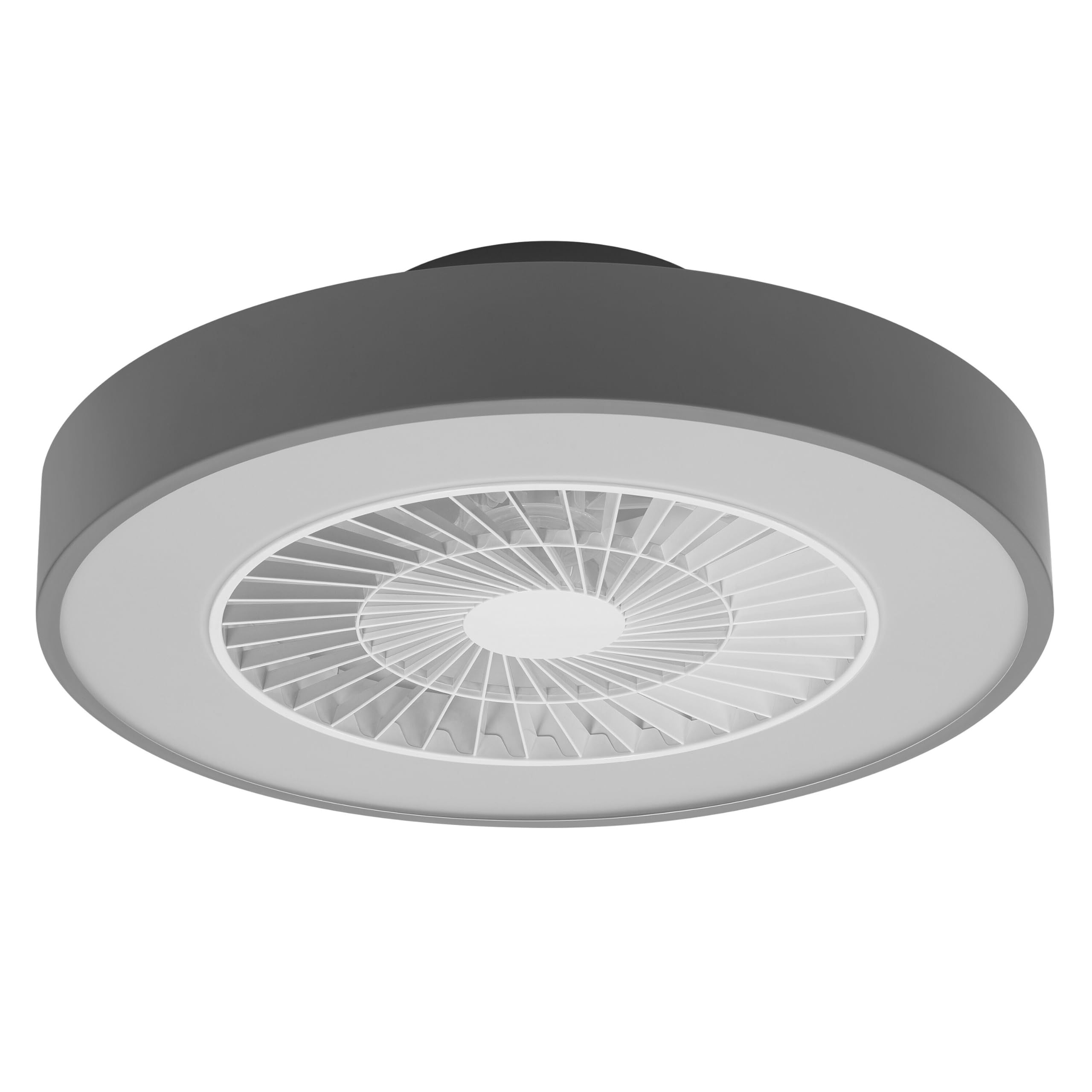
This manual provides detailed instructions for the installation, operation, and maintenance of your Osram SMART+ WiFi LED Ceiling Fan, Cylinder 550mm model. This innovative device combines an LED light fixture with an integrated fan, designed to provide both illumination and air circulation in various indoor environments.
The fan features adjustable speed settings, while the integrated LED light offers a customizable color temperature range from warm white (3000 K) to daylight white (6500 K) and is fully dimmable. Control options include a dedicated remote control, a smartphone application, and voice assistants for a seamless user experience.
2. Informacje dotyczące bezpieczeństwa
Przed instalacją i użytkowaniem należy uważnie przeczytać wszystkie instrukcje bezpieczeństwa. Nieprzestrzeganie tych instrukcji może spowodować porażenie prądem, pożar lub obrażenia ciała.
- Wszystkie połączenia elektryczne muszą być wykonane przez wykwalifikowanego elektryka.
- Always disconnect power at the circuit breaker before beginning any installation, maintenance, or cleaning procedures.
- Verify the suitability and structural integrity of the ceiling and wall before mounting the fan. If in doubt, consult a professional.
- Produkt przeznaczony jest wyłącznie do użytku wewnątrz pomieszczeń.
- Ensure all components are securely fastened before restoring power.

3. Zawartość opakowania
Carefully unpack the box and ensure all items are present and undamaged. If any parts are missing or damaged, contact customer support.
- 1x Osram SMART+ WiFi LED Ceiling Fan Cylinder 550mm
- 1x Pilot zdalnego sterowania
- Mounting accessories (screws, dowels, bracket)
- Instrukcja obsługi
4. Konfiguracja i instalacja
The Osram SMART+ WiFi LED Ceiling Fan is designed for simple assembly. Complete accessories are included for installation. The fan has dimensions of 60 x 60 cm, making it suitable for standard ceiling covers.
Kroki instalacji:
- Odłącz zasilanie: Before starting any work, ensure the main power supply to the installation area is switched off at the circuit breaker.
- Przygotowanie montażu: Mark and drill holes for the mounting bracket on the ceiling. Ensure the holes are correctly spaced and sized for the provided dowels and screws.
- Fix the Support: Securely attach the mounting bracket to the ceiling using the provided dowels and screws.
- Podłącz kable: Connect the electrical cables according to the wiring diagram provided in the manual. Ensure all connections are tight and secure.
- Install the Fan: Attach the ceiling fan unit to the mounted bracket, ensuring it is securely locked in place.
- Przywróć zasilanie: Po zakończeniu instalacji i zabezpieczeniu wszystkich połączeń przywróć zasilanie za pomocą wyłącznika automatycznego.


5. Instrukcja obsługi
Your Osram SMART+ WiFi LED Ceiling Fan can be operated using the included remote control, the SMART+ app, or voice commands.
5.1. Obsługa pilota zdalnego sterowania
The remote control allows for direct adjustment of fan speed, light brightness, and color temperature without needing a network connection.

- Przycisk zasilania: Włącza/wyłącza wentylator i światło.
- Przyciski prędkości wentylatora: Adjusts the fan speed (typically 3 levels).
- Włączanie/wyłączanie światła: Niezależne sterowanie światłem.
- Regulacja jasności: Dims or brightens the light.
- Regulacja temperatury barwowej: Changes the light color from warm white to daylight white.
- Tryb lato/zima: Switches between airflow directions for cooling (summer) or circulating warm air (winter).


6. Smart Features (WiFi, App, Voice Control)
The Osram SMART+ WiFi LED Ceiling Fan integrates seamlessly into your smart home ecosystem, offering advanced control options via WiFi.
6.1. SMART+ App Control
Control your fan and light settings from anywhere using the SMART+ app on your smartphone or tablet. The app allows for precise adjustments of fan speed, light brightness, and color temperature, as well as scheduling and scene creation.
- Pobierz aplikację: Szukaj "SMART+ App" in the App Store (iOS 14.0 or higher) or Google Play Store (Android 8.0 or higher). You can also scan the QR code or visit l.ead.me/SmartPlusWifi.
- Łączenie w pary: Follow the in-app instructions to pair your ceiling fan with the SMART+ app via your home WiFi network (2.4 GHz).
- Cechy: Once paired, you can control individual fan and light functions, group multiple devices, create automated routines, and manage settings remotely.


6.2. Sterowanie głosowe
Integrate your Osram SMART+ Ceiling Fan with compatible voice assistants like Google Home and Amazon Alexa for hands-free control.
- Organizować coś: Link your SMART+ account with your preferred voice assistant app (e.g., Google Home, Amazon Alexa).
- Polecenia: Use simple voice commands to turn the fan or light on/off, adjust speed, brightness, or color temperature. For example, "Alexa, turn on the ceiling fan" or "Hey Google, set fan speed to medium."

7. Konserwacja
Regularna konserwacja zapewnia optymalną wydajność i długowieczność wentylatora sufitowego.
- Czyszczenie: Before cleaning, ensure the power is disconnected. Wipe the fan and light surfaces with a soft, dry, or slightly damp ściereczka. Nie należy używać środków czyszczących o właściwościach ściernych ani rozpuszczalników.
- Kontrola: Periodically check all mounting screws and connections to ensure they remain tight.
- Źródło światła: Zintegrowane źródło światła LED zostało zaprojektowane z myślą o długiej żywotności (50 000 godzin) i nie jest przeznaczone do wymiany przez użytkownika.
8. Rozwiązywanie Problemów
If you encounter issues with your Osram SMART+ WiFi LED Ceiling Fan, refer to the following common problems and solutions:
| Problem | Możliwa przyczyna | Rozwiązanie |
|---|---|---|
| Wentylator/światło nie włącza się | Brak zasilania; Luźne okablowanie; Niski poziom baterii pilota. | Check circuit breaker; Verify electrical connections (consult electrician); Replace remote control batteries. |
| Pilot nie odpowiada | Batteries depleted; Obstruction between remote and fan; Remote out of range. | Replace batteries; Ensure clear line of sight; Operate within closer range. |
| WiFi disconnection or app control issues | Weak WiFi signal; Router issues; Incorrect app pairing. | Ensure strong 2.4 GHz WiFi signal; Restart router; Re-pair device in SMART+ app. |
| Wentylator jest głośny | Loose mounting; Obstruction in fan blades; Motor issue. | Check mounting screws; Ensure no obstructions; If noise persists, contact support. |
If the problem persists after attempting these solutions, please contact Osram customer support.
9. Specyfikacje
| Funkcja | Specyfikacja |
|---|---|
| Marka | Osram |
| Nazwa modelu | SMART+ Wifi Ceiling Fan LED Cylinder 550mm + RC |
| Numer modelu | 4099854472800 |
| Kolor | Szary |
| Styl | Cylinder |
| Wymiary | Wymiary: 60x60 cm |
| Waga | 4000 gram |
| Tworzywo | Akrylonitryl-butadien-styren (ABS) |
| Źródło zasilania | AC (prąd przemienny) |
| Pobór mocy | 78 watów |
| Tomtage | 6 Volts (Note: This may refer to a control circuit voltage; the main power supply is AC.) |
| Typ światła | PROWADZONY |
| Moc światła | 2500 lumenów |
| Temperatura barwowa | 3000 K (Warm White) to 6500 K (Daylight White) |
| Możliwość ściemniania | Tak |
| Długość życia | 30,000 godziny |
| Poziomy prędkości wentylatora | 3 |
| Typ silnika | Silnik bezszczotkowy |
| Metoda kontroli | App, Remote Control, Voice |
| Zgodność z inteligentnym domem | Yes (via SMART+ App, Google Home, Amazon Alexa) |
| Protokół sieciowy | Wi-Fi (2.4 GHz) |
| Działanie bezprzewodowe | No (Refers to main power supply, not control via WiFi) |
| Klasa efektywności energetycznej | E |
| Typ instalacji | Samoinstalacja |
| Środowisko użytkowania | Wnętrz |
10. Gwarancja i wsparcie
Osram products are manufactured to high-quality standards. This product comes with a standard manufacturer's warranty. Please refer to the warranty card included in your package or visit the official Osram webSzczegółowe warunki gwarancji można znaleźć na naszej stronie.
For technical support, troubleshooting assistance, or warranty claims, please contact Osram customer service through their official webwitrynę lub dane kontaktowe podane w dokumentacji produktu.
Osram Official Webstrona: www.osram.com