
1. Informacje dotyczące bezpieczeństwa
Please read all safety instructions carefully before operating this product. Retain this manual for future reference.
- Źródło zasilania: Podłączaj urządzenie wyłącznie do źródła zasilania zgodnego z opisem zawartym w niniejszej instrukcji lub oznaczonym na urządzeniu.
- Wentylacja: Zapewnij odpowiednią wentylację. Nie blokuj żadnych otworów wentylacyjnych.
- Woda i wilgoć: Nie wystawiaj urządzenia na działanie deszczu ani wilgoci. Nie stawiaj na urządzeniu przedmiotów wypełnionych płynami, takich jak wazony.
- Ciepło: Nie umieszczaj urządzenia w pobliżu źródeł ciepła, takich jak grzejniki, kratki wentylacyjne, piece lub inne urządzenia (w tym amp(lifiers) wytwarzające ciepło.
- Czyszczenie: Czyścić wyłącznie suchą szmatką.
- Serwisowanie: Nie próbuj samodzielnie naprawiać tego produktu. Wszelkie czynności serwisowe należy powierzyć wykwalifikowanemu personelowi serwisowemu.
- Speaker Stands: Ensure speaker stands are properly assembled and stable before mounting speakers. Do not overload stands.
2. Zawartość opakowania
Sprawdź, czy w przesyłce znajdują się wszystkie elementy wymienione poniżej:
- 1 x PA System (main unit with integrated mixer)
- 2 x stojaki na głośniki
- 1 x mikrofon przewodowy
- 1 x 4.92 ft Power Cable
- 1 x 19.69 ft Speaker Cable
- 1 x Pilot zdalnego sterowania
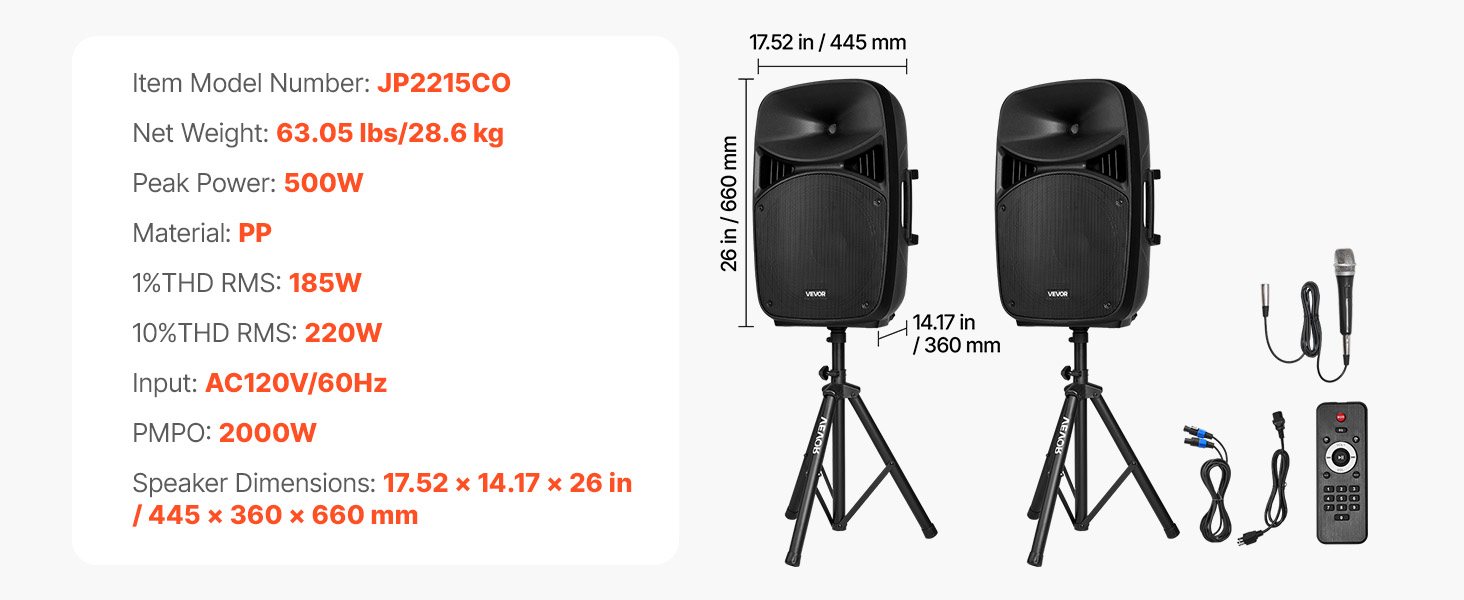
Image: All components included in the VEVOR 2000W Portable PA System package.
3. Koniec produktuview
The VEVOR 2000W Portable PA System is designed for versatile audio amplification in various settings. It features a 3-channel mixer, dual speakers, Bluetooth connectivity, and multiple input options.
3.1 Główne cechy
- 2000W PMPO Peak Output: Delivers powerful sound suitable for large audiences.
- Mikser 3-kanałowy: Allows connection of multiple instruments and microphones.
- Łączność Bluetooth 5.0: Wireless audio streaming up to 10 meters (32.81 ft).
- Adjustable Speaker Stands: Height adjustable from 63 to 73.23 inches for optimal sound projection.
- Przenośna konstrukcja: Features grooved handles and rolling wheels for easy transport.
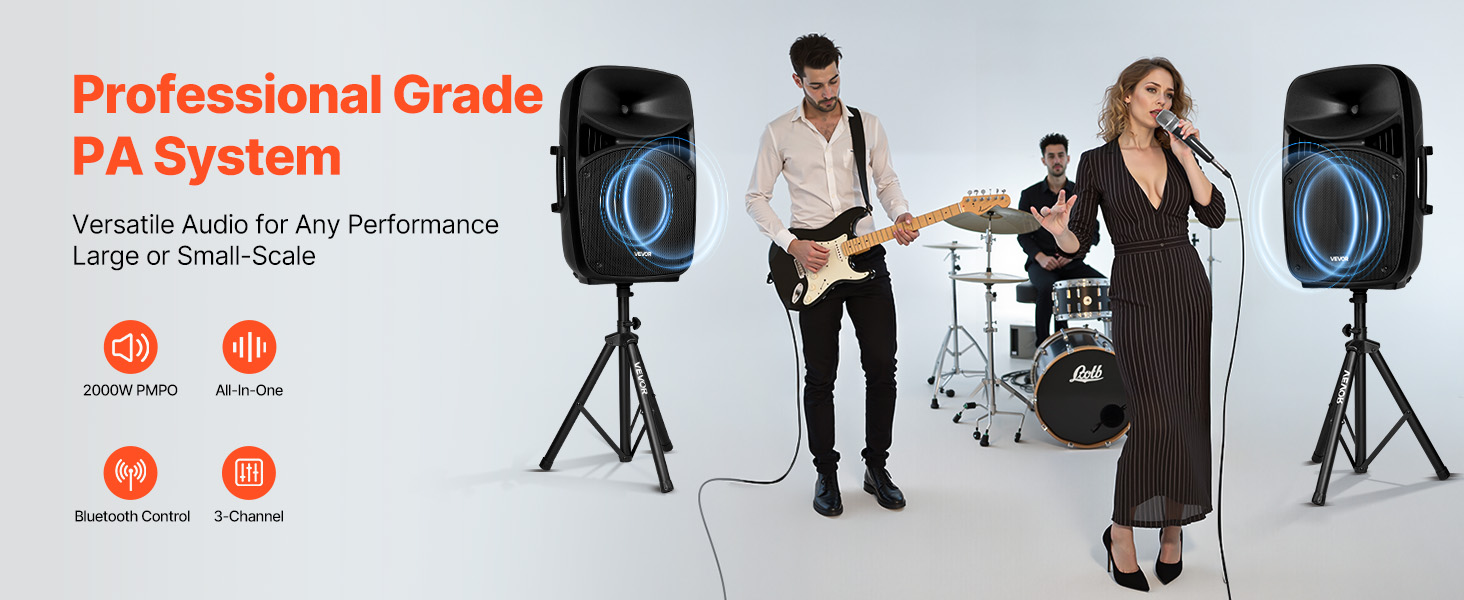
Image: VEVOR PA System in use, illustrating peak output and sound quality.
4. Instrukcje konfiguracji
4.1 Assembling Speaker Stands
- Unfold the tripod base of each speaker stand until it is stable.
- Loosen the fastener adjustment knob on the stand.
- Extend the upper pole to the desired height (between 63 and 73.23 inches).
- Tighten the fastener adjustment knob securely to lock the height.
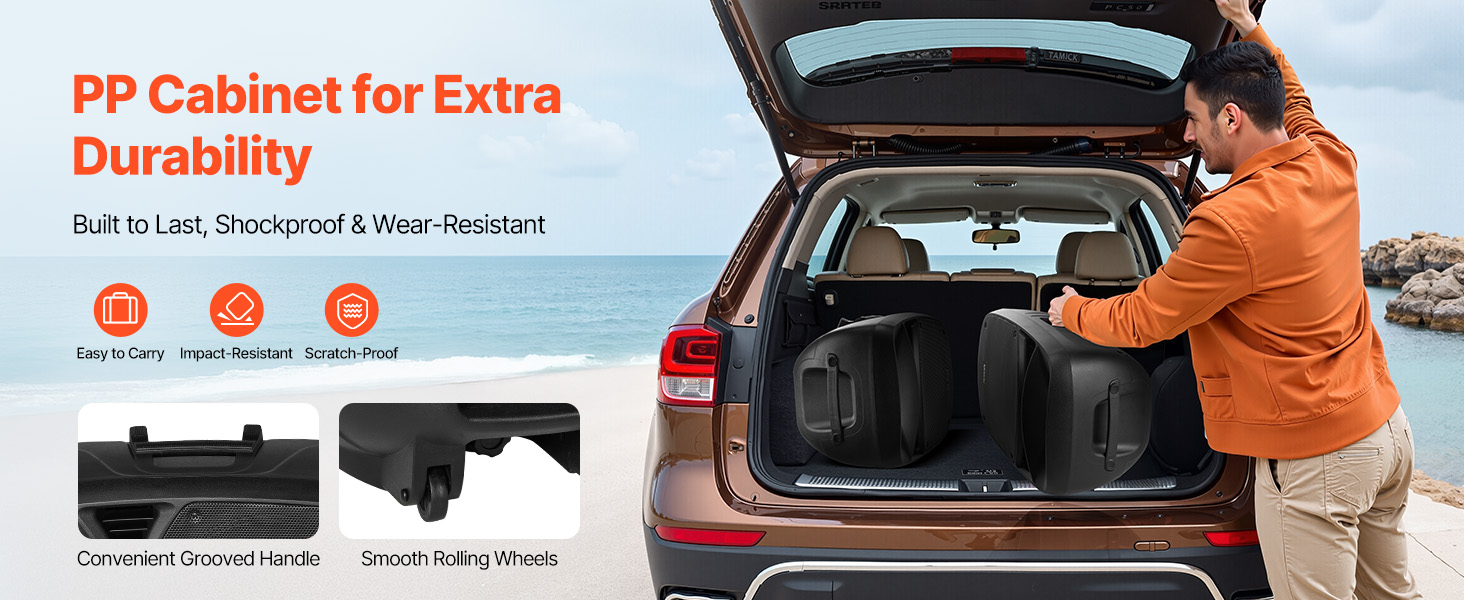
Image: Speaker stand height adjustment mechanism.
4.2 Podłączanie systemu
- Place the speakers onto the assembled stands. Ensure they are stable.
- Connect the main PA system unit to a power outlet using the provided power cable.
- Use the speaker cable to connect the main unit to the passive speaker.
- Connect the wired microphone to the MIC Input on the mixer panel.
- For additional audio sources, use the appropriate inputs (RCA, Auxiliary, USB, SD).
5. Instrukcja obsługi
5.1 Mixer Panel Overview
The rear panel of the main speaker unit houses the 3-channel mixer and various controls.
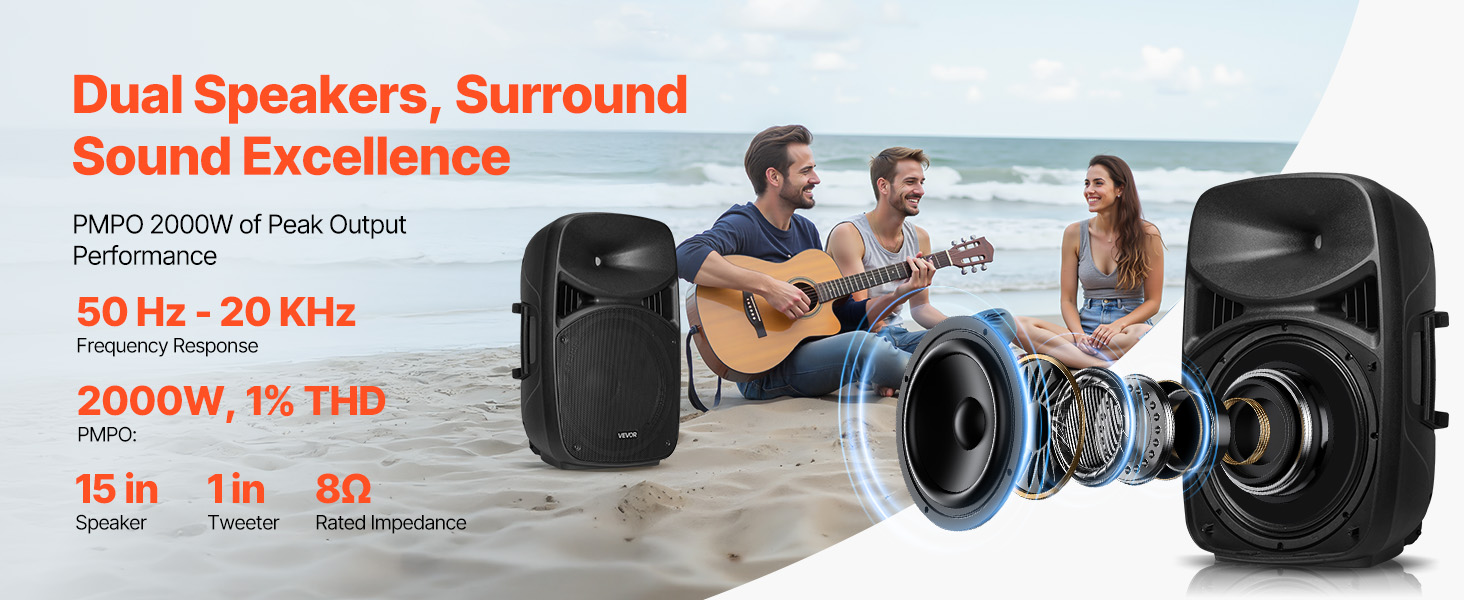
Image: Mixer panel with labeled inputs and controls.
- 1. Wejście mikrofonowe: Podłącz mikrofony.
- 2. RCA Connector: For RCA audio input.
- 3. Wejście pomocnicze: For 3.5mm auxiliary audio input.
- 4. MP3 Volume: Adjusts volume for MP3/USB/SD sources.
- 5. ECHO Volume: Steruje efektem echa w mikrofonach.
- 6. MIC Volume: Dostosowuje głośność wejścia mikrofonu.
- 7. Line Input / Auxiliary Input / RCA Volume: Controls volume for these specific inputs.
- 8. Głośność główna: Overall system volume control.
- USB Port / SD/MMC Port: Do odtwarzania multimediów z dysków USB lub kart SD.
- 5-pasmowy korektor graficzny: Adjusts frequency response for desired sound.
5.2 Łączność Bluetooth
- Turn on the PA system.
- Select the Bluetooth input mode on the mixer. The display will indicate Bluetooth pairing mode.
- On your mobile device, search for Bluetooth devices and select "VEVOR PA System" (or similar).
- Po sparowaniu możesz przesyłać strumieniowo dźwięk bezprzewodowo.
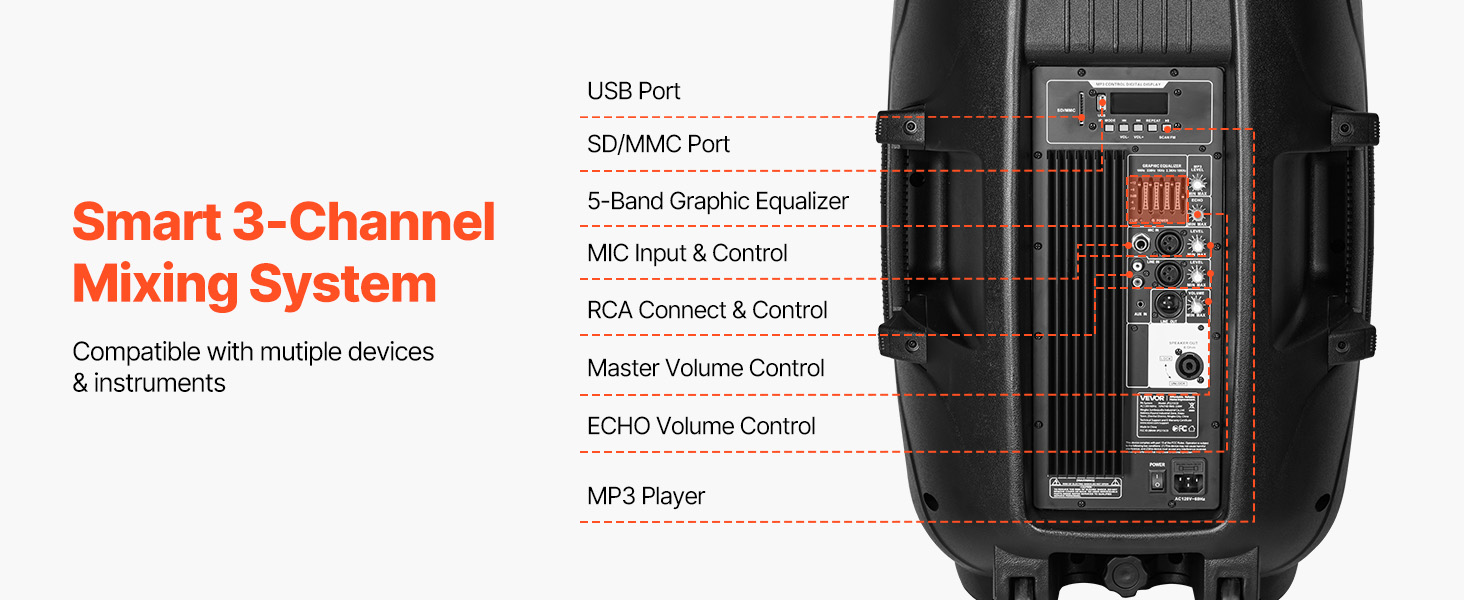
Image: Bluetooth connectivity and remote control for the PA system.
5.3 Korzystanie z pilota zdalnego sterowania
The included remote control allows for convenient adjustment of various functions from a distance of up to 16.4 ft (5 m).
- Moc: Włącz/wyłącz urządzenie.
- Tryb: Switch between input modes (Bluetooth, USB, SD, Aux).
- Tom: Dostosuj głośność główną.
- Sterowanie odtwarzaniem: Play/Pause, Next/Previous track for USB/SD/Bluetooth.
- Klawiatura numeryczna: For direct track selection on USB/SD.
6. Konserwacja
- Czyszczenie: Przetrzyj urządzenie miękką, suchą ściereczką. Nie używaj środków czyszczących o właściwościach ściernych ani rozpuszczalników.
- Składowanie: When not in use, store the PA system in a cool, dry place, away from direct sunlight and extreme temperatures.
- Kable: Regularly check all cables for damage. Replace any frayed or damaged cables immediately.
- Ruchliwość: Utilize the grooved handles and rolling wheels for transport to minimize wear and tear on the unit.
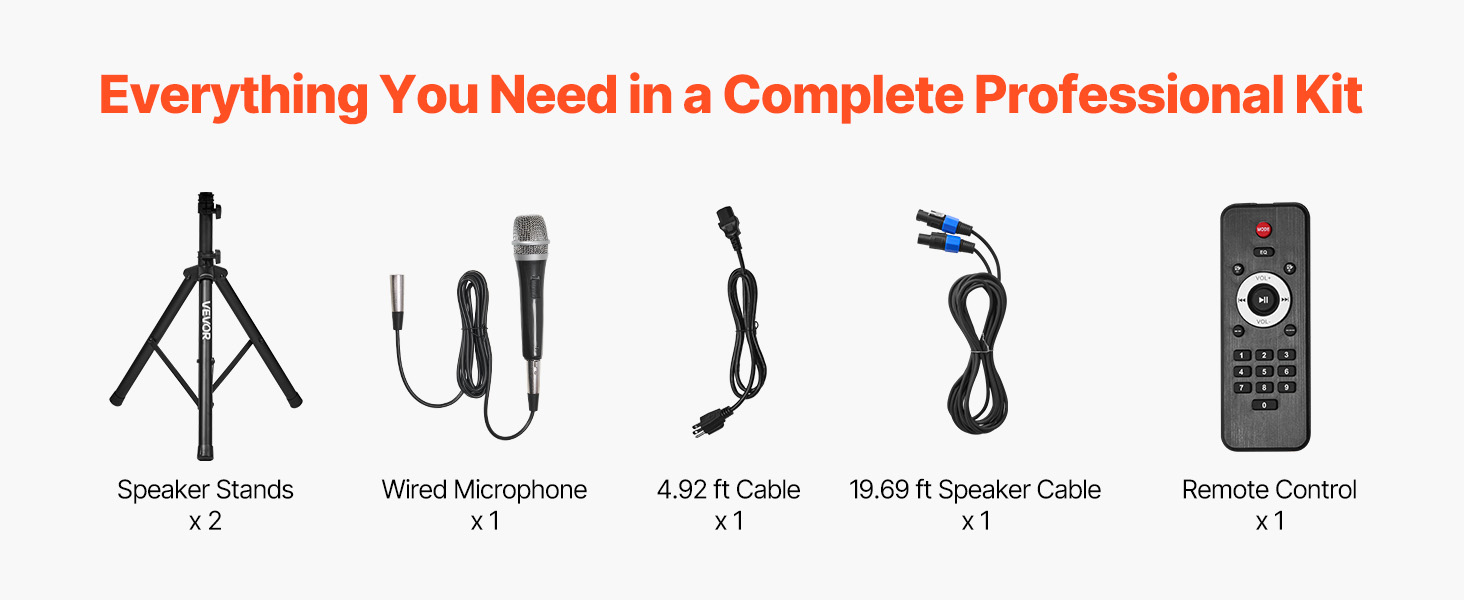
Image: Portable design with handles and wheels for easy transport.
7. Rozwiązywanie Problemów
| Problem | Możliwa przyczyna | Rozwiązanie |
|---|---|---|
| Brak zasilania | Kabel zasilający nie jest podłączony; gniazdko elektryczne jest uszkodzone; urządzenie nie jest włączone. | Sprawdź połączenie kabla zasilającego; Spróbuj użyć innego gniazdka; Upewnij się, że wyłącznik zasilania jest w pozycji WŁ. |
| Brak dźwięku | Volume too low; Incorrect input selected; Speaker cables disconnected; Source device issues. | Increase Master Volume and individual channel volumes; Select correct input mode; Check speaker cable connections; Verify source device is playing audio. |
| Bluetooth nie łączy się | Bluetooth mode not selected; Device too far; Device already paired to another unit. | Ensure Bluetooth mode is active; Move device closer to PA system; Disconnect from other Bluetooth devices. |
| Zniekształcony dźwięk | Volume too high (clipping); Incorrect equalizer settings; Faulty cable/microphone. | Reduce volume levels; Adjust equalizer settings; Test with different cables/microphones. |
| sprzężenie zwrotne mikrofonu | Microphone too close to speakers; Microphone volume too high; Room acoustics. | Reposition microphone away from speakers; Reduce MIC Volume; Adjust ECHO Volume. |
8. Specyfikacje
| Funkcja | Specyfikacja |
|---|---|
| Numer modelu | JP2215CO |
| Peak Power (PMPO) | 2000 W |
| RMS Power (1% THD) | 185 W |
| RMS Power (10% THD) | 220 W |
| Wejście Voltage | Prąd zmienny 120 V/60 Hz |
| Liczba kanałów | 3 |
| Technologia łączności | Bluetooth 5.0 |
| Zasięg bezprzewodowy Bluetooth | Do 10 m (32.81 stóp) |
| Zasięg pilota | Do 5 m (16.4 stóp) |
| Wymiary głośnika (dł. x szer. x wys.) | 17.52 x 14.17 x 25.98 cala (445 x 360 x 660 mm) |
| Waga przedmiotu | 63.05 funta (28.6 kg) |
| Tworzywo | Plastic (PP), Metal, Rubber |
| Typ montażu | Stały podłogowe |
9. Gwarancja i wsparcie
VEVOR offers a 30-day easy return policy for this product. For any questions, technical assistance, or warranty claims, please contact VEVOR Customer Support.
You can find contact information and further support details on the official VEVOR webstronie lub poprzez platformę zakupową.