
Wstęp
Thank you for choosing the Dekala Smart Sunrise Alarm Clock. This device combines a sunrise simulation alarm, a wireless charging station, a white noise sleep sound machine, and a versatile night light. This manual provides instructions for setup, operation, and maintenance to ensure optimal performance.
Zawartość opakowania
Sprawdź, czy w opakowaniu znajdują się wszystkie elementy:
- 1x Smart Sunrise Alarm Clock with Wireless Charging
- 1x Wireless Charging Dock for iWatch
- 1x adapter do ładowania
- 1x Instrukcja obsługi
Notatka: Please use the original Dekala adapter included in the package for proper functionality.
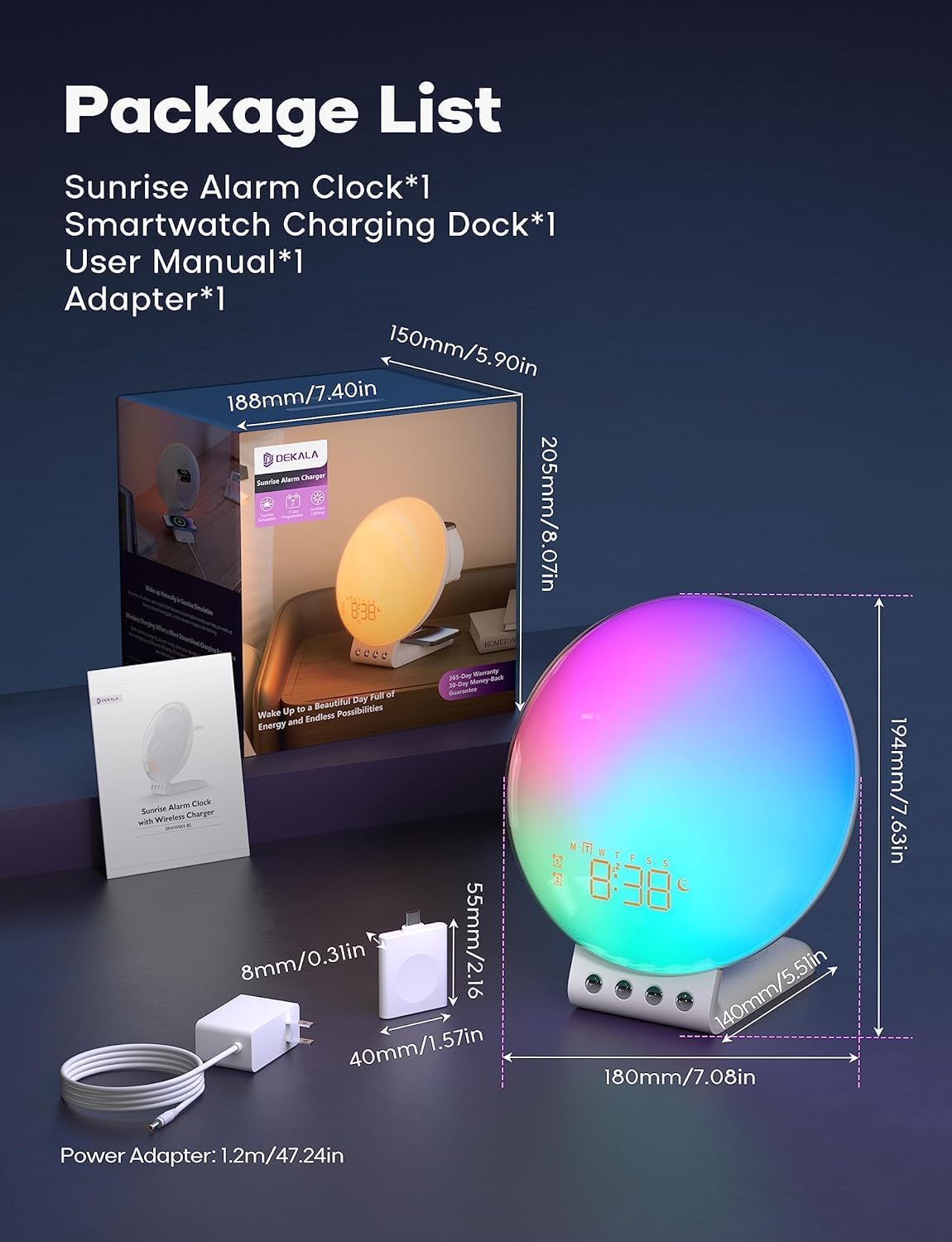
Image: Package contents and dimensions of the Dekala Smart Sunrise Alarm Clock.
Organizować coś
- Podłączenie zasilania: Connect the provided charging adapter to the alarm clock and plug it into a power outlet.
- iWatch Charging Dock: Attach the iWatch wireless charging dock to the designated port on the alarm clock.
- Pierwsze włączenie: Po podłączeniu zasilania wyświetlacz zegara zostanie podświetlony.
- Połączenie aplikacji (opcjonalnie): For advanced features and easier control, download the Dekala App. A 2.4G WiFi connection is required for the initial setup of the app. Follow the in-app instructions to pair your device.
Instrukcja obsługi
1. Sunrise Simulation Alarm Clock
The sunrise simulation feature gradually increases light intensity before your set alarm time, mimicking a natural sunrise to gently wake you up. The alarm clock supports 7-day programmable dual alarms.
- Ustawianie alarmów: Use the controls on the device or the Dekala App to set up to two independent alarms.
- Konfigurowalne dźwięki: Choose from various alarm sounds including Bird chirping, Ocean, Valley Stream, Melodic, Music Box, Wind Chimes, and Beeping.
- Funkcja drzemki: Tap the top of the device to activate the snooze function, which provides an additional 9 minutes of sleep, up to 5 times.

Image: Visual representation of the gradual sunrise simulation feature.
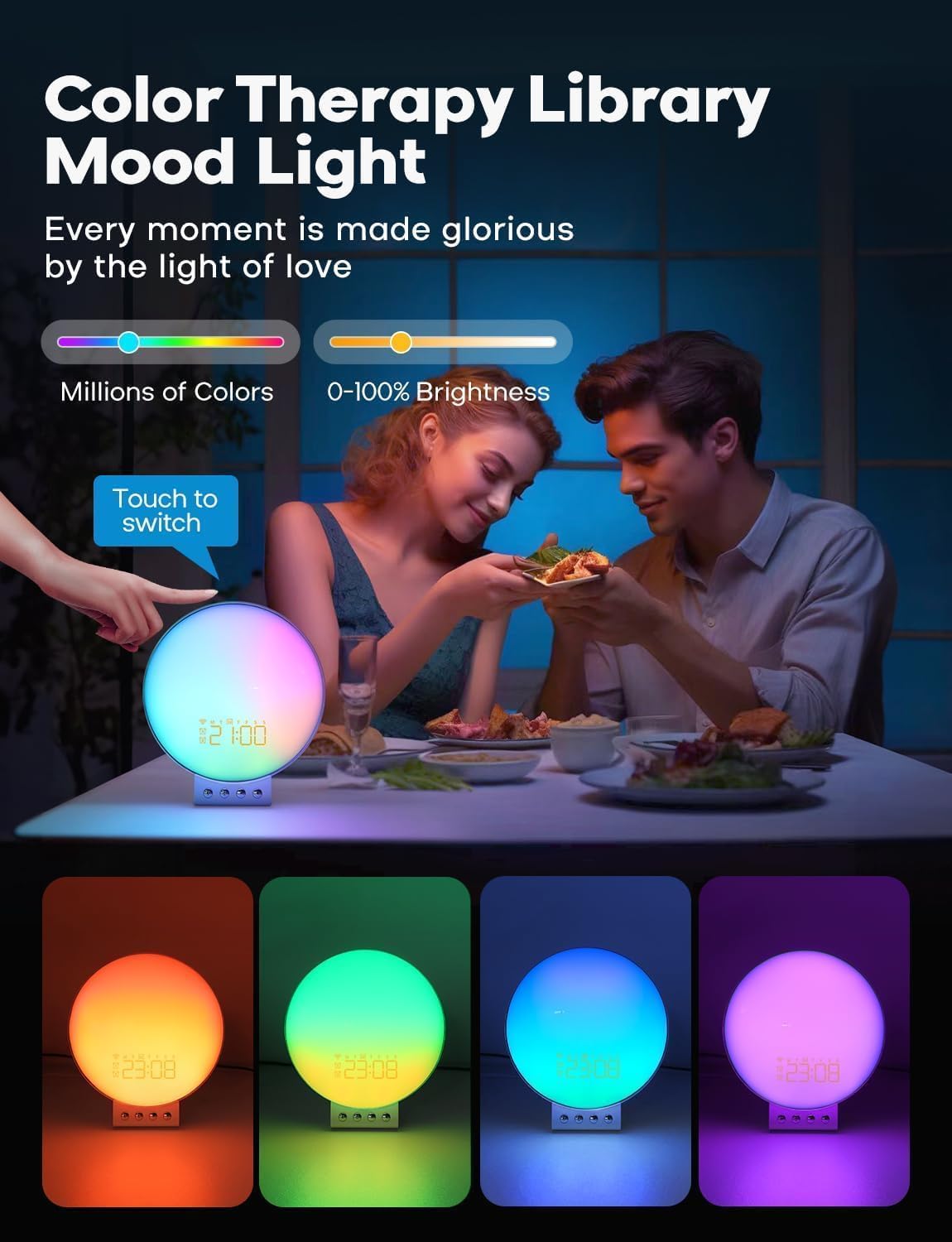
Image: Illustration of 7-day programmable dual alarms and the snooze function.
2. Stacja ładowania bezprzewodowego
The alarm clock features an integrated wireless charging station for compatible devices.
- Telefony komórkowe: Supports up to 15W wireless charging for iPhone 14/13/12/11/X Series, Samsung Galaxy S23/S22/S21/S20/Note 20/Note 10, Google Pixel 7 Pro/6 Pro, and other Qi-enabled wireless charging cellphones.
- Apple Watch: Provides 3W charging for Apple Watch SE/8/7/6/5/4/3/2. Note: Does not support Samsung Watch and iWatch 1.
- Słuchawki: Offers 5W charging for AirPods 2/3/Pro.
- Optymalne ładowanie: For optimal phone charging, ensure your phone case thickness is within 8mm (0.2 inches).

Image: The alarm clock functioning as a multi-device wireless charging station.
3. Sleep Sound Machine
Enhance your sleep environment with 8 calming sleep sounds. Sounds can be played throughout the night or set to gradually fade out with a countdown timer.
- Dostępne dźwięki: White noise, Pink noise, Brown noise, Wind, Rain, Bonfire, Night Whispers, Yoga, and Zen.
- Fade-Out Timer: As the timer progresses, both the sound and night light will diminish, promoting a peaceful transition to sleep.

Image: The alarm clock used as a sleep aid with various sound options.
4. Personalized Lighting Experience
Customize the ambiance with adjustable brightness levels and multiple light modes.
- Jasność: Adjust brightness from 0-100%.
- Tryby oświetlenia: Includes warm yellow night light, breathing regulation light, and colorful ambient light for various settings.
- Color Therapy: Explore millions of colors to create different moods. Touch the device to switch between colors.

Image: The alarm clock providing color therapy and mood lighting.
5. Inteligentne sterowanie głosowe
Control your alarm clock using simple voice commands through compatible voice assistants or the Dekala App.
- Zgodność: Works with Hey Google and Alexa.
- Dekala App: Use the dedicated app for comprehensive control and customization.
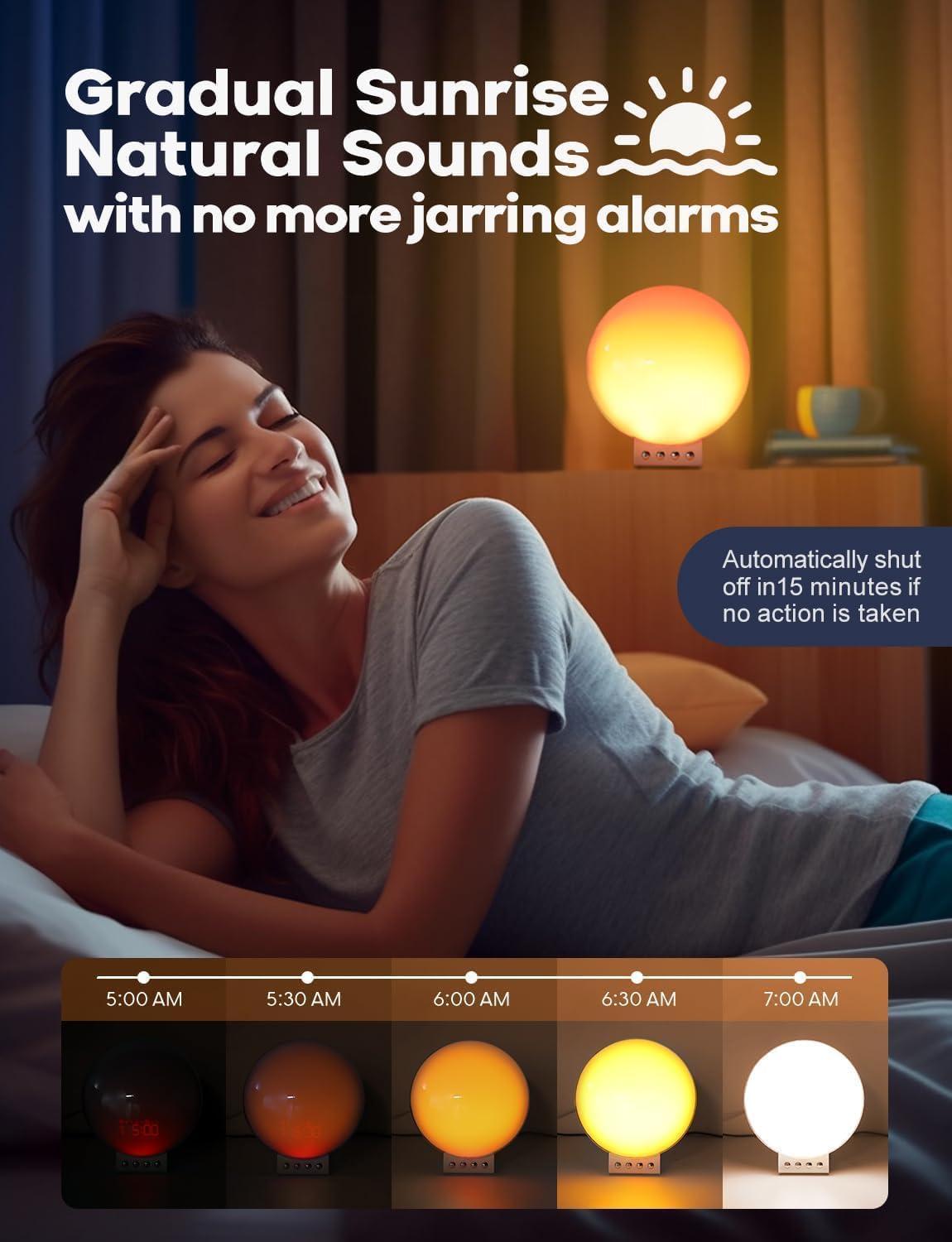
Image: Demonstrating smart voice control integration with the alarm clock.
6. Światło nocne
The device functions as a night light with adjustable brightness levels (L1-L20).
Video: Demonstrating the night light function and adjustable brightness levels of the Dekala Smart Sunrise Alarm Clock.
Specyfikacje
| Marka | Dekala |
| Numer modelu | SRWW-S |
| Kolor | Biały |
| Typ wyświetlacza | Cyfrowy |
| Źródło zasilania | Elektryczny przewodowy |
| Wymiary produktu | 6" szer. x 6" wys. |
| Tworzywo | Tworzywo sztuczne, akryl |
| Budzik | Tak |
| Ładowanie bezprzewodowe | Yes (Phone, Apple Watch, Earbuds) |
| Dźwięki do snu | White noise, Pink noise, Brown noise, Wind, Rain, Bonfire, Night Whispers, Yoga, Zen |
| Sterowanie głosowe | Hey Google, Alexa, Dekala App |
Rozwiązywanie problemów
- Urządzenie nie włącza się: Ensure the power adapter is securely connected to both the device and a working power outlet. Use only the provided Dekala adapter.
- Ładowanie bezprzewodowe nie działa:
- Sprawdź, czy Twoje urządzenie obsługuje technologię Qi i jest prawidłowo umieszczone na podkładce ładującej.
- Remove any thick phone cases (over 8mm) that may interfere with charging.
- Ensure no metal objects are between the device and the charging pad.
- Confirm the iWatch charging dock is properly attached.
- Problemy z połączeniem aplikacji:
- Ensure your smartphone is connected to a 2.4G WiFi network during initial setup.
- Restart the app and the alarm clock.
- Sprawdź dostępność aktualizacji aplikacji.
- Alarm Not Sounding/Light Not Activating:
- Verify alarm settings (time, days, sound, light intensity) are correctly configured.
- Ensure the volume is not set to zero.
- Light Too Bright: Adjust the brightness levels using the device controls or the Dekala App. The device offers 0-100% brightness adjustment.
Konserwacja
- Czyszczenie: Przetrzyj urządzenie miękką, suchą ściereczką. Nie używaj środków czyszczących o właściwościach ściernych ani rozpuszczalników.
- Składowanie: Przechowuj urządzenie w chłodnym i suchym miejscu, jeśli nie będziesz go używać przez dłuższy czas.
- Zasilacz: Należy używać wyłącznie oryginalnego zasilacza dołączonego do urządzenia.
Gwarancja i wsparcie
For warranty information, technical support, or customer service inquiries, please refer to the contact details provided on the product packaging or visit the official Dekala webstrona. Zachowaj dowód zakupu na potrzeby roszczeń gwarancyjnych.