
1. Wprowadzenie
The ATTACK SHARK X11SE is a high-performance wireless gaming mouse designed for precision and comfort. It features a lightweight design, advanced sensor technology, and versatile connectivity options to enhance your gaming and productivity experience.

Obraz: Ponadview of the ATTACK SHARK X11SE's key features including PAW3311 sensor, 63g lightweight design, 22000 DPI, HUANO switches, tri-mode switch, BK52820 chip, TTC encoders, and 65 hours of battery life.
Główne cechy:
- PAW3311 Gaming Sensor: Equipped with the flagship PixArt PAW3311 sensor, offering up to 22,000 DPI with 6 adjustable levels, 400 IPS tracking speed, 35G acceleration, and a 1000Hz/1ms polling rate.
- Ultralight 63g Design: Weighing only 63 ± 3g, this mouse features a minimalist, full-casing design optimized for reduced weight without compromising build quality.
- Łączność trójmodowa: Supports 2.4 GHz wireless, USB-C wired, and Bluetooth connections for versatile use across various devices.
- Durable Switches & Encoder: Features HUANO switches with a lifespan of 20 million clicks and an optimized TTC encoder for precise scroll wheel feedback.
- Ergonomiczna konstrukcja: Dimensions (128 x 64 x 40 mm) suitable for medium to large hands, accommodating palm, claw, and fingertip grip styles for extended comfort.
- Dual Driver Support: Kompatybilny z Web Driver and proprietary ATTACK SHARK driver for advanced customization of buttons, DPI, polling rate, and macros.
2. Konfiguracja
Zawartość opakowania:
- Bezprzewodowa mysz gamingowa ATTACK SHARK X11SE
- Kabel USB-C
- Odbiornik USB (2.4 GHz)
- Taśma antypoślizgowa
- Instrukcja obsługi
Ładowanie myszy:
Connect the mouse to your computer using the provided USB-C cable. The mouse has a 300mAh battery, providing up to 65 hours of uninterrupted use on a full charge (2-3 hours charging time).

Image: The ATTACK SHARK X11SE mouse illustrating its efficient battery management, offering up to 65 hours of use from a 300mAh battery, fully charged in 2-3 hours.
Tryby łączności:
The X11SE mouse supports three connection modes: 2.4GHz Wireless, Bluetooth, and USB-C Wired.

Image: The ATTACK SHARK X11SE mouse highlighting its lightning-fast 2.4G wireless connection, wired mode via USB-C, and Bluetooth 5.2 capabilities.
- Tryb bezprzewodowy 2.4 GHz:
- Znajdź odbiornik USB, który zwykle znajduje się w schowku na spodzie myszy.
- Podłącz odbiornik USB do dostępnego portu USB w komputerze.
- Turn on the mouse using the switch on the bottom. Select the 2.4G mode.
- Mysz powinna połączyć się automatycznie.
- Tryb Bluetooth:
- Turn on the mouse and select the Bluetooth mode using the switch on the bottom.
- Press and hold the Bluetooth toggle button (often located near the mode switch) for 3 seconds to enter pairing mode. The indicator light will flash.
- Na komputerze lub urządzeniu przejdź do ustawień Bluetooth i wyszukaj nowe urządzenia.
- Select "ATTACK SHARK X11SE" from the list to pair.
- Tryb przewodowy USB-C:
- Connect the USB-C cable to the front port of the mouse and the other end to a USB port on your computer.
- Mysz automatycznie przełączy się na tryb przewodowy i rozpocznie ładowanie.
3. Działanie
Funkcje przycisków:
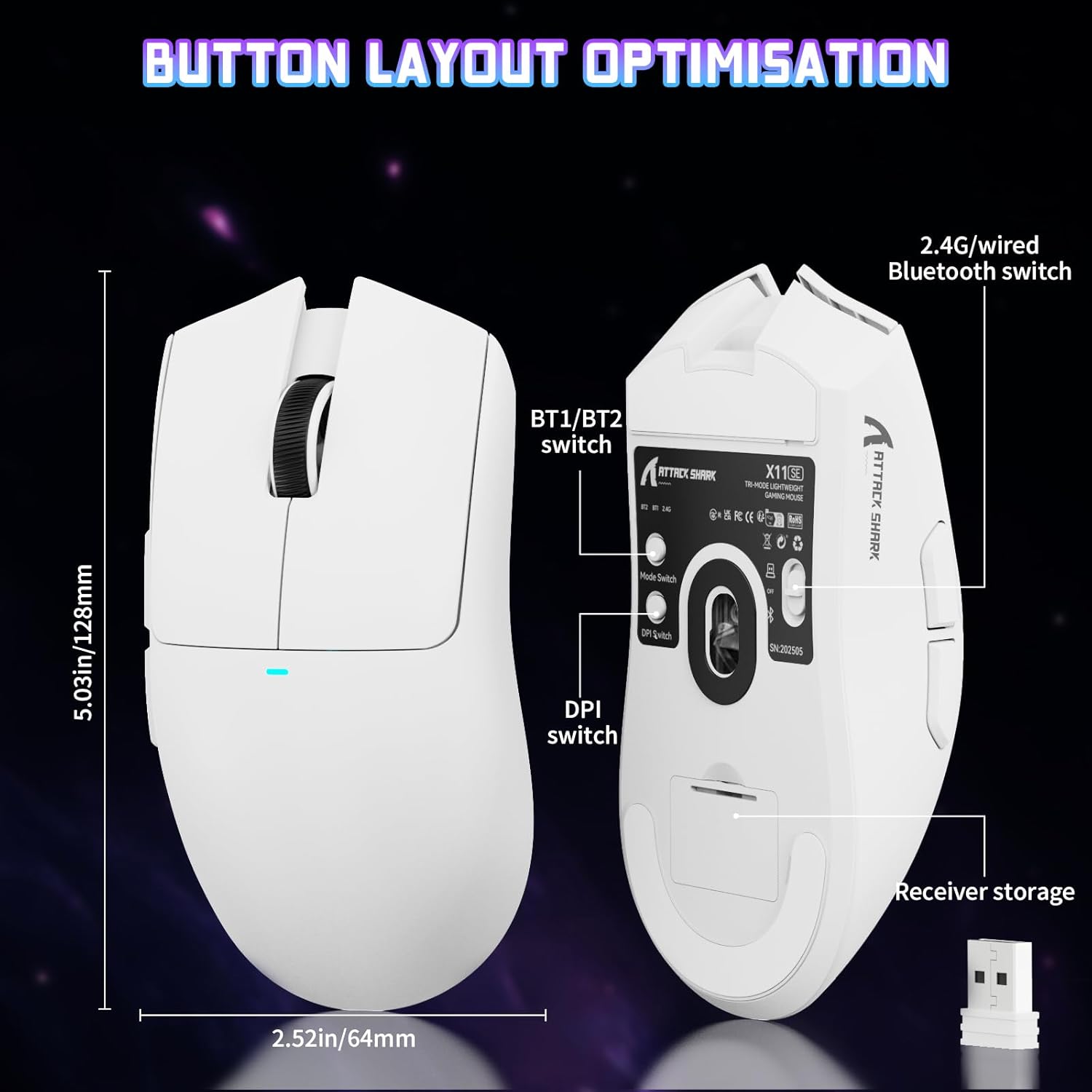
Image: The ATTACK SHARK X11SE mouse displaying its button layout, including the BT1/BT2 switch, DPI switch, and receiver storage, along with its dimensions (128mm length, 64mm width).
- Lewy przycisk myszy: Główny przycisk akcji.
- Kliknij prawym przyciskiem myszy: Drugorzędny przycisk akcji, zwykle dla menu kontekstowych.
- Kółko przewijania: Scrolls up/down. Can also be pressed for a middle-click function.
- Przyciski boczne (do przodu/do tyłu): Used for navigation in web przeglądarki lub działania w grze.
- Przełącznik DPI: Located on the underside of the mouse, this button cycles through preset DPI levels.
- Zmiana trybu: Located on the underside, this switch allows you to select between 2.4G wireless, Bluetooth, and Off modes.
Regulacja DPI:
The X11SE features a PixArt PAW3311 sensor with up to 22,000 DPI. You can adjust the DPI sensitivity using the dedicated DPI switch on the bottom of the mouse. For more precise control and custom DPI levels, use the official software.
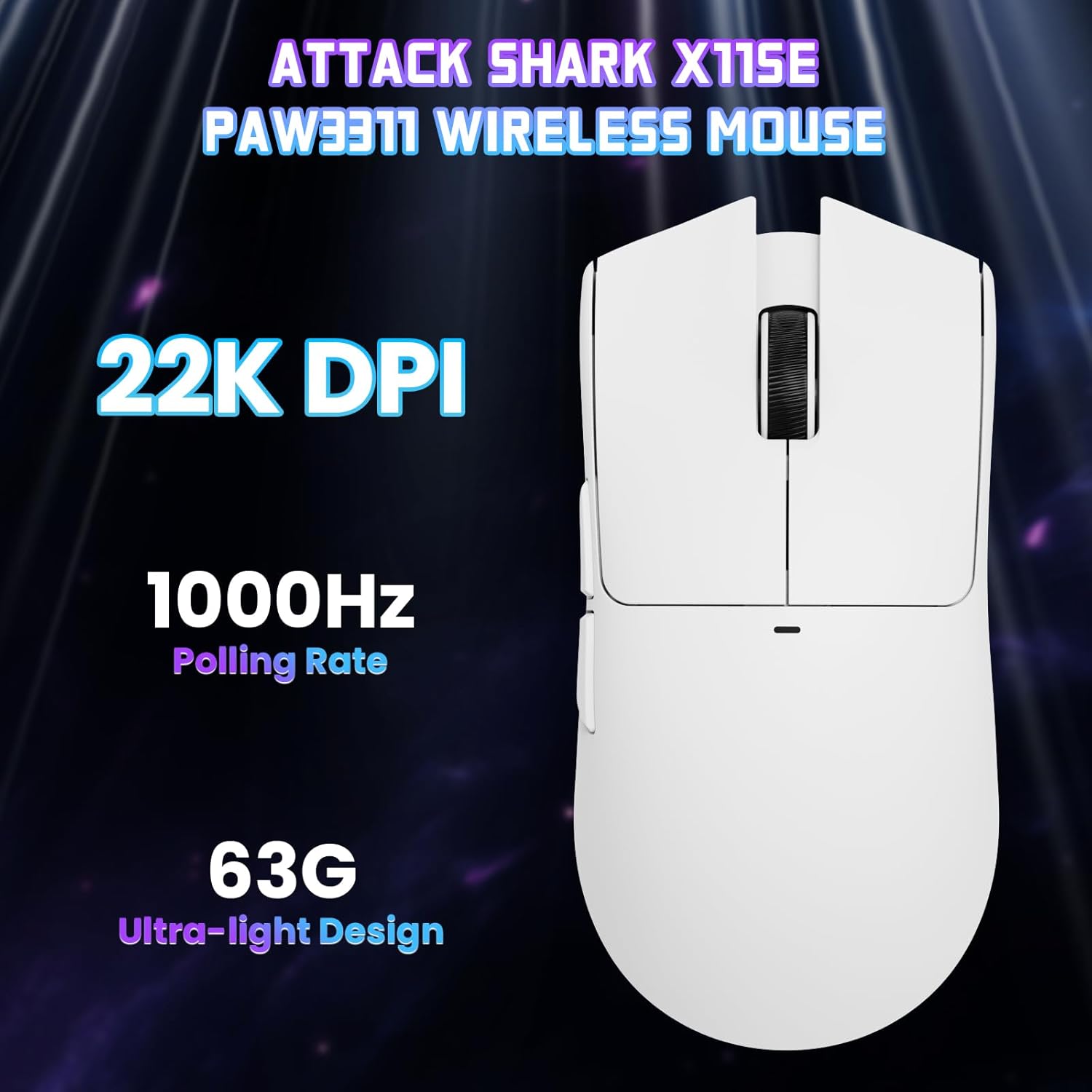
Obraz: widok z góry view of the ATTACK SHARK X11SE mouse, emphasizing its 22,000 DPI capability and 1000Hz polling rate for high-performance gaming.
4. Personalizacja
The ATTACK SHARK X11SE mouse offers extensive customization options through its dedicated software. This allows you to personalize button assignments, DPI settings, polling rate, and create macros.
Instalacja sterownika:
The mouse supports two drivers:
- Web Kierowca: Dostęp przez http://szslxd-tech.com/#/
- ATTACK SHARK Proprietary Driver: Pobierz z https://attackshark.com/pages/dirver-download
Download and install the preferred driver software on your Windows, macOS, or Linux system.
Funkcje oprogramowania:

Image: The ATTACK SHARK X11SE software interface, demonstrating options for mouse settings, DPI adjustments, parameter settings, macro editing, and personal profiles.
- Programowanie przycisków: Reassign functions to any of the 5 buttons.
- Ustawienia DPI: Create custom DPI profiles and adjust sensitivity levels.
- Częstotliwość sondowania: Adjust the polling rate for optimal responsiveness.
- Edytor makr: Record and assign complex sequences of commands to a single button.
- Zawodowiecfile Kierownictwo: Zapisz i przełączaj się między różnymi profiledla różnych gier i aplikacji.
5. Konserwacja
Czyszczenie:
- Do czyszczenia powierzchni myszy należy używać miękkiej, suchej ściereczki.
- W przypadku uporczywych zabrudzeń, delikatnieampPrzetrzyj ściereczkę wodą lub delikatnym środkiem czyszczącym. Unikaj silnych środków chemicznych.
- Aby zapewnić precyzyjne śledzenie ruchów myszy, wyczyść obszar czujnika optycznego znajdujący się na spodzie myszy za pomocą wacika.
Pielęgnacja baterii:
- Aby przedłużyć żywotność akumulatora, należy unikać jego całkowitego rozładowywania.
- Jeśli mysz nie będzie używana przez dłuższy czas, należy ją przechowywać w chłodnym i suchym miejscu.
6. Rozwiązywanie Problemów
Typowe problemy i rozwiązania:
- Mysz nie odpowiada:
- Sprawdź, czy mysz jest naładowana.
- Check the mode switch on the bottom of the mouse to ensure it's in the correct mode (2.4G, BT, or Wired).
- For 2.4GHz mode, ensure the USB receiver is securely plugged in. Try a different USB port.
- For Bluetooth mode, ensure Bluetooth is enabled on your device and the mouse is paired correctly. Try re-pairing.
- W przypadku trybu przewodowego upewnij się, że kabel USB-C jest prawidłowo podłączony.
- DPI się nie zmienia:
- Press the DPI switch on the bottom of the mouse.
- If using custom DPI settings, ensure the driver software is running and the correct profile jest aktywny.
- Opóźnienie lub przerywane połączenie:
- Ensure the mouse is close to the USB receiver (for 2.4GHz) or your device (for Bluetooth).
- Unikaj zakłóceń ze strony innych urządzeń bezprzewodowych.
- Sprawdź, czy bateria myszy jest odpowiednio naładowana.
- Zaktualizuj sterowniki myszy, jeśli są dostępne.
7. Specyfikacje
| Funkcja | Specyfikacja |
|---|---|
| Marka | ATAK REKIN |
| Nazwa modelu | X11SE |
| Kolor | Biały |
| Technologia łączności | 2.4 GHz Wireless/USB-C Wired/Bluetooth |
| Cechy specjalne | 63g ultralight, BK52820 Chip, TTC Encoder, Dual Driver |
| Technologia wykrywania ruchu | Optical (PixArt PAW3311) |
| Liczba przycisków | 5 |
| Orientacja dłoni | Oburęczny |
| Zalecane zastosowanie produktu | Komputer do gier |
| Kompatybilne urządzenia | Desktop Computer, MAC |
| System operacyjny | Windows, macOS, Linux |
| Liczba baterii | 1 litowo-polimerowy (w zestawie) |
| Źródło zasilania | Zasilany bateryjnie |
| Maximum Mouse Sensitivity | 22000 DPI |
| Zakres | 300 centymetrów |
| Styl | Ergonomic |
| Tworzywo | Plastikowy |
| Kraj pochodzenia | Chiny |
| Zawarte komponenty | USB-C Cable, Manual, Grip Tape |
| UPC | 752010613663 |
8. Gwarancja i wsparcie
Informacje o gwarancji:
The ATTACK SHARK X11SE Wireless Gaming Mouse comes with a six-month warranty from the date of purchase. Please retain your proof of purchase for warranty claims.
Pobieranie sterowników:
Aby uzyskać najnowsze sterowniki i aktualizacje oprogramowania, odwiedź stronę:
- Web Kierowca: http://szslxd-tech.com/#/
- ATTACK SHARK Driver: https://attackshark.com/pages/dirver-download
Related Product Video:
Wideo: Oficjalny film sprzedawcyasing the ATTACK SHARK X11 Mouse, demonstrating its features and functionality. While specifically for the X11, it provides relevant insights into the X11SE's design and operation.