
1. Koniec produktuview
The Elitech DR-230-THE is a Bluetooth-enabled hygrometer and thermometer designed for precise temperature and humidity monitoring. It features a large display, extensive data storage, and smart alarm capabilities, making it suitable for various environments such as warehouses, laboratories, and cold storage facilities.
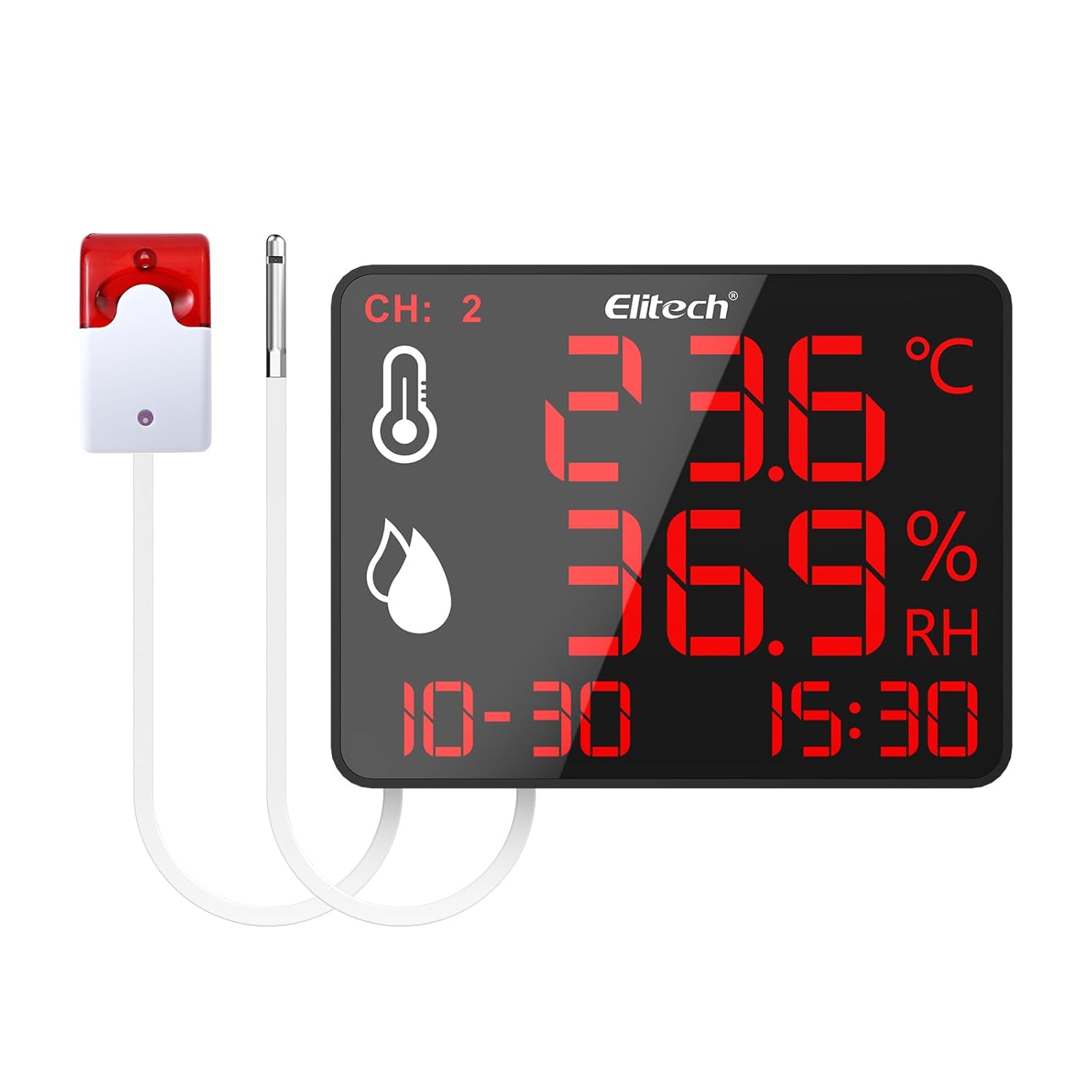
Figure 1: Elitech DR-230-THE device with external alarm and sensor.
2. Główne cechy
- 10.6-inch Jumbo Display: Provides clear visibility of temperature and humidity readings across large spaces.
- 30,000 Data Points Storage: Robust cyclic storage capacity with automatic overwrite to ensure continuous data recording.
- Dual-Channel Monitoring: Simultaneously track two zones using external sensors.
- Inteligentne alerty: Customizable alarms including screen flashing and an optional 110dB external siren with adjustable delays.
- Łączność Bluetooth: Monitor data remotely via the Elitech iCold app (up to 147ft range).
- Universal Power & Flexible Installation: Supports 100–240V power input with interchangeable plugs and offers wall-mounting or desktop stand options.
3. Konfiguracja
3.1 Zawartość opakowania
Sprawdź, czy wszystkie komponenty są obecne:
- Elitech DR-230-THE device
- External temperature/humidity sensor(s)
- External alarm (optional, if included with model)
- Power adapter with interchangeable plugs (US, EU, UK, China standards)
- Akcesoria montażowe (śruby, kotwy ścienne)
- Instrukcja obsługi (ten dokument)
3.2 Zasilanie urządzenia
- Wybierz odpowiednią wtyczkę zasilania dla swojego regionu i podłącz ją do zasilacza.
- Connect the power adapter to the Power Supply Interface on the back of the DR-230-THE device.
- Plug the power adapter into a standard 100–240V AC outlet. The device will power on automatically.
3.3 Sensor and Alarm Connection
- Locate the External Sensor Interface on the back of the device. Connect the external temperature/humidity sensor(s) to these ports.
- If your model includes an external alarm, connect it to the External Siren Interface.

Figure 2: Back panel connections including wall-mounting hole, external sensor interface, external siren interface, and power supply interface.
3.4 Opcje instalacji
The DR-230-THE offers flexible installation:
- Podstawka biurkowa: Utilize the integrated back bracket for stable placement on any flat surface.
- Montaż naścienny: Use the wall-mounting hole and provided screws to secure the device to a wall. Ensure the wall can support the device's weight.
4. Instrukcja obsługi
4.1 Wyświetl ponadview
The 10.6-inch display provides real-time information:

Figure 3: The 4-in-1 display shows temperature, humidity, date, and time. Device dimensions are approximately 8.5" (21.5cm) length and 6.5" (16.5cm) width.
- CH: 2: Indicates dual-channel monitoring is active.
- Ikona temperatury: Wyświetla aktualny odczyt temperatury.
- Humidity Icon: Displays the current relative humidity reading.
- Data i godzina: Pokazuje aktualną datę i godzinę.
4.2 Łączność Bluetooth i integracja aplikacji
The Elitech iCold app allows for remote monitoring and configuration:
- Download the Elitech iCold app from your smartphone's app store.
- Upewnij się, że Bluetooth jest włączony w Twoim smartfonie.
- Open the Elitech iCold app and follow the on-screen instructions to connect to your DR-230-THE device.
- Po połączeniu możesz view real-time graphs, configure parameters, and access automatic data recording.

Figure 4: The Elitech iCold app provides real-time charts and instant PDF reports.
4.3 Rejestrowanie i eksportowanie danych
The device automatically stores up to 30,000 data points. Old data is overwritten once the storage capacity is reached.
- Through the Elitech iCold app, users can export real-time charts and instant PDF reports for data analysis and record-keeping.

Figure 5: The device stores 30,000 data points, ensuring critical information is retained.
4.4 Konfiguracja alarmu
The DR-230-THE features customizable alarms:
- Screen Flashing: The device screen will flash when readings exceed set thresholds.
- External Siren: If connected, the optional 110dB external siren will activate.
- Regulowane opóźnienie: Alarm delays can be set between 3 to 10 seconds to prevent false alerts from transient fluctuations.
Alarm thresholds and delays are configured via the Elitech iCold app.
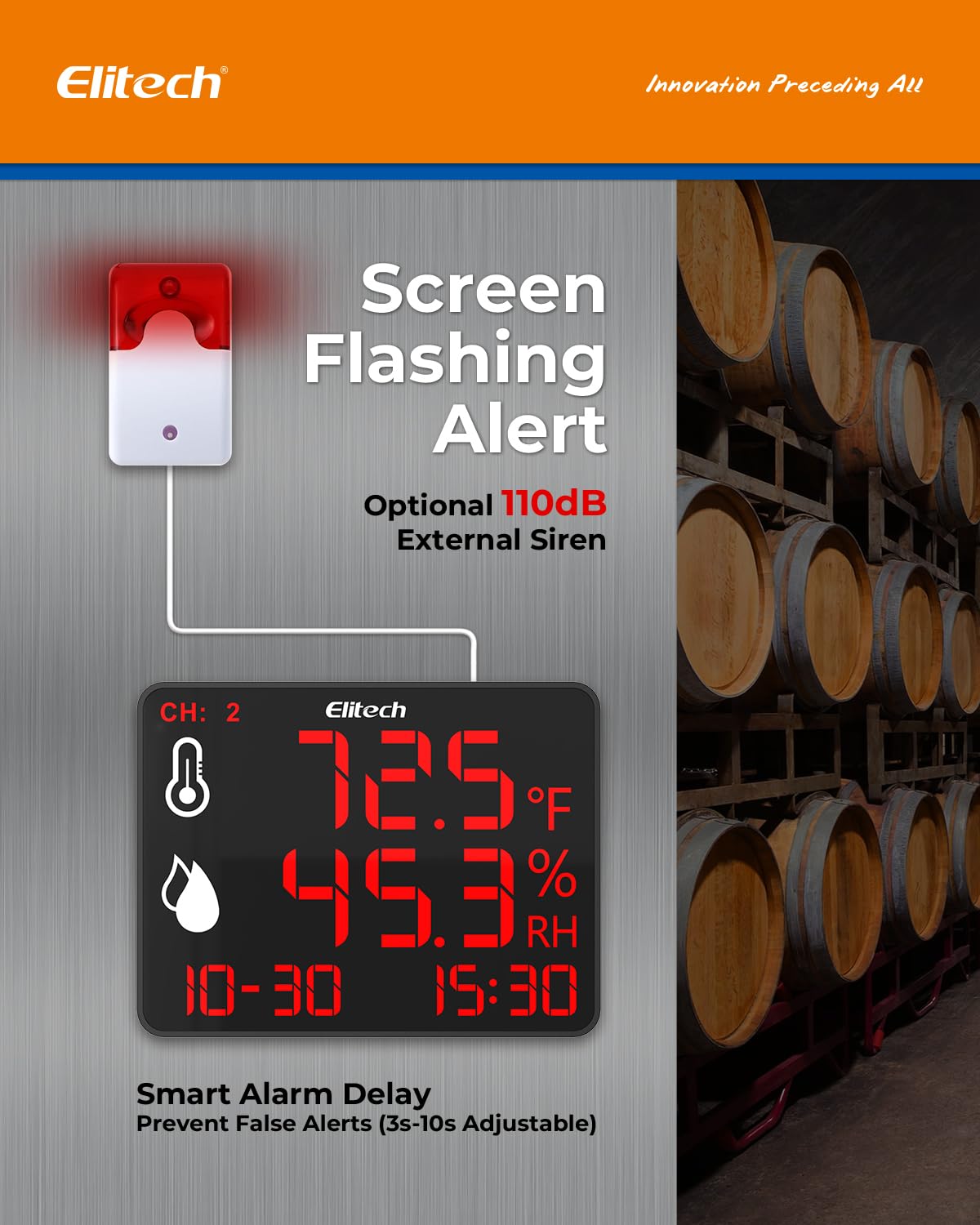
Figure 6: Screen flashing and optional 110dB external siren provide smart alerts with adjustable delays.
5. Konserwacja
- Czyszczenie: Wipe the device and sensors with a soft, dry cloth. Do not use abrasive cleaners or immerse the device in water.
- Pielęgnacja czujnika: Keep sensors free from dust and debris to ensure accurate readings. Avoid exposing sensors to extreme physical shock or corrosive substances.
- Składowanie: Jeśli urządzenie nie będzie używane przez dłuższy czas, należy je przechowywać w chłodnym i suchym miejscu, z dala od bezpośredniego światła słonecznego.
6. Rozwiązywanie Problemów
| Problem | Możliwa przyczyna | Rozwiązanie |
|---|---|---|
| Urządzenie nie włącza się. | Brak zasilania lub uszkodzony zasilacz. | Check power connection. Ensure adapter is securely plugged into device and outlet. Try a different outlet. |
| Niedokładne odczyty. | Sensor obstruction or damage; device placed in an unsuitable environment. | Ensure sensors are clean and unobstructed. Relocate the device to a stable environment away from direct heat sources or drafts. |
| Problemy z połączeniem Bluetooth. | Bluetooth off; device out of range; app issues. | Ensure Bluetooth is enabled on your phone. Move closer to the device (within 147ft). Restart the app or your phone. |
| Alarm not triggering. | Alarm thresholds not set correctly; alarm delay too long; external siren disconnected. | Verify alarm settings in the Elitech iCold app. Check external siren connection. |
7. Specyfikacje
- Rozmiar wyświetlacza: 10.6 cali
- Przechowywanie danych: 30,000 data points (auto-overwrite)
- Monitoring Channels: Dual (with external sensors)
- Typ alarmu: Screen flashing, optional 110dB external siren
- Opóźnienie alarmu: Adjustable (3–10 seconds)
- Łączność: Bluetooth (up to 147ft range)
- Pobór mocy: 100–240 V AC
- Instalacja: Wall-mounting, desktop stand
8. Gwarancja i wsparcie
For warranty information and technical support, please refer to the official Elitech website or contact Elitech customer service directly. Keep your purchase receipt as proof of purchase.
Elitech Technology Inc.
Informacje o sprzedawcy