
1. Wprowadzenie
Thank you for choosing the DEVAISE Electric Standing Desk. This manual provides detailed instructions for the assembly, operation, and maintenance of your new desk. Please read this manual thoroughly before assembly and use to ensure proper function and safety. This desk is designed to offer a flexible and ergonomic workspace, allowing you to easily switch between sitting and standing positions.
Produkt ponadview
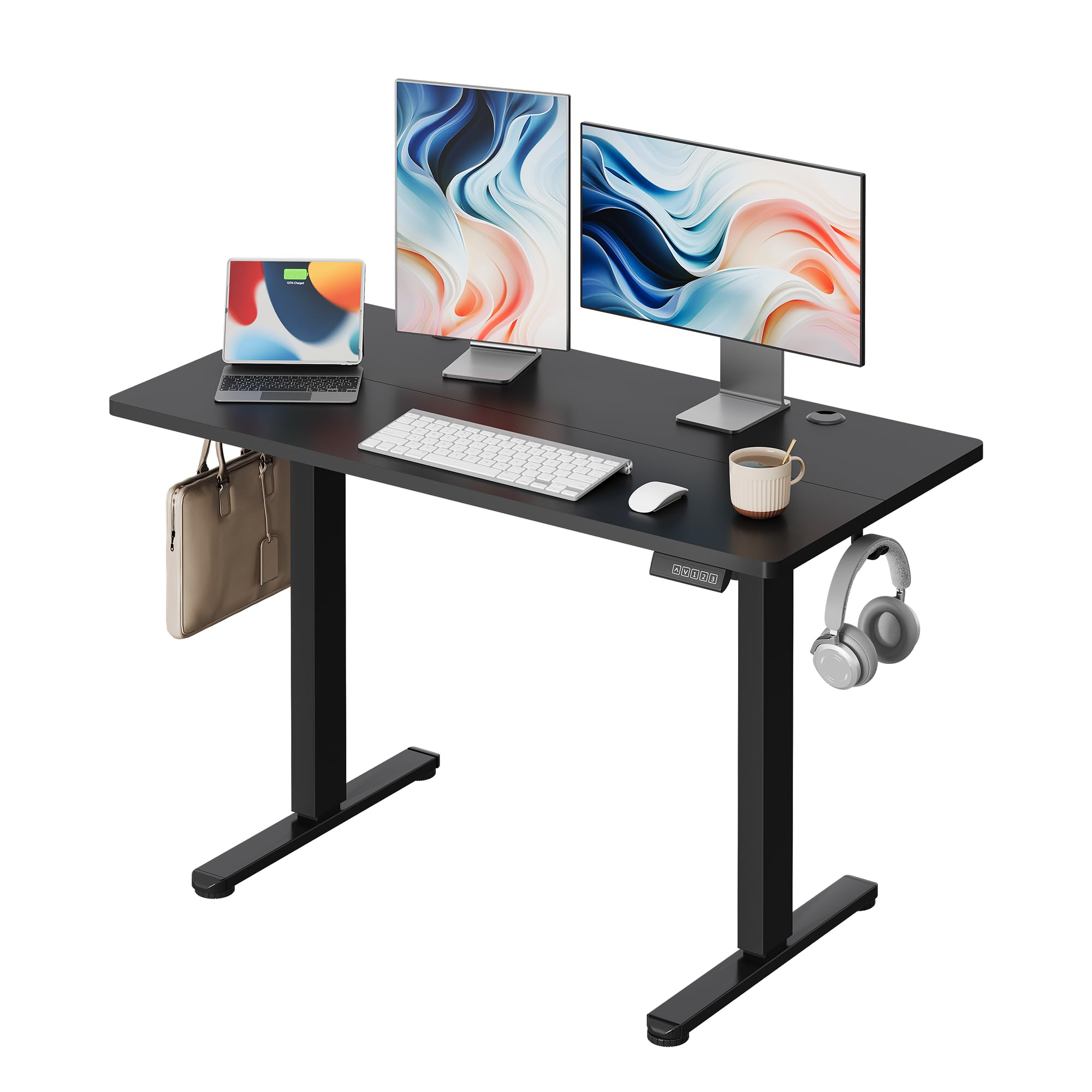
Image 1: The DEVAISE Electric Standing Desk in a modern office environment, showcasing its sleek black design and functional setup with a monitor, keyboard, and mouse. Headphones are hung on a hook under the desk.
2. Informacje dotyczące bezpieczeństwa
- Read all instructions before use. Failure to follow instructions may result in injury or damage.
- Podczas pracy urządzenia należy trzymać dzieci i zwierzęta z dala od biurka.
- Ensure all cables are properly managed and secured to prevent tripping hazards or entanglement during height adjustment.
- Nie przeciążaj biurka. Maksymalne obciążenie wynosi 80 kg (176 funtów).
- Aby zapobiec uszkodzeniu podzespołów elektronicznych, należy unikać stawiania płynów bezpośrednio na powierzchni biurka.
- Nie siadaj i nie stawaj na biurku.
- Używaj wyłącznie dostarczonego zasilacza.
- Jeśli usłyszysz jakikolwiek nietypowy hałas lub usłyszysz ruch, natychmiast przerwij pracę biurka i odłącz je od zasilania.
3. Zawartość opakowania
Proszę sprawdzić zawartość opakowania na poniższej liście. Jeśli brakuje któregokolwiek z elementów lub jest on uszkodzony, prosimy o kontakt z obsługą klienta.
- Tabletop (120 x 60 cm, Black)
- Nogi biurka (2)
- Stopy (2)
- Crossbar/Frame
- Panel sterowania z wyświetlaczem LED
- Zasilacz i kabel
- Haczyki na słuchawki (2)
- Przelotki do zarządzania kablami (2)
- Assembly Hardware (screws, Allen keys)
- Instrukcja obsługi

Image 2: An exploded diagram showing all components of the DEVAISE Electric Standing Desk, including the tabletop, legs, frame, control panel, and accessories, indicating a quick installation process.
4. Instrukcja montażu
Assembly typically takes approximately 30 minutes. It is recommended to have two people for assembly due to the size and weight of the components. While some tools are included, an electric screwdriver may expedite the process.
- Rozpakuj komponenty: Ostrożnie wyjmij wszystkie części z opakowania i połóż je na czystej, miękkiej powierzchni, aby zapobiec zarysowaniom.
- Przymocuj stopy do nóg: Secure the feet to the bottom of each desk leg using the provided screws.
- Złóż ramę: Connect the crossbar to the desk legs. Ensure all screws are tightened securely.
- Zamontuj nogi do blatu stołu: Carefully place the tabletop upside down on your soft surface. Align the pre-drilled holes on the tabletop with the holes on the assembled leg frame. Secure the frame to the tabletop using the appropriate screws.
- Zainstaluj Panel sterowania: Mount the control panel to the underside of the tabletop in the designated area.
- Podłącz kable: Connect the motor cable from the legs to the control panel, and then connect the power adapter cable to the control panel.
- Zainstaluj akcesoria: Attach the headphone hooks and insert the cable management grommets into the tabletop holes.
- Odwróć biurko: With assistance, carefully flip the desk upright and place it in its desired location.
5. Instrukcja obsługi
The DEVAISE Electric Standing Desk features intuitive controls for height adjustment and memory presets.
Initial Setup / Calibration
After initial assembly and connecting power, the desk may require a quick calibration:
- Press and hold the 'Down' button until the desk reaches its lowest position and slightly retracts, then releases. This calibrates the desk to its minimum height.
- The LED display will show the current height.
Regulacja wysokości
- Przycisk w górę (▲): Press and hold to raise the desk. Release to stop at the desired height.
- Przycisk w dół (▼): Press and hold to lower the desk. Release to stop at the desired height.

Image 3: A close-up of the desk's control panel, highlighting the LED display, up and down arrows for manual adjustment, and three numbered buttons for memory presets.
6. Ustawienia pamięci
The desk allows you to save and recall up to three preferred height settings.
- Setting a Memory Position:
- Dostosuj wysokość biurka do swoich potrzeb za pomocą przycisków Góra/Dół.
- Press the 'M' button (or 'SET' button if labeled differently). The LED display may flash 'S-'.
- Within 3 seconds, press one of the numbered preset buttons (1, 2, or 3). The current height will be saved to that button.
- Przywoływanie pozycji z pamięci:
- Simply press the desired numbered preset button (1, 2, or 3). The desk will automatically move to the saved height.

Image 4: This image displays three DEVAISE desks set at different heights, demonstrating the convenience of the three memory presets for various user preferences or tasks.
7. Konserwacja
- Czyszczenie: Przetrzyj powierzchnię biurka miękką,amp szmatką. Unikaj silnych środków chemicznych i ściernych środków czyszczących.
- Zarządzanie kablami: Regularly check and organize cables to prevent damage and ensure smooth operation.
- Dokręcenie śrub: Okresowo sprawdzaj wszystkie śruby i nakrętki, aby upewnić się, że są dobrze dokręcone. W razie potrzeby dokręć.
- Pielęgnacja silnika: The motor is designed for long-term use. Avoid continuous operation for extended periods without rest.
8. Rozwiązywanie Problemów
| Problem | Możliwa przyczyna | Rozwiązanie |
|---|---|---|
| Biurko się nie rusza | Odłączony kabel zasilający; Przeciążenie; Błąd silnika | Check power connection; Reduce weight on desk; Perform calibration (hold 'Down' button) |
| Nietypowy dźwięk podczas pracy | Loose screws; Obstruction | Check and tighten all screws; Remove any obstructions under or around the desk |
| Biurko zatrzymuje się w połowie ruchu | Overload protection activated; Overheating | Reduce weight; Allow motor to cool down for 20 minutes before resuming operation |
| Ustawienia pamięci nie działają | Nieprawidłowa procedura ustawiania | Refer to Section 6: Memory Presets for correct procedure |
9. Specyfikacje
- Numer modelu: ASJZ502BL
- Wymiary biurka: 120 cm (długość) x 60 cm (szerokość)
- Zakres wysokości: 72 cm (minimum) do 120 cm (maksimum)
- Nośność: 80 kg (176 funta)
- Tworzywo: Alloy Steel (Frame), Wood (Tabletop)
- Typ silnika: Electric, Silent (less than 50dB)
- Prędkość podnoszenia: 25-30 mm/s
- Ustawienia pamięci: 3 programowalne wysokości
- Kolor: Czarny
- Waga przedmiotu: 18.15 kilogramów

Image 5: A visual representation of the desk's dimensions, indicating a length of 120 cm, a width of 60 cm, and an adjustable height range from 72 cm to 118 cm.

Image 6: An internal diagram of the desk's powerful motor, highlighting its lifting speed of 25-30 mm/s and durability with over 10,000 verified lift tests.

Image 7: A cat sleeping on the desk, symbolizing the ultra-quiet operation (below 50dB), ensuring a peaceful work environment.

Image 8: The desk shown supporting an 80 kg weight, emphasizing its robust and durable construction.
10. Gwarancja i wsparcie
This DEVAISE Electric Standing Desk comes with a limited warranty. For specific details regarding warranty coverage, terms, and conditions, please refer to the warranty card included in your package or contact DEVAISE customer support.
If you encounter any issues not covered in the troubleshooting section or require further assistance, please contact DEVAISE customer service through the retailer where you purchased the product or visit the official DEVAISE webwitryna zawierająca informacje kontaktowe pomocy technicznej.
