
CITLLA K9300
CITLLA K9300 Wireless Bluetooth Keyboard User Manual
Model: K9300
Marka: CITLLA
1. Wprowadzenie
This manual provides detailed instructions for the setup, operation, and maintenance of your CITLLA K9300 Wireless Bluetooth Keyboard. The K9300 is designed for versatility, offering multiple connection options and broad compatibility with various operating systems and devices. Its full-size layout and silent scissor-switch keys aim to provide a comfortable and efficient typing experience.

Rycina 1.1: Przód view of the CITLLA K9300 Wireless Bluetooth Keyboard.
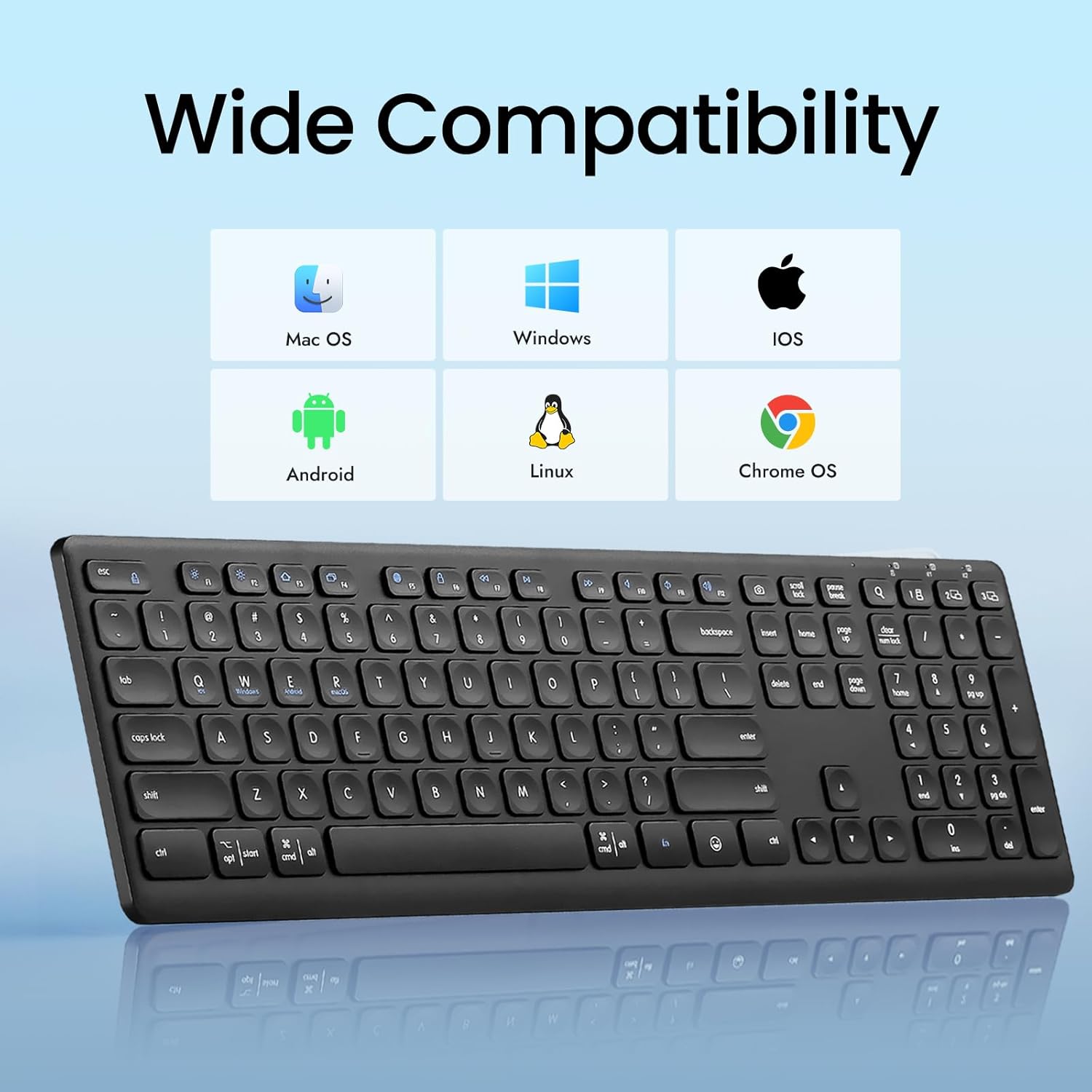
Figure 1.2: The K9300 keyboard is compatible with Mac OS, Windows, iOS, Android, Linux, and Chrome OS.
2. Zawartość opakowania
Sprawdź, czy w przesyłce znajdują się wszystkie elementy:
- CITLLA K9300 Wireless Bluetooth Keyboard
- Instrukcja obsługi
- 2 baterie AAA (zainstalowane fabrycznie lub dołączone osobno)
- USB-A 2.4GHz Receiver (typically stored in the battery compartment)
3. Koniec produktuview
The K9300 keyboard features a full-size layout with 108 keys, including a numeric keypad. It incorporates scissor-switch keys for a stable and durable typing experience, along with a silent design to minimize typing noise.
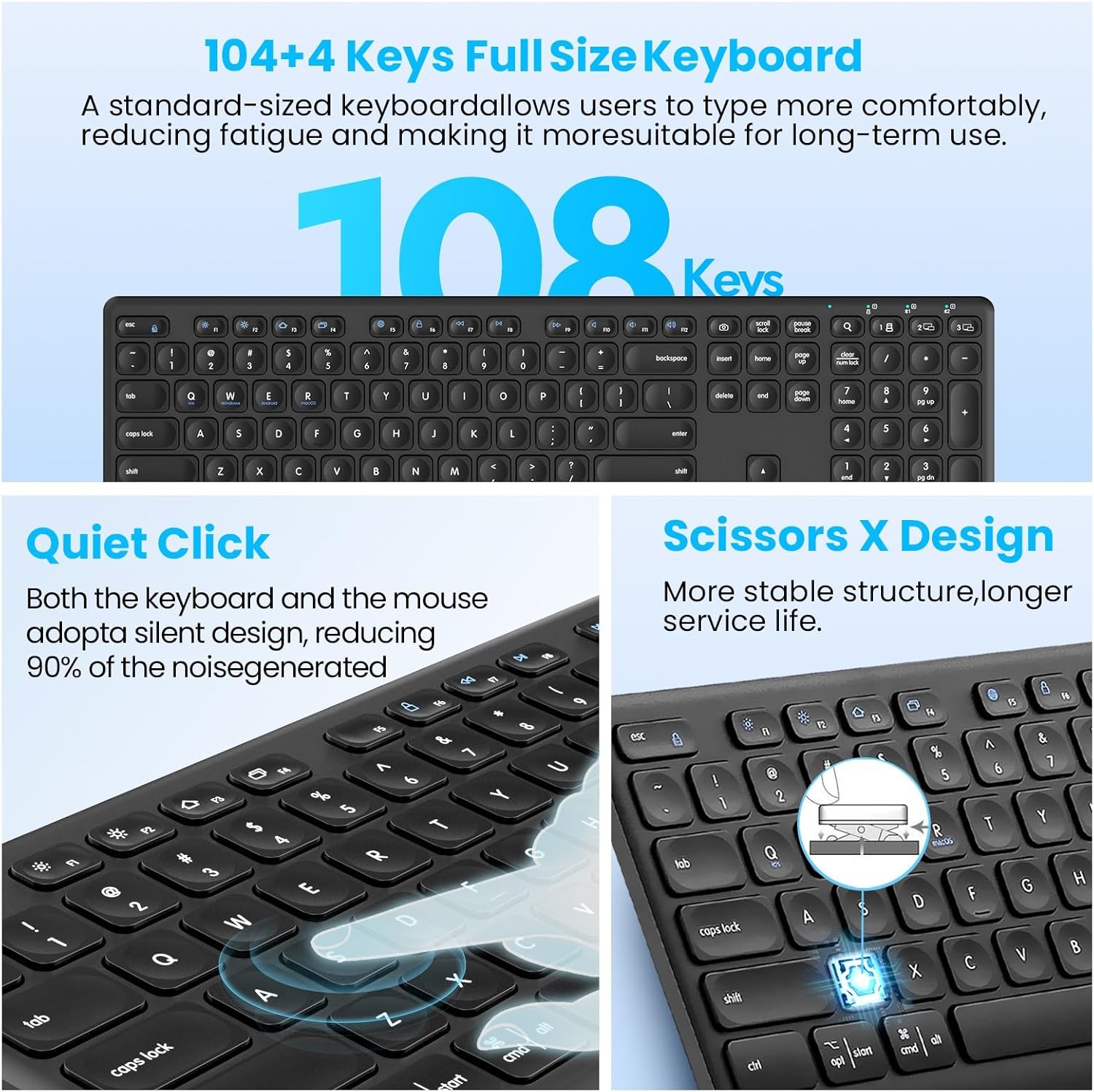
Figure 3.1: Key features of the K9300 keyboard, highlighting its full size, quiet operation, and scissor-switch mechanism.
4. Instrukcje konfiguracji
4.1. Instalacja baterii
The K9300 keyboard requires two AAA batteries for operation. These are typically included in the package or pre-installed. If installing new batteries:
- Znajdź komorę baterii na spodzie klawiatury.
- Otwórz pokrywę komory baterii.
- Włóż dwie baterie AAA, zwracając uwagę na prawidłową biegunowość (+/-).
- Dokładnie zamknij pokrywę komory baterii.

Figure 4.1: Underside of the keyboard, indicating the battery compartment, power switch, anti-slip pads, and foldable stand.
4.2. Tryby połączenia
The K9300 keyboard supports three connection channels: one 2.4GHz USB receiver connection and two Bluetooth connections (BT1 and BT2). You can switch between these channels using the dedicated toggle button on the keyboard.

Figure 4.2: The keyboard offers three distinct connection channels for multi-device use.
4.2.1. Połączenie odbiornika USB 2.4 GHz
- Locate the USB-A receiver, typically stored in the keyboard's battery compartment.
- Podłącz odbiornik USB-A do wolnego portu USB w komputerze lub urządzeniu.
- Włącz klawiaturę za pomocą wyłącznika zasilania znajdującego się z boku.
- Press the dedicated USB/Bluetooth toggle button on the keyboard until the indicator light for the 2.4G wireless mode is active. The keyboard should connect automatically.
4.2.2. Bluetooth Pairing (BT1 / BT2)
- Włącz klawiaturę za pomocą włącznika zasilania.
- Press the dedicated USB/Bluetooth toggle button to select either Bluetooth 1 (BT1) or Bluetooth 2 (BT2) mode. The corresponding indicator light will flash.
- On your device (computer, laptop, tablet, smartphone), navigate to the Bluetooth settings.
- Szukaj available Bluetooth devices. The keyboard should appear as "CITLLA K9300" or similar.
- Select the keyboard to initiate pairing. Follow any on-screen prompts to complete the connection.
- Once paired, the indicator light will stop flashing and remain solid, indicating a successful connection.
5. Instrukcja obsługi
5.1. Przełączanie między wieloma urządzeniami
The K9300 keyboard allows for quick switching between up to three connected devices (one via 2.4GHz USB receiver, two via Bluetooth). Simply press the dedicated USB/Bluetooth toggle button to cycle through the connected channels (2.4G, BT1, BT2). The active channel's indicator light will illuminate.
5.2. Regulowana wysokość
The keyboard is equipped with a three-level adjustable height stand to customize your typing angle for optimal comfort.
- Locate the foldable stands on the underside of the keyboard.
- Gently pull out the stands to adjust the keyboard to your desired height: low (6°), middle (10°), or high (15°).
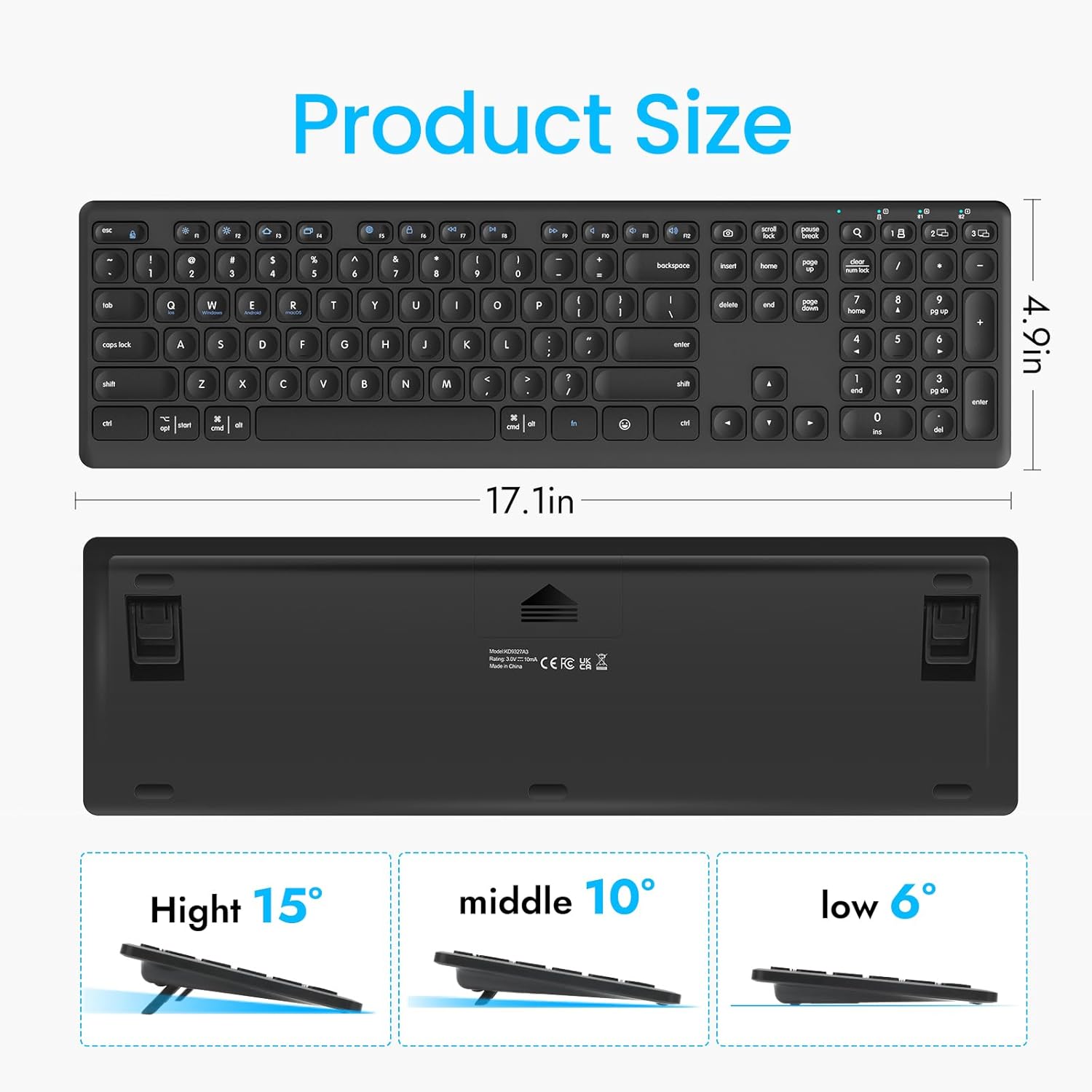
Figure 5.1: The keyboard's dimensions and three available height adjustments (6°, 10°, 15°).
5.3. Klawisze funkcyjne
The top row of keys (F1-F12) on the K9300 keyboard can be used as standard function keys or as multimedia/shortcut keys when combined with the Fn key. Refer to the diagram below for specific functions.

Figure 5.2: Diagram illustrating the function key combinations (Fn + F1-F12) and their respective actions.
6. Konserwacja
6.1. Czyszczenie
Aby wyczyścić klawiaturę, delikatnie przetrzyj jej powierzchnię miękką szmatką.amp cloth. Avoid using harsh chemicals or abrasive materials, as these can damage the keyboard's finish. Ensure the keyboard is powered off before cleaning.
6.2. Pielęgnacja baterii
If the keyboard will not be used for an extended period, it is recommended to remove the AAA batteries to prevent potential leakage and damage. Replace batteries when the low battery indicator (if present) illuminates or when performance degrades.
7. Rozwiązywanie Problemów
- Klawiatura nie łączy się:
- Sprawdź, czy klawiatura jest włączona.
- Sprawdź poziom naładowania baterii i w razie potrzeby wymień.
- Verify that the correct connection mode (2.4G, BT1, or BT2) is selected on the keyboard.
- For Bluetooth, ensure your device's Bluetooth is enabled and the keyboard is in pairing mode. Try re-pairing if issues persist.
- For 2.4GHz, ensure the USB receiver is securely plugged into a working USB port.
- Typing lag or dropped keystrokes:
- Ensure the keyboard is within the effective operating range (approximately 33 feet or 10 meters).
- Zminimalizuj zakłócenia ze strony innych urządzeń bezprzewodowych.
- Sprawdź poziom naładowania baterii.
- Klawisze nie reagują:
- Power cycle the keyboard (turn off, then on).
- Sprawdź poziom naładowania baterii.
- Upewnij się, że pod klawiszami nie ma żadnych zanieczyszczeń.
8. Specyfikacje
| Funkcja | Szczegół |
|---|---|
| Numer modelu | K9300 |
| Technologia łączności | Bluetooth, 2.4GHz USB-A |
| Kompatybilne urządzenia | Laptop, PC, Smart TV, smartfon, tablet |
| Systemy operacyjne | Windows, iOS, macOS, Linux, Android, Chrome OS |
| Opis klawiatury | Full Size, Multi-Functional |
| Typ klucza | Przełącznik nożycowy |
| Funkcja specjalna | Quiet, Multi-Device Switching, Adjustable Height |
| Wymiary produktu | 17.02 x 4.96 x 0.77 cala (43.23 x 12.60 x 1.96 cm) |
| Waga przedmiotu | 1.57 funtów (0.71 kg) |
| Baterie | 2 baterie AAA (w zestawie) |
| Tworzywo | Plastikowy |
9. Gwarancja i wsparcie
For warranty information and customer support, please refer to the documentation included with your purchase or contact CITLLA customer service through the retailer where the product was purchased. Keep your proof of purchase for warranty claims.