
Wstęp
This manual provides essential information for the safe and efficient use of your SUPVAN T50M Pro Label Maker. Please read these instructions carefully before operating the device and retain them for future reference.
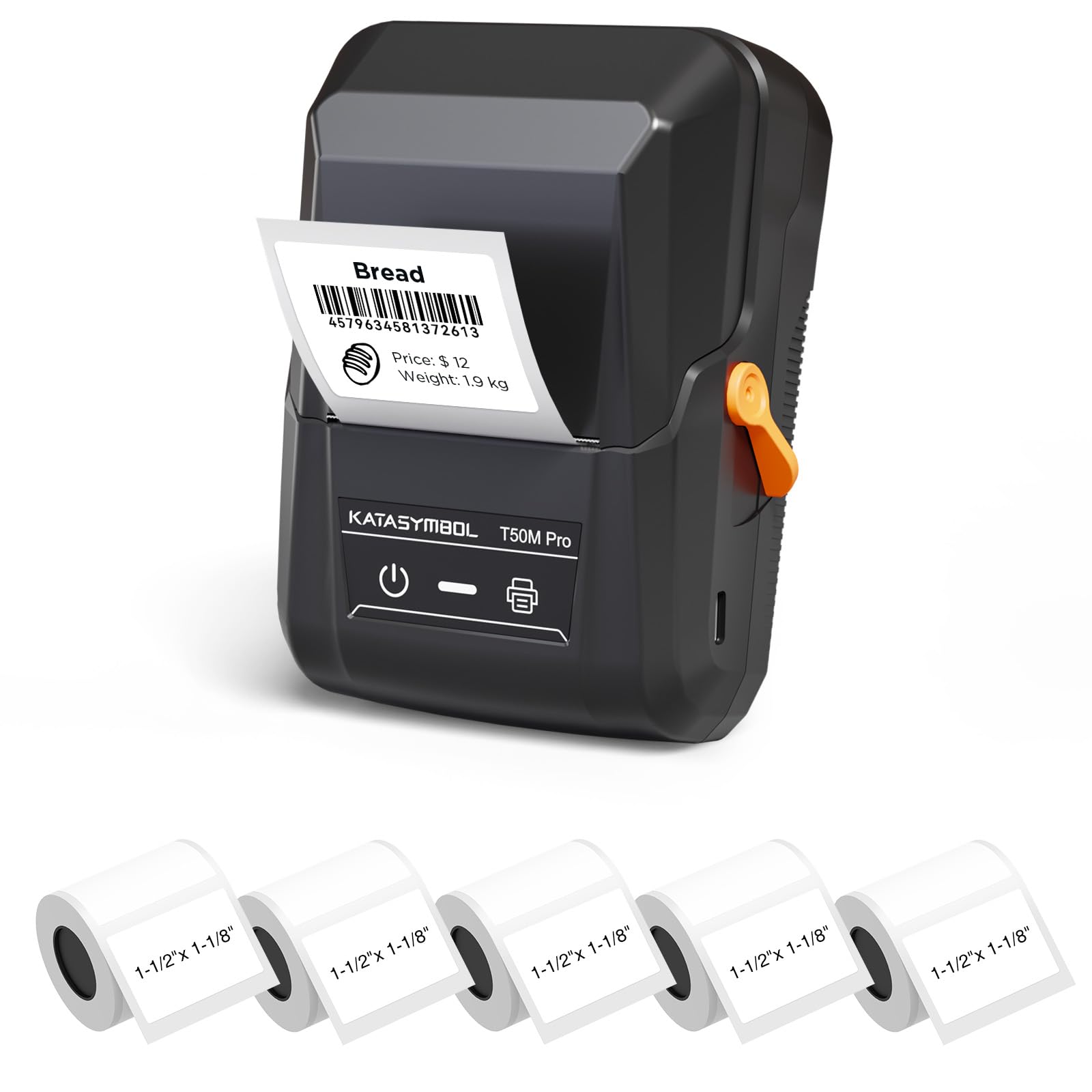
Image: The SUPVAN T50M Pro Label Maker, a compact thermal printer.
Zawartość opakowania
Sprawdź, czy w przesyłce znajdują się wszystkie elementy:
- Drukarka etykiet SUPVAN T50M Pro
- 5 rolls of 1.57'' × 1.18'' (40mm × 30mm) white labels (250 labels/roll)
- Kabel USB (do ładowania i podłączania)
- Instrukcja obsługi (ten dokument)
Przewodnik po konfiguracji
1. Ładowanie urządzenia
Before first use, fully charge the label maker using the provided USB cable. The device features a 1200 mAh built-in rechargeable battery, offering extended use on a single charge.
2. Installing the Label Roll
The T50M Pro uses thermal paper, eliminating the need for ink or toner. Follow these steps to install a label roll:
- Otwórz pokrywę komory na etykiety.
- Włóż rolkę z etykietami stroną do zadrukowania skierowaną do góry.
- Ensure the label edge is aligned with the printer's feed mechanism.
- Close the cover. The device's Smart RFID Auto-Detection will recognize the label size automatically.

Image: Illustration of loading thermal paper into the label maker. The device uses thermal printing technology, requiring no ink or toner.
3. Instalacja i połączenie aplikacji
Download the official SUPVAN app from your device's app store. The app provides all editing functions and is free to use.
- Włącz drukarkę etykiet.
- Open the SUPVAN app on your smartphone or tablet.
- Follow the in-app instructions to connect to your T50M Pro via Bluetooth or USB.
Instrukcja obsługi
1. Creating Labels with the App
The SUPVAN app offers a comprehensive suite of editing tools:
- Edycja tekstu: Choose from over 40 fonts.
- Image & Picture Integration: Add custom images and logos.
- Szablony: Access over 140 free, constantly updated templates for various uses.
- Automatyczne rozpoznawanie rozmiaru etykiety: The app automatically detects the loaded label size, reducing errors.

Image: The SUPVAN app's editing interface, demonstrating font choices, image integration, and automatic label size detection.

Image: A selection of over 140 free templates available within the SUPVAN app, suitable for diverse labeling needs.
2. Drukowanie etykiet
After designing your label in the app, select the "Print" option. Ensure the label maker is connected and has sufficient battery. The T50M Pro supports various label styles and sizes, printing 3/4 to 2-inch wide labels.

Obraz: Byłyamples of labels created with the T50M Pro, including address labels, price tags, and decorative labels, demonstrating support for various styles.

Image: A visual comparison highlighting the high-quality image output from the SUPVAN T50M Pro's app compared to other label makers.
3. Typowe zastosowania
The SUPVAN T50M Pro is suitable for a wide range of labeling tasks:
- Małe przedsiębiorstwa: Shipping addresses, product information, QR codes, brand logos.
- Biuro i szkoła: Nazwa tags, folder labels, documentation, asset tagposzedł.
- Organizacja domu: Pantry labels, storage bins, personal items.

Image: Demonstrates diverse uses for the label maker, such as labeling containers in a pantry, creating product labels, printing shipping labels, and organizing school supplies.
Konserwacja
1. Czyszczenie głowicy drukującej
Aby zapewnić optymalną jakość druku, należy okresowo czyścić głowicę drukującą termiczną. Delikatnie przecierać miękką, niepozostawiającą włókien ściereczką.ampened with isopropyl alcohol. Do not use abrasive cleaners or sharp objects.
2. Pielęgnacja baterii
Recharge the device when the battery indicator is low. Avoid fully discharging the battery frequently to prolong its lifespan. Store the device in a cool, dry place when not in use for extended periods.
3. Przechowywanie etykiet
Store label rolls in a cool, dry place away from direct sunlight and heat to prevent degradation of the thermal material.
Rozwiązywanie problemów
1. Urządzenie się nie włącza
- Upewnij się, że urządzenie jest w pełni naładowane. Podłącz je do źródła zasilania za pomocą kabla USB.
- Naciśnij i przytrzymaj przycisk zasilania przez kilka sekund.
2. Printing Issues (Blank or Faint Prints)
- Check if the label roll is installed correctly with the printing surface facing up.
- Sprawdź, czy rolka etykiet nie jest pusta.
- Wyczyść głowicę drukującą zgodnie z opisem w rozdziale Konserwacja.
- Verify that the label type is compatible with the T50M Pro.
3. Problemy z łącznością aplikacji
- Upewnij się, że Bluetooth jest włączony w Twoim urządzeniu mobilnym.
- Make sure the label maker is turned on and within range.
- Restart both the label maker and the app.
- Jeśli problem nadal występuje, spróbuj ponownie zainstalować aplikację.
4. Label Misalignment
- Ensure the label roll is properly seated and aligned in the compartment.
- The Smart RFID Auto-Detection should prevent most misalignment issues; if not, try re-seating the roll.
Specyfikacje
| Funkcja | Szczegół |
|---|---|
| Nazwa modelu | T50M Pro |
| Marka | SUVAN |
| Technologia druku | Termiczny |
| Technologia łączności | USB, Bluetooth |
| Interfejs sprzętowy | USB |
| Wyjście drukarki | Monochrome (Black Ink Color) |
| Maksymalny rozmiar nośnika | 1.57'' × 1.18'' (40mm × 30mm) - 3/4 to 2-inch wide labels supported |
| Funkcja specjalna | Portable, Smart RFID Auto-Detection, BPA-free labels |
| Bateria | Wbudowana bateria ładowalna o pojemności 1200 mAh |
| Wymiary | Około 5" x 3.7" x 2.3" |
| Waga | Około. 0.6 funta |
| Zawarte komponenty | Label Maker, Labels, USB Cable |

Image: The compact design of the T50M Pro, highlighting its portability, lightweight nature, and 1200 mAh rechargeable battery.
Gwarancja i wsparcie
Informacje o gwarancji
For detailed warranty information, please refer to the warranty card included with your product or visit the official SUPVAN webWarunki gwarancji mogą się różnić w zależności od regionu i sprzedawcy.
Obsługa klienta
If you encounter any issues or have questions regarding your SUPVAN T50M Pro Label Maker, please contact SUPVAN customer support through their official webwitrynę lub sprzedawcę, u którego zakupiono produkt.
Możesz również odwiedzić Sklep SUPVAN na Amazon Aby uzyskać dodatkowe informacje o produkcie i zasoby pomocy technicznej.