
1. Wprowadzenie
This manual provides instructions for the Altec Lansing HYDRABLAST 2.0 Portable Bluetooth Speaker, model IMW1302. This device is designed for portable audio playback with features including Bluetooth connectivity, waterproof design, and versatile mounting options.
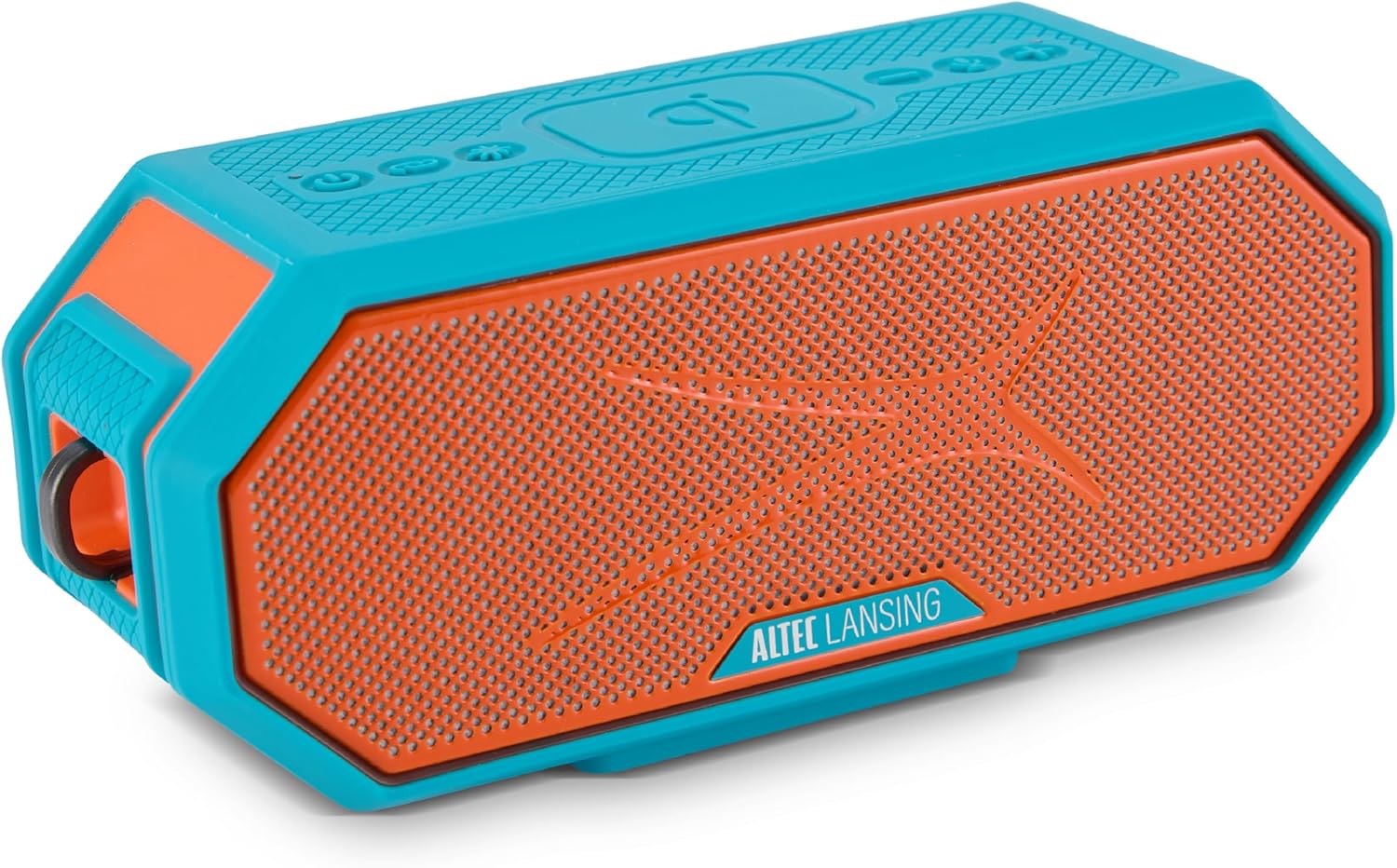
Image 1.1: Altec Lansing HYDRABLAST 2.0 Portable Bluetooth Speaker (Red/Turquoise).
Key features of the HYDRABLAST 2.0 include:
- Stopień wodoodporności IP67: Designed to withstand immersion in water and float.
- Moc wyjściowa 20 W: Provides audio output through full-range ferrite drivers and passive radiators.
- Mocowanie magnetyczne: Integrated magnets allow attachment to metal surfaces.
- Wydłużony czas gry: Do 24 godzin odtwarzania muzyki na jednym ładowaniu.
- Ładowanie przez USB-C: Supports quick charging.
- Synchronizacja wielu głośników: Ability to connect up to 100 HYDRA Bluetooth speakers wirelessly.
- Wireless Phone Charging (Qi): Integrated charging pad for compatible devices.
2. Zawartość opakowania
Sprawdź, czy w pakiecie znajdują się następujące elementy:
- Altec Lansing HYDRABLAST 2.0 Speaker
- USB-C Charging Cable (power adapter not included)
- Karabińczyk montowany
- Mount (for attachment to various surfaces)
- Instrukcja obsługi (ten dokument)
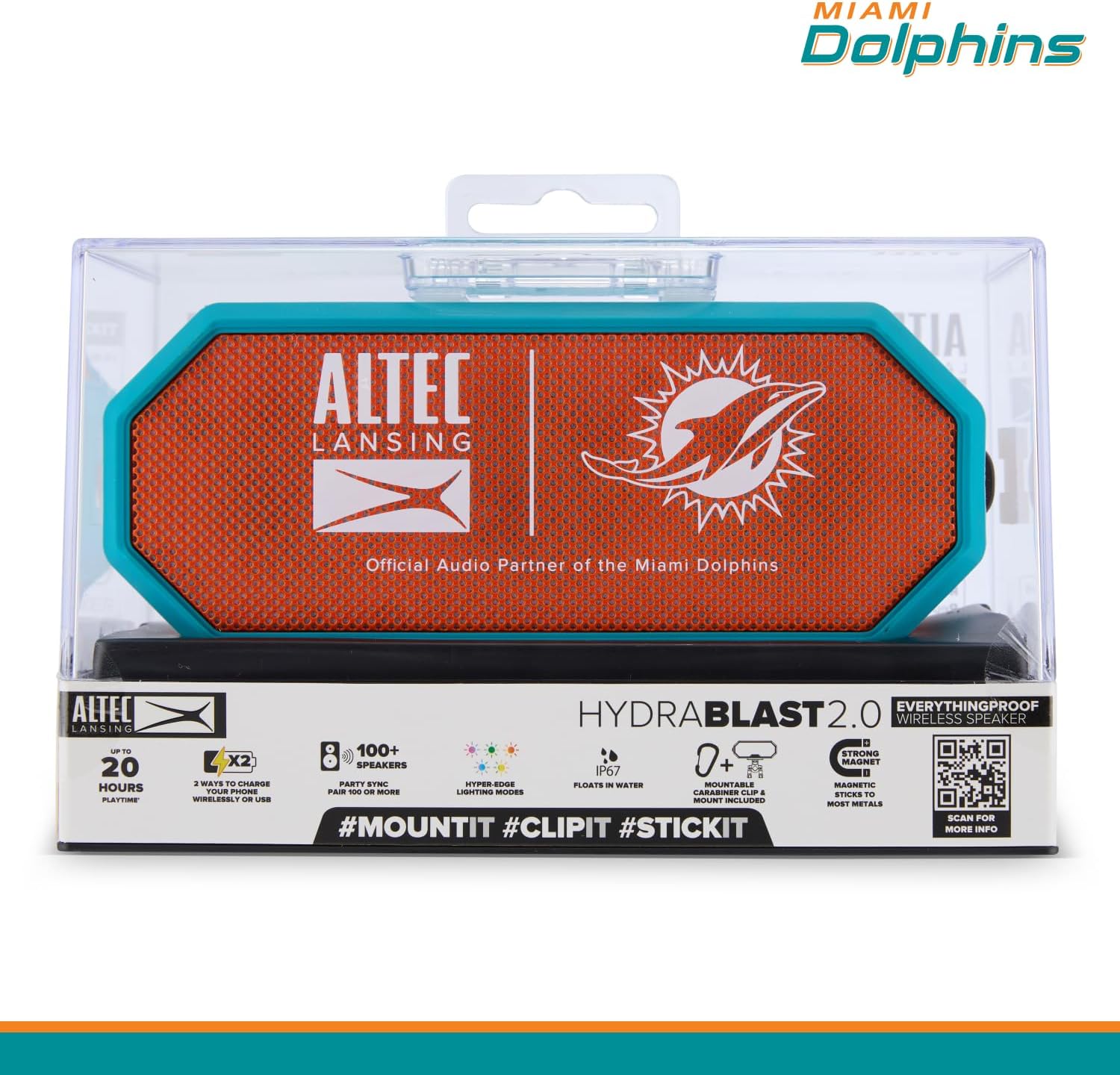
Image 2.1: Speaker in retail packaging highlighting key features.
3. Kontrolki i wskaźniki
Familiarize yourself with the speaker's control buttons and indicators located on the top panel.

Image 3.1: Top panel controls and their functions.
- Przycisk zasilania (włącz/wyłącz): Naciśnij i przytrzymaj, aby włączyć lub wyłączyć głośnik.
- Przycisk parowania: Inicjuje tryb parowania Bluetooth.
- LED Light Modes Button: Cycles through available lighting effects.
- Wireless Phone Charger (Qi): Indicates the area for wireless charging.
- Przycisk zmniejszania głośności: Zmniejsza głośność dźwięku.
- Przycisk asystenta głosowego: Aktywuje asystenta głosowego w urządzeniu.
- Przycisk zwiększania głośności: Zwiększa głośność dźwięku.
4. Konfiguracja
4.1 Ładowanie głośnika
Before initial use, fully charge the speaker. Connect the provided USB-C cable to the speaker's charging port and to a compatible USB power adapter (not included).
- Pełne naładowanie zapewnia do 24 godzin odtwarzania.
- The speaker supports USB-C quick charging.
4.2 Włączanie/wyłączanie
- Aby włączyć: Naciśnij i przytrzymaj Przycisk zasilania aż zaświeci się kontrolka.
- Aby wyłączyć: Naciśnij i przytrzymaj Przycisk zasilania aż lampka kontrolna zgaśnie.
4.3 parowanie Bluetooth
To connect the speaker to your Bluetooth-enabled device:
- Upewnij się, że głośnik jest włączony i znajduje się w odległości nie większej niż 100 metrów od urządzenia.
- Naciśnij Przycisk parowania on the speaker. The indicator light will flash, indicating pairing mode.
- On your device, navigate to Bluetooth settings and select "HYDRABLAST 2.0" from the list of available devices.
- Once connected, the speaker will emit an audible confirmation, and the indicator light will become solid.
5. Instrukcja obsługi
5.1 Odtwarzanie dźwięku
- Regulacja głośności: Użyj Zwiększ głośność I Zmniejsz głośność buttons on the speaker, or adjust volume directly on your connected device.
- Odtwórz/Pauza: Pojedyncze naciśnięcie Przycisk zasilania (when powered on) typically functions as play/pause for audio.
5.2 Asystent głosowy
Naciśnij Przycisk asystenta głosowego to activate the voice assistant on your connected smartphone or tablet.
5.3 trybów oświetlenia LED
Naciśnij LED Light Modes Button to cycle through various lighting effects. The speaker features "Hyper-Edge Lighting Modes."

Image 5.1: Speaker with active LED lighting.
5.4 Multi-Speaker Sync
To create a larger audio experience, you can wirelessly sync up to 100 HYDRA Bluetooth speakers. Refer to the Altec Lansing Connect app or the speaker's full manual for detailed instructions on initiating multi-speaker sync.
5.5 Uniwersalne opcje montażu
The HYDRABLAST 2.0 offers multiple ways to position the speaker:
- Mocowanie magnetyczne: The speaker has built-in magnets to attach to most metal surfaces.
- Zaczep z karabińczykiem: Use the included carabiner clip to hang the speaker.
- Uchwyt: Utilize the included mount for attachment to handlebars, poles, or other compatible structures.
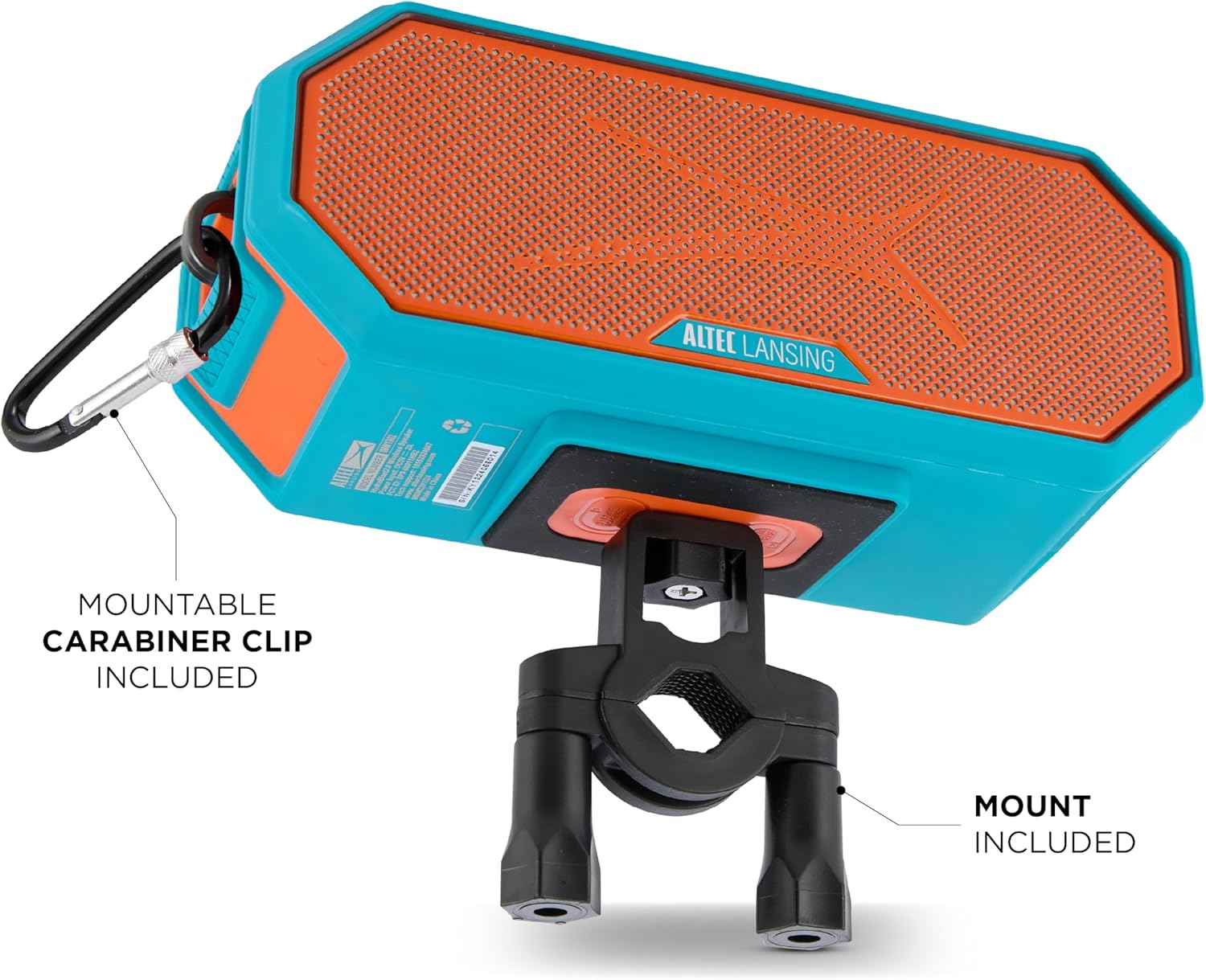
Image 5.2: Speaker mounted with carabiner clip and mount.
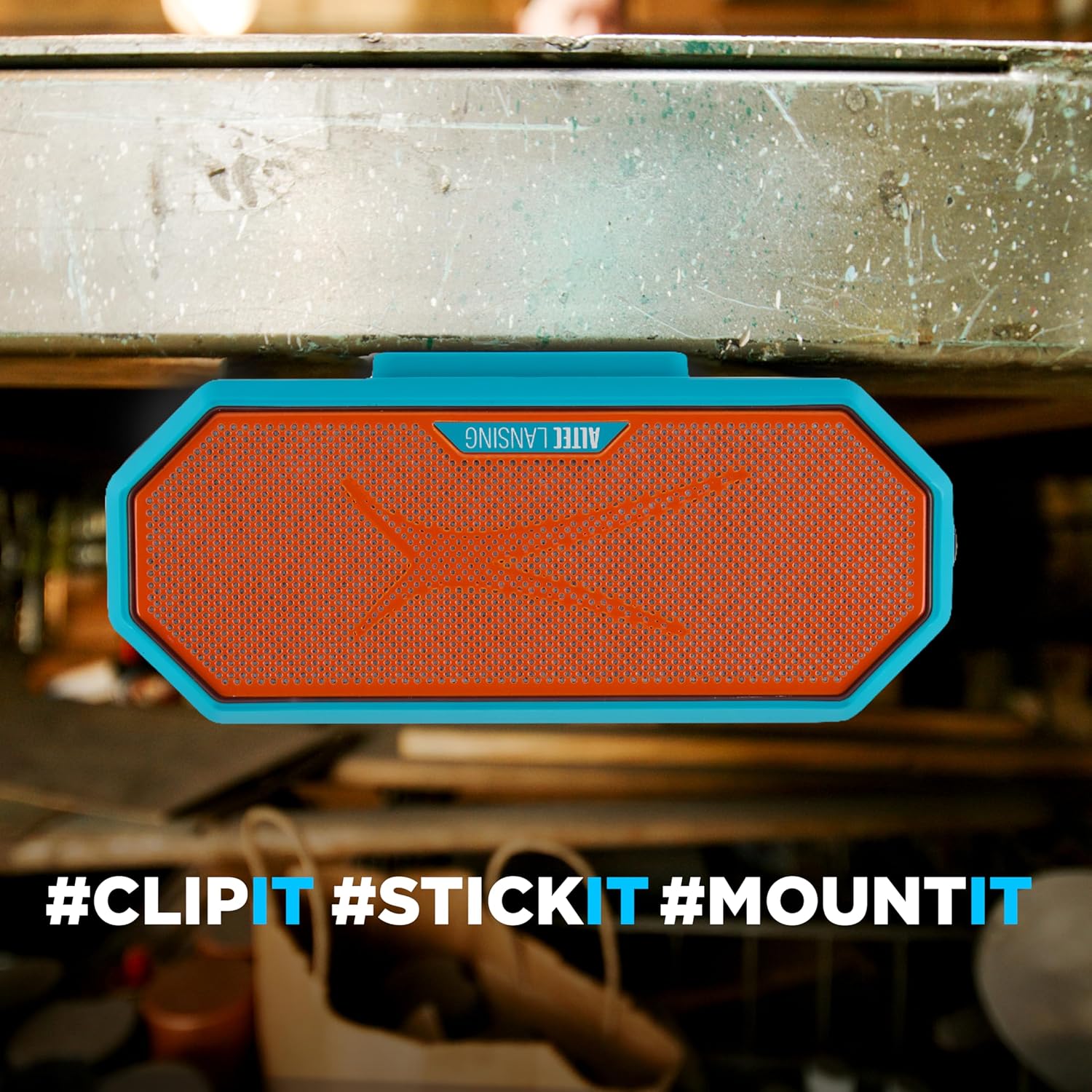
Image 5.3: Speaker magnetically attached to a metal surface.
5.6 Wireless Phone Charging (Qi)
Place your Qi-compatible smartphone on the designated wireless charging area of the speaker to initiate charging.

Image 5.4: Wireless phone charging in progress.
Note: Some users have reported that phones may slide off the charging surface due to speaker vibrations, especially at higher volumes. Ensure your phone is securely placed or consider alternative charging methods if this occurs.
6. Konserwacja
Proper care ensures the longevity of your HYDRABLAST 2.0 speaker.
- Czyszczenie: Przetrzyj głośnik miękką, damp cloth. Avoid using harsh chemicals or abrasive cleaners. Ensure all ports are dry before charging after exposure to water.
- Składowanie: Przechowuj głośnik w chłodnym, suchym miejscu, z dala od ekstremalnych temperatur i bezpośredniego światła słonecznego, jeśli nie używasz go przez dłuższy czas.
- Narażenie na działanie wody: While the speaker is IP67 waterproof and floats, it is recommended to rinse it with fresh water after exposure to saltwater or chlorinated water to prevent corrosion.
7. Rozwiązywanie Problemów
Jeśli masz problemy z głośnikiem, zapoznaj się z poniższymi typowymi rozwiązaniami:
| Problem | Możliwe rozwiązanie |
|---|---|
| Głośnik nie włącza się. | Upewnij się, że głośnik jest w pełni naładowany. Podłącz go do źródła zasilania i ładuj przez co najmniej 30 minut, zanim spróbujesz ponownie go włączyć. |
| Nie można sparować przez Bluetooth. |
|
| Brak dźwięku lub niski poziom głośności. |
|
| Ładowanie bezprzewodowe nie działa. |
|
8. Specyfikacje
| Funkcja | Szczegół |
|---|---|
| Nazwa modelu | Głośniki Bluetooth |
| Numer modelu | IMW1302 |
| Typ głośnika | przenośny głośnik |
| Technologia łączności | Bluetooth |
| Zasięg komunikacji bezprzewodowej | Do 100 stóp |
| Maksymalna moc wyjściowa głośnika | 20 watów (10 W x 2) |
| Tryb wyjścia audio | Stereofoniczny |
| Stopień wodoodporności | IP67 (wodoodporny, pyłoszczelny, unosi się na wodzie) |
| Źródło zasilania | Zasilany bateryjnie |
| Żywotność baterii | Do 24 godzin |
| Port ładowania | USB-C |
| Wymiary produktu (Gł. x Szer. x Wys.) | 4.13" x 5.38" x 8.75" |
| Waga przedmiotu | 2.66 funta (1.21 kilograma) |
| Producent | Międzynarodowy Sakar |
| UPC | 021331131515 |
9. Gwarancja i wsparcie
The Altec Lansing HYDRABLAST 2.0 speaker comes with a Limited Warranty. For specific warranty terms and conditions, please refer to the documentation included with your purchase or contact the manufacturer directly.
For technical support or further assistance, please contact Sakar International, the manufacturer of Altec Lansing products. Contact information can typically be found on their official webmiejscu lub na opakowaniu produktu.
10. Informacje dodatkowe
For more detailed information, including app features or advanced settings, please visit the official Altec Lansing website or scan the QR code found on the product packaging.
Link 10.1: External link for additional product information.


