
Wstęp
This instruction manual provides essential information for the proper use and care of your BoxWave DirectSync PD Cable. This USB-C to USB-C cable is designed for charging and data transfer with compatible devices, supporting up to 100W Power Delivery.

The BoxWave DirectSync PD Cable features a durable black braided nylon exterior and USB-C connectors on both ends.
Organizować coś
The BoxWave DirectSync PD Cable is designed for immediate use without complex setup procedures.
- Identyfikacja portów: Ensure your charging adapter and device both have USB-C ports.
- Podłącz do źródła zasilania: Insert one end of the USB-C cable into a compatible USB-C power adapter or a computer's USB-C port.
- Połącz z urządzeniem: Insert the other end of the USB-C cable into your device's USB-C port.
- Sprawdź połączenie: Confirm that your device indicates it is charging or connected for data transfer.

This cable facilitates both charging and high-speed data transfer simultaneously between compatible devices.
Instrukcja obsługi
The DirectSync PD Cable supports both power delivery and data transfer functionalities.
- Dostarczanie mocy (PD): This cable is capable of delivering up to 100 Watts of power. Connect it to a compatible USB-C PD charger and a device that supports USB-C PD for fast charging. The actual charging speed will depend on the power adapter and the device's charging capabilities.
- Transfer danych: When connected to a computer or other data-enabled device, the cable supports data transfer speeds up to 480Mbps. This allows for quick synchronization of files, photos, and other data.
- Rozszerzony zasięg: The 10-foot length of the cable provides flexibility, allowing you to comfortably use your device while it is connected to a power source or computer, even if the outlet is not immediately adjacent.

The cable supports up to 100W Power Delivery for efficient charging of compatible devices like laptops.

The 10-foot length of the DirectSync PD Cable provides extended reach for flexible device placement while charging.
Konserwacja
To ensure the longevity and optimal performance of your DirectSync PD Cable, follow these maintenance guidelines:
- Składowanie: Store the cable in a clean, dry place away from extreme temperatures. Avoid tightly coiling or bending the cable at sharp angles, which can damage internal wires.
- Czyszczenie: If the cable becomes dirty, gently wipe it with a soft, dry cloth. Do not use harsh chemicals or abrasive cleaners.
- Obsługiwanie: Zawsze chwytaj za głowicę złącza podczas podłączania i odłączania kabla, zamiast ciągnąć za sam kabel. Zapobiega to naprężeniom w punktach połączenia.
- Kontrola: Periodically inspect the cable and connectors for any signs of wear, fraying, or damage. Discontinue use if damage is observed.

The cable's braided nylon construction enhances durability and resistance to tangles and fraying.

Rubberized grommet strain reliefs at both connectors prevent cable fraying and ensure a secure connection.
Rozwiązywanie problemów
If you encounter issues with your DirectSync PD Cable, consider the following:
- Urządzenie się nie ładuje:
- Ensure both ends of the cable are securely plugged into the power source and the device.
- Verify that the power adapter is functioning correctly and is compatible with your device's charging requirements.
- Aby zidentyfikować problem, przetestuj kabel przy użyciu innego kompatybilnego urządzenia lub źródła zasilania.
- Powolne ładowanie:
- Confirm that your power adapter supports Power Delivery (PD) and provides sufficient wattage for your device (up to 100W for this cable).
- Ensure your device also supports fast charging via USB-C PD.
- Problemy z przesyłaniem danych:
- Check that the cable is connected to a data-enabled USB-C port on your computer.
- Restart both your computer and the connected device.
- Ensure necessary drivers are installed on your computer for the connected device.
- Uszkodzenia fizyczne: If the cable or connectors show signs of physical damage (e.g., fraying, bent pins), discontinue use immediately to prevent potential hazards.
Specyfikacje
| Funkcja | Specyfikacja |
|---|---|
| Nazwa produktu | DirectSync PD Cable |
| Numer modelu | B0F94NGPBB |
| Typ złącza | USB-C do USB-C |
| Dostarczanie mocy (PD) | Do 100 W |
| Długość kabla | 10 stopy (około 3 metrów) |
| Prędkość przesyłu danych | Up to 480Mbps (USB 2.0 standard) |
| Materiał kablowy | Nylon pleciony |
| Odciążenie | Rubberized Grommet on both connectors |
| Waga przedmiotu | 6 uncji |
| Producent | Fala pudełkowa |
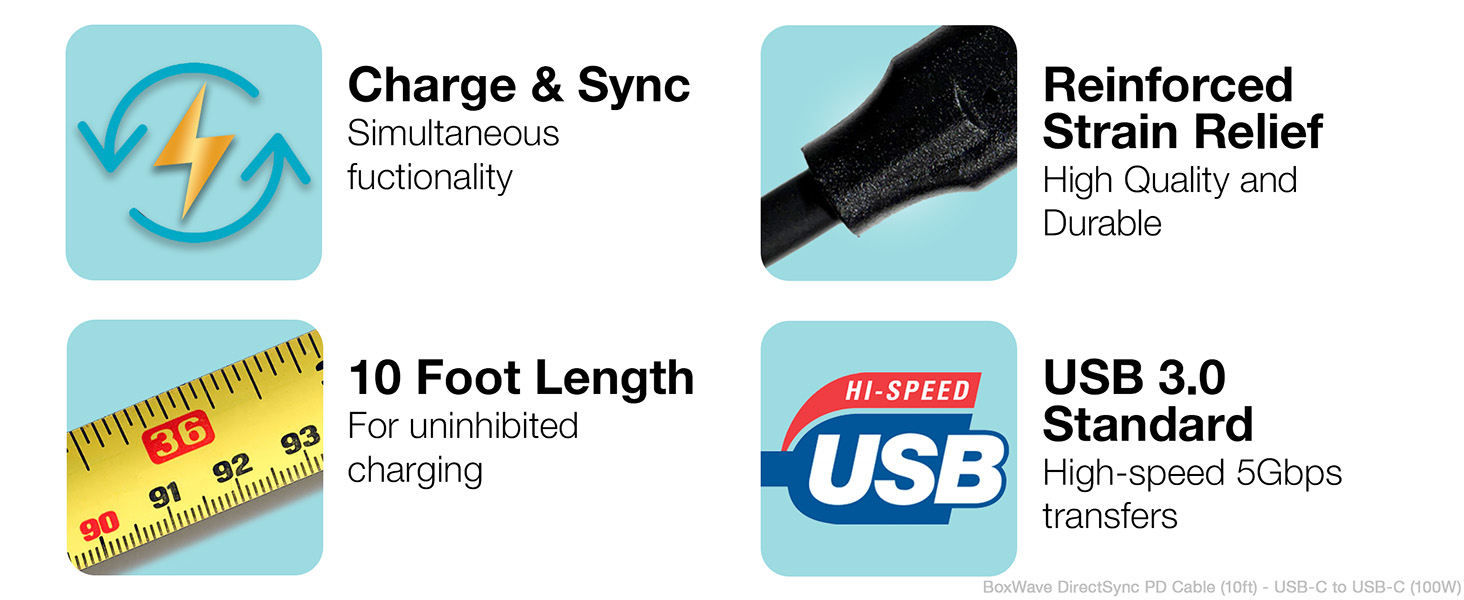
Key features of the DirectSync PD Cable include simultaneous charging and syncing, reinforced strain relief, a 10-foot length, and USB 3.0 standard for high-speed transfers.
Gwarancja i wsparcie
For warranty information or technical support regarding your BoxWave DirectSync PD Cable, please refer to the official BoxWave website or contact their customer service directly. Details are typically available on the product packaging or the manufacturer's official support channels.