
1. Wprowadzenie
This manual provides detailed instructions for the installation, operation, and maintenance of your Rimoody 4G+64G Wireless Carplay Android Autoradio. Please read this manual thoroughly before using the device to ensure proper functionality and safety. Keep this manual for future reference.
2. Koniec produktuview
Główne cechy:
- 4G+64G System Configuration
- Bezprzewodowy CarPlay i Android Auto
- 2 DIN Standard Size
- Wyświetlacz dotykowy
- Zintegrowana nawigacja GPS
- Wbudowane Wi-Fi i Bluetooth
- Voice Control Capability
- Support for Mirror Link
Zawartość pudełka:
The package includes the main car radio unit and the following accessories:
- Instrukcja obsługi
- Antena GPS
- Kabel RCA
- Kabel linii odwrotnej
- Kabel USB
- Adapter anteny
- Oryginalny kabel USB
- Dekoder Canbus
- Radio Antenna
- Kabel zasilający
- Tył View Kamera
- Mikrofon (MIC)

Image: Contents of the product box, showing the main car radio unit, instruction manual, GPS antenna, RCA cable, reverse line, USB cable, antenna adapter, original USB cable, Canbus, radio antenna, power cable, rear view camera, and microphone.
3. Konfiguracja i instalacja
Professional installation is recommended for this device. Ensure the vehicle's power is disconnected before beginning installation.
Zgodność pojazdu:
This autoradio is designed for Fiat Punto models from 2005-2009 and Fiat Linea models from 2007-2011.
Kroki instalacji:
- Usuń oryginalne radio: Carefully remove the existing car radio from your vehicle's dashboard. Refer to your vehicle's service manual for specific instructions.
- Podłącz wiązkę przewodów: Connect the provided power cable, RCA cable, USB cables, and other necessary wiring to the corresponding ports on the new autoradio and your vehicle's wiring harness. Ensure all connections are secure.
- Instalacja anten: Podłącz antenę GPS i antenę radiową. Umieść antenę GPS w miejscu z otwartym dostępem. view nieba w celu optymalnego odbioru sygnału.
- Podłącz tył View Kamera: Jeśli instalujesz tylną view camera, route the reverse line cable and video cable from the camera to the autoradio. Connect the camera's power to the vehicle's reverse light circuit.
- Mount Autoradio: Securely mount the new Rimoody autoradio into the 2 DIN slot in your dashboard.
- Funkcjonalność testu: Reconnect the vehicle's power and turn on the autoradio to test all functions, including audio, display, GPS, Bluetooth, and camera.
Image: Comparison of a car dashboard before and after the installation of the Rimoody Autoradio, demonstrating the fit for Fiat Punto 2005-2009 and Fiat Linea 2007-2011 models.
4. Instrukcja obsługi
4.1 Bezprzewodowy CarPlay i Android Auto
Connect your smartphone wirelessly to access CarPlay or Android Auto features. This allows for navigation, music, calls, and messages directly from the autoradio's display.
- CarPlay: For iPhone users, connect via Bluetooth and then follow on-screen prompts to enable wireless CarPlay.
- Android Auto: For Android users, connect via Bluetooth and then follow on-screen prompts to enable wireless Android Auto.
- Link lustrzany: This feature allows you to mirror your smartphone's screen onto the autoradio display.

Image: Visual representation of Wireless CarPlay, Android Auto, and Mirror Link interfaces on the autoradio, showing phone, music, and navigation apps.
4.2 Nawigacja GPS i Wi-Fi
The unit features integrated GPS for navigation and Wi-Fi for internet connectivity.
- Nawigacja GPS: Utilize pre-installed offline maps or connect to Wi-Fi to use online navigation services. Ensure the GPS antenna is properly installed for accurate positioning.
- Łączność Wi-Fi: Connect to a Wi-Fi hotspot (e.g., from your smartphone) to access online features, download apps, and stream content.
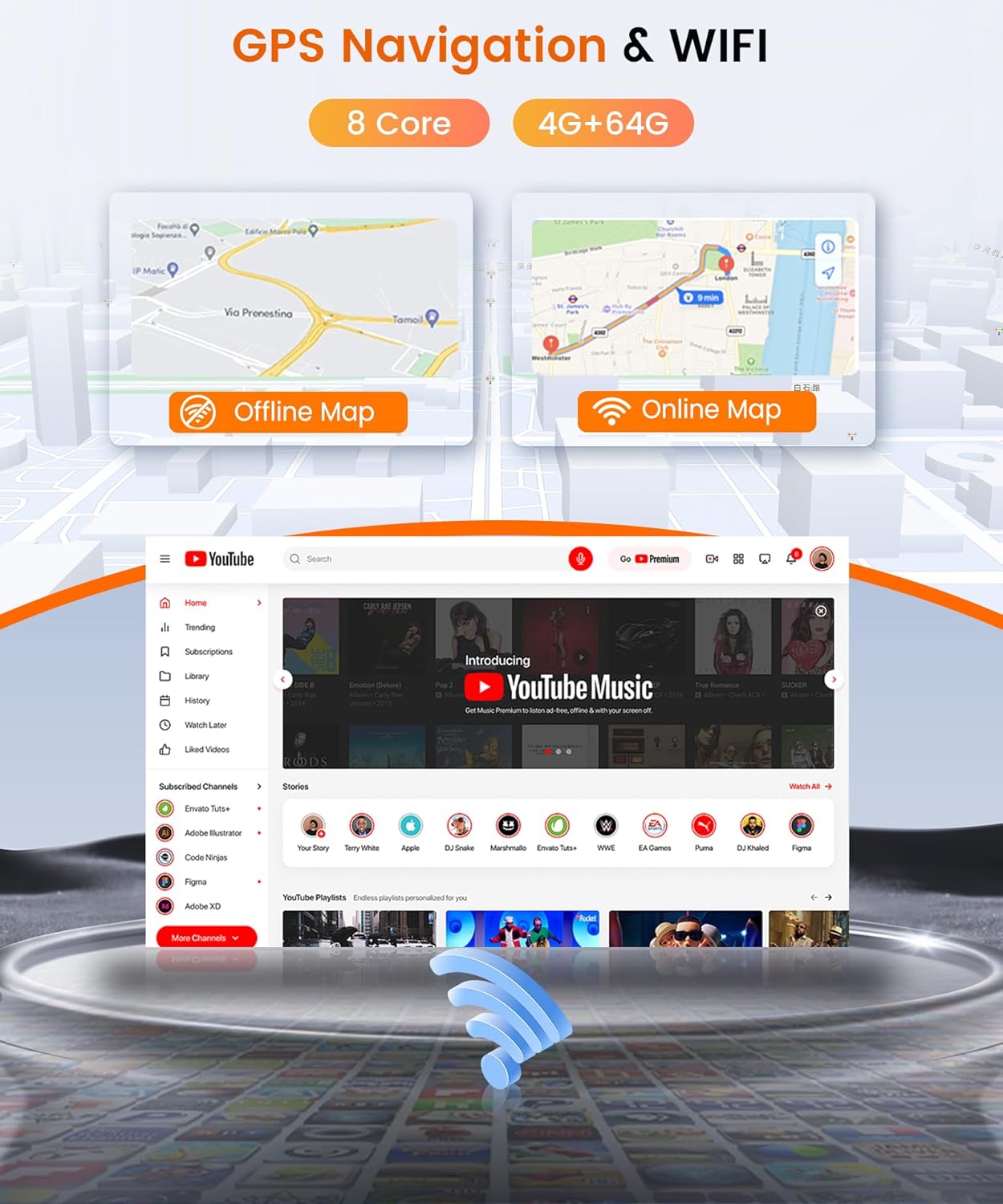
Image: Display of GPS navigation with both offline and online map views, alongside a YouTube application interface, highlighting the device's connectivity and multimedia capabilities.
4.3 funkcje Bluetooth
Sparuj smartfon przez Bluetooth, aby móc rozmawiać w trybie głośnomówiącym i przesyłać strumieniowo dźwięk.
- Rozmowy bez użycia rąk: Make and receive calls directly from the autoradio. Your phone's contact list can be synchronized.
- Strumieniowe przesyłanie dźwięku: Odtwarzaj muzykę ze swojego smartfona przez głośniki samochodu.

Image: Bluetooth interface showing options for phone calls, contact synchronization, and music playback, with a visual of a connected phone.
Radio 4.4 FM/RDS
Access local radio stations with the built-in FM tuner and RDS (Radio Data System) functionality.
- Strojenie stacji: Manually or automatically scan for available FM radio stations.
- Wyświetlacz RDS: View station information, song titles, and traffic announcements where available.
Image: FM/RDS radio interface displaying frequency tuning, preset stations, and a graphical representation of sound waves.
4.5 Tył View Kamera
W zestawie tył view camera provides assistance for parking and reversing.
- Automatyczny wyświetlacz: Wyświetlacz automatycznie przełącza się na kamerę view po włączeniu biegu wstecznego.
- Cechy: The camera offers HD image quality, night vision, and is waterproof for reliable performance in various conditions.

Obraz: Tył view camera display with dynamic parking guidelines, showing a car reversing in a parking garage, and an inset image of the physical camera unit.
4.6 Sterowanie z kierownicy
Control essential functions of the autoradio directly from your vehicle's steering wheel buttons (if supported by your vehicle and properly wired).
- Konfiguracja: Access the settings menu to map your steering wheel buttons to functions like volume control, track skipping, mode selection, and answering calls.
Image: Steering wheel control interface on the autoradio display, showing options to select, short press, start, reset, save, and assign functions like volume, track, mode, power, band, and GPS.
4.7 Funkcjonalność podzielonego ekranu
Utilize the split-screen feature to run two applications simultaneously on the display, such as navigation and music playback.

Image: Autoradio display showing split-screen mode with a navigation map on one side and a music player interface on the other, along with various app icons.
4.8 32-Band Equalizer (32EQ Audio)
Customize your audio experience with the integrated 32-band equalizer, allowing precise adjustment of sound frequencies.
Image: 32-band audio equalizer interface with sliders for frequency adjustment and balance controls, displayed on the autoradio screen.
4.9 Intelligent Voice Control (Optional)
The device supports intelligent voice control for various functions, including navigation, music, and information retrieval. Some advanced features like Internet Radio and Global Climate may require additional setup or accessories.
Image: Display showing voice command examples like "Call Jenny" or "Play Beat it on Spotify," along with interfaces for optional Internet Radio and Global Climate features.
4.10 Optional Accessories Support
The autoradio supports external accessories such as DAB+ tuners, OBD2 diagnostic tools, and DVRs (Digital Video Recorders). These accessories are sold separately.
- DAB+: Do ulepszonego przesyłania dźwięku cyfrowego.
- OBD2: For vehicle diagnostics and real-time data display.
- DVR: Do nagrywania jazdy samochodemtage.
Image: Visuals of optional accessories including a DVR camera, a DAB+ antenna, and an OBD2 diagnostic dongle, indicating compatibility with the autoradio.
5. Konserwacja
To ensure the longevity and optimal performance of your Rimoody Autoradio, follow these maintenance guidelines:
- Czyszczenie ekranu: Use a soft, lint-free cloth to gently wipe the touchscreen. Avoid abrasive cleaners or solvents that could damage the display.
- Aktualizacje oprogramowania: Periodically check for and install software updates to ensure the system has the latest features and security patches. Updates can typically be found on the manufacturer's website or through the device's settings menu.
- Unikaj ekstremalnych temperatur: Do not expose the device to extreme heat or cold, as this can affect its electronic components.
- Bezpieczne połączenia: Okresowo sprawdzaj wszystkie połączenia kablowe, aby mieć pewność, że są solidne i nie są skorodowane.
6. Rozwiązywanie Problemów
Jeśli masz problemy z radiem samochodowym, zapoznaj się z poniższymi, często występującymi problemami i ich rozwiązaniami:
| Problem | Możliwa przyczyna | Rozwiązanie |
|---|---|---|
| Brak zasilania | Luźne połączenie zasilania, przepalony bezpiecznik. | Sprawdź połączenia kabli zasilających. W razie potrzeby sprawdź i wymień bezpiecznik pojazdu. |
| Brak dźwięku | Zbyt niski poziom głośności, odłączone przewody głośnikowe, nieprawidłowe ustawienia dźwięku. | Increase volume. Check speaker wire connections. Verify audio output settings. |
| Utrata sygnału GPS | Antena GPS jest zasłonięta lub odłączona. | Upewnij się, że antena GPS ma czyste pole widzenia view nieba i jest bezpiecznie podłączony. |
| Brak połączenia Bluetooth | Bluetooth off on phone or autoradio, device not in pairing mode. | Ensure Bluetooth is enabled on both devices. Put autoradio in pairing mode and search from phone. |
| Ekran dotykowy nie reaguje | Zawieszenie systemu, brud na ekranie. | Restart the device. Clean the screen. If issue persists, a factory reset may be required (consult support). |
Jeśli po wypróbowaniu tych rozwiązań problem nadal występuje, skontaktuj się z obsługą klienta.
7. Specyfikacje
| Funkcja | Specyfikacja |
|---|---|
| Marka | Rimoody |
| Model | B0F93M455C |
| Technologia łączności | Ethernet, USB, Wi-Fi |
| Typ kontrolera | Smartphone (CarPlay, Android Auto, Mirror Link), Bluetooth, Radio Tuner |
| Cechy specjalne | Touchscreen, GPS Navigation, Integrated Wi-Fi, Bluetooth, Voice Control, Wireless CarPlay and Android Auto |
| Kompatybilne urządzenia | Smartfon, tablet, komputer |
| Typ połączenia | USB, RCA |
| Typy wyjść audio | Stereo, Surround, Speakers, Bluetooth, RCA |
| Kodowanie wideo | H.264, H.265/HEVC |
| Moc wyjściowa | 45 W (na kanał) |
| Liczba kanałów | 2 |
| Całkowita wattage Wyjście | 180 watów |
| Technologia bezprzewodowa | Wi-Fi |
| Waga przedmiotu | 1.58 kilograma |
8. Gwarancja i wsparcie
For warranty information, please refer to the documentation provided with your purchase or contact the seller directly. Warranty terms may vary based on region and retailer.
If you require technical assistance or have questions not covered in this manual, please contact Rimoody customer support through their official webwitrynę lub sprzedawcę, u którego zakupiono produkt.