
1. Wprowadzenie
This manual provides detailed instructions for the setup, operation, and maintenance of your HiSpyCam S120 Dual Lens Hidden Camera DIY Module. Please read this manual thoroughly before using the device to ensure proper functionality and to maximize its capabilities. This device is designed for discreet surveillance and monitoring in various indoor and outdoor environments.
2. Co znajduje się w pudełku
- Moduł kamery
- Kabel ładujący USB
3. Koniec produktuview
The HiSpyCam S120 DIY Module is a compact surveillance device. Familiarize yourself with its components:

Obraz 3.1: Nadview of the HiSpyCam S120 DIY Module, highlighting the camera lenses, Micro SD Card Slot, USB port, Reset button, and ON/OFF switch.
- Obiektywy do aparatów: Dual lenses for wide-angle viewing.
- Gniazdo kart Micro SD: For local storage of recordings (supports up to 256GB, card not included).
- Port USB: For charging the device and continuous power supply.
- Przycisk resetowania: Used to restore factory settings or restart the device.
- Przełącznik włącz / wyłącz: Włącza lub wyłącza urządzenie.
4. Przewodnik konfiguracji
Follow these steps to set up your HiSpyCam S120:
- Naładuj urządzenie: Connect the camera module to a power source using the provided USB charging cable. Ensure it is fully charged before first use.
- Włóż kartę Micro SD: If local storage is desired, insert a compatible Micro SD card (up to 256GB, not included) into the Micro SD Card Slot.
- Pobierz aplikację: Scan the QR code in the included instructions or search for the recommended application (e.g., 'HomeEye' as mentioned in customer reviews) on your smartphone's app store.
- Włączanie: Przesuń przełącznik ON/OFF do pozycji „ON”.
- Połącz z siecią: The camera supports multiple connection methods. Refer to the 'Connectivity' section for detailed instructions on connecting via Wi-Fi or direct hotspot.

Obraz 4.1: Illustration of the three primary connection methods for the camera module.
5. Instrukcja obsługi
Once set up, operate your camera via the dedicated smartphone application.
- Na żywo View: Otwórz aplikację i wybierz kamerę, aby view żyćtage.
- Tryby nagrywania:
- Ciągłe nagrywanie: Records continuously to the Micro SD card.
- Nagrywanie aktywowane ruchem: Rejestruje tylko po wykryciu ruchu, oszczędzając miejsce na dysku.
- Wideo z pomiarem czasu: Schedule specific times for recording.
- Dostęp do Footage: Nagrane footagmożna uzyskać do niego dostęp i ponownieviewed through the app, either from the Micro SD card or cloud storage (if subscribed).
- Tryb prywatności: Activate privacy mode via the app to temporarily disable recording and live viewing.
6. Łączność
The HiSpyCam S120 offers flexible connectivity options:
- Wi-Fi Connection (2.4GHz): Connect the camera to your home or office 2.4GHz Wi-Fi network for remote access and control via the app. The smart network switching technology ensures uninterrupted monitoring even during WiFi outagt.j.
- Camera's Hotspot (AP Mode): For direct, local connection without an internet router, the camera can generate its own Wi-Fi hotspot. Connect your smartphone directly to this hotspot for local viewi kontroli.
- Karta micro sd: Record directly to a Micro SD card for local storage without requiring any network connection.
7. Główne cechy
7.1 Full HD 1080P Resolution & Dual-Lens Innovation
Experience clear video quality with Full HD 1080P resolution. The advanced dual-lens system provides a wider coverage area compared to single-lens cameras, enhancing surveillance capabilities day and night.

Obraz 7.1: Visual comparison demonstrating the wider field of view provided by the dual-lens system.
7.2 Smart Cloud Storage & Local Backup
The camera supports both secure cloud storage (subscription optional) for automatic backup of footage and continuous local recording to a Micro SD card (up to 256GB). Access your recordings anytime, anywhere through the encrypted platform.
7.3 AI-Powered Motion Alerts
Equipped with advanced motion detection technology, the camera intelligently identifies movement and sends instant notifications to your smartphone. This feature helps minimize false alarms while ensuring you are alerted to important activity.
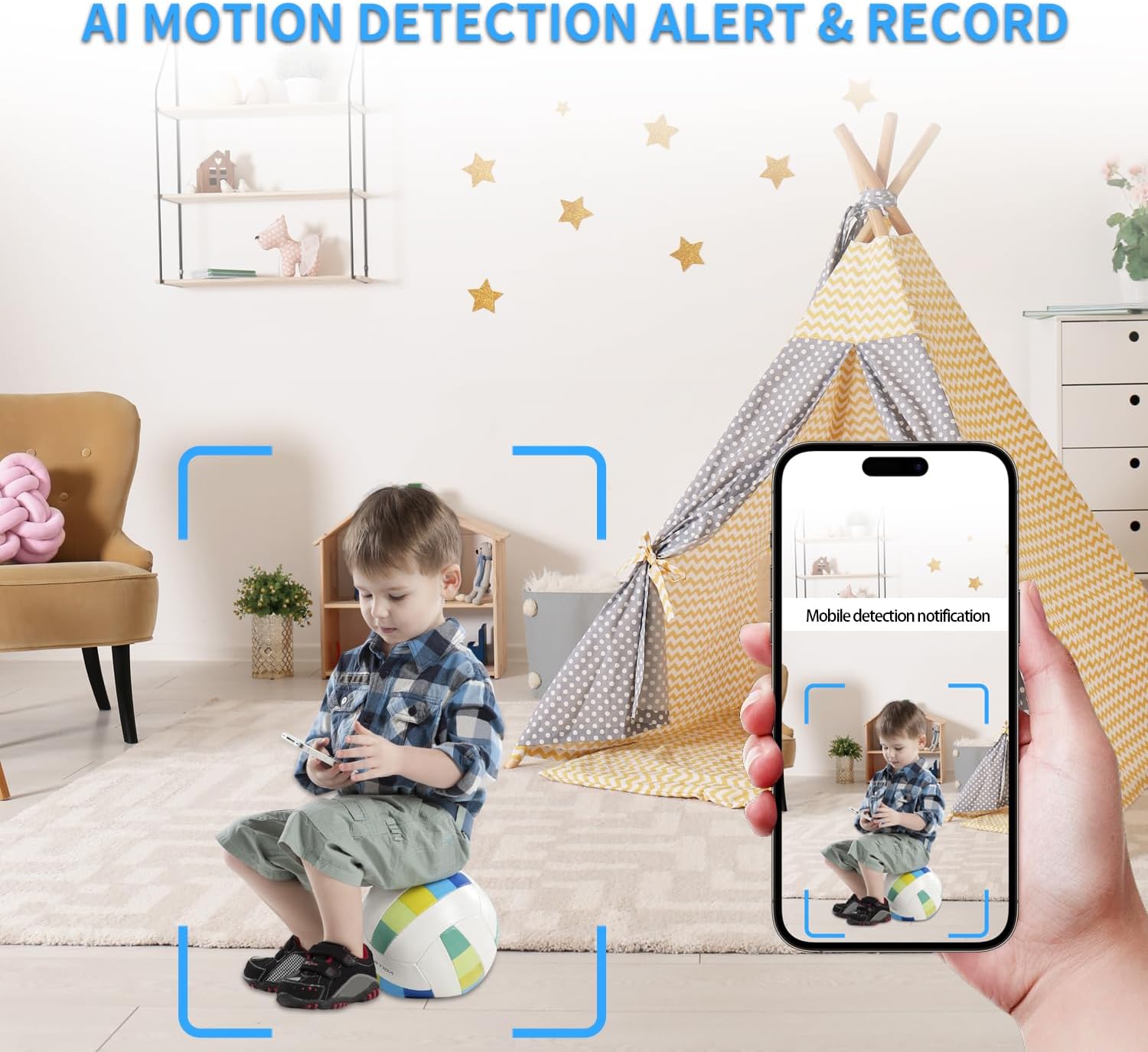
Obraz 7.2: Example of an AI motion detection alert received on a smartphone.
7.4 Remote Access on the App
Monitor your space remotely from anywhere using the dedicated smartphone application. The app allows for live viewodtwarzanie nagranego dźwiękutage, and control over camera settings.

Obraz 7.3: A user accessing live camera feed remotely via the smartphone app.
7.5 szerokości Viewing Angle and Multi-User Access
The dual lenses provide a wide viewing angle for comprehensive coverage. The system also supports multi-user access, allowing multiple individuals to view oglądać obraz z kamery i otrzymywać powiadomienia.

Obraz 7.4: Visual representation of various app functionalities including notifications, motion detection, wide coverage, and multi-user support.
8. Konserwacja
- Ładowanie: Recharge the camera using the provided USB cable when the battery is low. For continuous operation, keep it plugged into a power source.
- Zarządzanie kartami SD: Regularnie twórz kopie zapasowe ważnych plikówtage from the Micro SD card. Format the card periodically to maintain optimal performance.
- Czyszczenie: Gently clean the camera lenses with a soft, dry cloth to ensure clear image quality. Avoid using harsh chemicals.
- Aktualizacje oprogramowania układowego: Check the app regularly for any available firmware updates to ensure your device has the latest features and security enhancements.
9. Rozwiązywanie Problemów
- Kamera nie łączy się z Wi-Fi:
- Upewnij się, że Twoja sieć Wi-Fi obsługuje częstotliwość 2.4 GHz. Kamera nie obsługuje sieci 5 GHz.
- Sprawdź poprawność hasła Wi-Fi.
- Przesuń kamerę bliżej routera Wi-Fi.
- Zresetuj kamerę za pomocą przycisku resetowania i spróbuj ponownie się połączyć.
- Słaba jakość wideo:
- Ensure the camera lenses are clean.
- Check network stability for live streaming.
- Jeśli to możliwe, dostosuj ustawienia rozdzielczości wideo w aplikacji.
- Wykrywanie ruchu nie działa:
- Sprawdź, czy wykrywanie ruchu jest włączone w ustawieniach aplikacji.
- Dostosuj poziomy czułości.
- Upewnij się, że kamera view nie jest zablokowana.
- Krótki czas pracy baterii:
- Battery life is approximately 70-90 minutes on a full charge. For extended use, keep the camera connected to a power source.
- Frequent motion detection events or continuous live viewing can drain the battery faster.
- Karta SD nie nagrywa:
- Ensure the SD card is correctly inserted and formatted (FAT32 recommended).
- Check if the SD card is full; delete old footage or replace the card.
- Sprawdź ustawienia nagrywania w aplikacji.
10. Specyfikacje
| Funkcja | Szczegół |
|---|---|
| Nazwa modelu | Dual Lens DIY Module (S120) |
| Rozdzielczość przechwytywania wideo | 1080p |
| Technologia łączności | Bezprzewodowy (Wi-Fi) |
| Protokół łączności | Wi-Fi (2.4 GHz) |
| Źródło zasilania | Zasilany bateryjnie |
| Typ baterii | 1 bateria litowo-polimerowa (w zestawie) |
| Typ kontrolera | Aplikacja |
| Viewing kąt | 120 stopni |
| Szybkość klatek | 15-20 frames per second |
| Wsparcie magazynowania | Up to 256GB Micro SD Card (Not Included) |
| Tryb pracy | Tylko ruch |
| Typ fokusu | Autofokus |
| Wymiary produktu | 1 x 1 x 1 cala |
| Waga przedmiotu | 3.84 uncji |
| Zastosowanie wewnątrz/na zewnątrz | Wewnątrz, Na zewnątrz |
11. Gwarancja i wsparcie
All HiSpyCam Security Cameras come with a premium 1-Year Full Warranty and lifetime technical support. Our customer service team is available 24/7 and guarantees a response within 2 hours. We also offer a 30-Day Money Back guarantee and a 365-Day Free Replacement promise.
For technical assistance or warranty claims, please contact HiSpyCam customer support through the contact information provided with your product packaging or on the official HiSpyCam webstrona.